

What this is
Taboola is a destination: Zeotap CDP sends audience identifiers out to Taboola, and no Taboola data flows back into the CDP. This page covers the two handover items you complete after an audience is linked to a Taboola destination — the Channel ID that Zeotap CDP generates for that audience, and the taxonomy file you email to Taboola so it can match your audiences to the right client account. Everything about the destination itself — the supported identifiers, the Taboola Seat ID, creating the destination, and linking an audience to it — lives on the main Taboola page.Prerequisites
- A Taboola destination is created in Zeotap CDP. See Create a Destination for Taboola.
- The audience is already linked to that destination. Both handover items below depend on the link existing — the Channel ID is read from the linked Destination, and the taxonomy file is only shared once the audience is linked. See Link an Audience to the Taboola Destination.
- You have the email address of the Taboola account manager (AM) who looks after your account.
Channel ID
The Channel ID is generated by Zeotap CDP, not by Taboola. It is the value that goes in the Segment ID column of the taxonomy file, so read it before you compile the file. Perform the following steps to obtain the Channel ID from Zeotap CDP:1
Log into Zeotap CDP and navigate to Segment > Audiences.
2
In the Audience listing page, search for the Audience whose Channel ID you need.
3
Click the Insights icon on that Audience, as shown in the image below.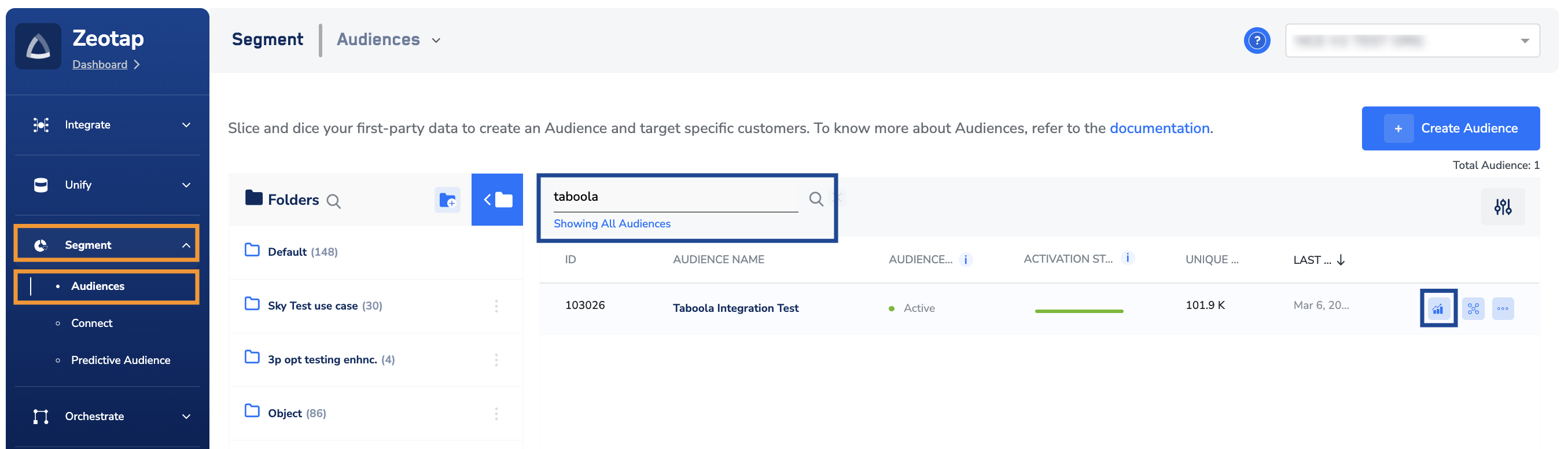
4
On the Audience insights page that appears, under Destination Linked, click the Taboola Destination to view the information for that Destination.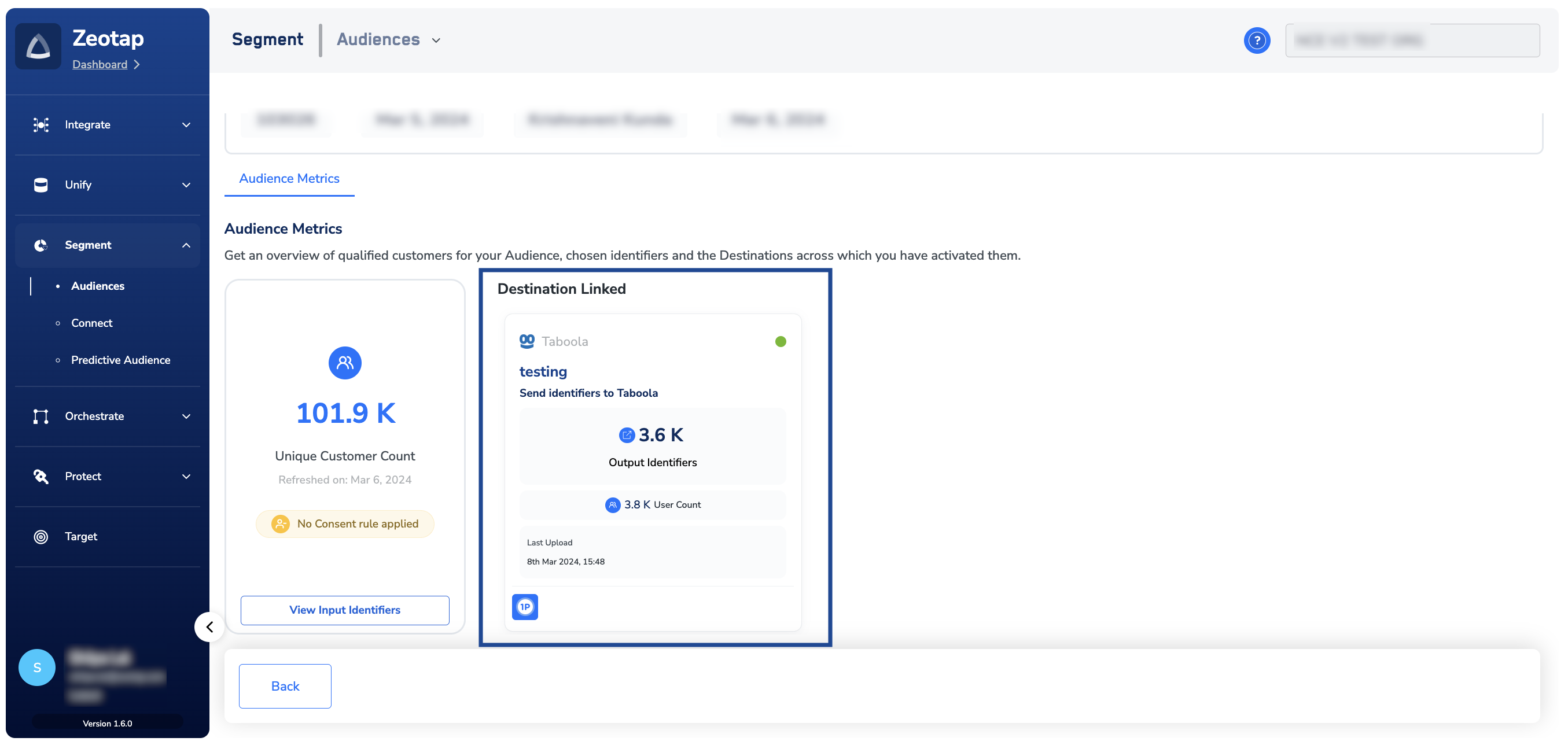
5
A panel opens showing the Destination’s action, mapping and last upload. Copy the value under Channel ID — take care not to copy the adjacent ID field, which is a different value — and share it with the Taboola team alongside the taxonomy file.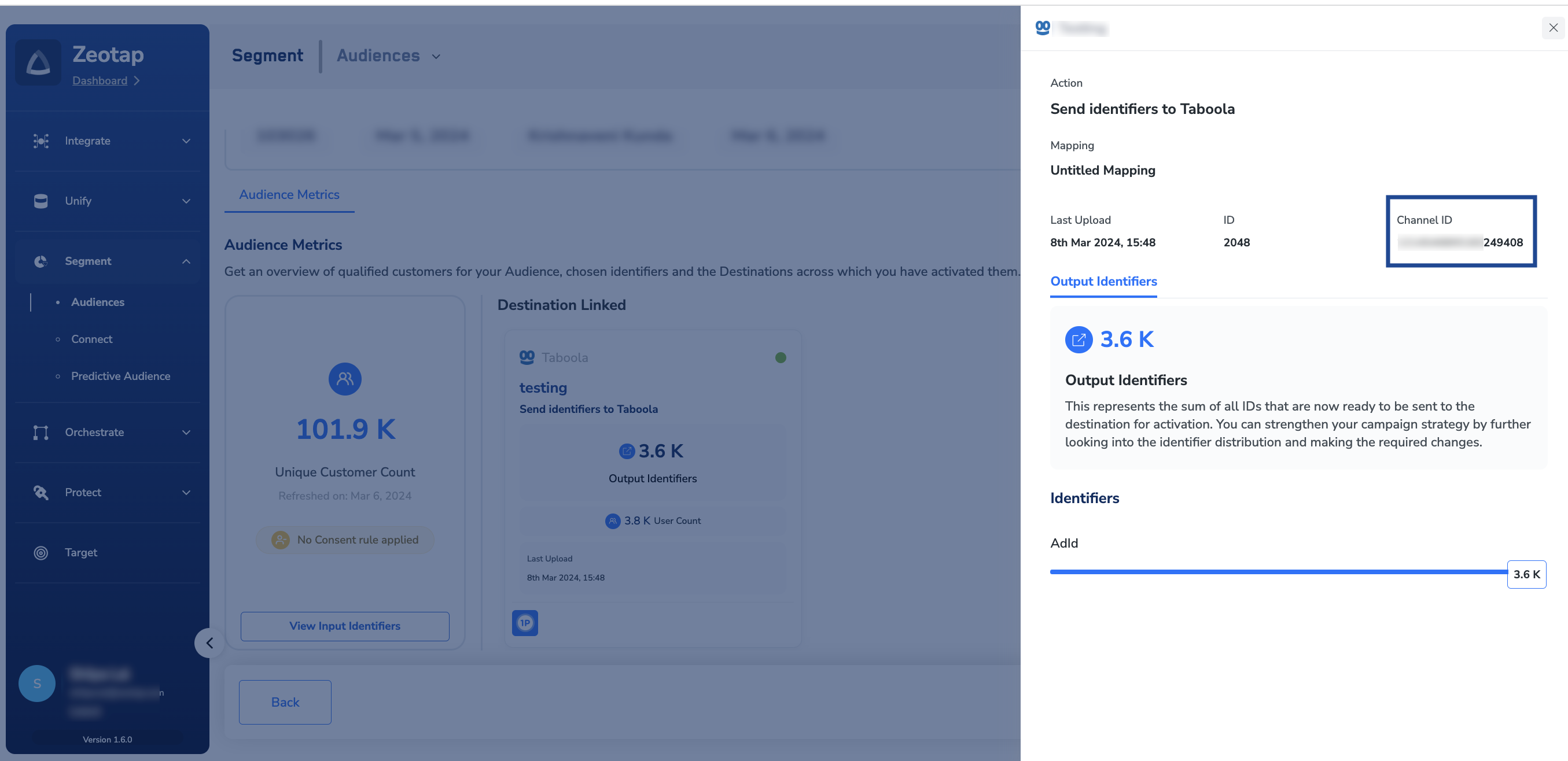
Taxonomy file
Share the taxonomy file as a CSV with the relevant Taboola Account Manager (AM) over email, in the following format. The Taboola team maps this information to the relevant client account. Ensure that you share the taxonomy file once the audiences (segments) are linked to the Destination.For anything else about the taxonomy file — how to send it, or what Taboola expects in each column — contact your Taboola account manager.
Next steps
- Taboola — supported identifiers, the Taboola Seat ID, and creating and linking the Destination.
- Link an audience to the destination — linking an Audience or segment to a created Destination.
- Destinations — how to confirm a delivery actually reached the destination platform.