

What this is
Amazon Marketing Cloud (AMC) is a privacy-safe, cloud-based clean-room environment operated by Amazon Ads that stores pseudonymised, event-level Amazon Ads signals — impressions, clicks, and purchases — and lets you build audiences from custom queries. This integration sends audiences from Zeotap CDP into AMC as SHA-256 hashed identifiers plus optional PII attributes, so you can combine your first-party segments with Amazon Ads signals for overlap analysis, journey measurement, and Amazon DSP activation. It differs from the Amazon Conversions API integration, which forwards conversion events into Amazon DSP rather than audiences into AMC.Prerequisites
Before you create the AMC Destination, make sure the following are in place:
- An Amazon Marketing Cloud account. AMC accounts come in two forms: fully managed by Amazon (your Amazon point of contact creates the Connection ID for you) and self-serve (you create the Connection ID yourself via the Amazon Ads API).
- A Connection ID issued by Amazon Ads that references the AMC instance and Amazon DSP advertiser you want to activate against. See Obtain a Connection ID below.
- Amazon Ads sign-in credentials with authorisation to grant Zeotap CDP access to the referenced AMC instance.
- The country in which the customer data is collected and the region (North America or Europe) to which your AMC instance is subscribed.
What this integration supports
The integration sends the following identifiers and attributes to AMC:- External User ID
- Hashed Email Addresses (SHA-256)
- Hashed Cellphone Numbers (SHA-256)
- First Name
- Last Name
- Address
- City
- State
- Postal
- Country Code
Obtain a Connection ID
A Connection in Amazon Ads is an object that stores the mapping of an AMC instance to an Amazon DSP advertiser; Amazon Ads uses it as the target for audience creation, targeting, and activation.- Fully managed AMC accounts — your Amazon point of contact provisions the Connection ID. Request it from them and paste it into the Destination configuration in Zeotap CDP.
- Self-serve AMC accounts — call the Amazon Ads
AmcpLinkAddConnectionV2API with the required parameters and schema. The response returns the Connection ID. See the Amazon Ads API reference for the full request contract.
Choose the country and region
Country — the country in which the customer data is collected. You select this from a dropdown in the Destination configuration; Zeotap CDP converts your selection into the 2-character ISO 3166 format required by AMC. Country can be set at two levels:- Audience-metadata level — the Country you choose while creating the Destination. It applies to every customer who qualifies for any audience linked to that Destination.
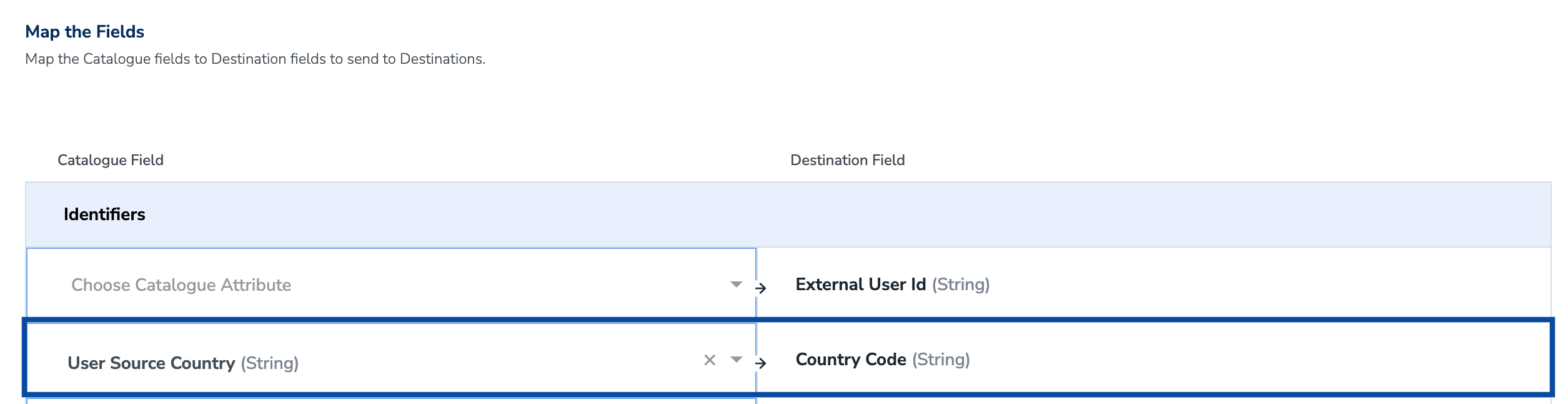
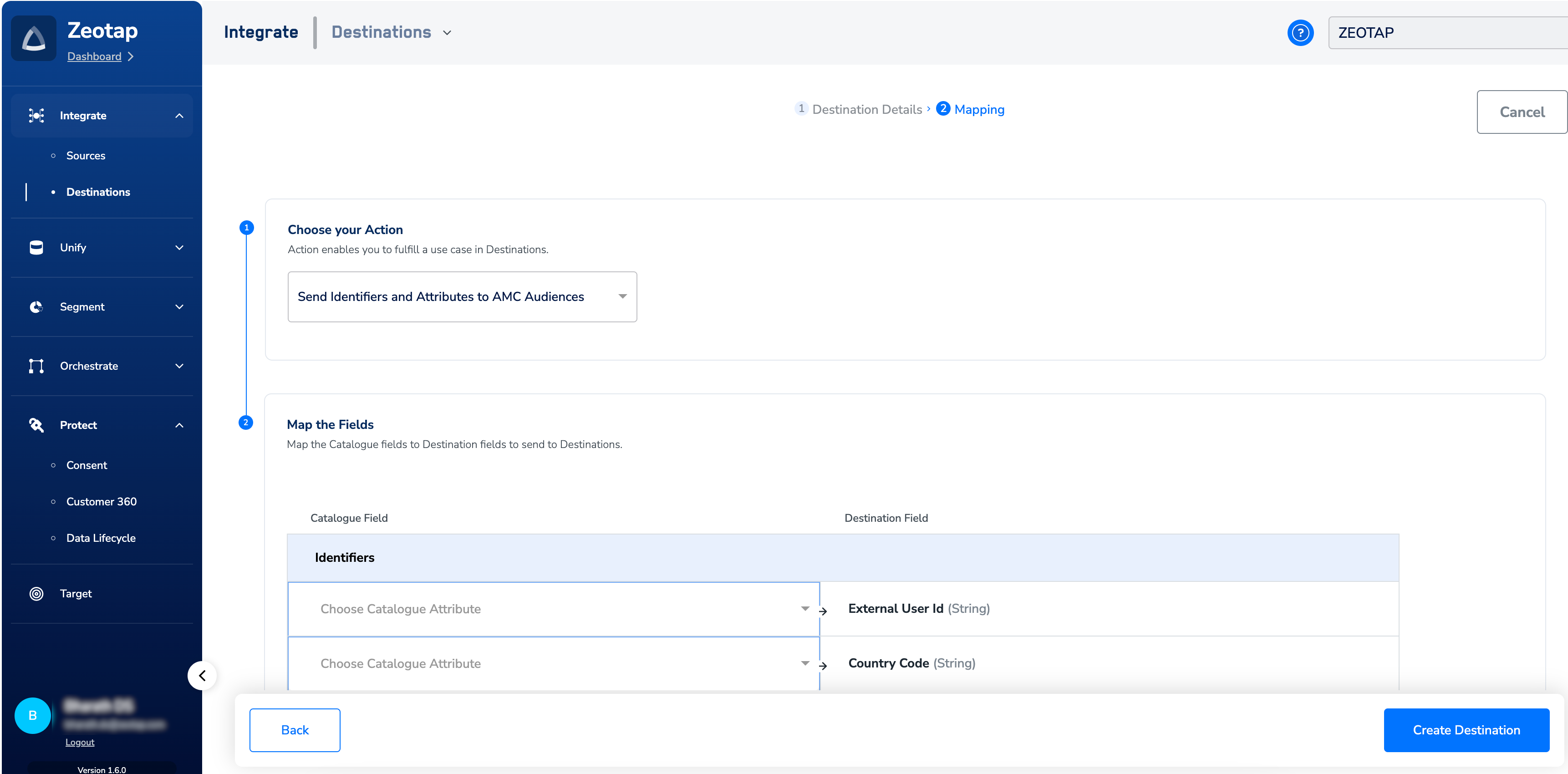
- Record level — the field you map for
Country Codeon the Actions and Mapping screen. Zeotap CDP offers a catalogue field named User Source Country that stays up to date with the latest country of the customer entering the system; map User Source Country →Country Codeto send the freshest per-record country to AMC.
Create the AMC Destination
Work through the Destination creation flow in the DESTINATIONS application of the Zeotap CDP App.-
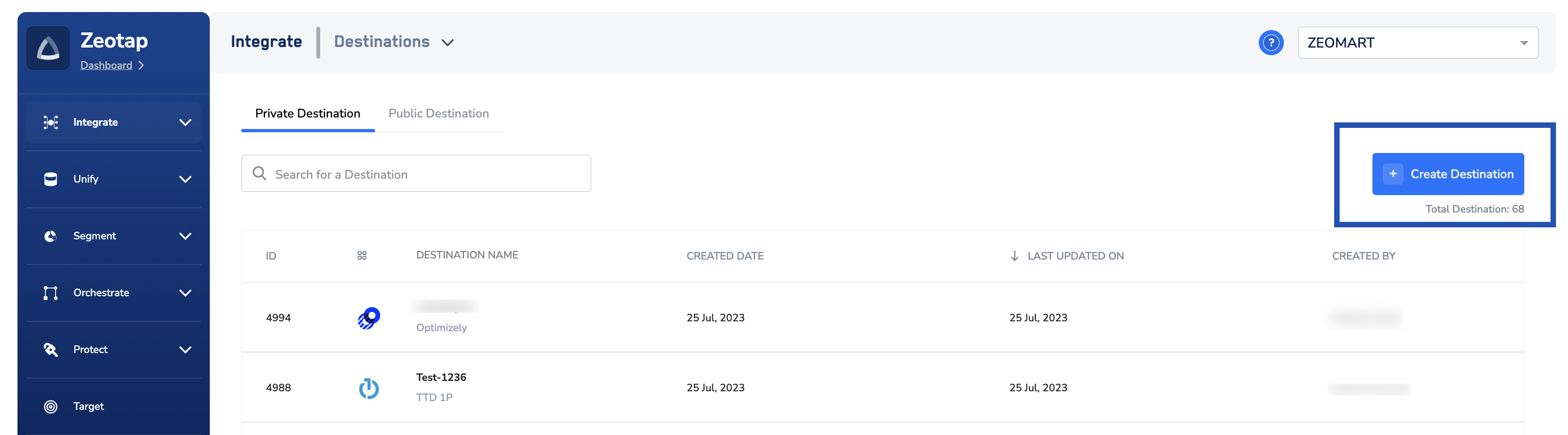
In the DESTINATIONS application, click + Create Destination.
-
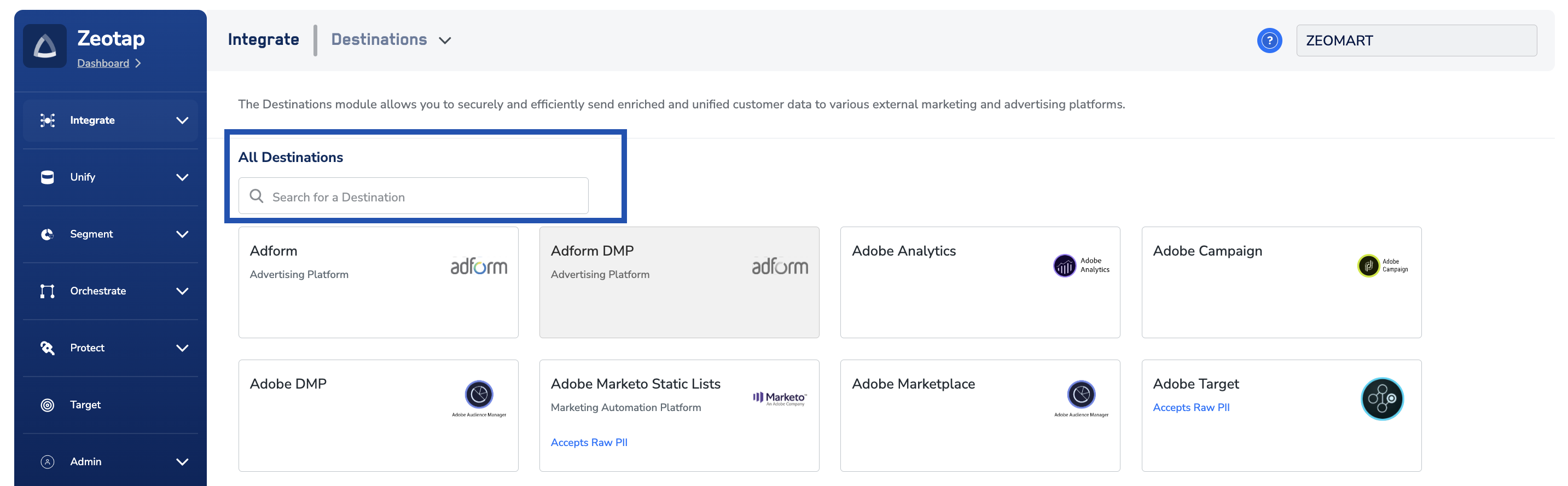
Under All Destinations, search for and select Amazon Marketing Cloud.
-
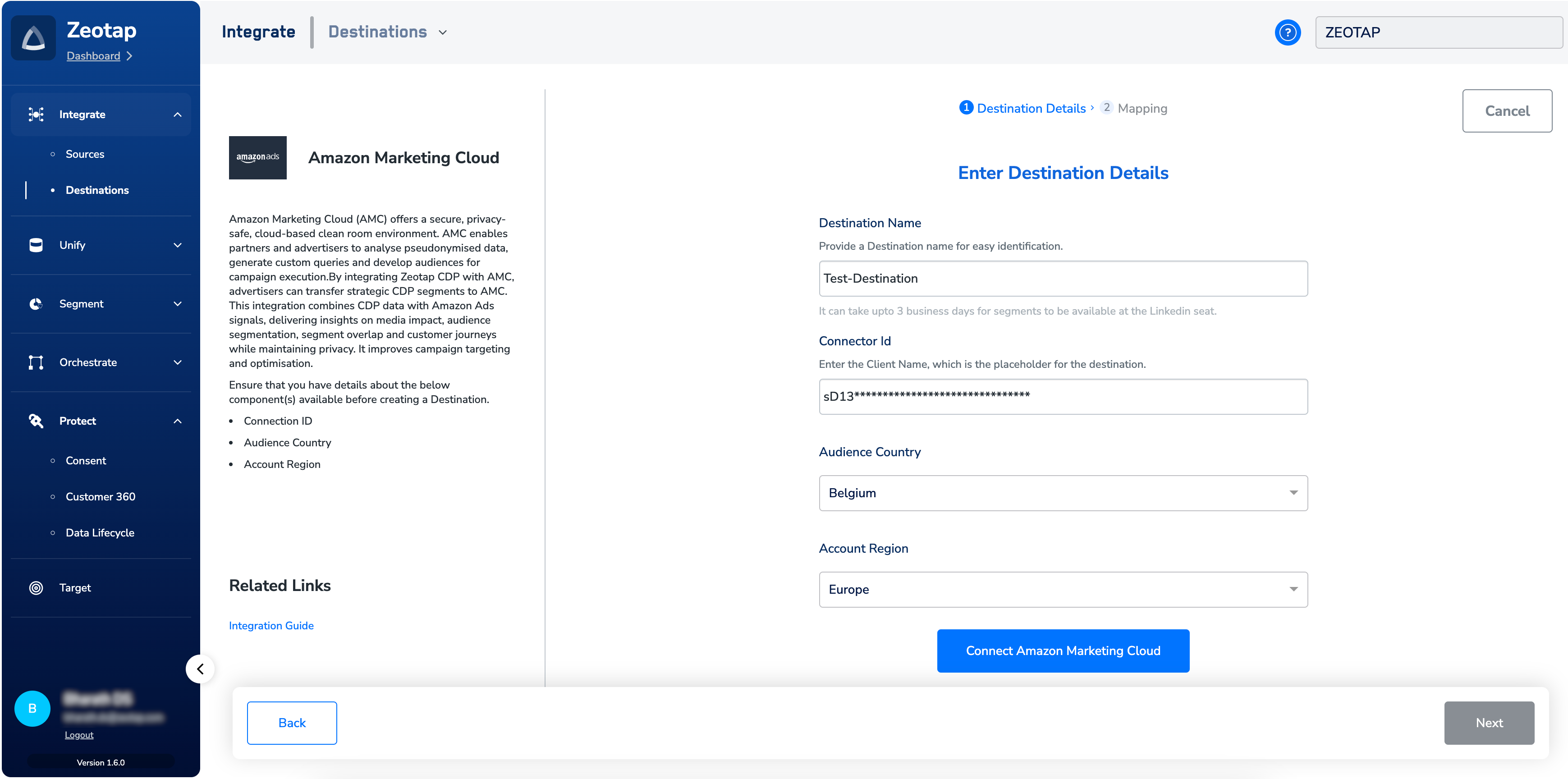
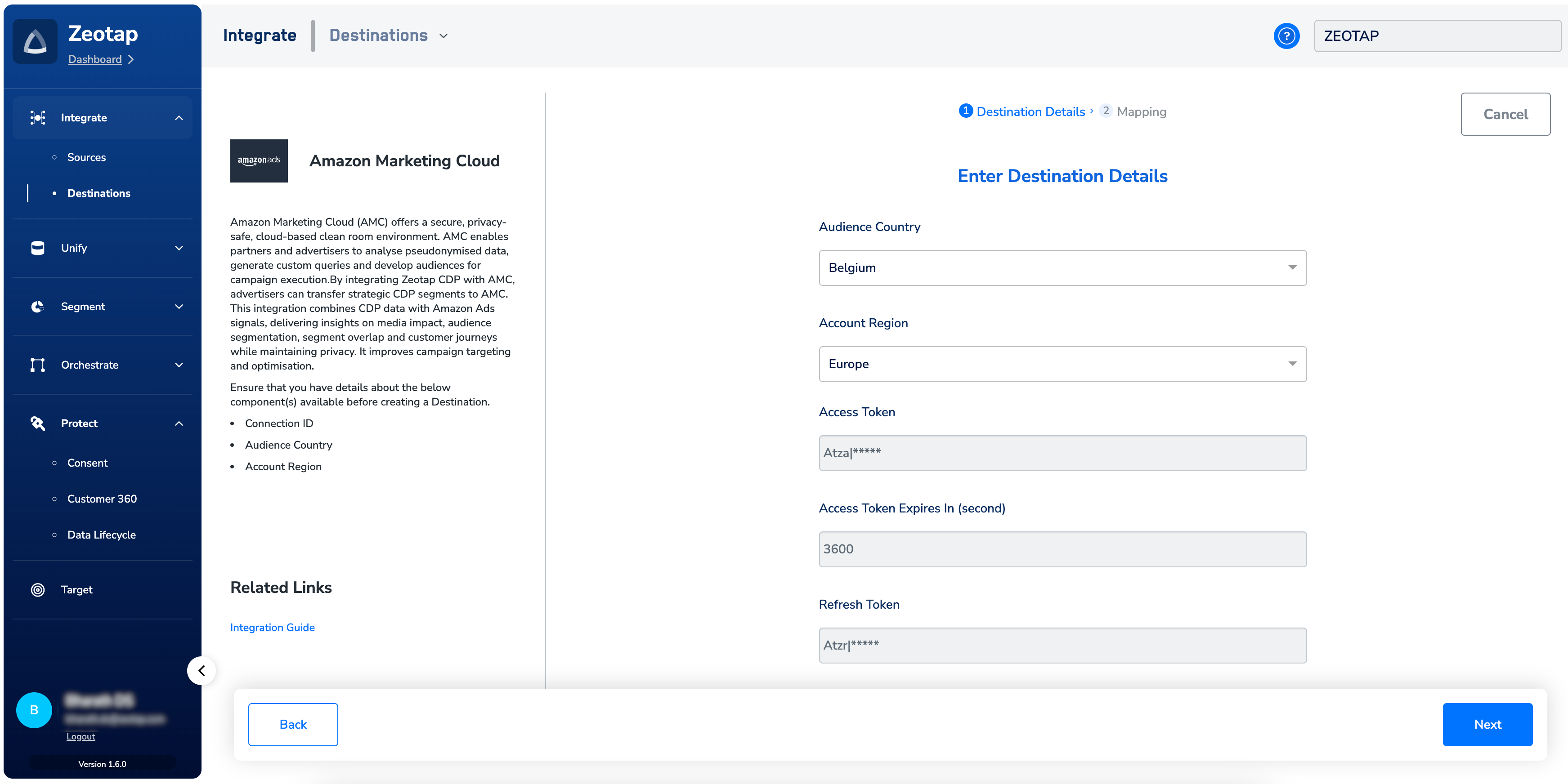
On the Destination configuration screen, enter:
- A name for the Destination in Destination Name.
- The Connection ID for your advertiser account on AMC in Connector Id (see Obtain a Connection ID).
- The country where the customer data is collected in Audience Country.
- The region to which your AMC instance is subscribed in Account Region.
-
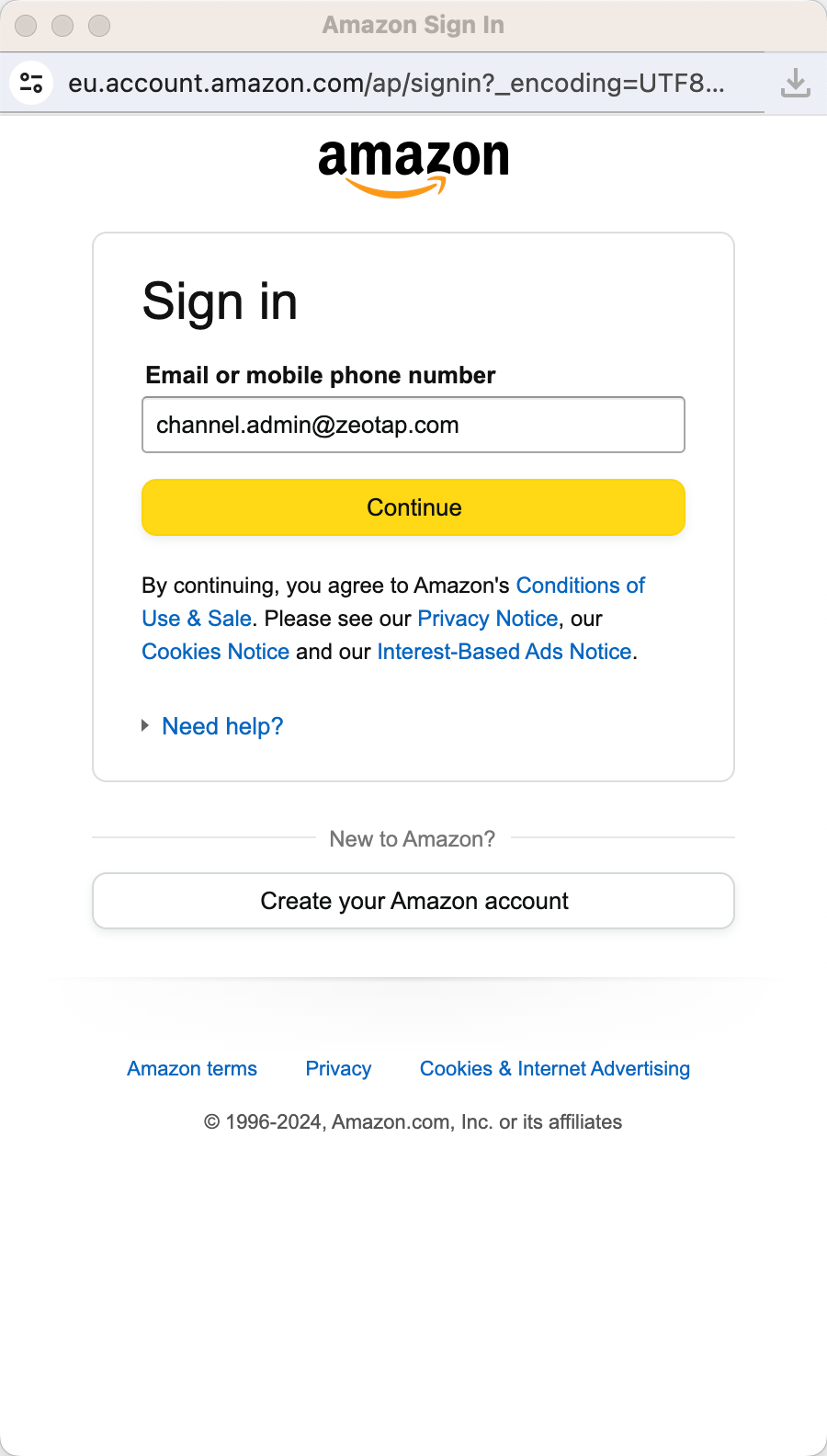
Click Connect Amazon Marketing Cloud. Sign in to your AMC account in the Amazon window that opens. Signing in grants Zeotap CDP permission to manage the referenced AMC instance.
-
Back in Zeotap CDP, confirm that the Access Token and Refresh Token fields have auto-populated, along with the Access Token expiry period. Click Next.
-
On the Actions and Mapping screen, under Choose your Action, select Send Identifiers and Attributes to AMC Audiences. Under Map the Fields, map each Catalogue field to the corresponding AMC Destination field. Apply SHA-256 hashing to Email and Cellphone Number in your Catalogue mapping before sending.
- Review the mapping and click Create Destination.
Verify the Destination is ready
Before linking an audience, confirm the three signals that show the Destination is configured correctly:- On the Destination configuration screen, the Access Token, Refresh Token, and Access Token expiry values are populated (not blank).
- The Destination appears in the list in the Audiences application under the name you provided.
- The Country and Region values match the AMC instance you intend to activate against.
Link an audience to the Destination
For the full linking flow, see Link an Audience to the Destination.The terms Audiences and Segments are used interchangeably to refer to customer cohorts belonging to a specific category — for example, a group of customers who are over 18 and who performed an
addToCart event within the last 30 days.Troubleshooting
Use this table to diagnose customer-observable conditions during Destination setup and activation.
Resolution steps
- If Access Token and Refresh Token did not populate, click Connect to Amazon Marketing Cloud again and complete the Amazon sign-in flow to the end, granting Zeotap CDP the requested permissions.
- If the Connection ID is not recognised, retrieve it again — for fully managed accounts, from your Amazon point of contact; for self-serve accounts, by re-calling
AmcpLinkAddConnectionV2and copying the ID from the response. Update the Destination with the corrected ID. - If a record-level country is overriding the audience-level Country unintentionally, remove the mapping to
Country Codeon the Actions and Mapping screen, or remap it to User Source Country for the freshest per-record value. - If none of the above resolves the condition, contact your Zeotap customer success representative. Include: the Destination name, the Connection ID, the audience ID, the Country and Region you configured, and the timestamp of the last successful activation.
FAQ
Do I need to hash Email and Cellphone Number before sending to AMC?
Do I need to hash Email and Cellphone Number before sending to AMC?
Yes. The integration accepts Email and Cellphone Number only as SHA-256 hashed values. Apply the hash in your Catalogue mapping before the Destination sends the record to AMC.
Which Region should I choose if my AMC instance and DSP advertiser are in different regions?
Which Region should I choose if my AMC instance and DSP advertiser are in different regions?
Select the region that matches your Amazon DSP Advertiser Account region (North America or Europe). Audiences reach connected AMC instances regardless of the endpoint region you select.
What happens when the audience-level Country and the record-level Country Code disagree?
What happens when the audience-level Country and the record-level Country Code disagree?
The record-level value wins. Map
Country Code only when you want the per-record country to override the audience-metadata Country you selected during Destination creation.How is this integration different from Amazon Conversions API?
How is this integration different from Amazon Conversions API?
This integration sends audiences into AMC’s clean-room environment for analysis and DSP activation. The Amazon Conversions API integration is a separate, server-to-server pipeline that forwards conversion events into Amazon DSP.