

What this is
Data flows out of Zeotap CDP to Reddit. Reddit is a batch destination: when you link an audience to it, Zeotap CDP writes the audience members to an Amazon S3 bucket that you own, as CSV files. You then download those files and upload them to Reddit Ads Manager as a custom audience. This is a one-way export — the destination sends data to your bucket and reads nothing back from Reddit. Note that delivery into Reddit is not automatic. Zeotap CDP’s part of the job finishes at your S3 bucket; moving the file into Reddit Ads Manager is a step you perform yourself. Reddit is a social media platform that offers a range of advertising solutions to help marketers reach their target audience through Reddit Ads Manager. This allows advertisers to show ads to users across multiple use cases based on their interests and activity on the platform.Other Reddit destinations
Zeotap CDP has three Reddit destinations. All three carry data out of Zeotap CDP towards Reddit — this one by way of your own S3 bucket, the other two directly. There is no Reddit source that brings data back in.Supported identifiers and actions
This integration supports email addresses (both raw and hashed) and MAIDs. The following table lists the available action types for the integration and the supported features for each action type:Prerequisites
To enable this integration, ensure that you have a Reddit Ads Manager account and an Amazon S3 cloud storage.Destination details you need
Have the following to hand before you create the destination. All five describe your own S3 storage, not anything held in Reddit.Create the Reddit destination
1
Log into the Zeotap CDP App and go to the DESTINATIONS application.
2
Click + Create Destination.
3
Under the All Destinations section, search for Reddit.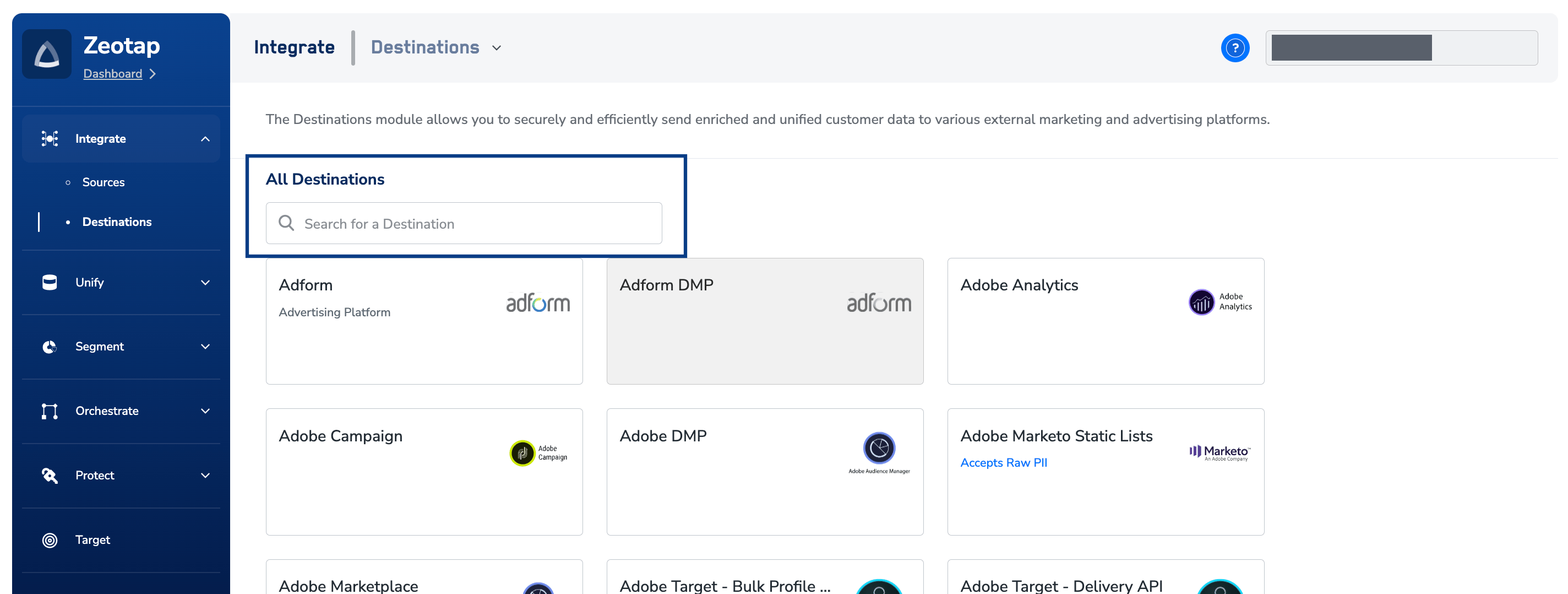
4
Click Reddit. A screen appears displaying details about the particular destination towards the left. On the right-hand side of the screen find a list of fields that are required for the integration to be established. Enter the required details as mentioned in the following steps:a. Enter a descriptive name for the Destination.b. In the Bucket field, enter the name of the S3 bucket.c. In the S3 Bucket region field, enter the region of your S3 bucket where Zeotap CDP can store your export data as CSV files.d. In the Folder field, provide the folder path in your storage location where Zeotap CDP can store your exported data.e. Enter S3 access token and S3 secret token in their respective fields. For more information about these fields, refer to the Destination details you need section.f. Review all the values entered above and then click Next to proceed.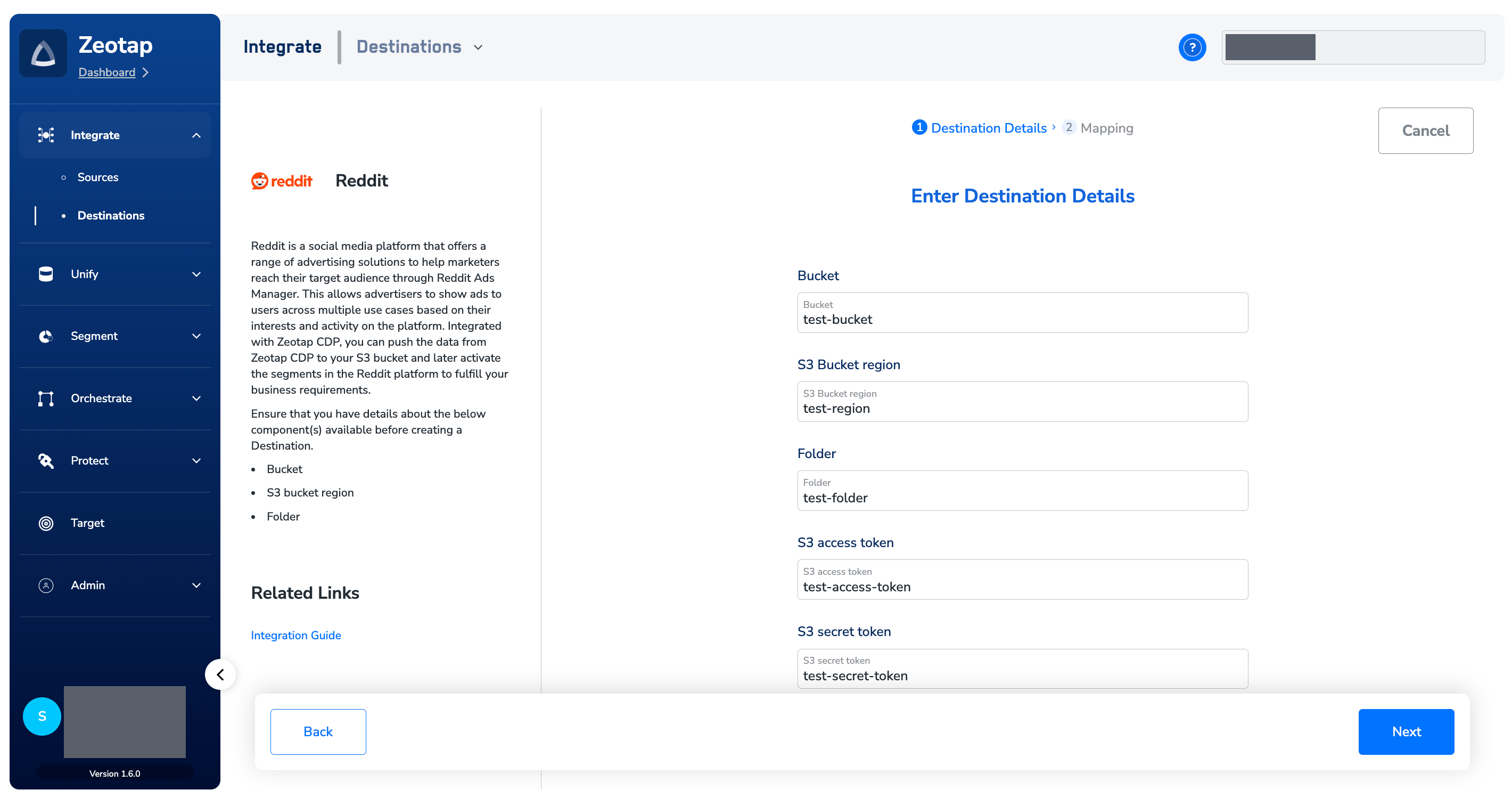
5
In the new screen that appears, choose the appropriate action under Choose your Action and then choose the corresponding identifiers under Map the Fields. By default, the output identifiers that this destination accepts — email addresses and MAIDs — are displayed. However, you can edit, add or remove an identifier from the list. To do so, refer to Define the mapping.
6
Click Create Destination. The created Destination gets listed in the Audiences application, which can be linked to an Audience or segment.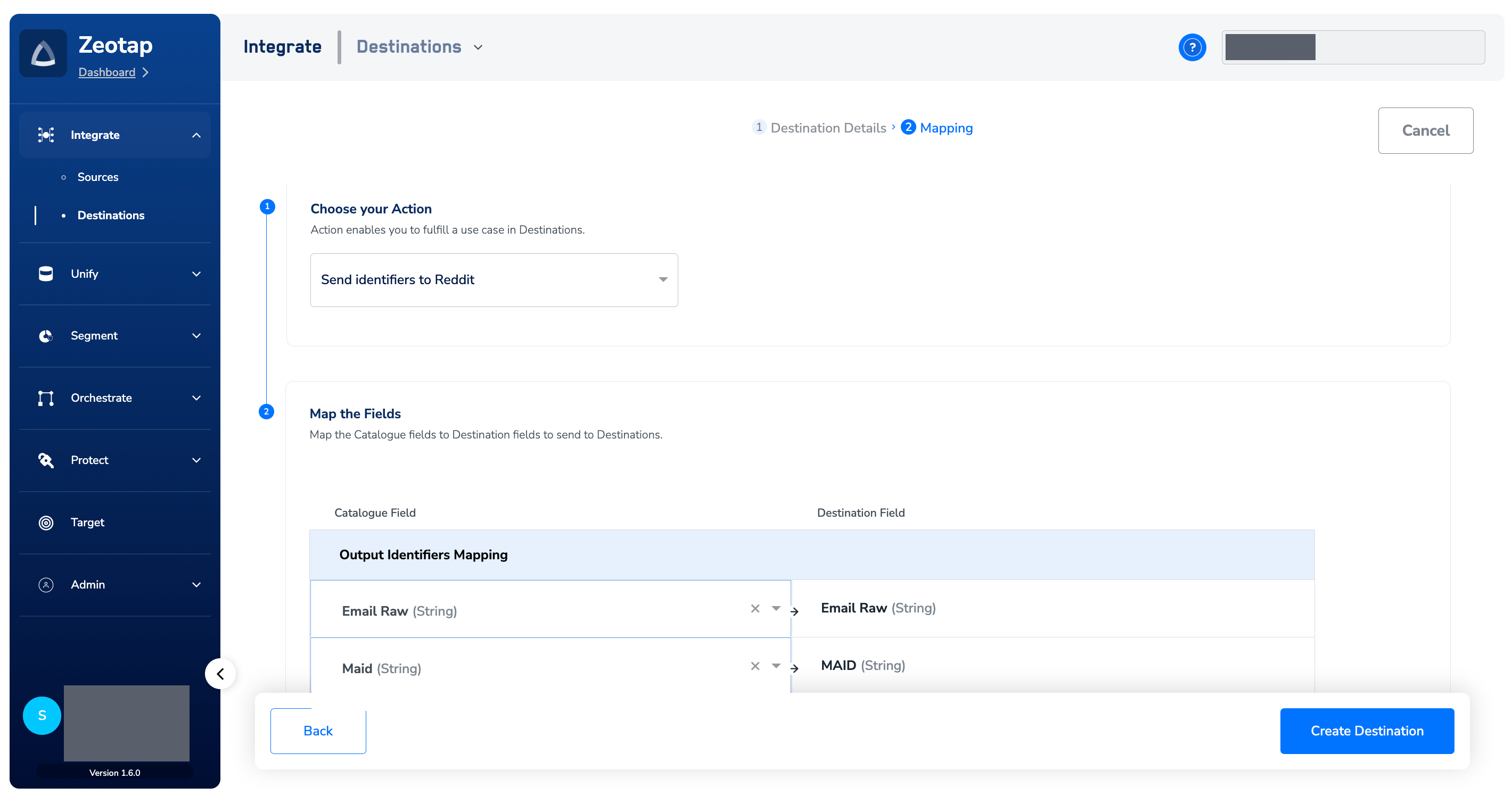
Link an audience to the destination
For information about how to link an Audience or segment to the created Destination in the Audiences application, refer to Activate your batch audiences.Note:The terms Audiences and Segments are used interchangeably to refer to customer cohorts belonging to a specific category. For example, an Audience or a segment could be a specific group of customers who are over 18 years of age and who have performed an
addToCart event within the last 30 days.Find the segment files in your S3 bucket
After an Audience is linked to a Destination, Zeotap CDP generates segment files in CSV format with the following naming convention:SegmentName_SegmentID_IDtype_timestamp.csv
Note:You can recognise the segment files by the identifiers mapped. In addition, note that the timestamp in these files is in epoch format.
- For the segment file containing hashed email addresses:
PublicAbove18_1234_Email Addresses (hashed)_timestamp.csv - For the segment file containing MAIDs:
PublicAbove18_1234_Mobile IDs_timestamp.csv - For the segment file containing email addresses:
PublicAbove18_1234_Email Addresses_timestamp.csv
Upload a segment file to Reddit Ads Manager
Download the CSV file from your S3 bucket and upload it to Reddit as explained in the following steps.1
Log into your Reddit platform and navigate to Dashboard > Audiences.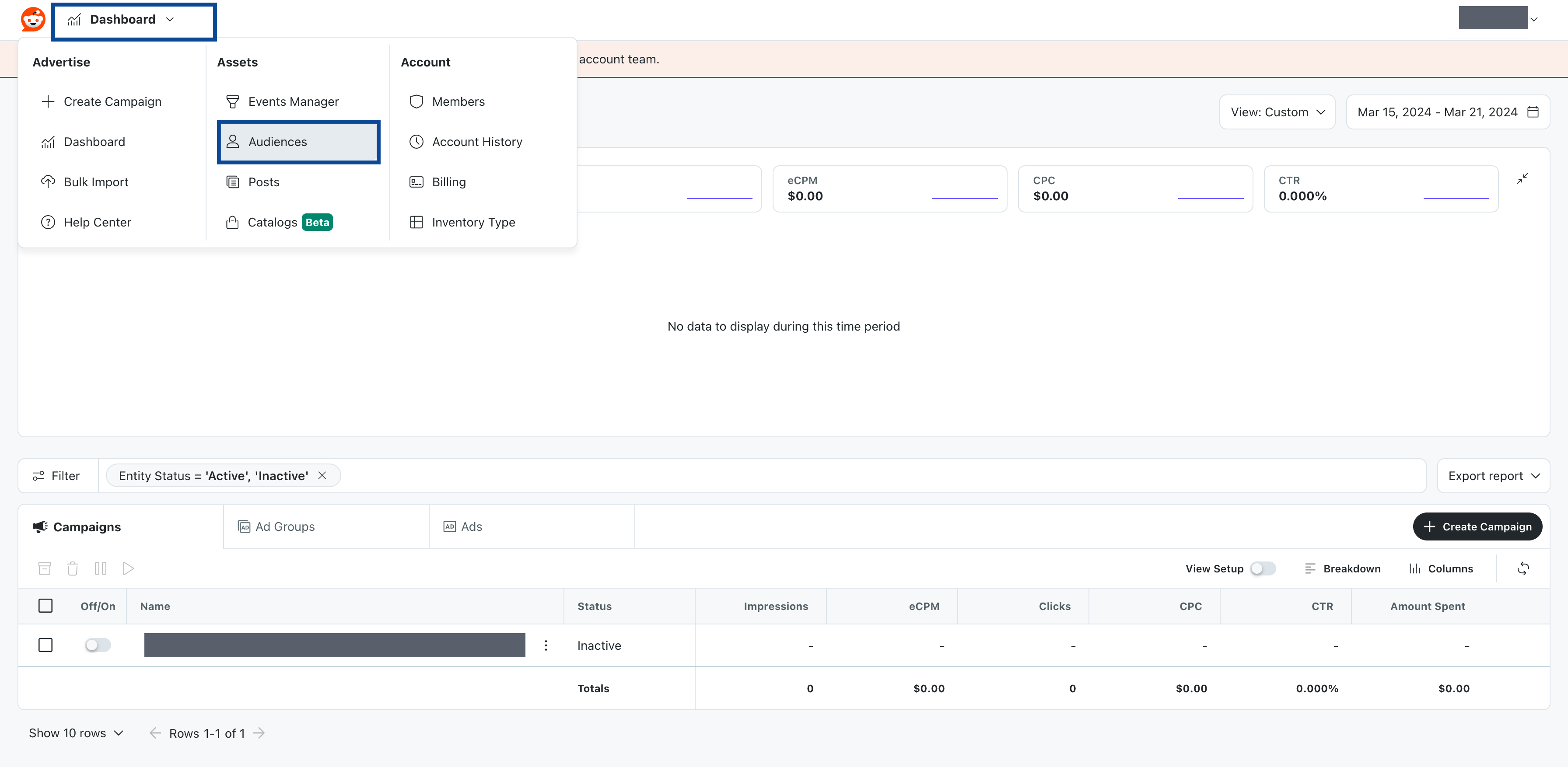
2
In the following page that appears, click New Audience > Custom audience.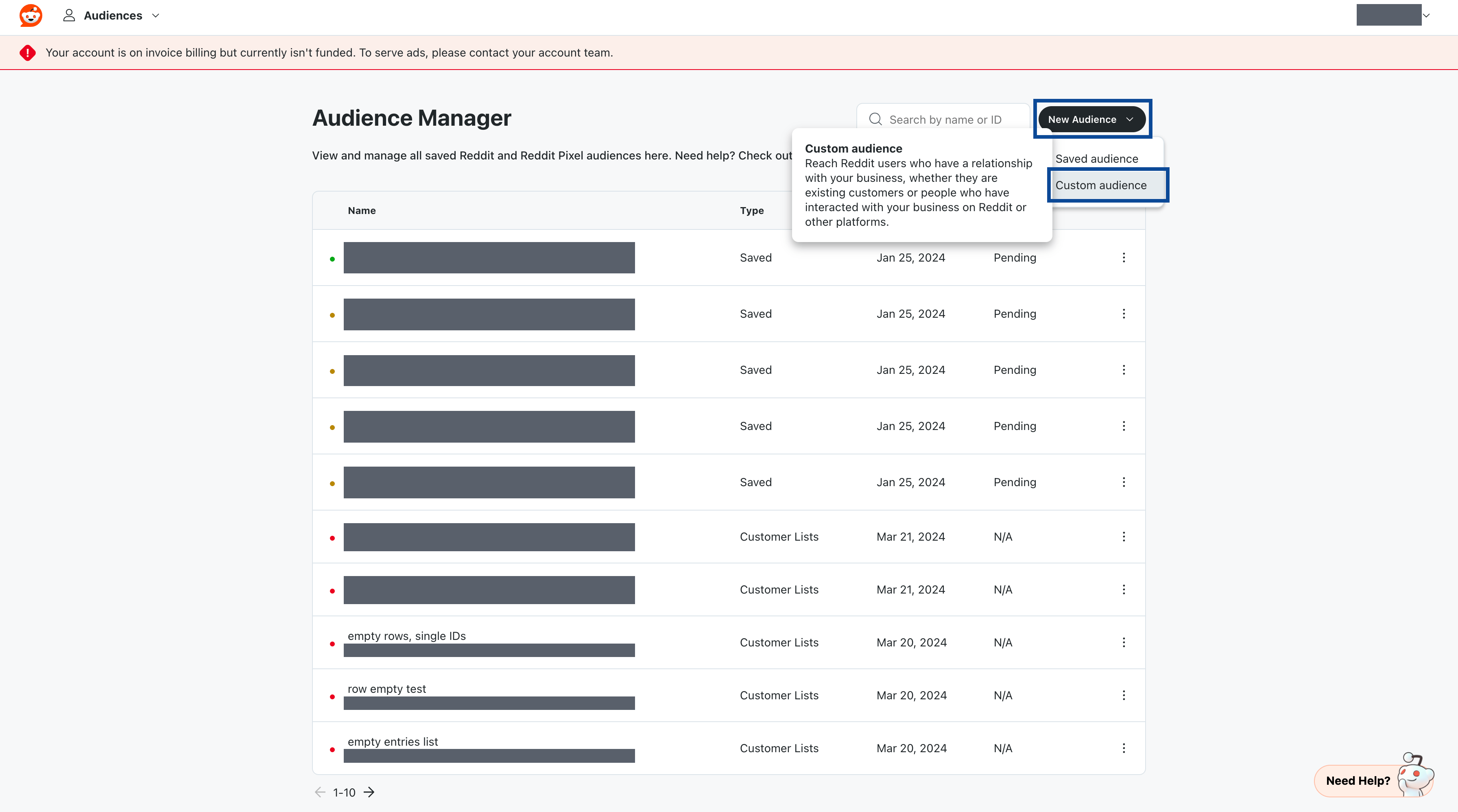
3
In the Create new custom audience panel that appears, under Select audience type choose Customers lists.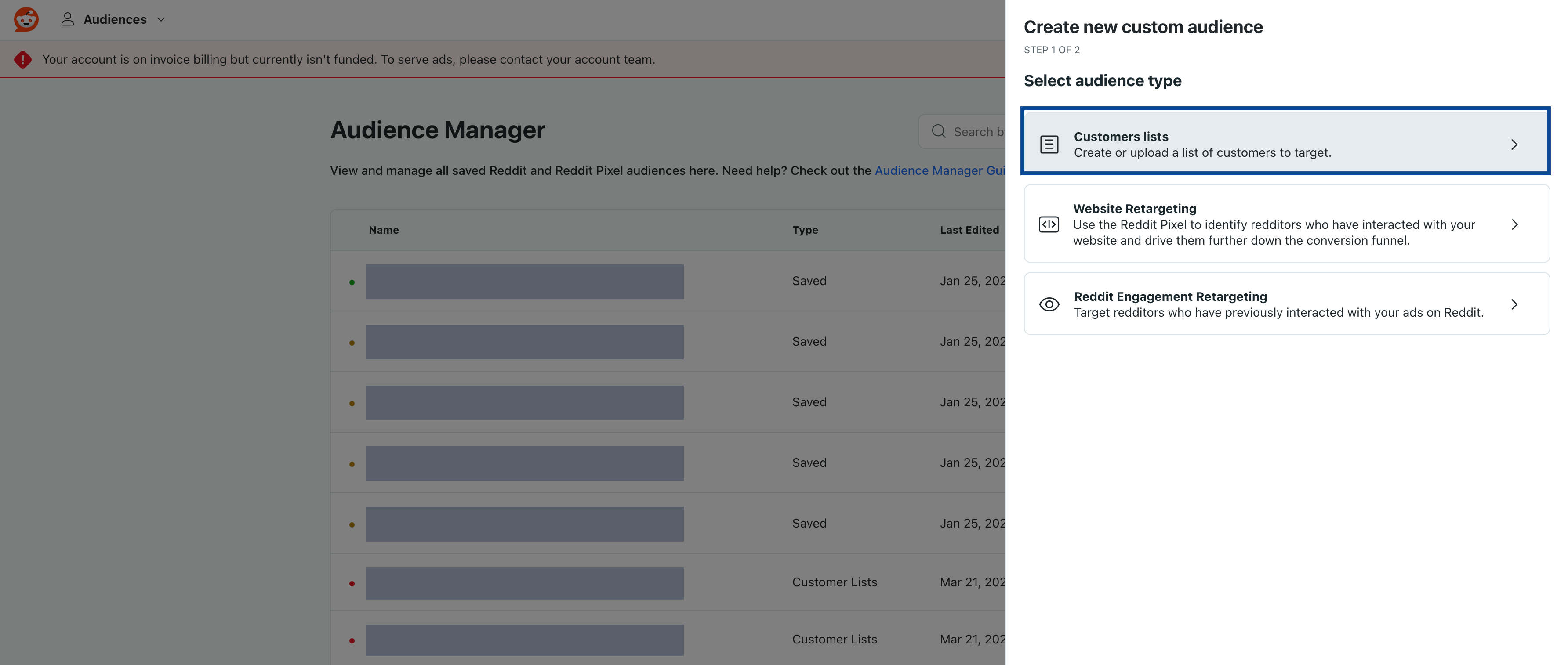
4
On the Customer Lists step, provide the following information:a. Provide a Custom audience name for your CSV file.b. Under Customer list source, click Upload File, then drag and drop your CSV file or click browse files to select it.c. Select the Agree to terms checkbox and click Create.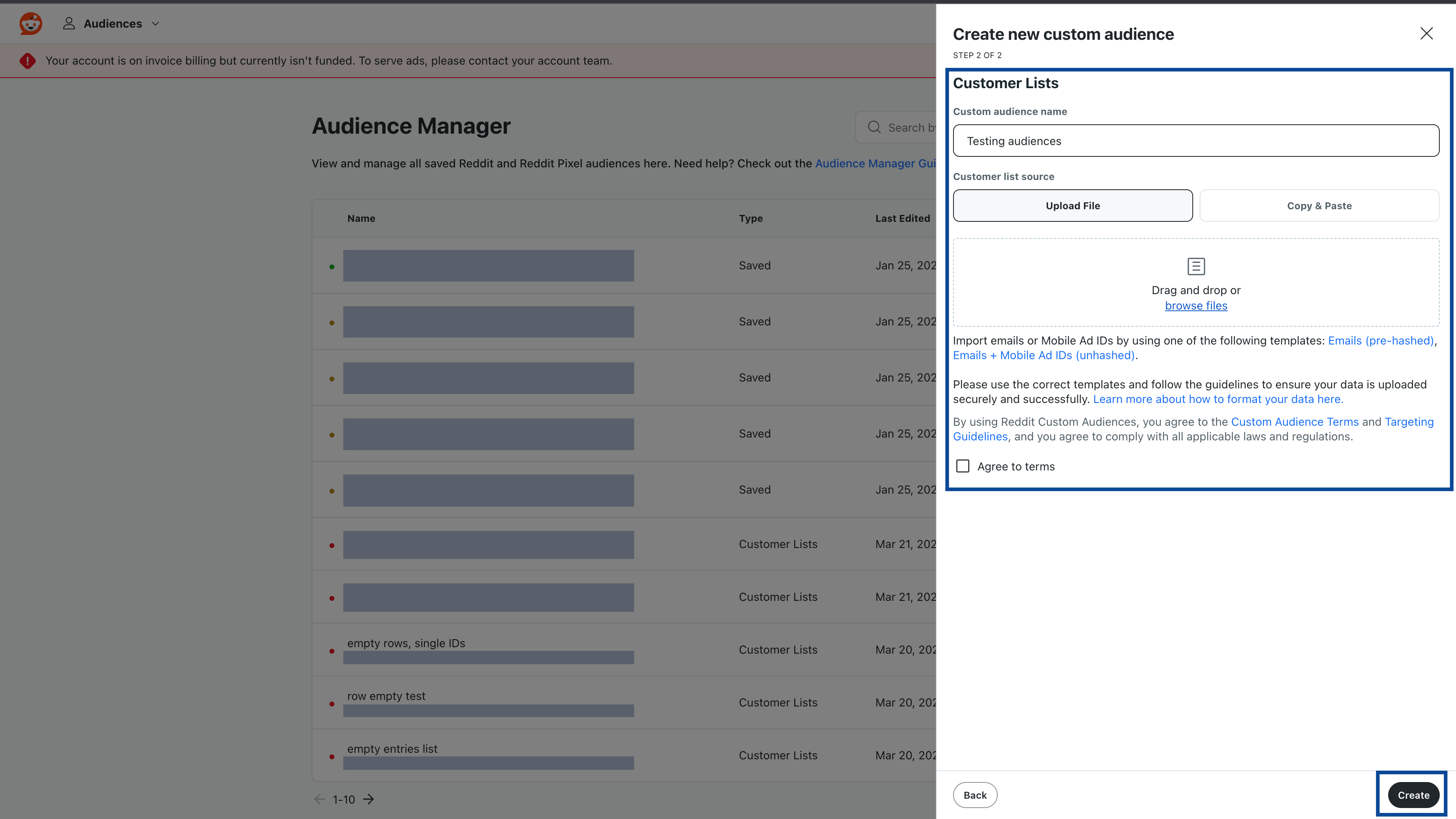
Verify the audience in Reddit Ads Manager
The uploaded CSV file gets listed on the Audience Manager page with the Type shown as Customer Lists.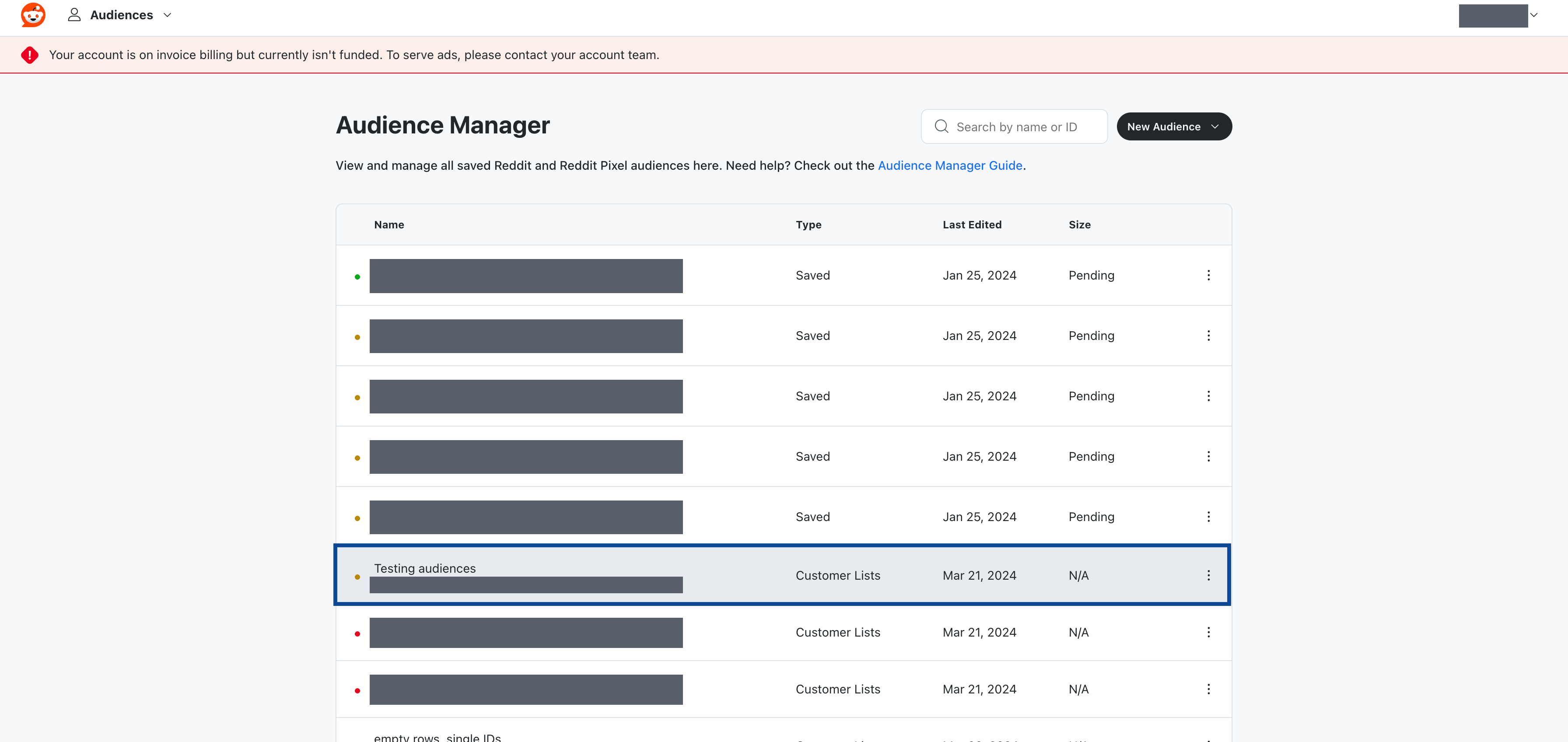
Next steps
- Activate your batch audiences — link an Audience to this Destination.
- Choose the output identifiers — control which identifiers are sent.
- Extend your audience — apply ID Extension to this Destination.
- Delta upload and delete functions — background on these features; neither is supported by this destination.
- Reddit CAPI and Reddit Offline CAPI — send conversion events to Reddit instead of audience members.