

What this is
This integration sends data out of Zeotap CDP to Dynamic Yield: Zeotap writes CSV files to the S3 bucket behind a Dynamic Yield User Data Feed, and Dynamic Yield turns the contents into audience conditions you can target on. Nothing flows back from Dynamic Yield into Zeotap CDP. Dynamic Yield is a personalisation platform that builds actionable customer segments in real-time, enabling marketers to increase revenue through personalisation, recommendations, automatic optimisation and one-to-one messaging. Use the CSV upload method when you are sending large volumes of data. If you want to update the same User Data Feed over the Dynamic Yield API instead, use the other Dynamic Yield integrations:Dynamic Yield
Batch destination that updates the User Data Feed over the Dynamic Yield User Data API.
Dynamic Yield (RealTime)
Streams the Journey ID to Dynamic Yield as soon as a user qualifies for a Journey.
Dynamic Yield Events
Sends real-time user interaction and behavioural events over the Dynamic Yield Events API.
Supported identifiers and actions
This integration supports SHA256 Hashed email, MAIDs, and Membership ID. You can also send any custom identifier and attributes, provided you have created them under the Data Feed in Dynamic Yield as described in Prerequisites. The following table lists the available action for the integration and the supported features for it:
A dash means the feature is not available for this action.
Prerequisites
Before pushing audiences to Dynamic Yield, set up the User Data Feed on the Dynamic Yield side:- Create a User Feed and obtain the S3 URL and credentials associated with the User Feed.
- Choose a unique user identifier or create one, and give it an identifier column name. You provide that column name again when you create the destination in Zeotap.
- Decide which attributes (columns) to pass to Dynamic Yield and set up the schema that determines where and how the information is stored in Dynamic Yield.
For more information, refer to the Dynamic Yield documentation.
Set up the User Data Feed in Dynamic Yield
Create a User Feed and generate the S3 credentials
In Dynamic Yield, a User Feed ID is a unique identifier for a set of user data feeds used to drive personalised experiences across channels. A user feed can contain a variety of user data points, such as browsing history, purchase history and demographic information. To create a new User Feed and obtain the corresponding S3 credentials:1
Open Audience Hub
Log into your Dynamic Yield account and, in the left navigation panel, click Audience Hub.
2
Add a profile source
Under Audience Hub, go to the Extensions tab. Under Profile, click Add Source.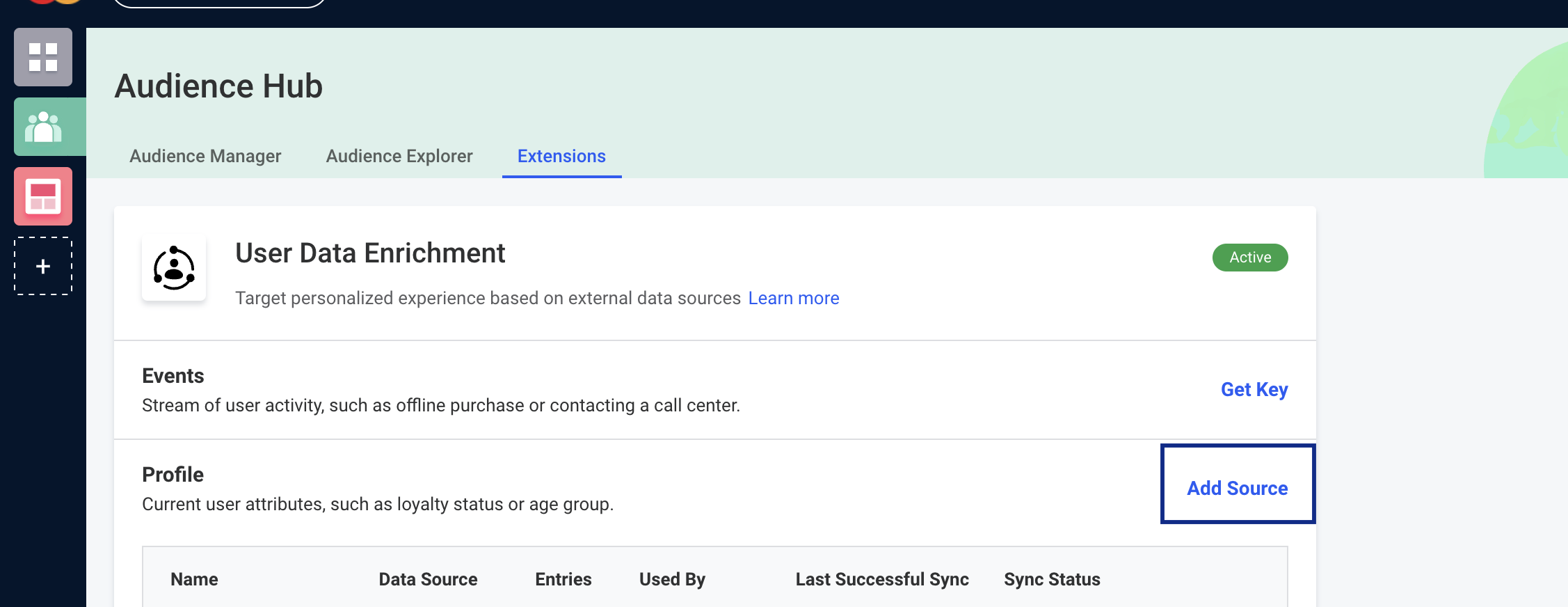
3
Choose the CSV feed source
In the screen that appears, under Feed Source, select Upload a CSV file, then click Create a Bucket.
4
Copy the bucket details and keys
Copy the Bucket Path, Access Key and Secret Key from the CSV Storage panel. You need all three when you create the destination in Zeotap. Store them somewhere secure — Dynamic Yield shows them at generation time.
5
Set the identifier and delimiters, then click Done
Click Done, then complete the feed settings:a. Under the User Unique Type dropdown, select the unique identifier type. This can be Email Address, DYID or any other customer identifier you have created. See Choose or create a unique user identifier.b. Enter a name for the identifier in Identifier Column Name. You must enter this exact value in the right-hand field on the mapping screen when you create the destination in Zeotap.c. Select Semicolon (;) under the Field Value Delimiter dropdown.d. Select Comma (,) under the Array Value Delimiter dropdown.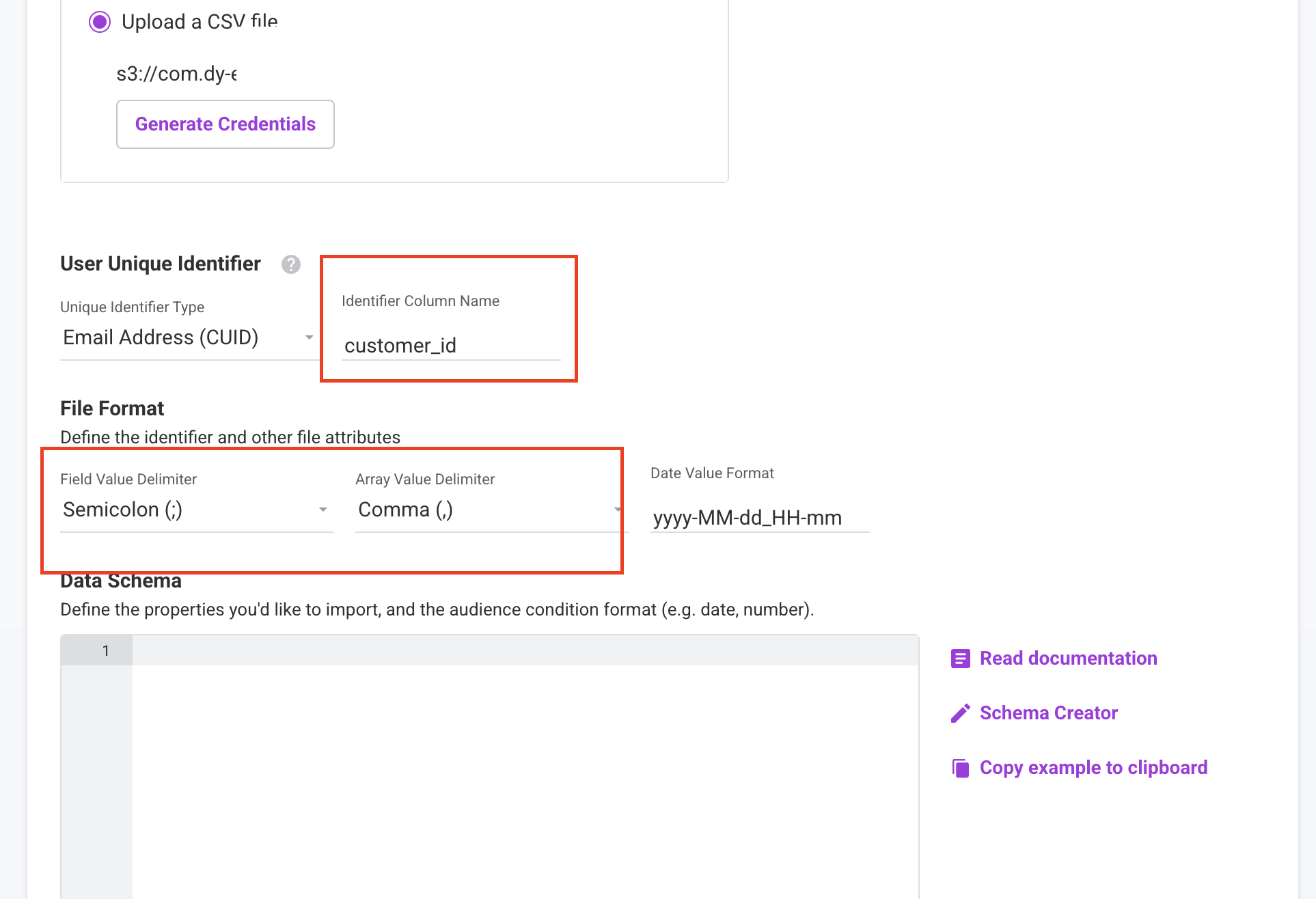
Choose or create a unique user identifier
Under Unique User Identifier, you can choose Email Address (CUID) or DYID by default. To add a custom identifier:1
Open General Settings
On the top bar, click Settings > General Settings.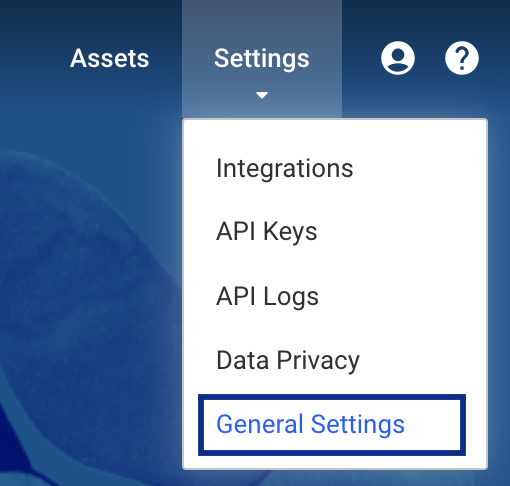
2
Add an identifier type
Under User Identifier Types, click Add Identifier Type, enter a name in Identifier Name, and click Add.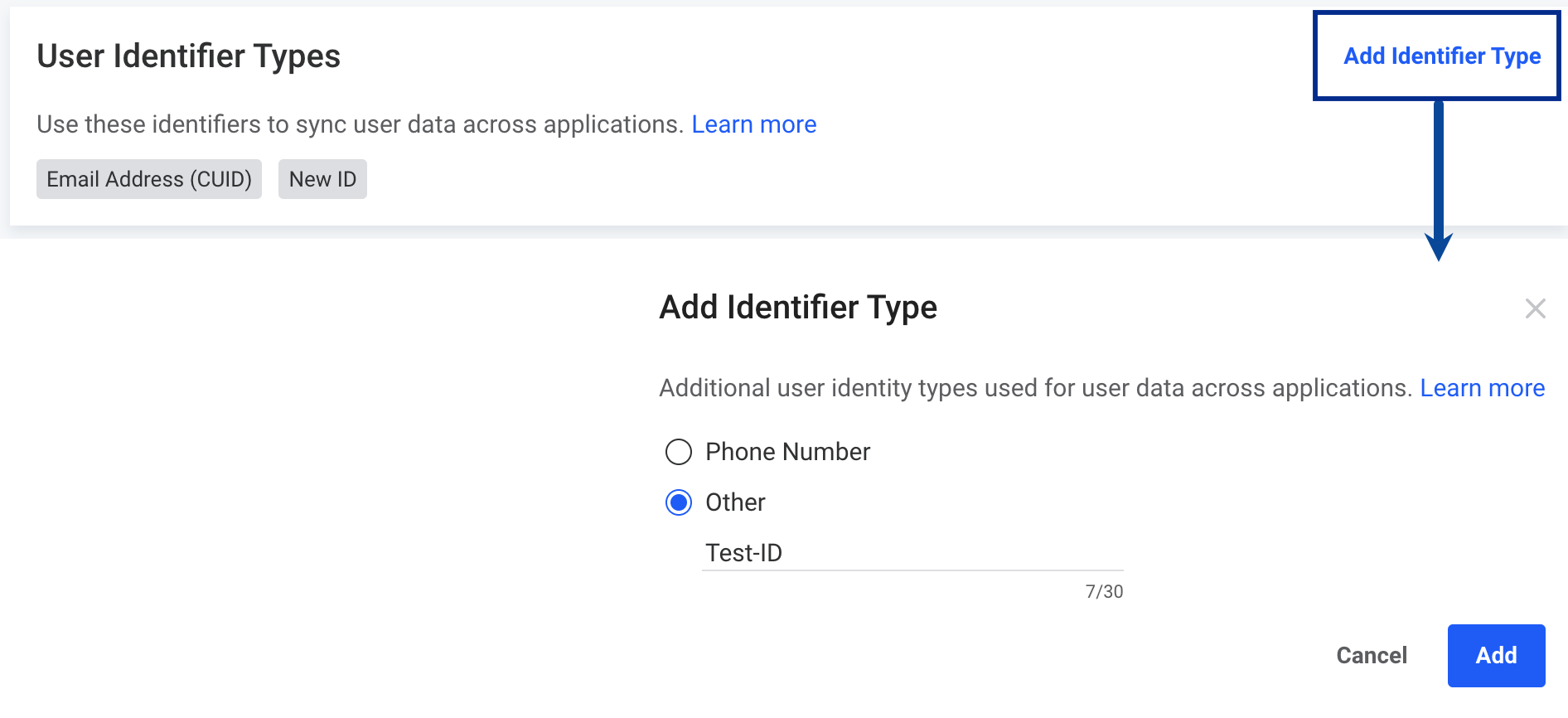
3
Confirm it appears on the feed screen
The new identifier is listed under User Unique Identifier on the User Feed creation screen.
Define the data schema
Under Data Schema, define the identifiers and attributes you want to send to Dynamic Yield. Use the Schema Creator to build the schema.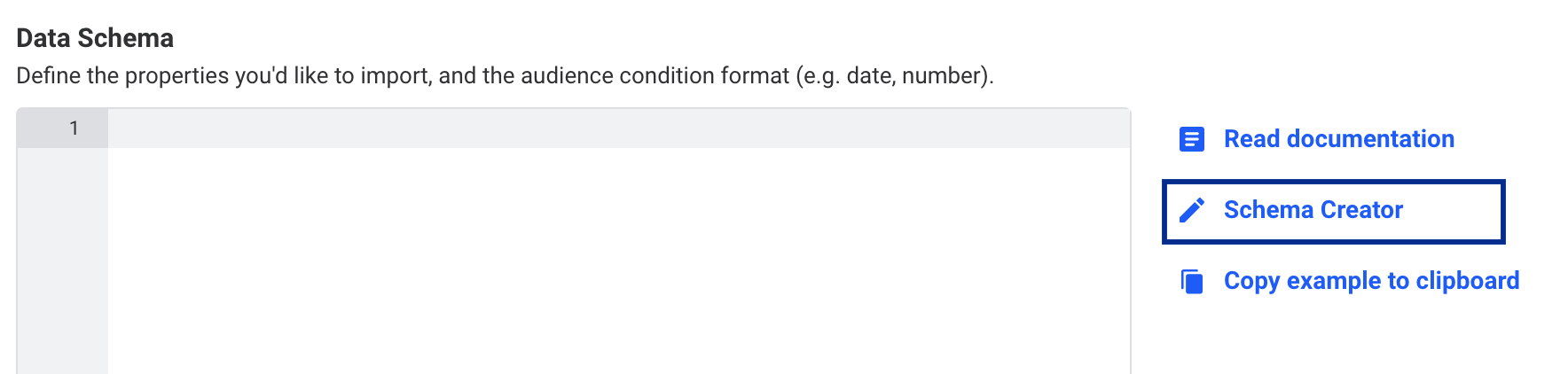
1
Open the Schema Creator
Click Schema Creator. You can either create a schema from scratch or modify an existing schema.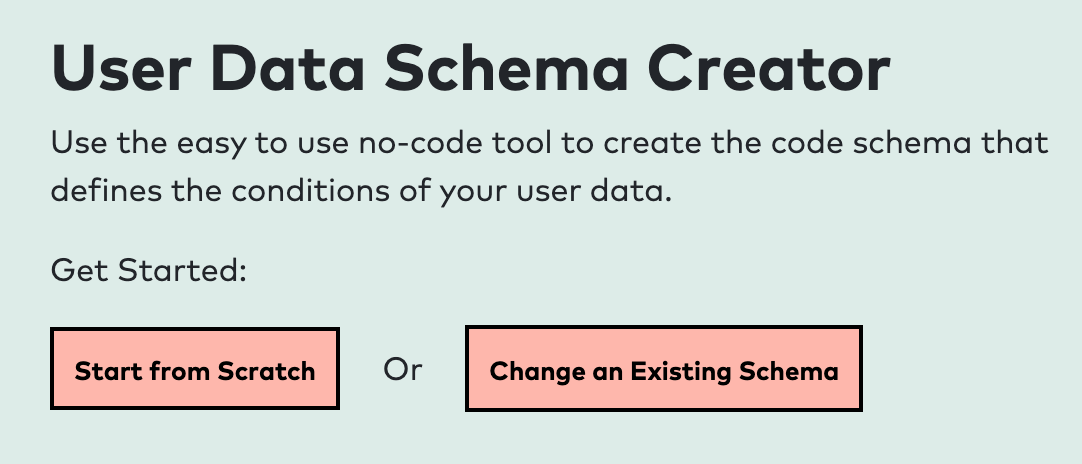
2
Build the schema
If you choose Start from Scratch, provide the following in the screen that appears:a. Under Column name in your user data source, enter the identifier name as provided in your data source. Use the same name in the Destination field (right-hand side) on the mapping screen when creating a destination in Zeotap CDP. For example, if you use 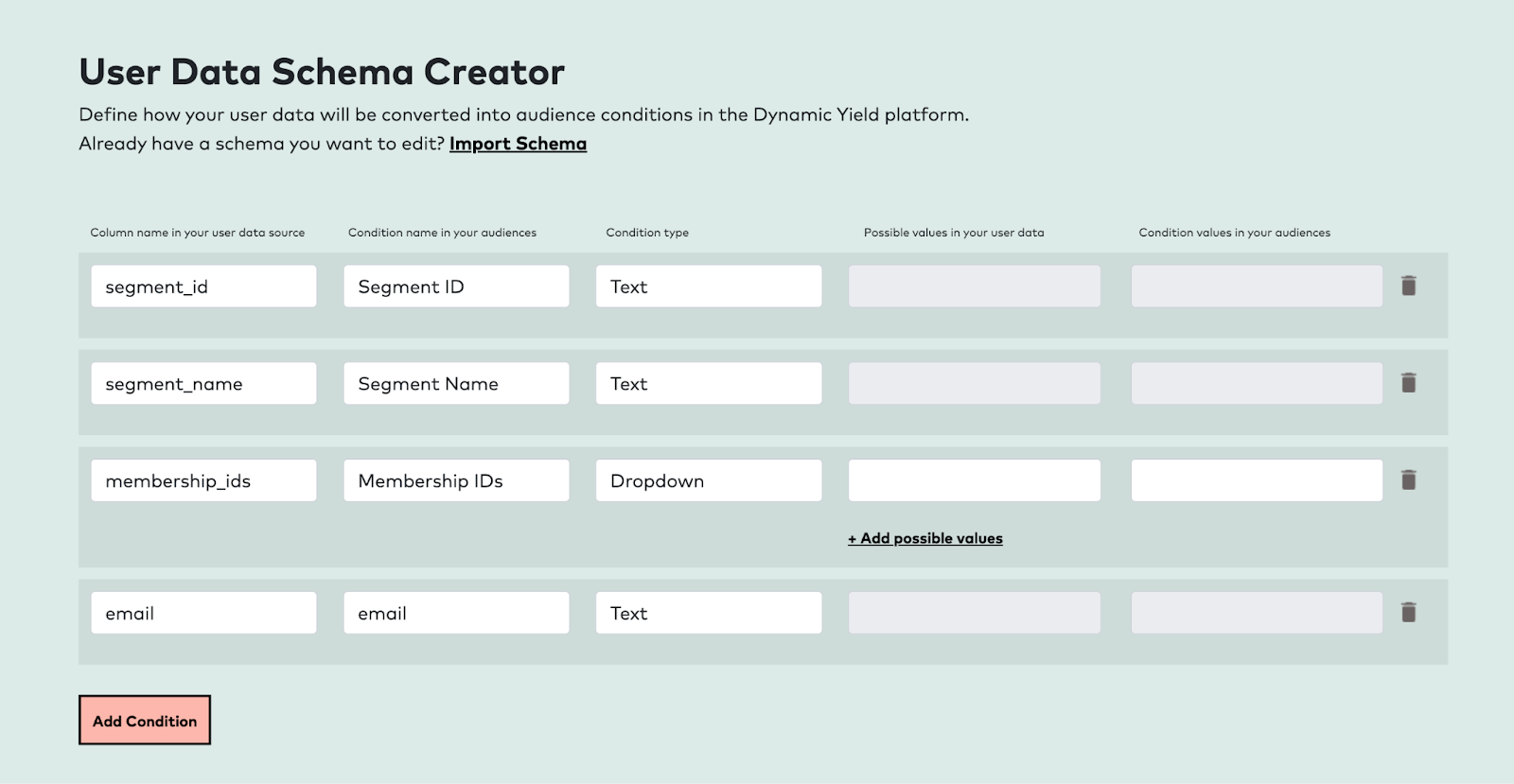
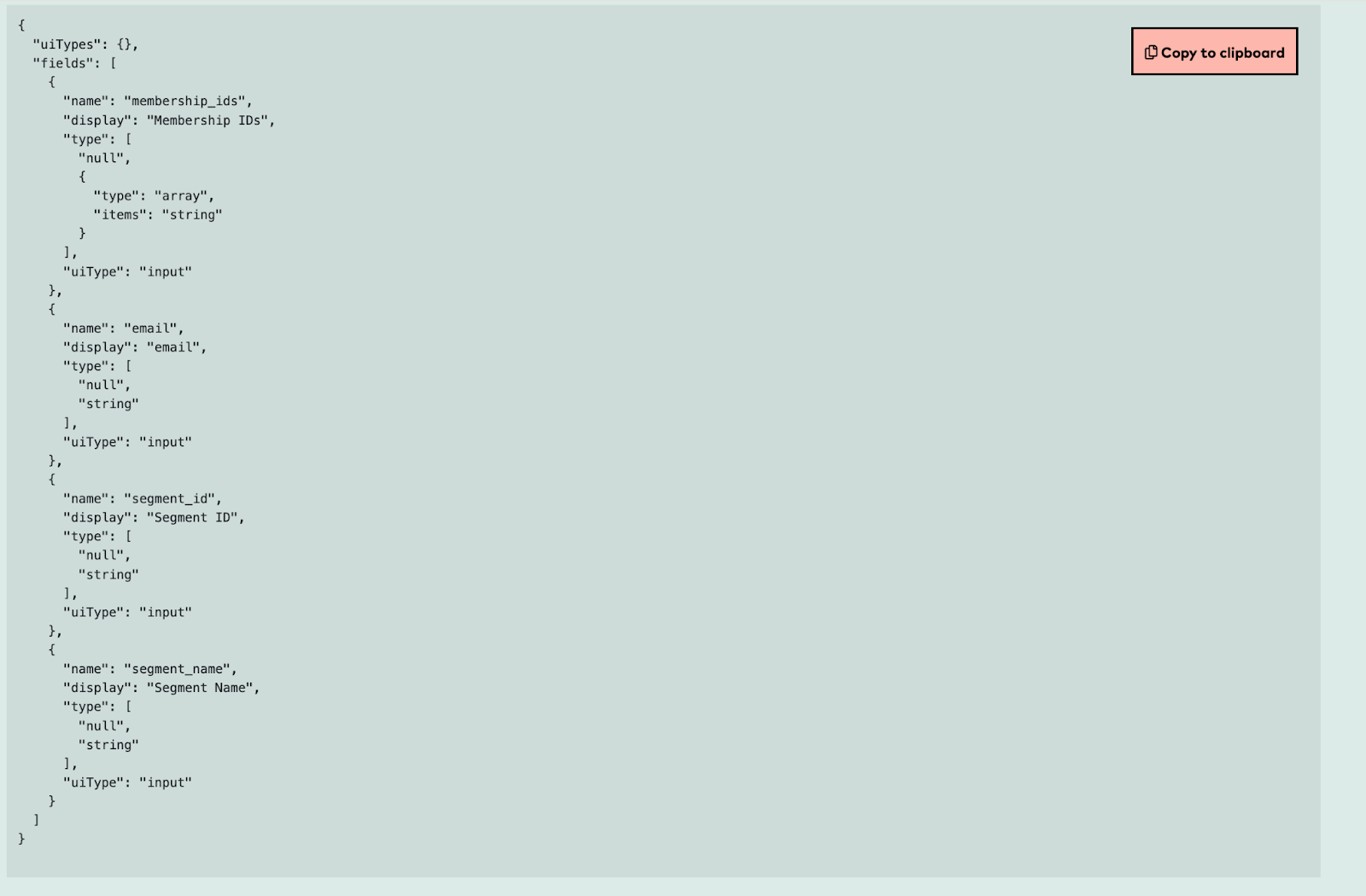
first_name as the destination field in Zeotap, enter that exact name (case sensitive) in the Column name in your user data source column.b. Under Condition name in your audiences, enter the identifier name as you want to see it in the audiences.c. Choose the Condition type as per your requirement. Include the Membership ID in the schema using the format shown below.d. The Membership ID field must have the Condition Type set to Text Array.3
Paste the schema into the feed
Paste the copied schema into the space provided under Data Schema.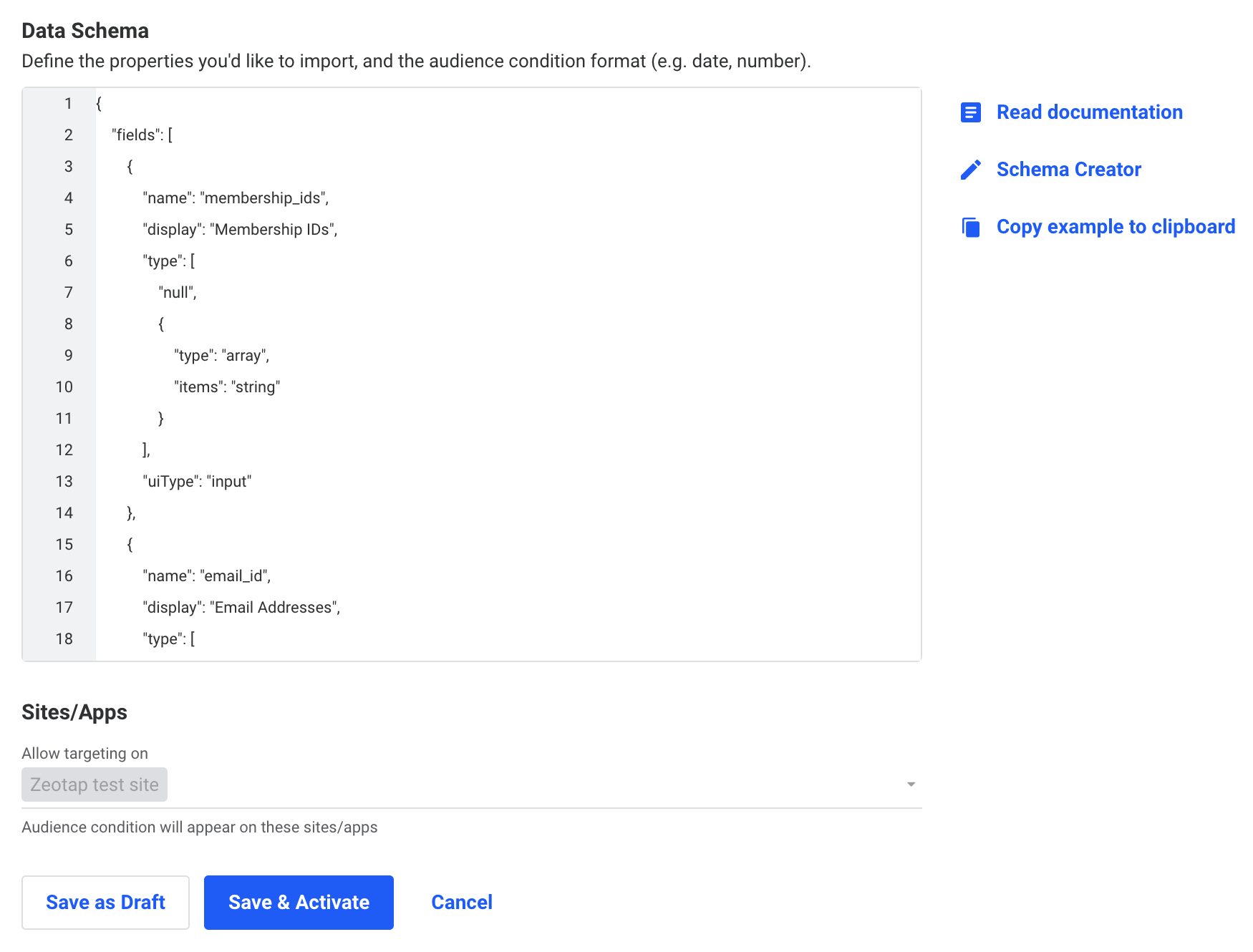
4
Save and activate
Click Save & Activate. The User Feed is then listed on the Data Feeds page.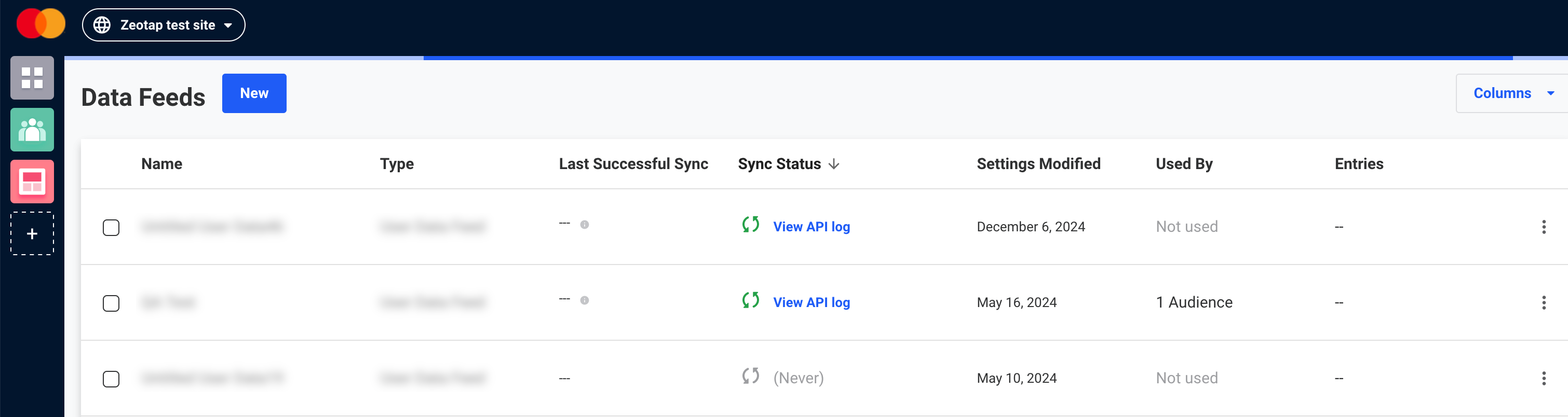
Create the Dynamic Yield CSV upload destination
Once the prerequisites are in place, create the destination in Zeotap CDP:1
Open Destinations
Log into the Zeotap CDP app and go to the Destinations application, then click + Create Destination.
2
Find the destination in the catalogue
Under All Destinations, search for Dynamic Yield : CSV Upload.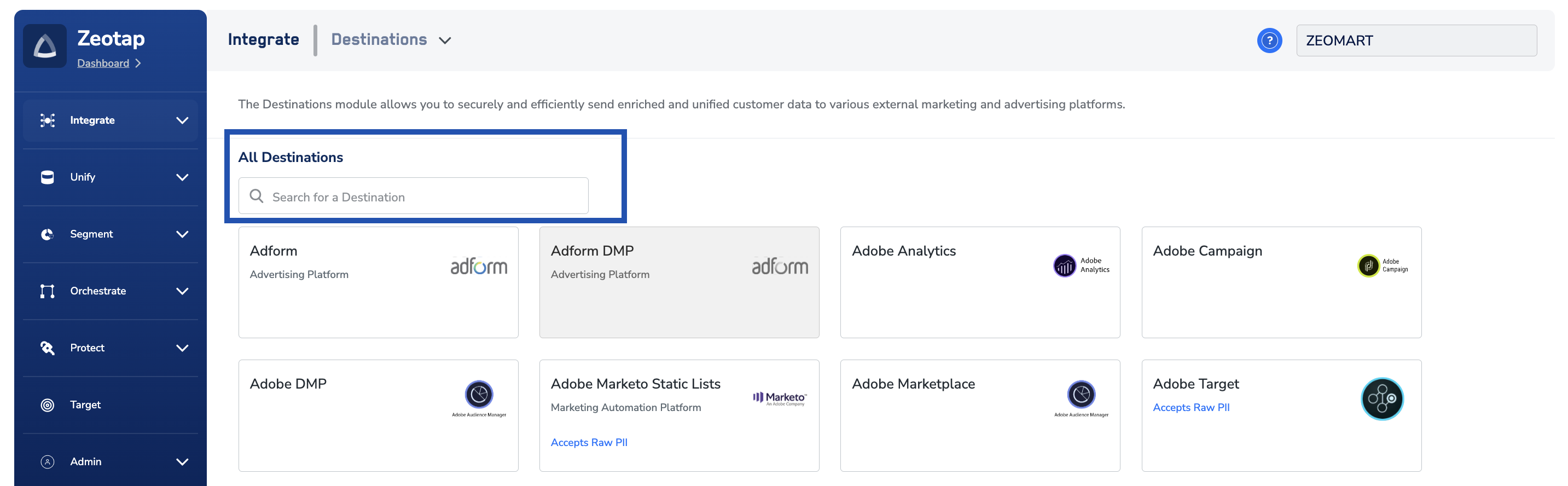
3
Enter the destination details
Click Dynamic Yield : CSV Upload. Details about the destination appear on the left and the fields required for the integration appear on the right. Enter:a. A name for the destination.b. The Bucket Path, Access Key, Secret Key and S3 bucket region obtained from Dynamic Yield. See Create a User Feed and generate the S3 credentials.c. Under User Unique Identifier in Dynamic Yield, choose the identifier type you selected when creating the User Data Feed. You can choose either Hashed Email Address or Custom Identifier.i. If you choose Hashed Email Address, a field called Unique Identifier for Email is enabled with the auto-populated value 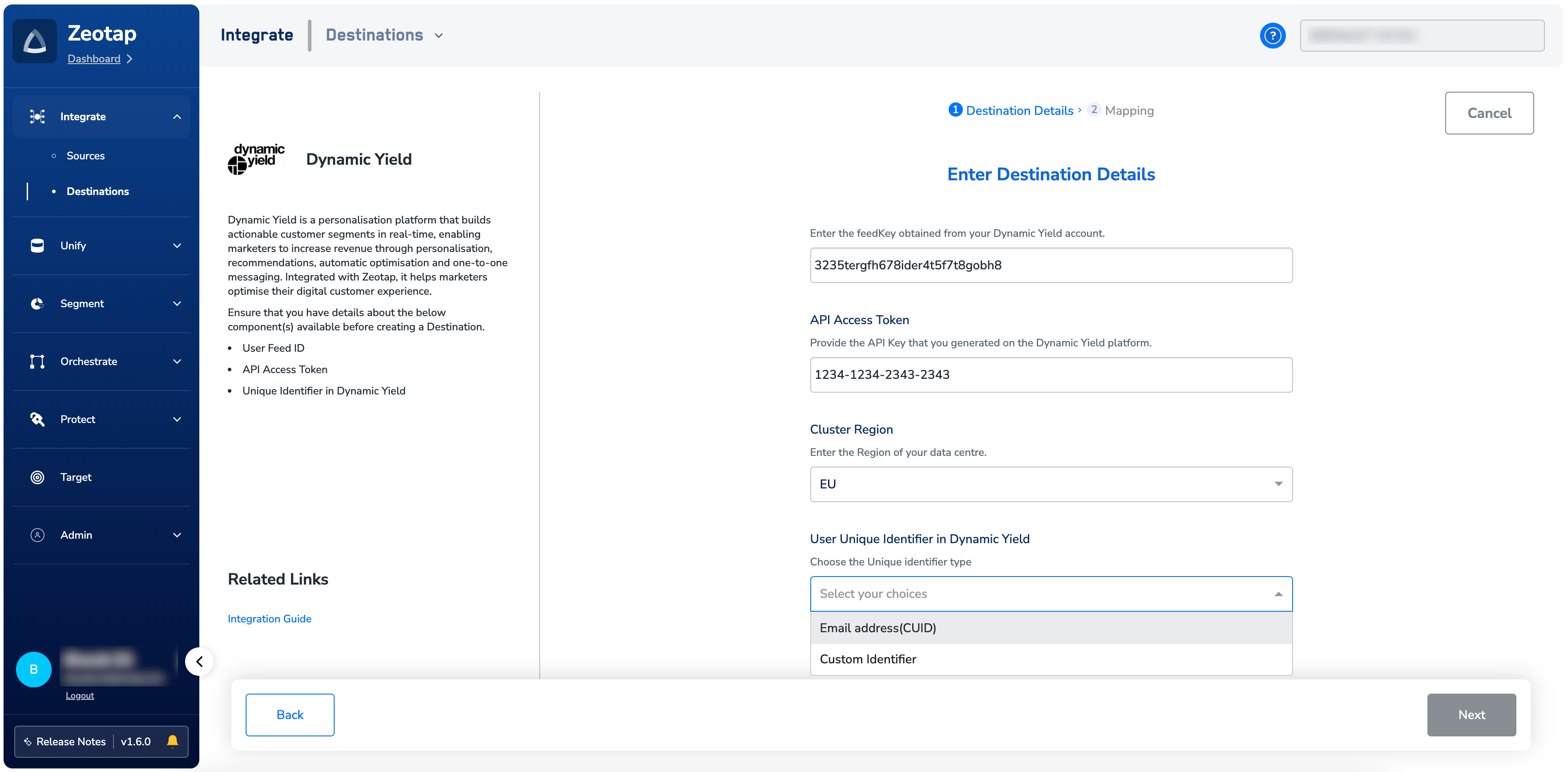
Remove the
s3:// prefix when you enter the value in the Bucket Path field. If the bucket path in Dynamic Yield is s3://com.dy-external.crm/<your-feed-path>, enter com.dy-external.crm/<your-feed-path> in the Bucket Path field in Zeotap.ihe.ii. If you choose Custom Identifier, enter the customer identifier you added in Dynamic Yield. See Choose or create a unique user identifier.4
Choose the action and map the fields
On the Action and Mapping screen, select Upload CSV to User Feed as the action, then map the Catalogue and Destination fields.a. Map the Segment Membership field. Map the identifier field (email address or customer ID) using + Add Mapping Field.i. You can send additional identifiers and attributes using the same button, provided they are already defined in the schema associated with the User Feed in Dynamic Yield.b. If you are sending an Email address, map the value 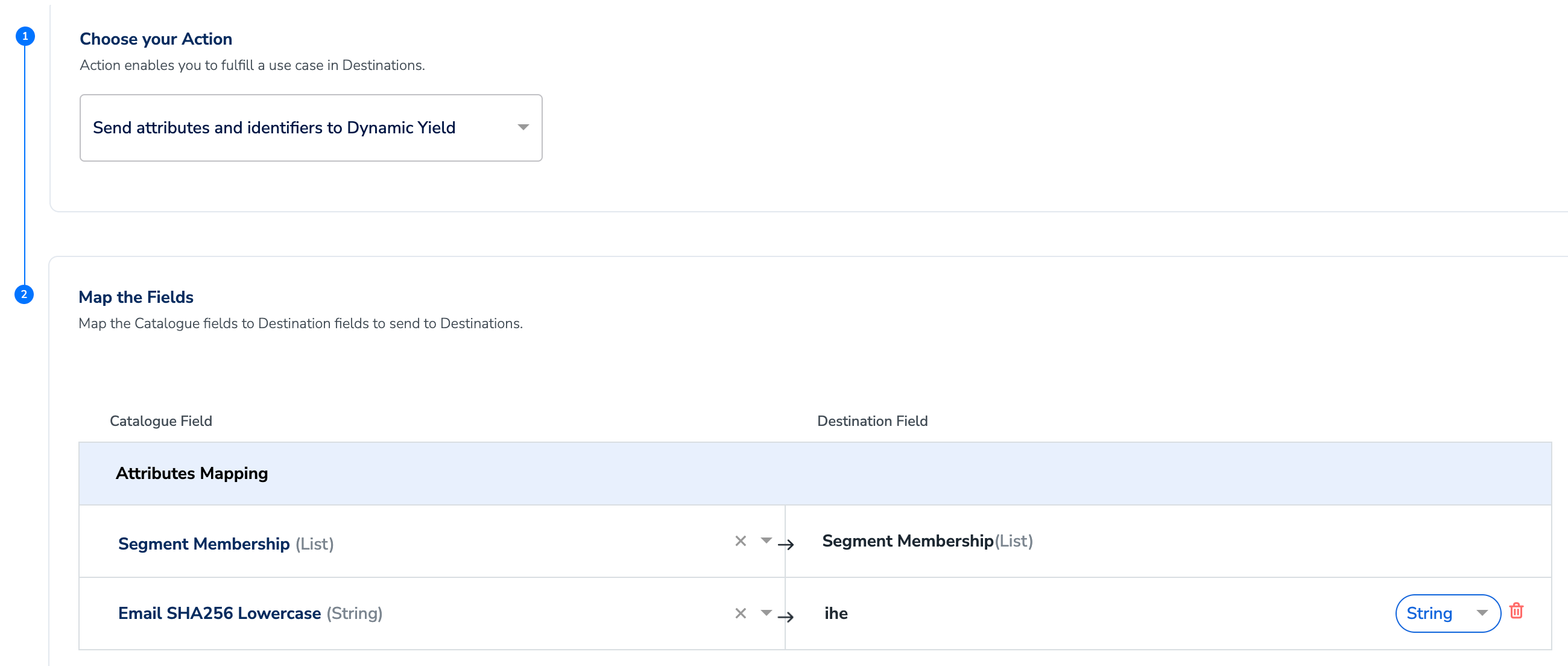
ihe in the Destination field (right-hand side).c. If you are using a custom identifier, enter the exact value you defined in Dynamic Yield when you created the identifier into the Destination field. For example, if the identifier is named customer_id in Dynamic Yield, enter customer_id in the Destination field in Zeotap.5
Create the destination
Click Create Destination. The destination is then listed in the Audiences application, where it can be linked to an audience (segment).
Link an audience to the destination
For how to link an audience to the destination in the Audiences application, see Link an audience to the destination.The terms audience and segment are used interchangeably to refer to customer cohorts belonging to a specific category. For example, an audience or segment can be a group of customers who are over 18 years of age and have performed an
addToCart event within the last 30 days.Verify the delivery
- In Dynamic Yield, confirm the User Feed appears on the Data Feeds page after you clicked Save & Activate.
- In Zeotap CDP, confirm the destination is listed in the Audiences application and the audience is linked to it.
- In Dynamic Yield, build an audience condition on the feed (see below). When the values you sent from Zeotap populate in the condition’s value dropdown, the data has landed.
Build audiences and campaigns in Dynamic Yield
1
Create an audience
Log into the Dynamic Yield UI. Under the Audience tab, go to Audience Manager and click Create Audience.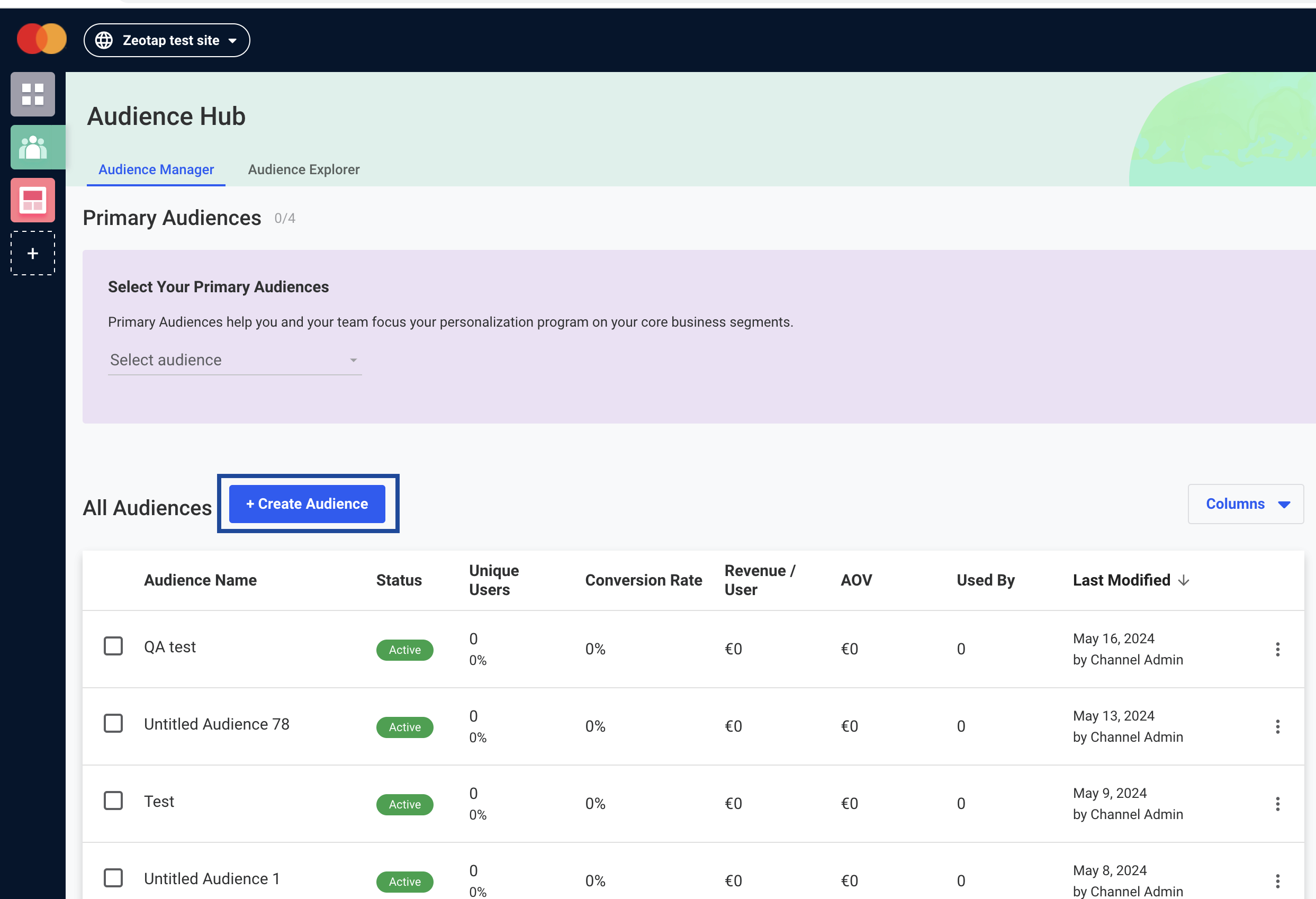
2
Select User Attributes
From the options, select User Attributes.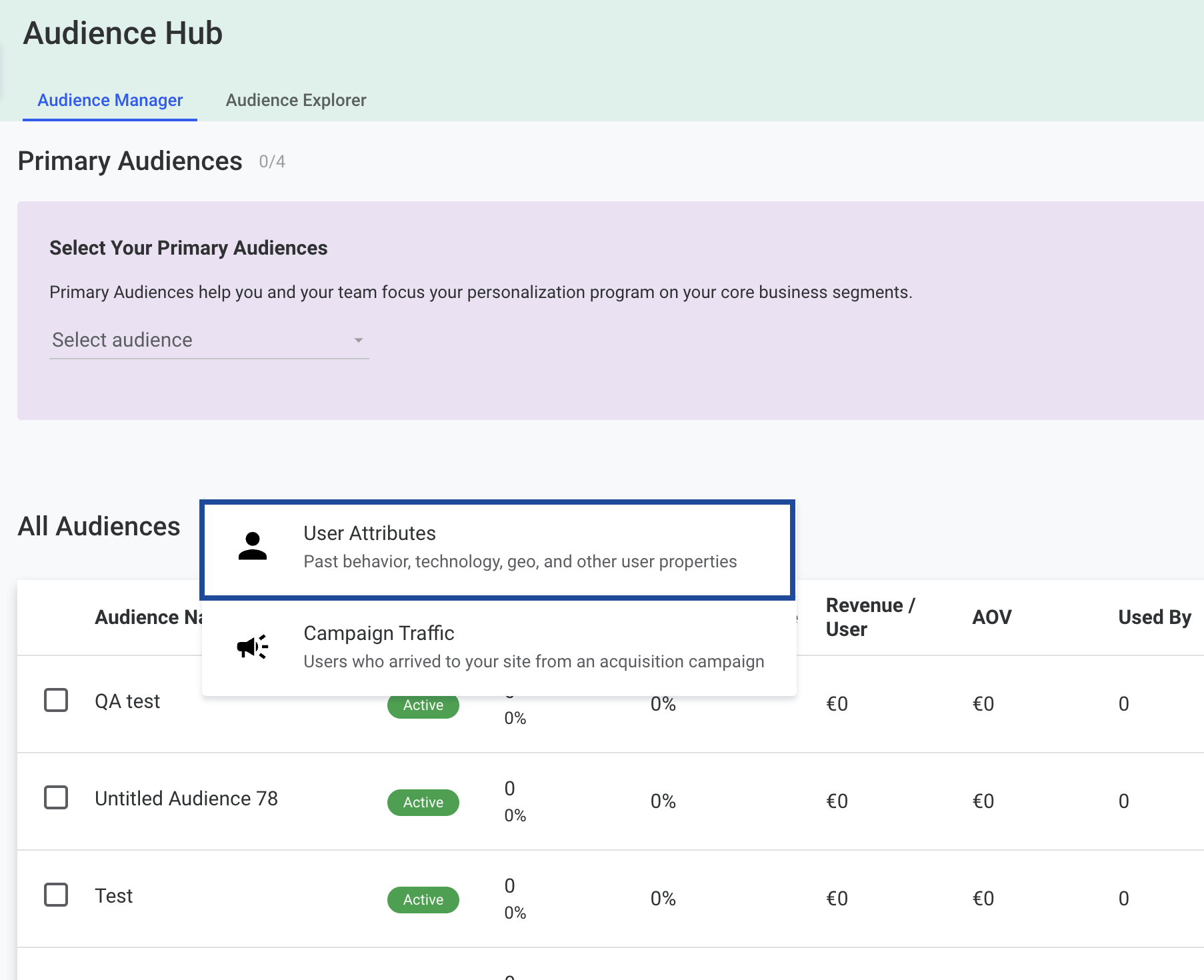
3
Set the conditions
Enter a name for the audience, then under Conditions provide the following:a. In the first field, choose the User Data Feed you want to include.b. In the second field, select the Segment ID, Segment Name, and any other identifiers and attributes you sent from Zeotap. You can add as many attributes as you need by adding new conditions.c. In the third field, choose the operator for the condition, such as 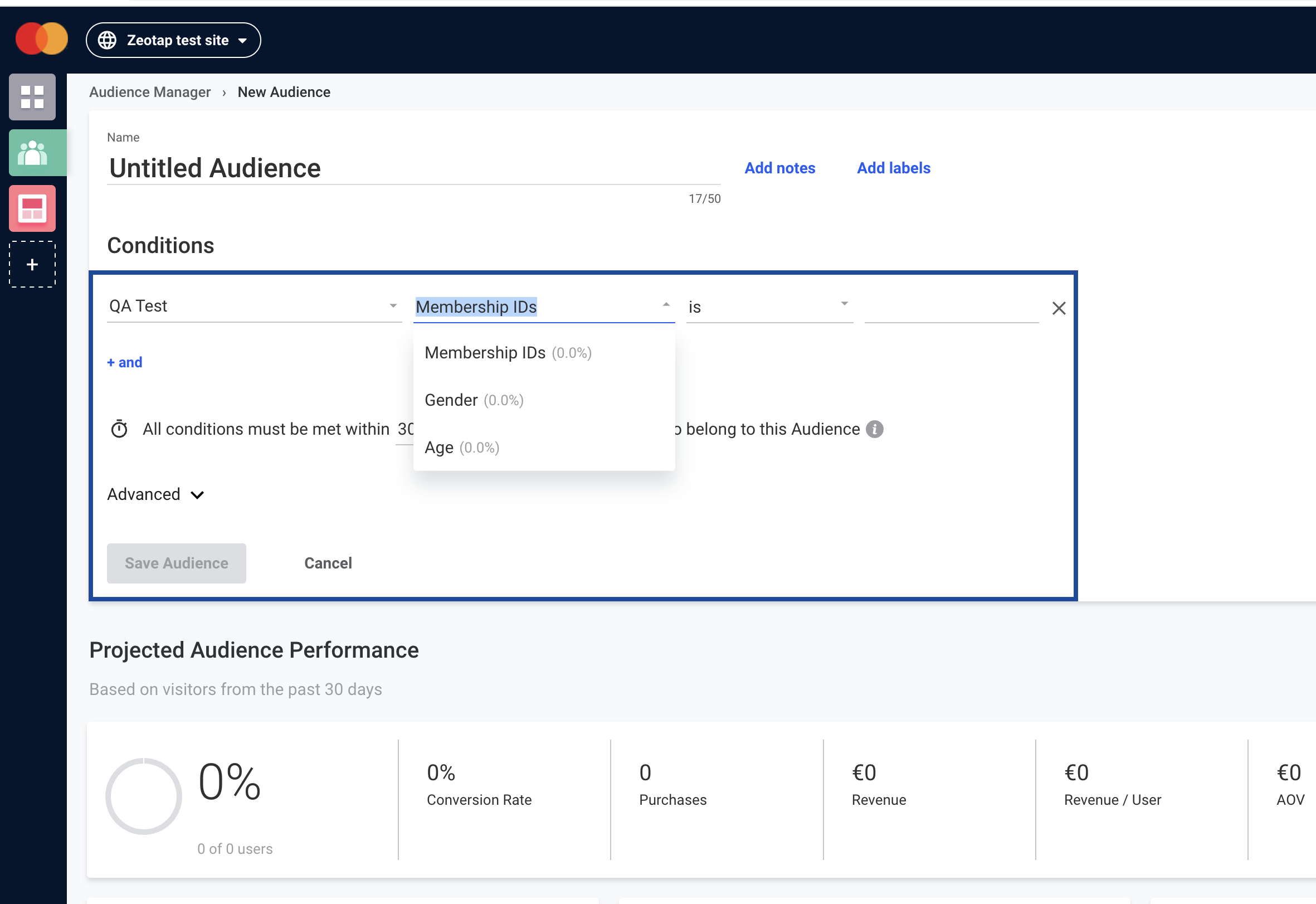
Is, contains or equals.d. In the fourth field, choose a value from the drop-down list. The values populate according to the User Data Feed you chose.e. You can set the timeframe of the condition. Dynamic Yield offers current session, 1 day, 7 days, 30 days, 3 months and 1 year, but projected audience performance is only supported up to 30 days.f. Once all the conditions are set, click Save Audience.4
Check the projected size and use the audience
Under the Projected Audience Performance tab you can view the projected audience size for the timeframe selected. Use the audiences you create here to build campaigns under Web Personalisation in Dynamic Yield.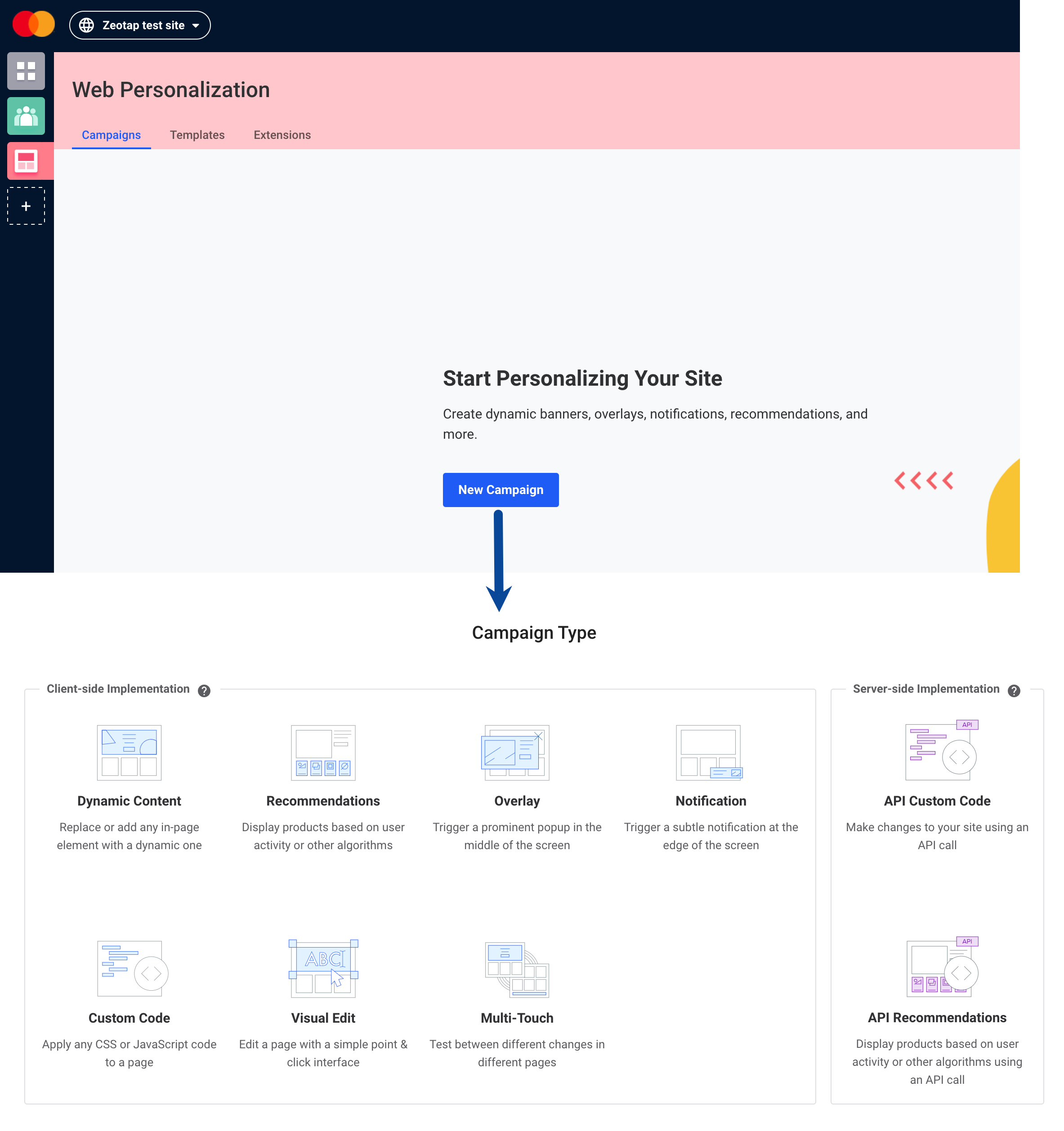
Troubleshoot the integration
Next steps
- Link an audience to the destination
- Dynamic Yield — update the same User Data Feed over the API instead of by CSV
- Dynamic Yield (RealTime) — stream Journey enrolments as they happen
- Dynamic Yield Events — send behavioural events
- Extend your audience