What this is
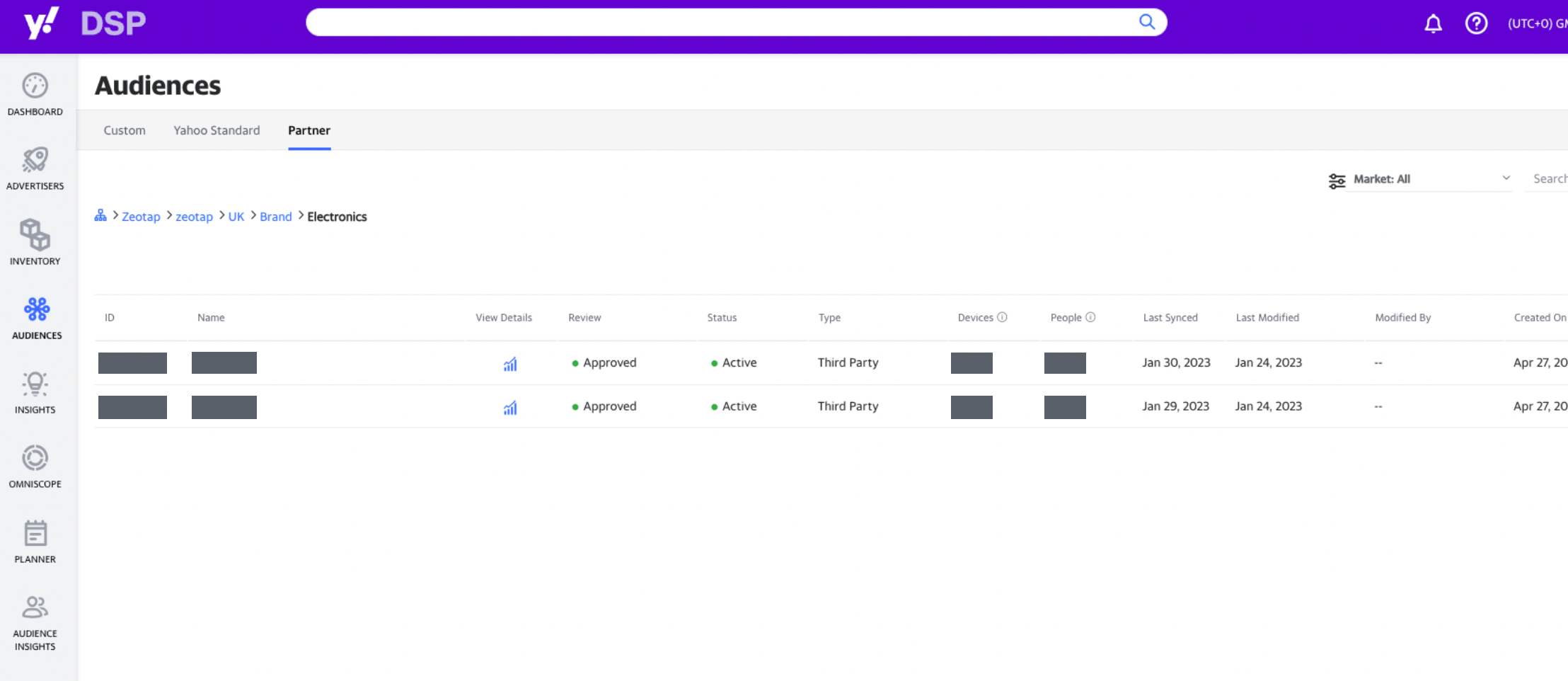
The Oath (Yahoo) destination sends audiences out of Zeotap CDP to a Yahoo DSP seat, where they appear under the Partner tab of the Audiences section and can be used for targeting in Yahoo DSP. It is a batch destination, so you link it to an audience. Yahoo is also one of Zeotap’s integrated cookie-sync partners — the inbound direction for this vendor, where Yahoo channel cookies are mapped to the Zeotap cookie across your sources. See Sync cookies with partners.Supported identifiers and actions
This integration supports Yahoo cookies and Device IDs (MAIDs). On the mapping screen these appear as the destination fields Oath Cookie and MAID.Prerequisites
Before you start, confirm you have:
- The MDM ID you want to share data to. The destination cannot be created without it — see Find your MDM ID in Yahoo.
- A Zeotap CDP user with access to the Destinations and Audiences applications.
- An audience whose output identifiers include Yahoo cookies or MAIDs.
Find your MDM ID in Yahoo
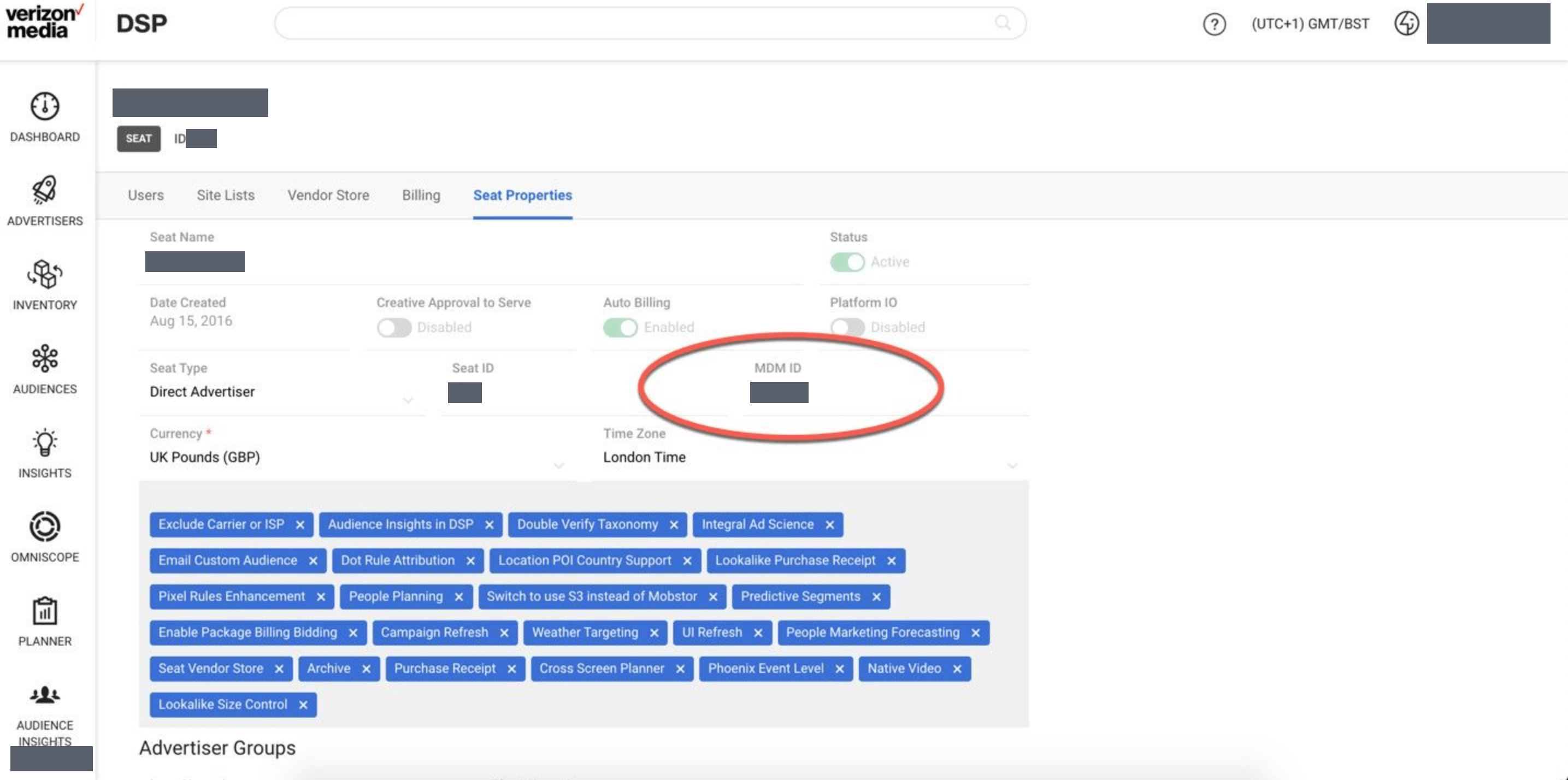
In Yahoo’s taxonomy, the MDM ID of the seat or advertiser is what identifies where private segments are delivered. As shown on the seat’s Seat Properties tab below,MDM ID: 799304 is the public seat for Yahoo.
For private segments, use the MDM ID of your own seat or advertiser and create the corresponding destination in the Zeotap CDP App.
Confirm the MDM ID against the Seat Properties tab of your seat in the DSP console before you create the destination. An incorrect MDM ID causes segment failures.
- Advertiser MDM IDs — used either within the global managed seat, where the activity spans many agencies and/or advertisers, or within a client (self-serve) seat where the data should be shared to specific advertisers and not the whole seat.
- Seat MDM IDs — when data is shared to this seat, it is made available to all advertisers on that seat.
Create the Oath (Yahoo) destination
1
Open the Destinations application
Log into the Zeotap CDP App and go to the DESTINATIONS application.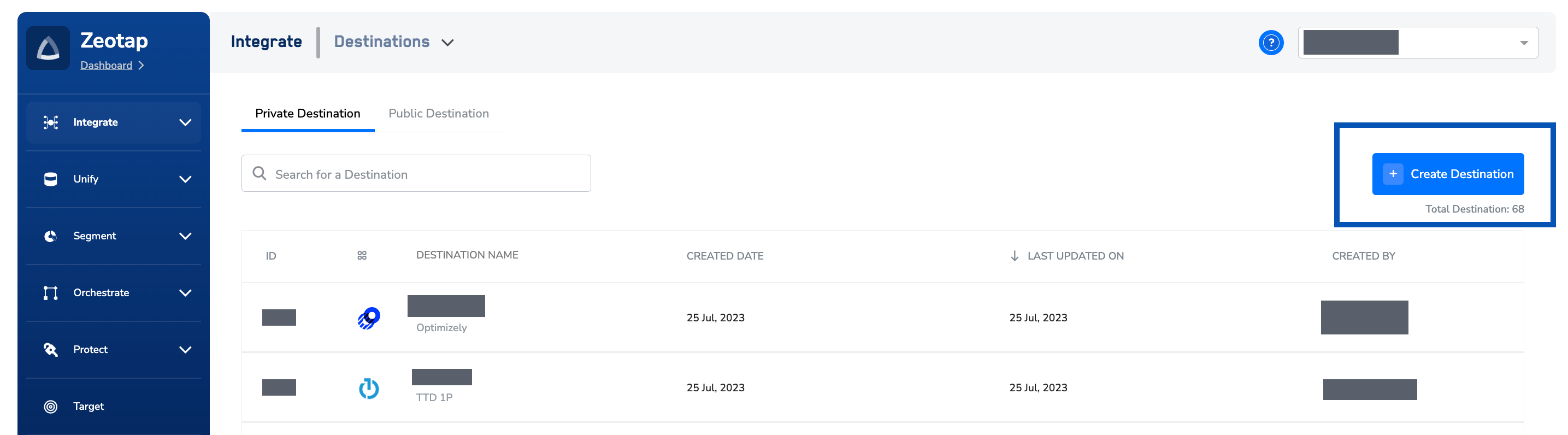
2
Start a new destination
Click + Create Destination, then under All Destinations search for Oath (Yahoo).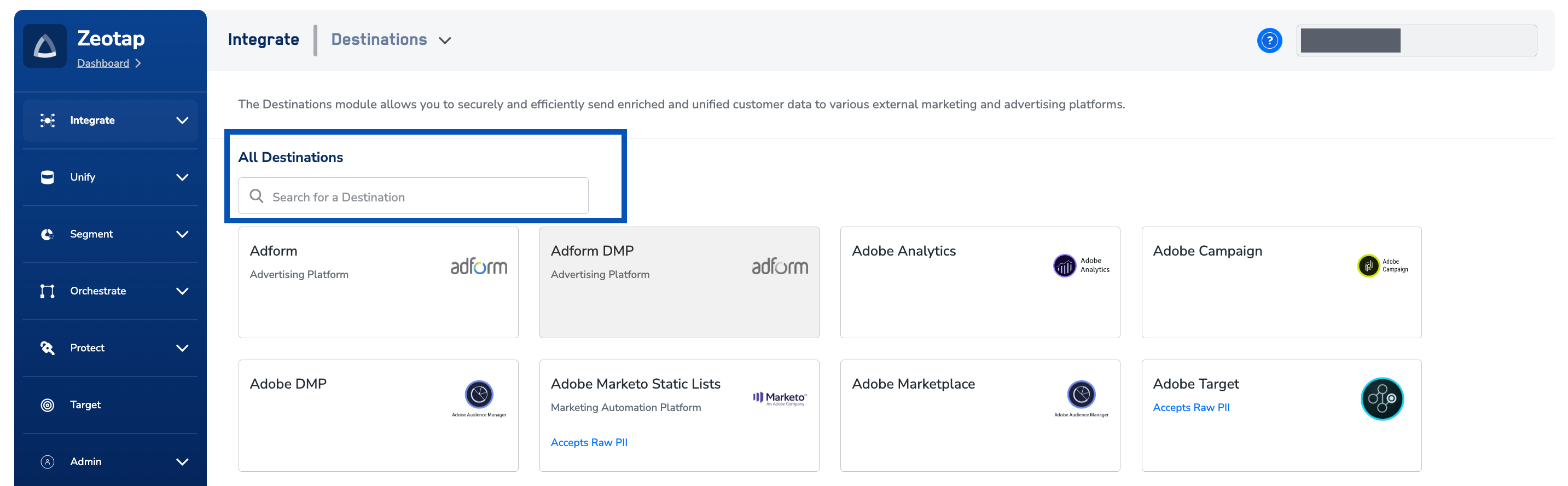
3
Enter the destination details
Click Yahoo. The left of the screen describes the destination; the right lists the fields required to establish the integration. Enter: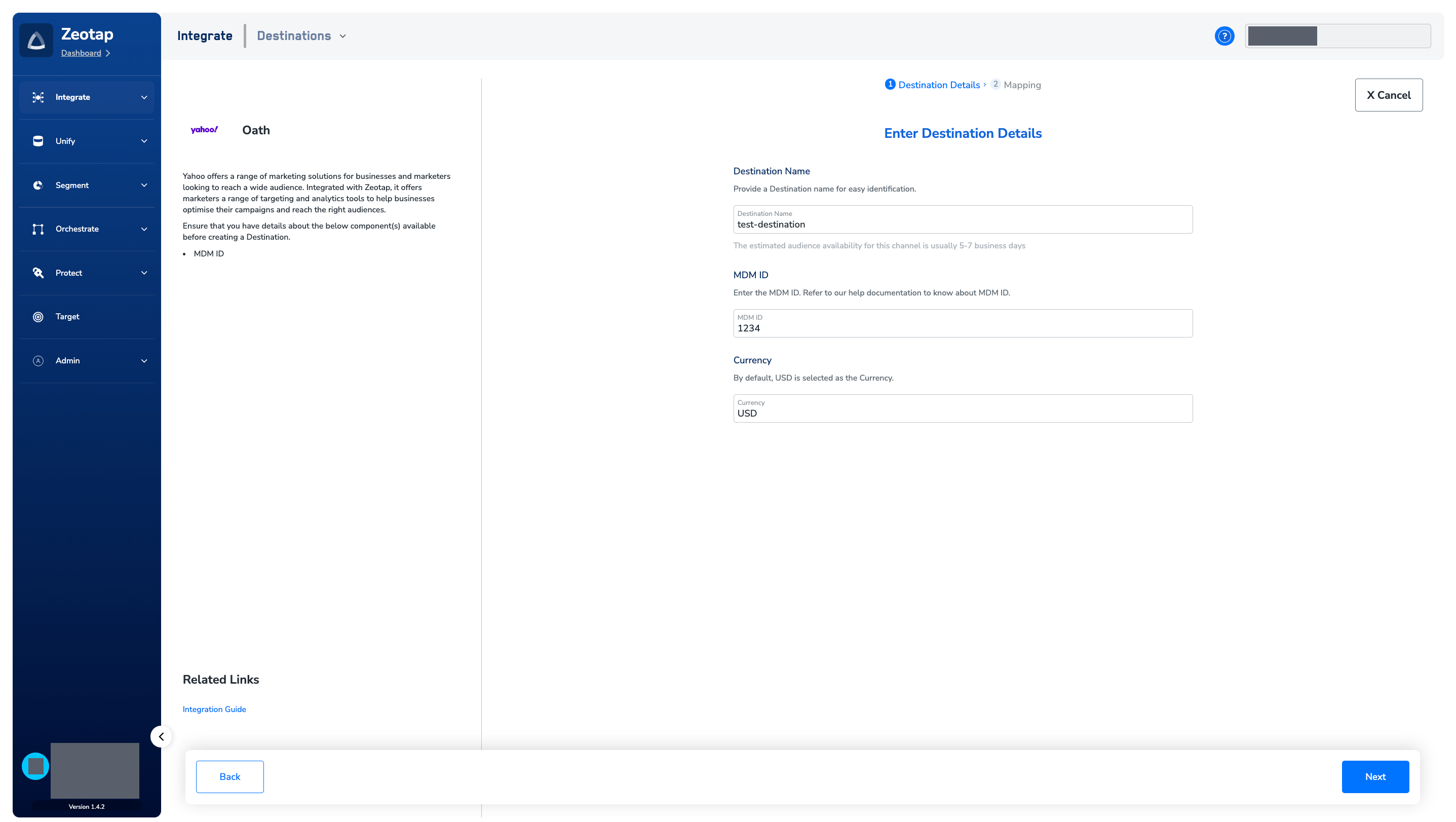
- A Destination Name, for easy identification.
- The MDM ID on which the segment has been requested.
- Currency — USD appears as the value by default.
4
Choose the action and map the fields
Under Choose your Action, select the action Send identifiers to Oath. Under Map the Fields, map your catalogue fields to the destination fields. By default the output identifiers accepted by the platform — MAIDs, cookies, email IDs and more — are displayed; you can edit, add or remove an identifier from the list. See the mapping reference.Click Create Destination. The created destination is listed in the Target and Audiences applications, where it can be linked to an audience or segment.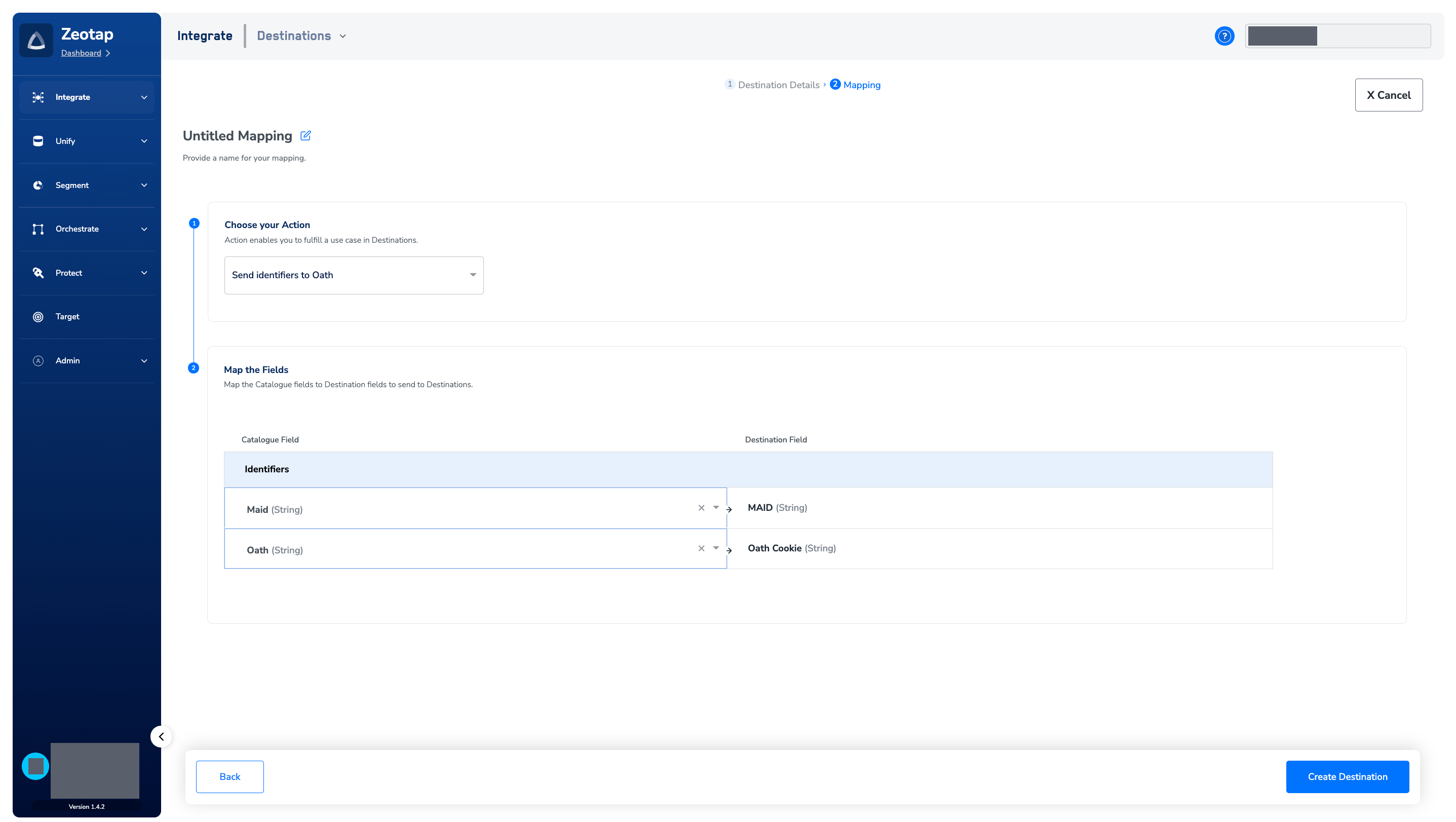
Link an audience to the destination
Open the Audiences or Target application and attach the Oath (Yahoo) destination to the audience you want to activate. Full instructions are in Link an audience to a destination. It can take up to seven business days for the segment to be available at the Oath (Yahoo) seat.The terms Audiences and Segments are used interchangeably to refer to customer cohorts belonging to a specific category. For example, an audience or segment can be a specific group of customers who are over 18 years of age and have performed an
addToCart event within the last 30 days.Verify the audience reached Yahoo
To view the segments pushed by Zeotap in the Yahoo console:1
Open the Partner audiences list
Log into the Yahoo console and navigate to Audiences > Partner.
2
Find Zeotap in the provider list
In the search bar, search for Zeotap, or scroll to the bottom of the page until you find Zeotap.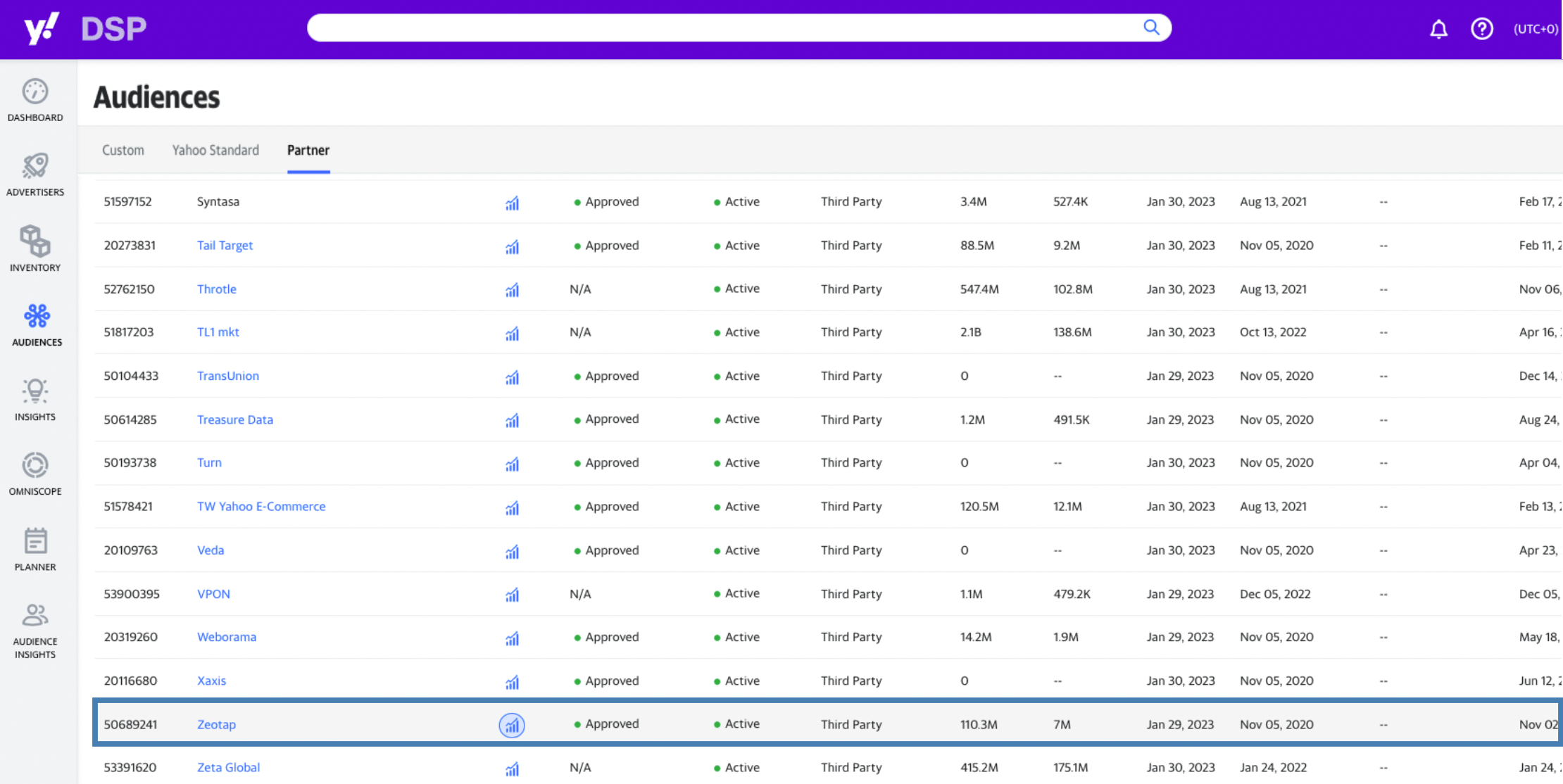
3
Filter the audience listing
Click Zeotap and filter the audience listing as per your requirement. Each row shows the audience’s status, type, device and people counts, and when it was last synced.