

What this is
Amazon DSP - DP Audience is a Zeotap destination that pushes an audience (segment) from Zeotap CDP into Amazon DSP as an Advertiser (first-party) audience. Amazon DSP is a programmatic advertising platform for buying display and video ads across Amazon-owned properties and third-party sites and apps. Use this destination when you want your CDP-built audience to appear alongside your other advertiser-owned audiences inside Amazon DSP’s Campaign Manager under theAdvertiser Audiences source — separate from Amazon’s native third-party segments. This page walks through creating the destination, linking an audience to it, and confirming delivery inside Amazon DSP.
Prerequisites
Before you create the destination, gather the following:
- Your Advertiser ID — the Amazon DSP Ad Account ID for the account that will receive the audience.
- Your Amazon DSP Account Region — North America or Europe.
- The Data Source Country value (the country where the customer data was collected) that will be applied at the audience level.
- Sign-in credentials for the Amazon DSP account with permission to authorize Zeotap during the connection flow.
Create the destination
Perform the following steps in the Zeotap CDP app to create an Amazon DSP - DP Audience destination.1
Log into the Zeotap CDP app and open the DESTINATIONS application.
2
Click + Create Destination.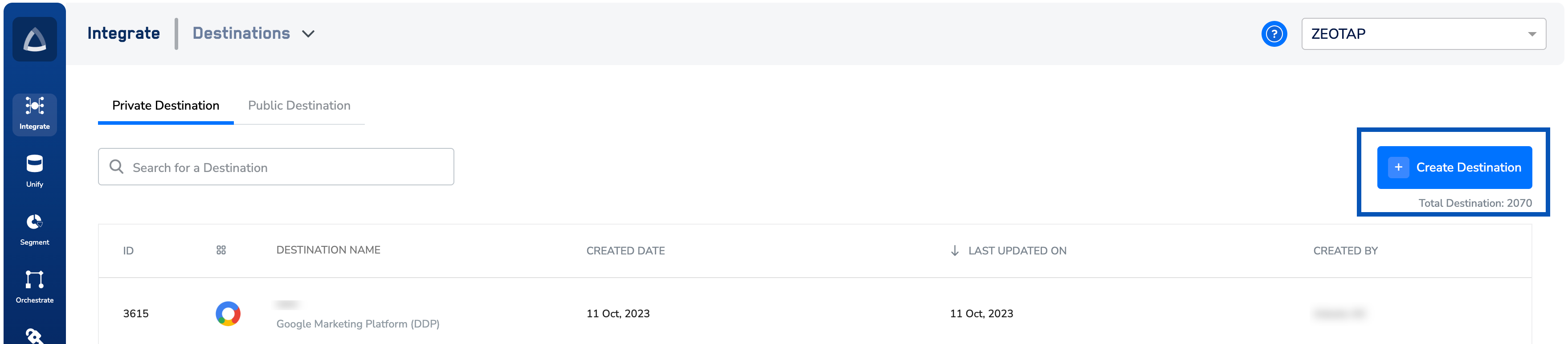
3
Under All Destinations, search for Amazon DSP - DP Audience.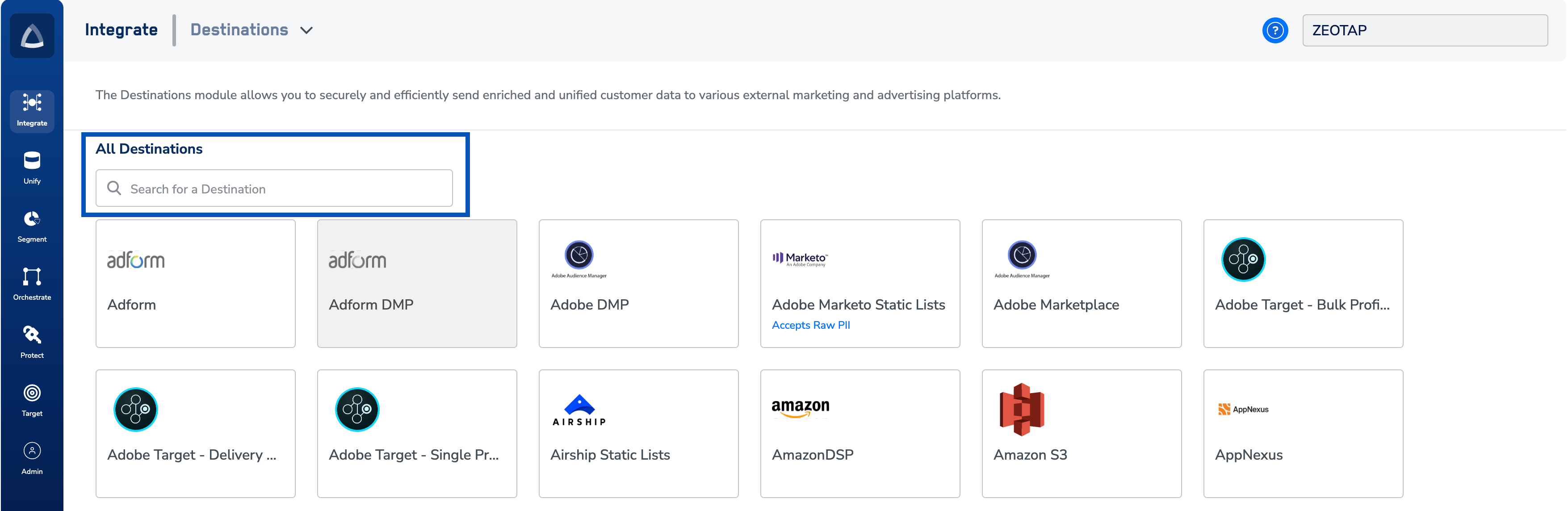
4
Click Amazon DSP - DP Audience. A configuration screen opens with the destination description on the left and the connection fields on the right.a. Enter a name for the destination.b. Enter the Advertiser ID for the Amazon DSP account that will receive the audience.c. Select the Account Region from the drop-down — North America or Europe.d. Click Connect to Amazon DSP - DP Destination and complete the Amazon sign-in flow in the window that opens. After a successful login, click Next to proceed to the mapping section.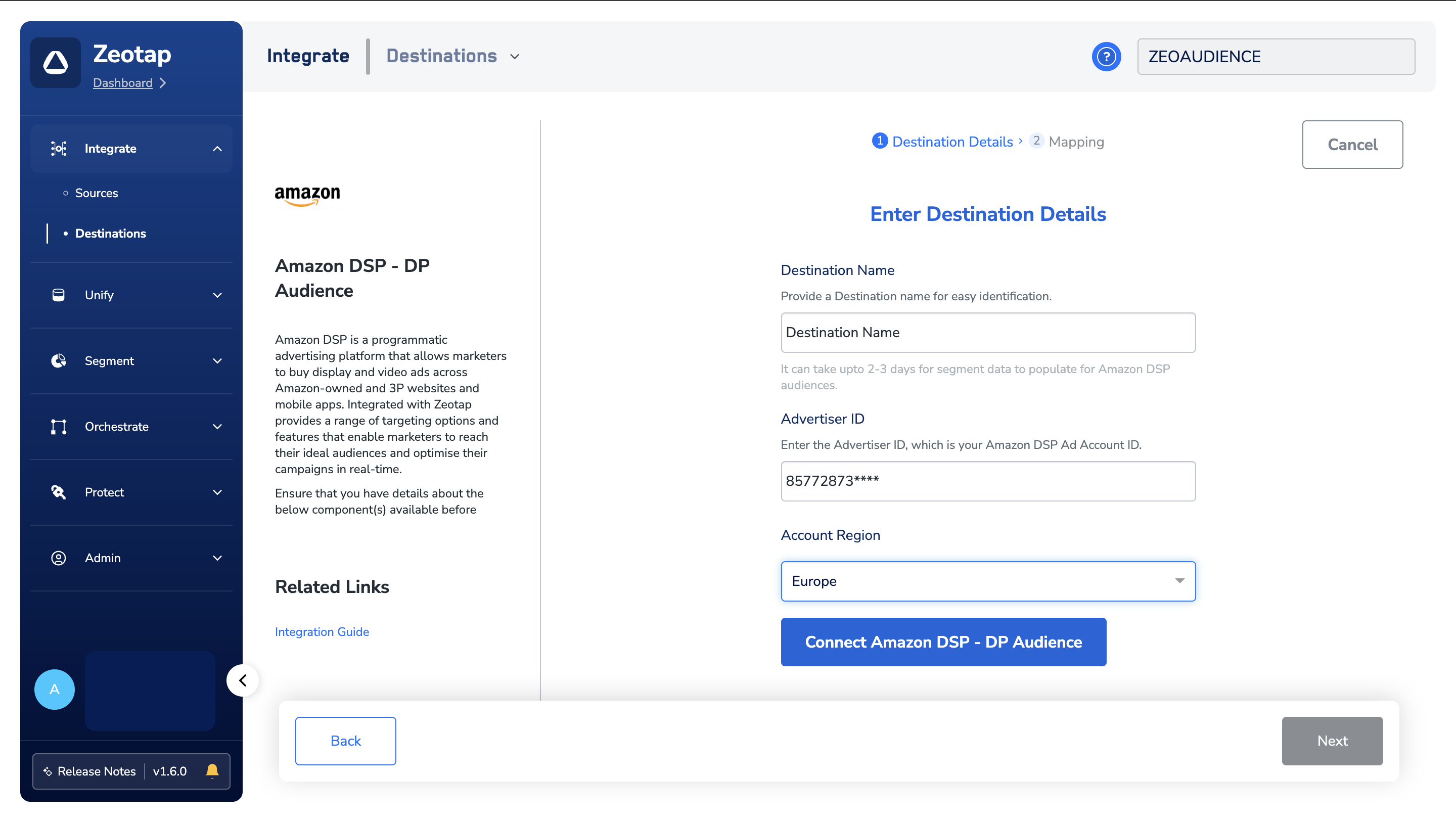
5
On the Actions and Mapping screen, configure the action and identifier mapping.a. Under Choose your Action, select the desired action for this integration.b. Under Map the Fields, map each Zeotap catalogue identifier (Zeotap Cookies for Amazon, MAIDs) to the corresponding Amazon DSP field.c. In the Additional Settings section, select the appropriate Data Source Country.d. Click Create Destination. The destination is added to the list in the Audiences application and is ready to be linked to a segment.
Link an audience to the destination
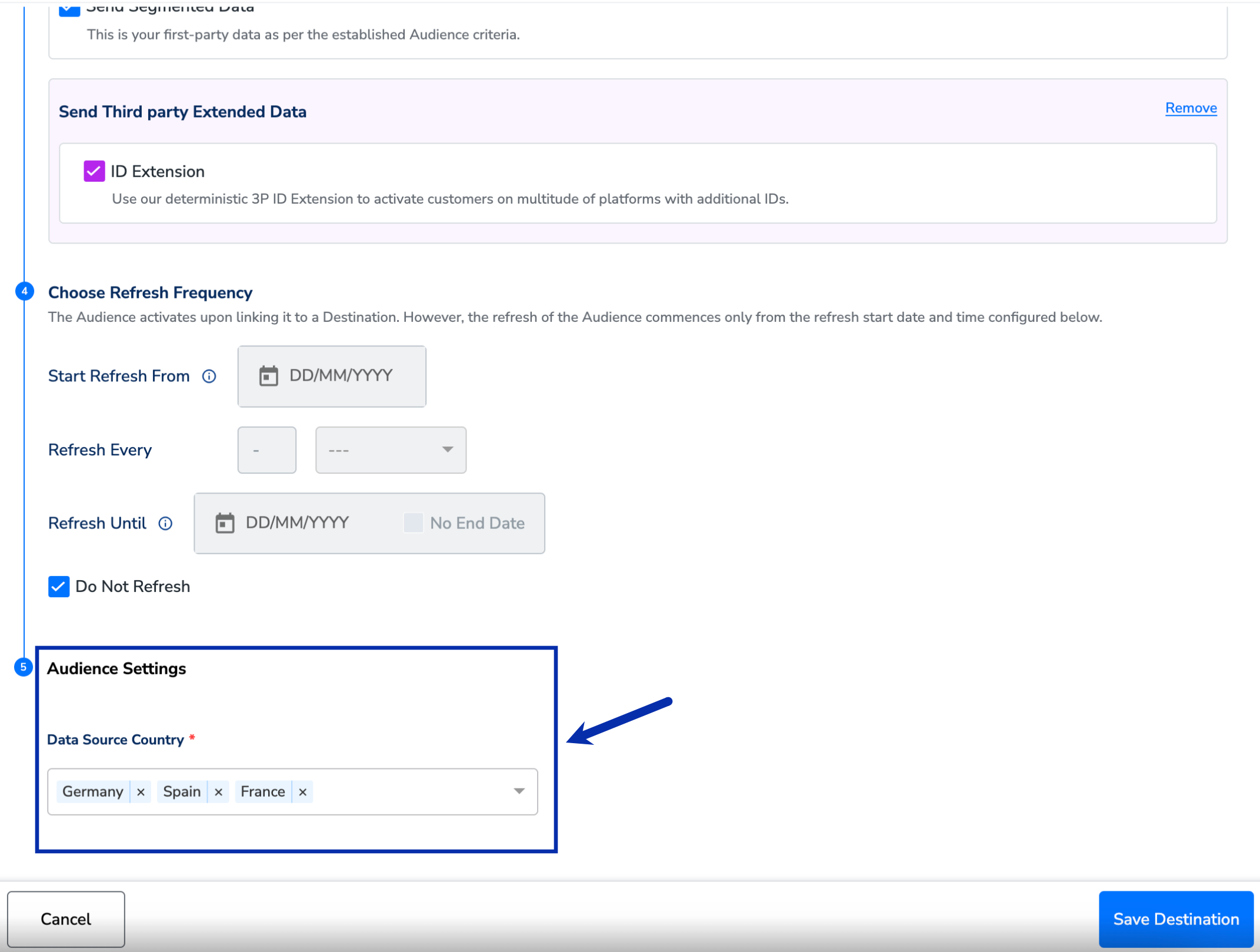
After the destination exists, link a Zeotap audience to it from the Audiences application. Refer to Link an audience to a destination for the linking workflow.When you link the audience, set the Data Source Country value under Audience Settings on the Activation screen. This value applies to every customer who qualifies for the audience.
Verify audiences in Amazon DSP
Confirm that Zeotap-delivered audiences reached your Amazon DSP account.1
Log into the Amazon DSP console.
2
Open Campaign Manager from the administration toolbar.
3
In the left navigation, click Audiences.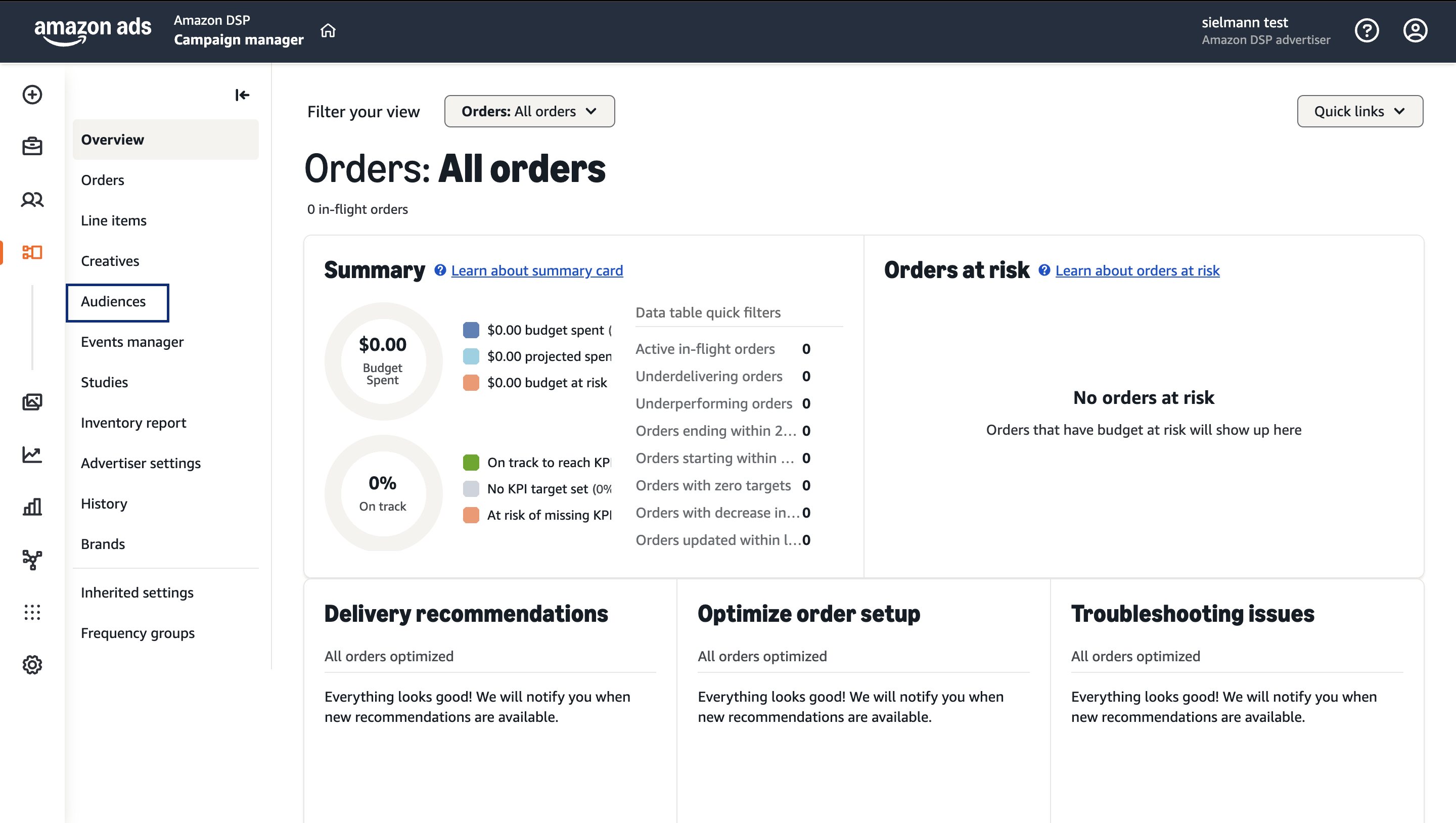
4
In the Source filter on the left, check the box for Advertiser Audiences. This hides Amazon’s native segments and shows only the first-party data you ingested — including the audience you activated from Zeotap CDP.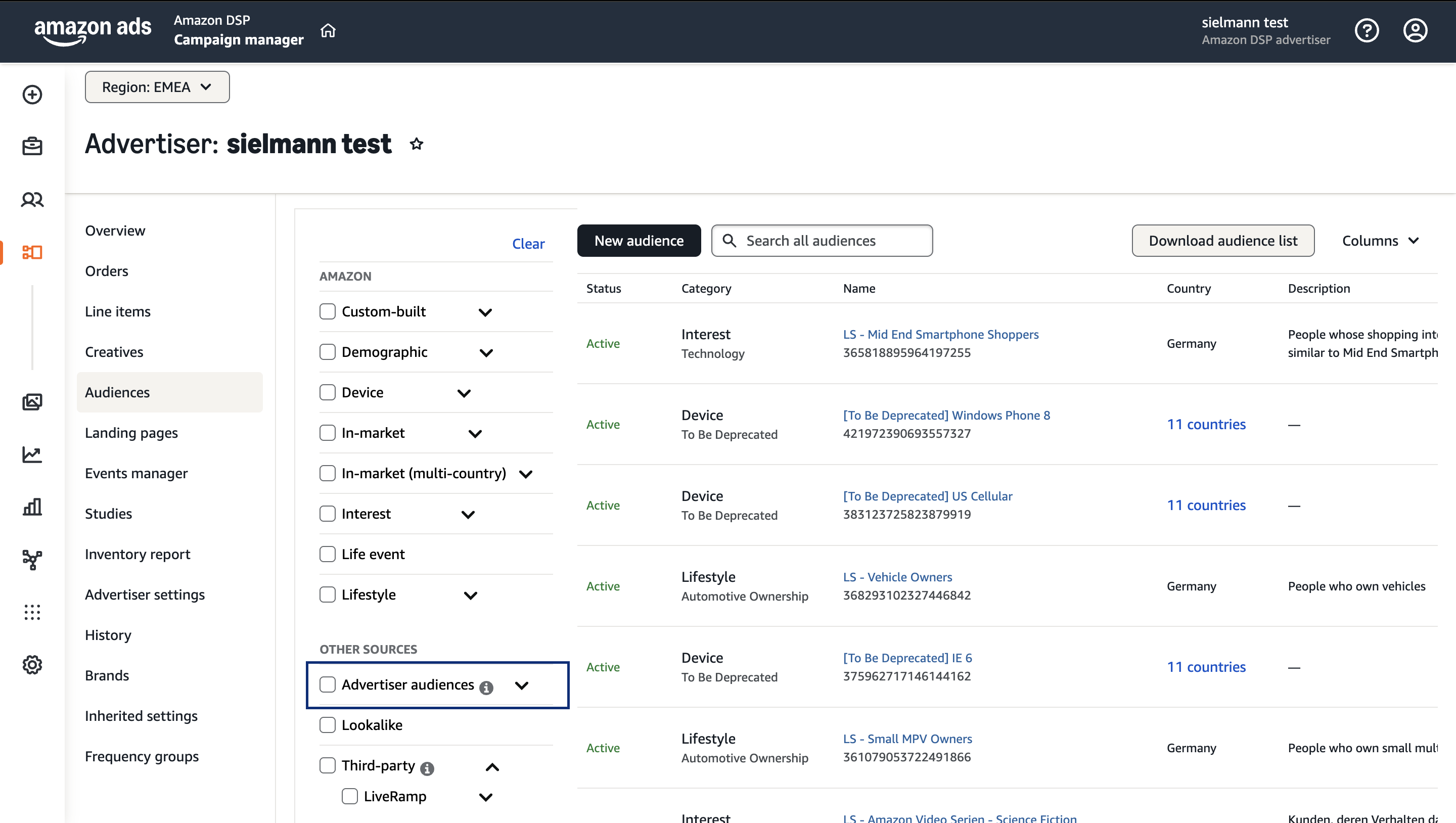
Why an activated audience does not appear
Use the table below to interpret what you see (or do not see) in Amazon DSP and where to check next.FAQ
How is 'Amazon DSP - DP Audience' different from the 'Amazon DSP' destination?
How is 'Amazon DSP - DP Audience' different from the 'Amazon DSP' destination?
Both destinations push audiences to Amazon DSP, but they collect different configuration. The Amazon DSP - DP Audience destination requires an Advertiser ID and an Account Region (North America or Europe), and uses the Connect to Amazon DSP - DP Destination OAuth flow to authorize Zeotap. The base Amazon DSP destination requires an Advertiser ID and a Currency. Check with your Amazon Ads representative on which is enabled for your seat.
How long does an activated audience take to appear in Amazon DSP?
How long does an activated audience take to appear in Amazon DSP?
Audience data can take up to two to three days to populate at the Amazon DSP seat after you link and activate the audience.
Why do I only see Amazon's native segments in the Audiences view?
Why do I only see Amazon's native segments in the Audiences view?
The Amazon DSP Campaign Manager Audiences view shows all sources by default. To see the first-party audiences you delivered from Zeotap CDP, set the Source filter to Advertiser Audiences. This hides Amazon’s native segments.
Which identifiers does this destination accept?
Which identifiers does this destination accept?
Zeotap Cookies for Amazon and MAIDs (Mobile Advertising IDs).