

What this is
TTD CRM Data is a batch destination. Data flows one way — out of Zeotap CDP and into your The Trade Desk (TTD) account. You link a Zeotap CDP audience to the destination, and Zeotap sends the email addresses and cell phone numbers of the customers in that audience to TTD, so you can drive personalisation and an enhanced customer experience. TTD is a demand-side platform (DSP) that provides programmatic advertising solutions to marketers. It supports the European Unified ID (EUID), which targets logged-in, consented traffic. EUID is a version of The Trade Desk’s UID2 and complies with GDPR privacy laws. Zeotap CDP has four Trade Desk destinations, all batch integrations:Supported identifiers and actions
This integration supports both raw and hashed email addresses and cell phone numbers. The following table lists the available action types for the integration and the supported features for each action type:Prerequisites
Have the details of the following components available before you create the destination.Advertiser ID
This is an ID assigned by TTD that identifies the advertiser on the TTD platform for account-level operations. You can obtain this information on the TTD interface by logging into the TTD console.Advertiser Token
This is a unique, secure string generated for authentication and authorisation purposes within the Trade Desk platform. It provides secure access to advertiser data and services. You can reach out to your TTD point of contact to obtain this information.Region
This is the geographical region where your account subscription is registered. You can choose either EU or US as per your requirement.Create the TTD CRM Data destination
Perform the following steps to create a destination for TTD CRM Data:1
Log into the Zeotap CDP App and go to Integrate > Destinations.
2
Click + Create Destination.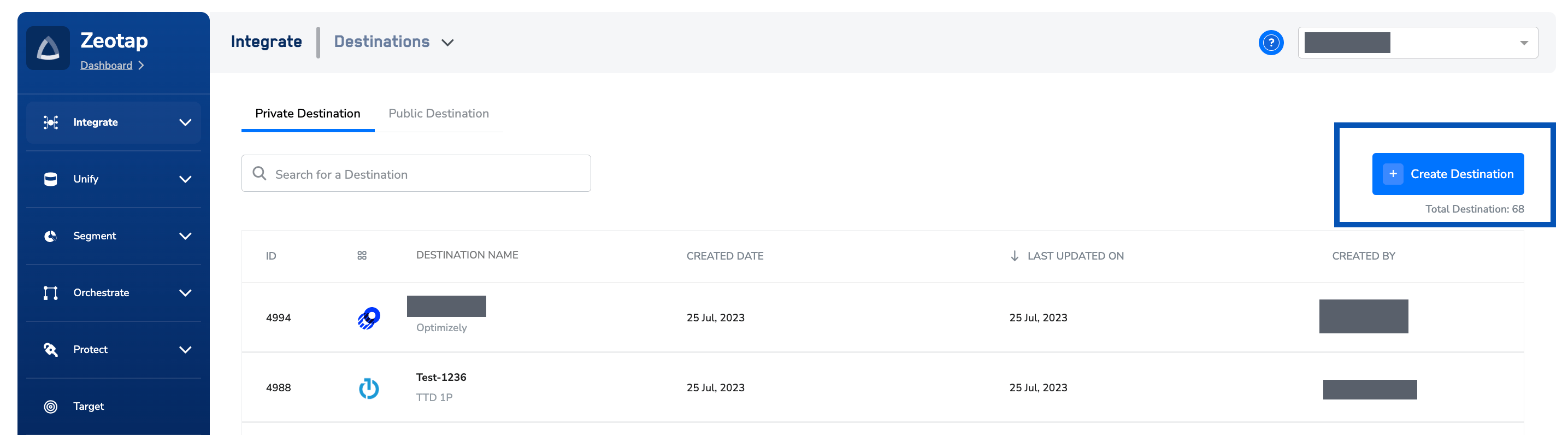
3
Under the All Destinations section, search for TTD CRM Data.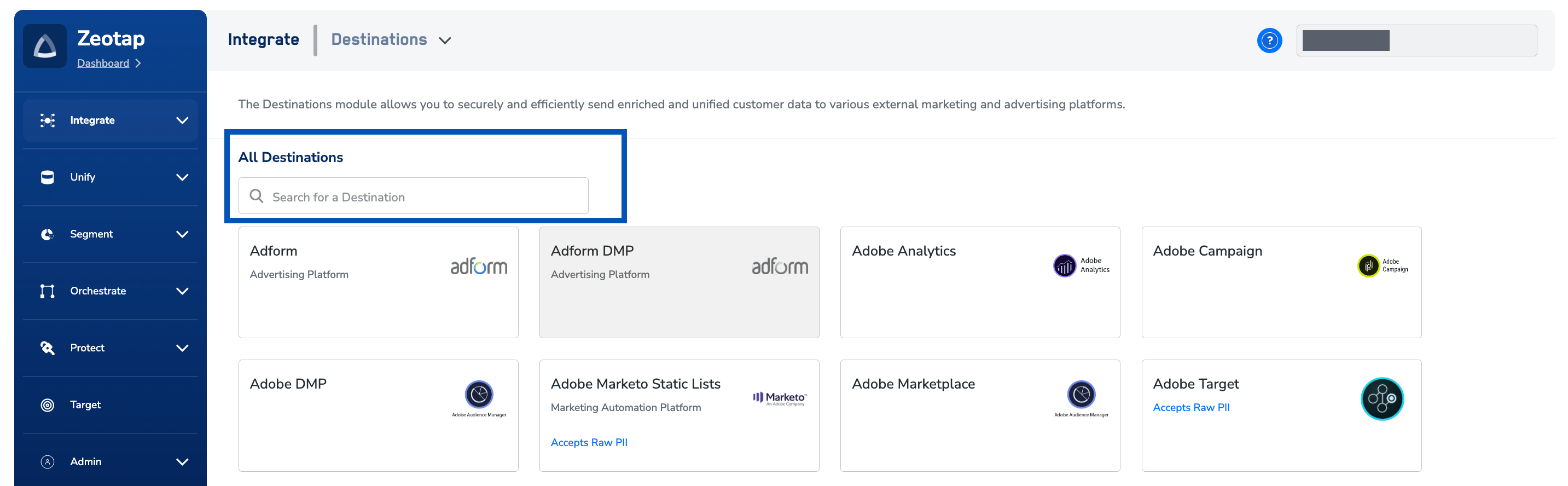
4
Click TTD CRM Data. A screen appears displaying details about the particular destination towards the left. On the right-hand side of the screen find a list of fields that are required for the integration to be established. Enter the required details as mentioned in the following steps:a. Enter a name for the Destination.b. Enter the Advertiser ID and Advertiser Token obtained from your TTD account or TTD point of contact.c. In the Region field, choose the geographical region where your account subscription is registered.d. Review all the values entered above and then click Next to proceed.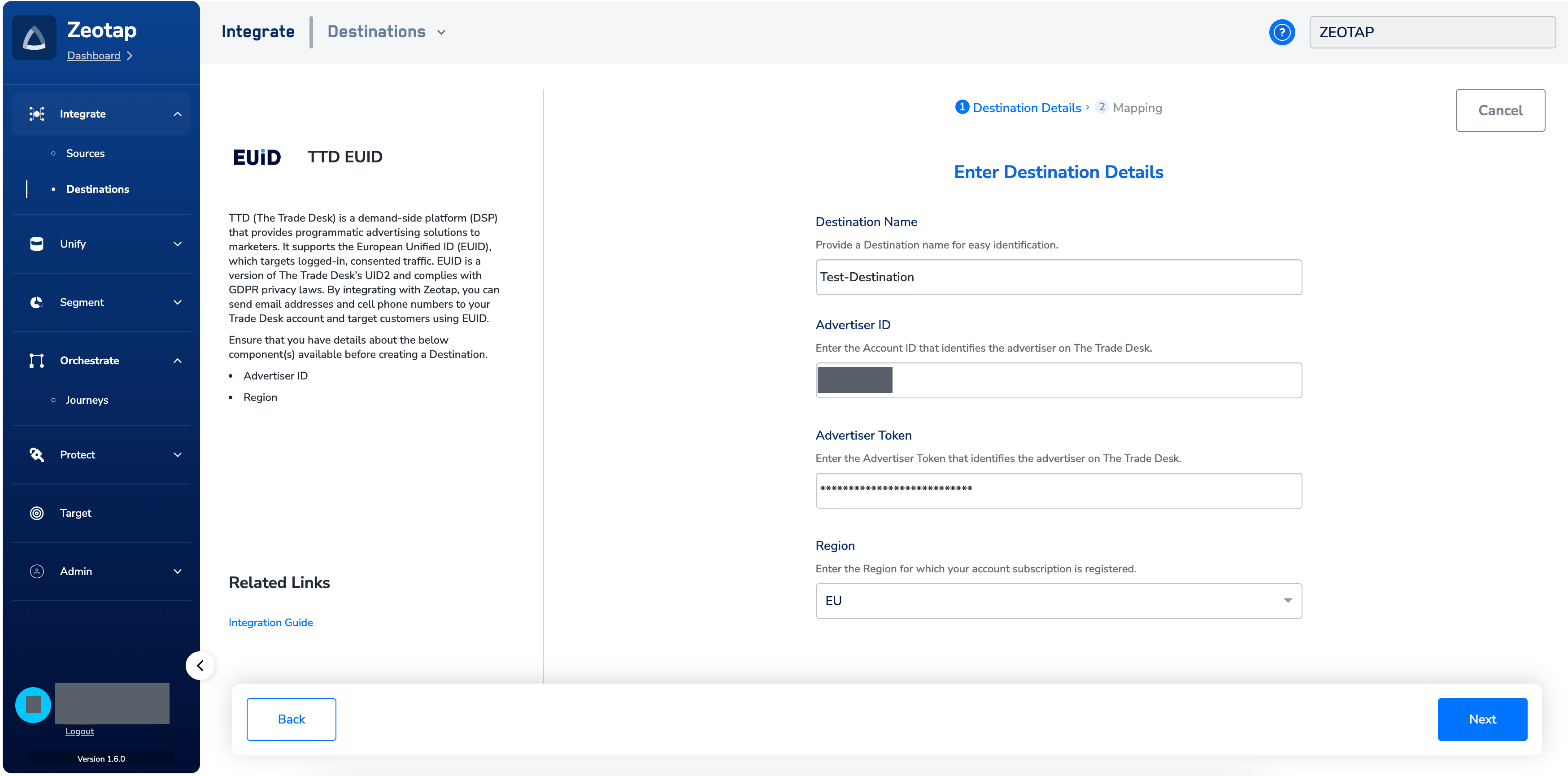
5
In the new screen that appears, under Choose your Action, select Send first-party data through CRM Data Platform API as the action for activating your audience (segment) on the Audiences module. Under Map the Fields, the destination fields are Hashed Email(SHA256) and Hashed Cellphone Number(SHA256). You can map either raw or already-hashed catalogue attributes to them.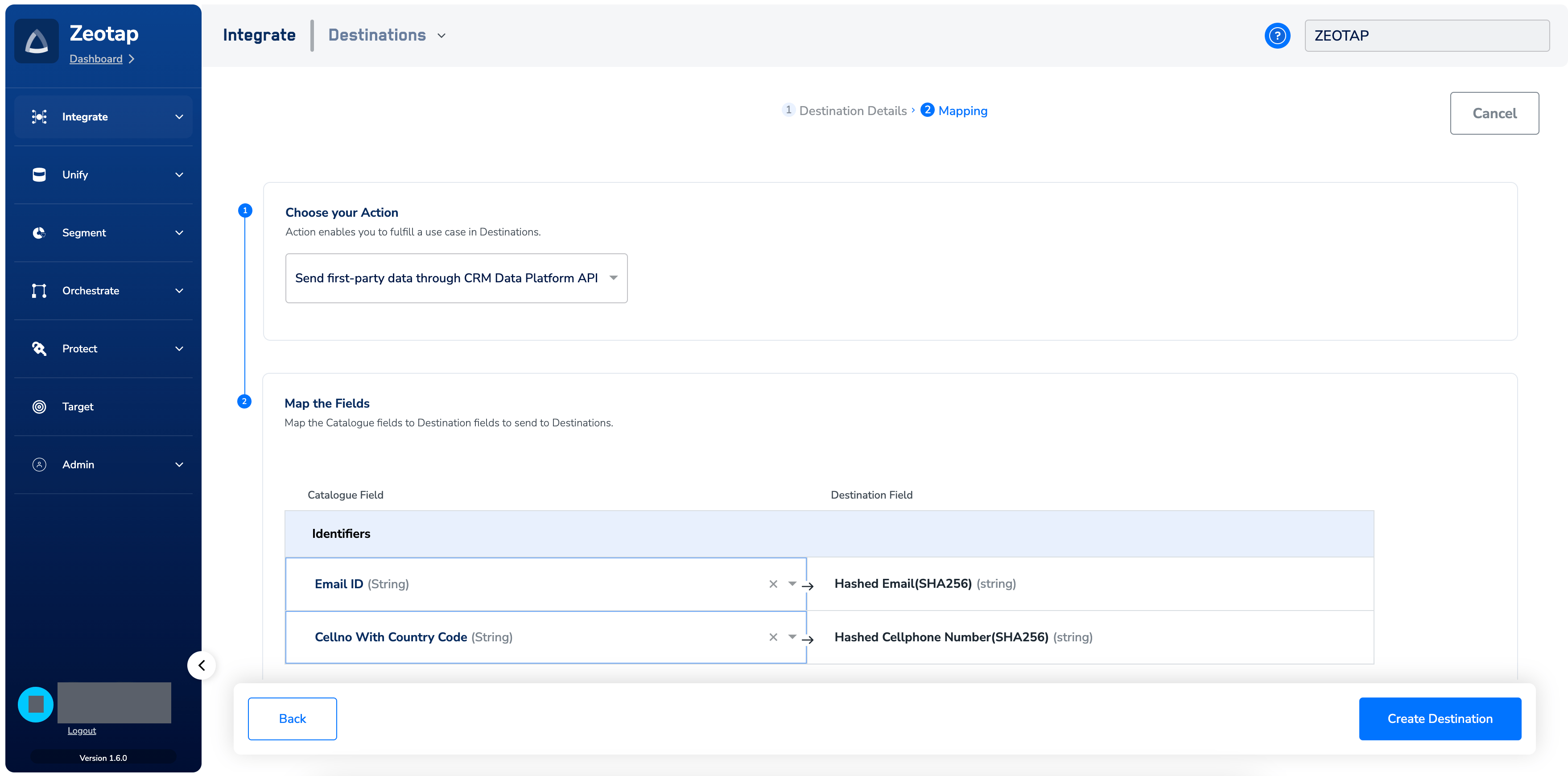
- When you map hashed email addresses or cell phone numbers, Zeotap CDP assumes that valid normalisation and hashing are performed on them as per TTD’s guidelines, and therefore sends the identifiers as is to TTD.
- When you map raw email addresses or cell phone numbers, Zeotap performs the normalisation and hashing as required by TTD before uploading them.
To know more about TTD’s normalisation guidelines, refer here.
6
Click Create Destination. The created Destination gets listed in the Audiences application, which can be linked to an audience/segment.
Link an audience to the destination
For information about how to link an audience or segment to the created Destination in the Audiences application, refer here.The terms Audiences and Segments are used interchangeably to refer to customer cohorts belonging to a specific category. For example, an Audience or a segment could be a specific group of customers who are over 18 years of age and who have performed an addToCart event within the last 30 days.
Verify the activation
Once an audience is linked, open the Audience Insights screen and click the linked Destination. The window that appears shows the action and mapping in use, the Last Upload time, the Destination’s Channel ID, and the Output Identifiers count — the sum of all IDs that are ready to be sent to the Destination for activation, counted after the audience-level and channel-level consent rules have been applied. For a full description of this panel, see Audience Insights. Newly added identifiers need a short ramp-up before they become active and targetable; see the FAQ below for how that applies when you update an existing audience. For the general delivery checks that apply to every Destination, and the errors that surface on an audience–destination pair, refer to Verify the activation worked and Why deliveries fail.FAQ
Will processing all Identifiers in an audience (segment) take 24 hours if only a few Identifiers are updated using the Replace option for merging data?
Will processing all Identifiers in an audience (segment) take 24 hours if only a few Identifiers are updated using the Replace option for merging data?
No, the processing ramp-up time applies only to the new identifiers. Suppose you replace an existing audience that has 9000 identifiers by adding 1000 new identifiers to it: the ramp-up time (about 20-30 minutes) applies only to the 1000 new identifiers before they become active and targetable.The following table summarises the processing time and the changes for that example:
What is the Time-To-Live (TTL) for the identifiers to remain valid and accessible within the system?
What is the Time-To-Live (TTL) for the identifiers to remain valid and accessible within the system?
The TTL for the identifiers to remain valid and accessible within the system is 90 days.
What is the default setting for the Retention Enabled flag in Zeotap CDP?
What is the default setting for the Retention Enabled flag in Zeotap CDP?
By default, Zeotap sets the Retention Enabled flag to True.
How do I find the CrmDataId for the API calls mentioned in the TTD documentation?
How do I find the CrmDataId for the API calls mentioned in the TTD documentation?
This applies to calls you make against The Trade Desk’s own CRM Data Platform API — it is TTD’s API, not a Zeotap one.On the Audience Insights screen, click the desired Destination. In the window that appears, you can use the Channel ID mentioned as the CrmDataId for the API calls.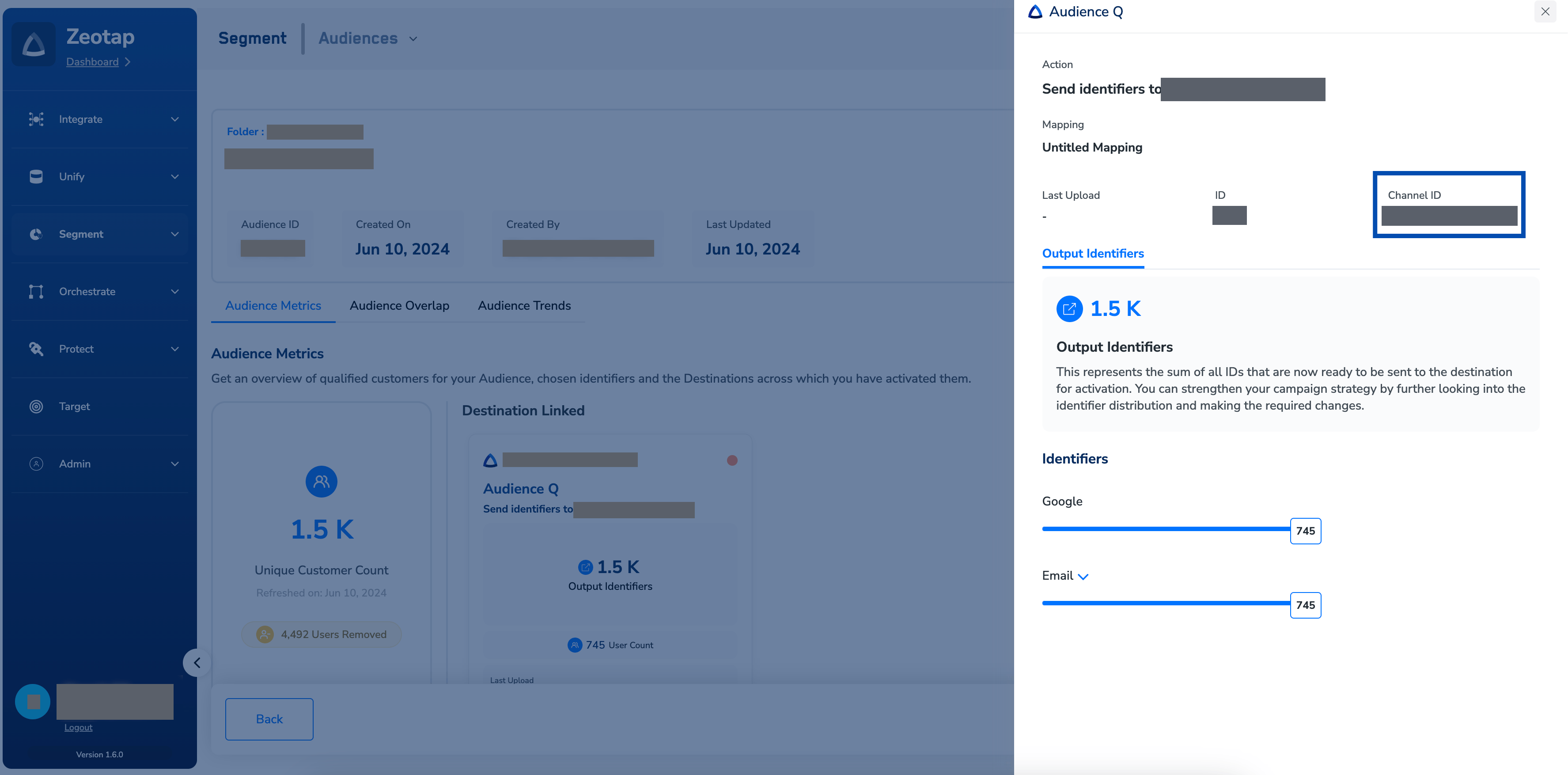
Next steps
- Activate Your Batch Audiences — link the audience that feeds this Destination.
- Destinations — how to configure a destination and define the mapping.
- Key Factors Influencing the Data Upload to Destinations — what affects how long an upload takes.