

What this is
The ELAINE destination sends audiences out of Zeotap CDP to ELAINE, as recipient groups delivered to an SFTP bucket hosted within ELAINE. Nothing flows back from ELAINE into Zeotap CDP. ELAINE is an AI-powered marketing platform that helps businesses to connect with their customers. By leveraging customer data and AI technology, ELAINE enables marketers to create highly personalised and targeted email campaigns for maximum engagement and conversions. Integrated with Zeotap CDP, it allows marketers to create recipient groups and add more personalisation for the targeted audience. Zeotap CDP offers two separate ELAINE destinations, and both send data outbound from Zeotap CDP:- ELAINE — this page. A batch destination that delivers audiences into ELAINE recipient groups over SFTP.
- Elaine Trigger Events — a real-time destination that sends event data from a Journeys workflow.
Supported identifiers and actions
This integration supports First Name, Last Name, Email Addresses (raw), Gender and custom fields (any identifier or attribute).
Delta and Delete are enabled per destination rather than being on by default — see Delta Upload and Delete Functions.
Prerequisites
Complete the upstream setup common to every destination first — a connected source, fields mapped to the Catalogue, a defined audience, and destination edit rights on the organisation that owns the destination. See Destinations. Then gather the ELAINE details below. The destination screen lists the same set on the left when you create it.SFTP host, SFTP username, SFTP port and public key
These are the details of the SFTP (Secure File Transfer Protocol) bucket hosted within ELAINE that you must provide to enable a secure connection. This ensures a smooth transfer of data between ELAINE and the SFTP bucket.- SFTP Host — the hostname or IP address of the server hosting the SFTP service. It represents the network location where the SFTP server is running and where the files are stored or transferred, and it is what Zeotap CDP connects to when it establishes the SFTP session.
- SFTP Username — the unique identifier used to authenticate and authorise a user for SFTP access. It is a combination of characters, or a designated account name, that identifies the individual or entity accessing the SFTP server.
- SFTP Port — the number that specifies the communication endpoint for SFTP connections. It represents the specific port on the server where the SFTP service is running and listening for incoming connections.
- Public Key — Zeotap uses SFTP public key authentication to keep the transfer secure. It involves two keys, a public key and a private key, that go together as a pair. These keys are unique and cannot be used interchangeably with any other keys. Zeotap provides the public key, and you must register it within your SFTP server.
API host, API username and API password
The API host is the ELAINE endpoint that receives the API requests. The API username and password are the credentials ELAINE uses to create recipient groups. Together they provide authorised access to the API, enabling the creation and management of recipient groups for targeted marketing campaigns in ELAINE. Contact your ELAINE representative to obtain these three details.Folder Id
The Folder Id is the unique identifier assigned to a specific folder within ELAINE. By specifying it, Zeotap CDP creates recipient groups in the folder you designate for the email upload that follows.Create the custom fields in ELAINE
If you intend to send custom fields, create them in ELAINE before you configure the mapping. You enter the field’s variable name — not its label — in the Destination Field column in Zeotap CDP, so note the variable name of each field you plan to map.1
Log into ELAINE and navigate to the global folder, or to the folder where the custom field is located.
2
Select Data Fields and review the list of available fields in the folder.
3
Click the field you want to map in Zeotap CDP.
4
In the Characteristics section, locate the Variable field. Variable names usually start with
c_ or e_ — for example, a custom text field added in ELAINE may have the variable name c_test_zeotap_text. Copy this value for use in the mapping step.Create the ELAINE destination
1
Log into Zeotap CDP and go to Integrate > Destinations.
2
Click + Create Destination.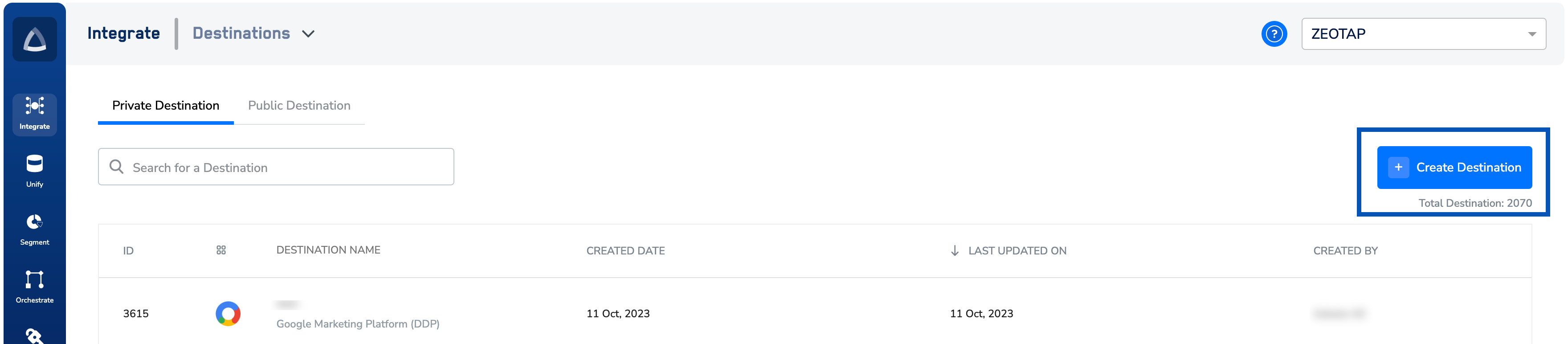
3
Under All Destinations, search for ELAINE.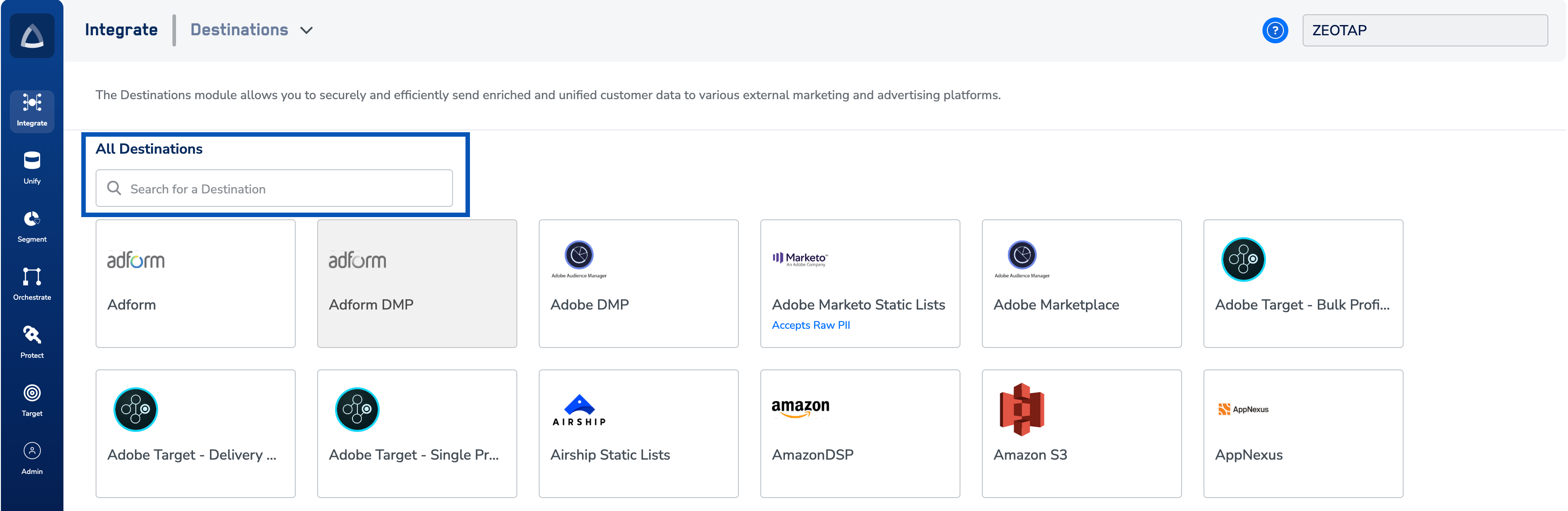
4
Click ELAINE. The Enter Destination Details screen appears, with a description of the destination and the components it needs on the left, and the fields required to establish the integration on the right. Enter the following:a. Destination Name — a name for the destination, for easy identification.b. The SFTP Port, SFTP Username and SFTP Host.c. The API Host, API Username and API Password.d. The Folder Id.e. Confirm that the Zeotap public key is registered within your SFTP server.f. Review all the values you entered, then click Next.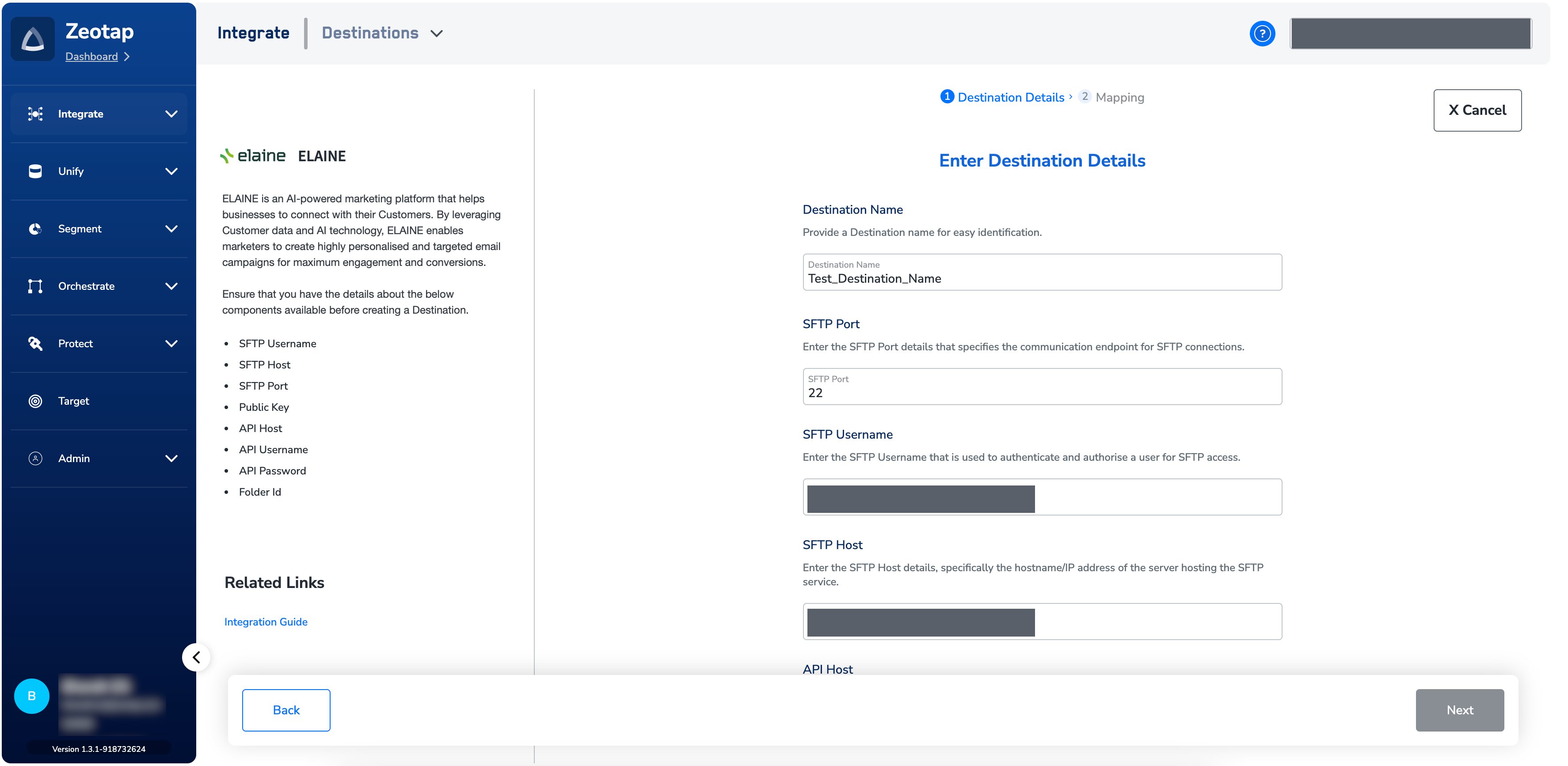
5
On the mapping screen, under Choose your Action, select one of the three actions listed in Supported identifiers and actions, then map the relevant Catalogue fields to the Destination fields.a. Send identifiers to Artegic Elaine sends Email Addresses (raw) only.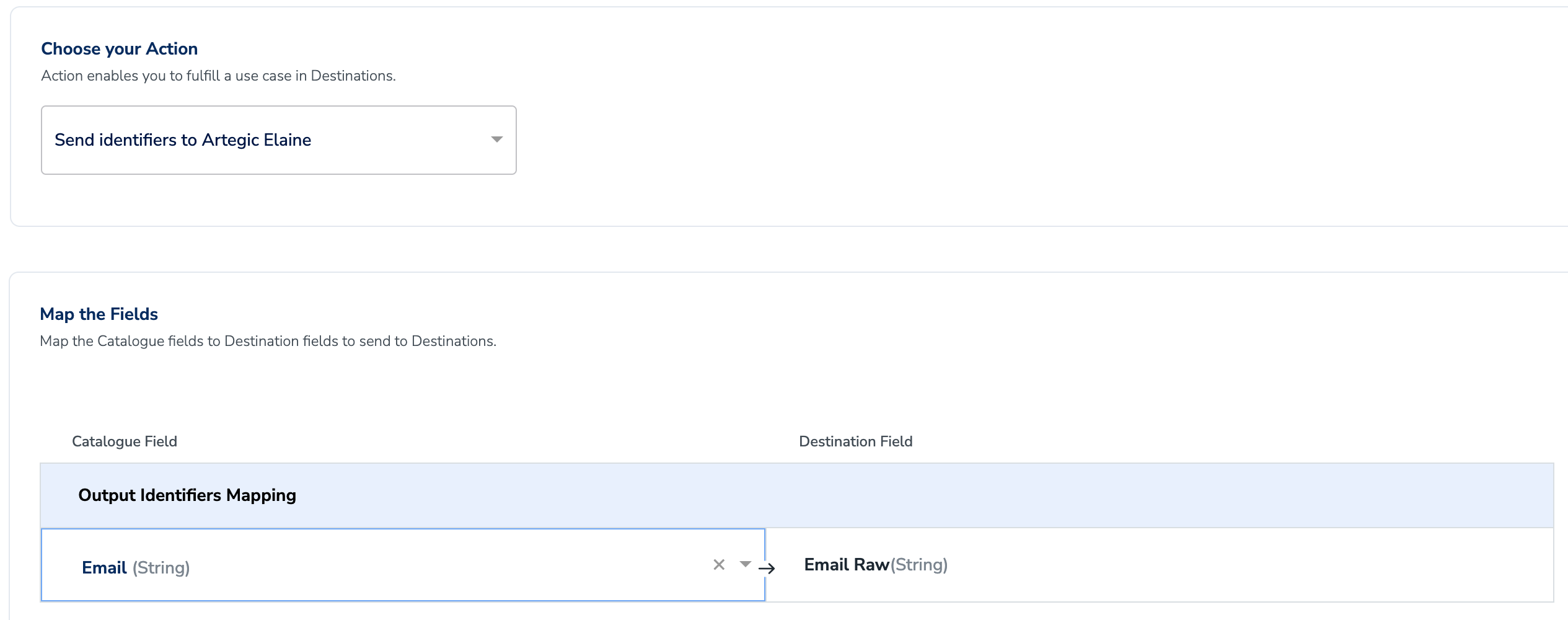
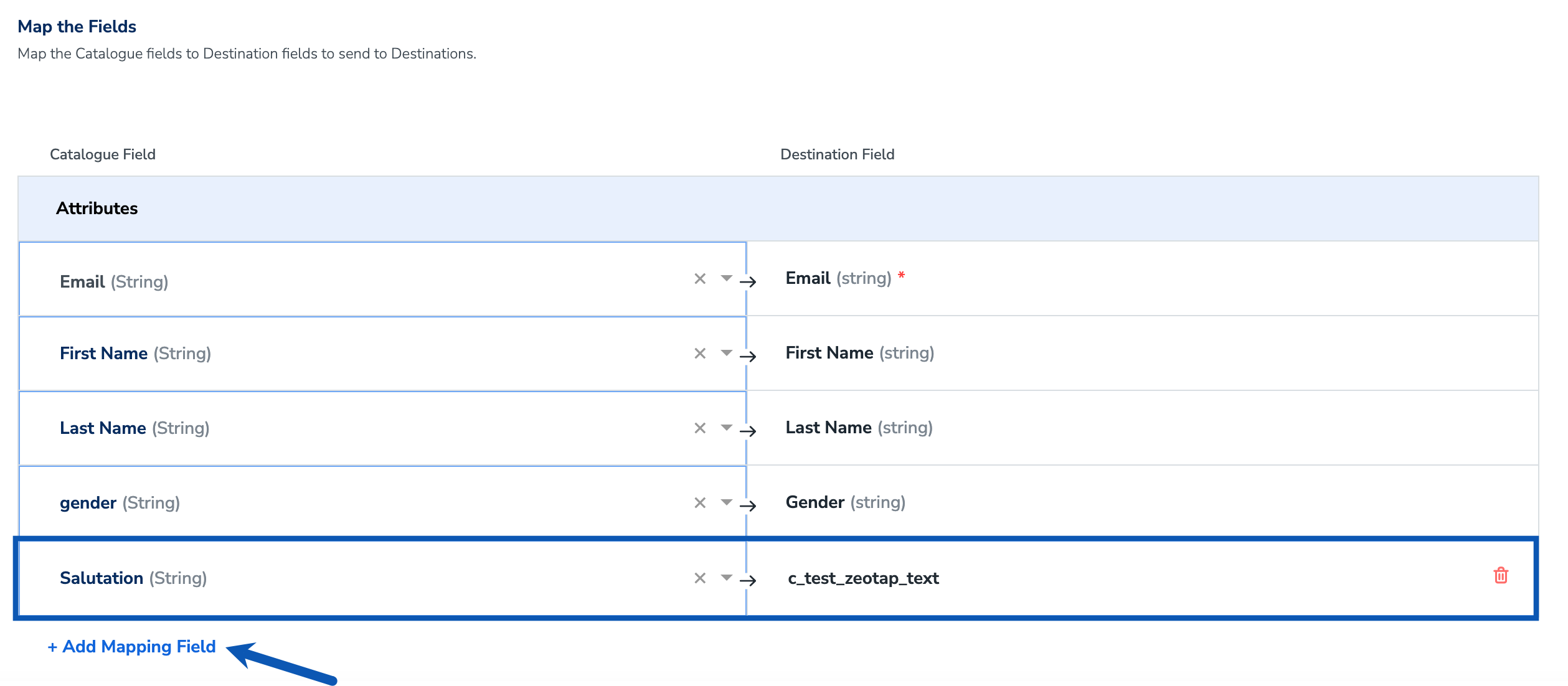
- Send Recipients to be Added in Recipient Group supports a delta update. A delta update retrieves the complete dataset during the initial fetch, but subsequent synchronisations include only the incremental changes (deltas) made since the last sync. This reduces data transfer by updating only the modified records, improving efficiency. For more information about how the data update occurs, refer to the ELAINE help documentation.
- Send Recipients to be Replaced in Recipient Group supports a full update. A full update retrieves the complete dataset during the initial fetch and transfers the entire dataset during each subsequent synchronisation, regardless of any changes made. This ensures the full dataset is updated at each sync frequency. For more information about how the data update occurs, refer to the ELAINE help documentation.
6
Under Additional Settings, set the Skip Deleted parameter. When 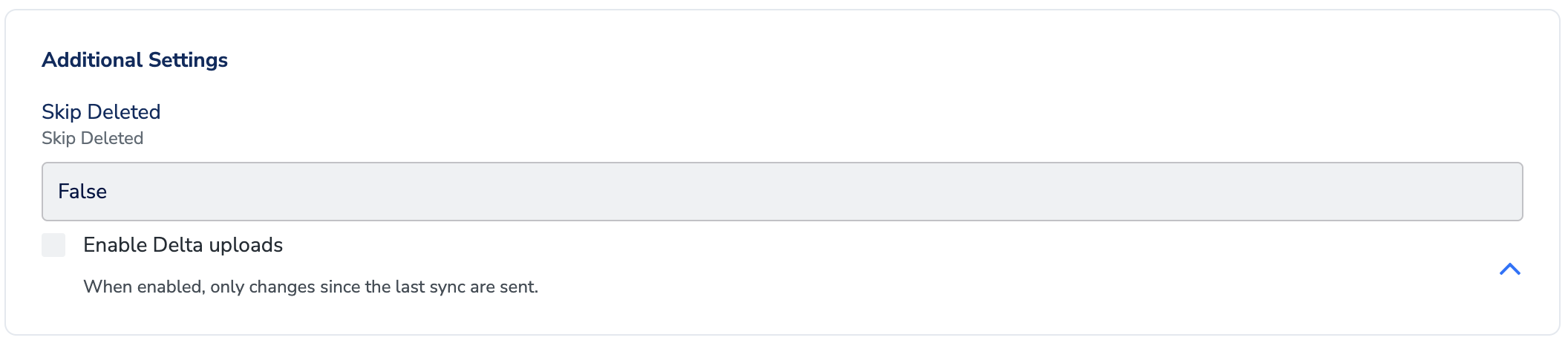
skip-deleted is set to True, only records which are not in the ELAINE recycle bin are updated. When it is set to False, records in the ELAINE recycle bin are updated as well.The same panel carries Enable Delta uploads — when enabled, only changes since the last sync are sent.7
Once the mapping is done, click Create Destination. The created destination is listed in the Audiences application, where it can be linked to an audience (segment).
Link an audience to the destination
For how to link an audience or segment to the created destination in the Audiences application, see Activate Your Batch Audiences. Once the audiences are pushed, emails begin to populate within one hour at the ELAINE seat.The terms Audiences and Segments are used interchangeably to refer to customer cohorts belonging to a specific category. For example, an audience or a segment can be a specific group of customers who are over 18 years of age and have performed an
addToCart event within the last 30 days.User disqualification from audiences
This integration supports user disqualification from audiences. A user can be disqualified from an audience (segment) for various reasons, such as not meeting the audience criteria, consent requirements or other conditions set for a particular audience.- When a user disqualifies from an audience, Zeotap CDP initiates a user deletion request in the next refresh cycle. These requests are sent to the audiences linked to the specific destination.
- The disqualified users are excluded from the audiences based on the configured refresh frequency for a particular audience.
- User disqualification is a programmatic process that works automatically. You do not need to specify anything to trigger the disqualification and exclusion of users from audiences.
Verify the delivery
Confirm the delivery from both sides. In Zeotap CDP — open the destination and review its activity. A successful delivery records a run with a non-zero qualified count and a completed status; a run that fails records an error message you can use to diagnose the cause. See Verify the activation worked. In ELAINE — in the ELAINE console you can view the audience (recipient groups) organised within specific folders, by using the associated Folder Id. Allow up to an hour after the audience is pushed.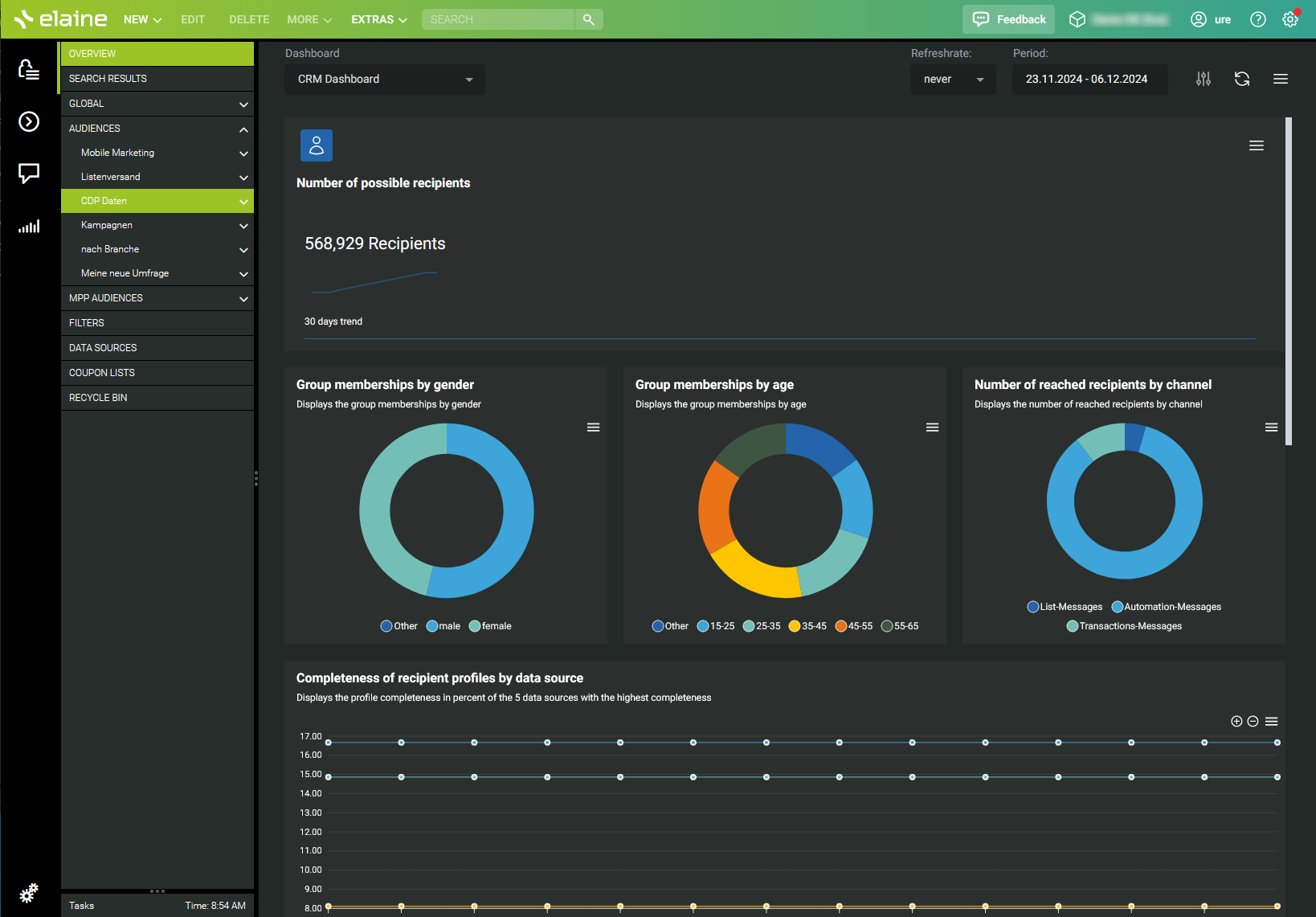
Troubleshoot this integration
- A custom field is not populated in ELAINE. The field must already exist in ELAINE, and the Destination Field in the mapping must be its variable name (usually starting with
c_ore_), not its label. See Create the custom fields in ELAINE. - Recipients in the ELAINE recycle bin are not updated. When Skip Deleted is set to
True, only records which are not in the ELAINE recycle bin are updated. Check the value set on the destination. - Only part of the audience arrives after the first sync. The delta action sends only the records that changed since the last sync. Use the full-replace action if every sync must carry the complete dataset.
- The delivery itself failed. For the errors that surface on the audience–destination pair and what each one means, see Why deliveries fail, and When to contact support for what to include in a ticket.