

What this is
The Google BigQuery destination writes audience data — identifiers and attributes — from Zeotap CDP into a table in your Google BigQuery dataset, where it can feed analytics, BI, and downstream personalisation workflows. Zeotap stages the exported records into a Google Cloud Storage bucket that you own and then loads them into the target BigQuery table, so the integration needs access to both a BigQuery dataset and a GCS bucket inside the same Google Cloud project. This page explains what to prepare in Google Cloud before configuring the destination, how to configure and verify it in Zeotap CDP, and the folder-path and column-type constraints the destination enforces.Prerequisites
You need a Google Cloud project with BigQuery and Cloud Storage enabled, and the following information ready before you start.Project ID
A unique string that differentiates your project from every other project on Google Cloud — for example,my-sample-project-191923 for a project named My Sample Project. You can find or create it from the Google Cloud console Dashboard page.
Dataset name
The BigQuery dataset that will receive the data — for example,GBQ_dataset. Datasets are top-level containers that organise and control access to your tables and views.
Table name
The BigQuery table inside that dataset. Each table has a schema that describes its column names, data types, and other information. The Google BigQuery destination does not support tables whose schema contains a JSON-typed column.Bucket
The name of the Google Cloud Storage bucket that Zeotap will stage exported files into before loading them into BigQuery.Folder
The path inside the bucket where Zeotap writes the staged files. In Google Cloud Storage, a folder is a logical prefix on object names rather than a filesystem directory. Enter the folder path where Zeotap CDP can store your exported data — for example,folder1/folder2/.
Service account and permissions
A Google Cloud service account that Zeotap uses to stage files into your bucket and load them into your dataset. The service account needs the following permissions:bigquery.tables.createbigquery.tables.getbigquery.tables.updatebigquery.tables.updateDatabigquery.tables.deletebigquery.jobs.createstorage.objects.getstorage.objects.liststorage.objects.createstorage.objects.updatestorage.objects.delete
A Service Account Owner is the Google Cloud user account that holds owner privileges over the service account used for the integration — the account that can view, modify, and manage the credentials and permissions Zeotap CDP uses to reach your BigQuery data.
PRIVATE_KEY is the private portion of the key pair:
Supported identifiers, attributes, and actions
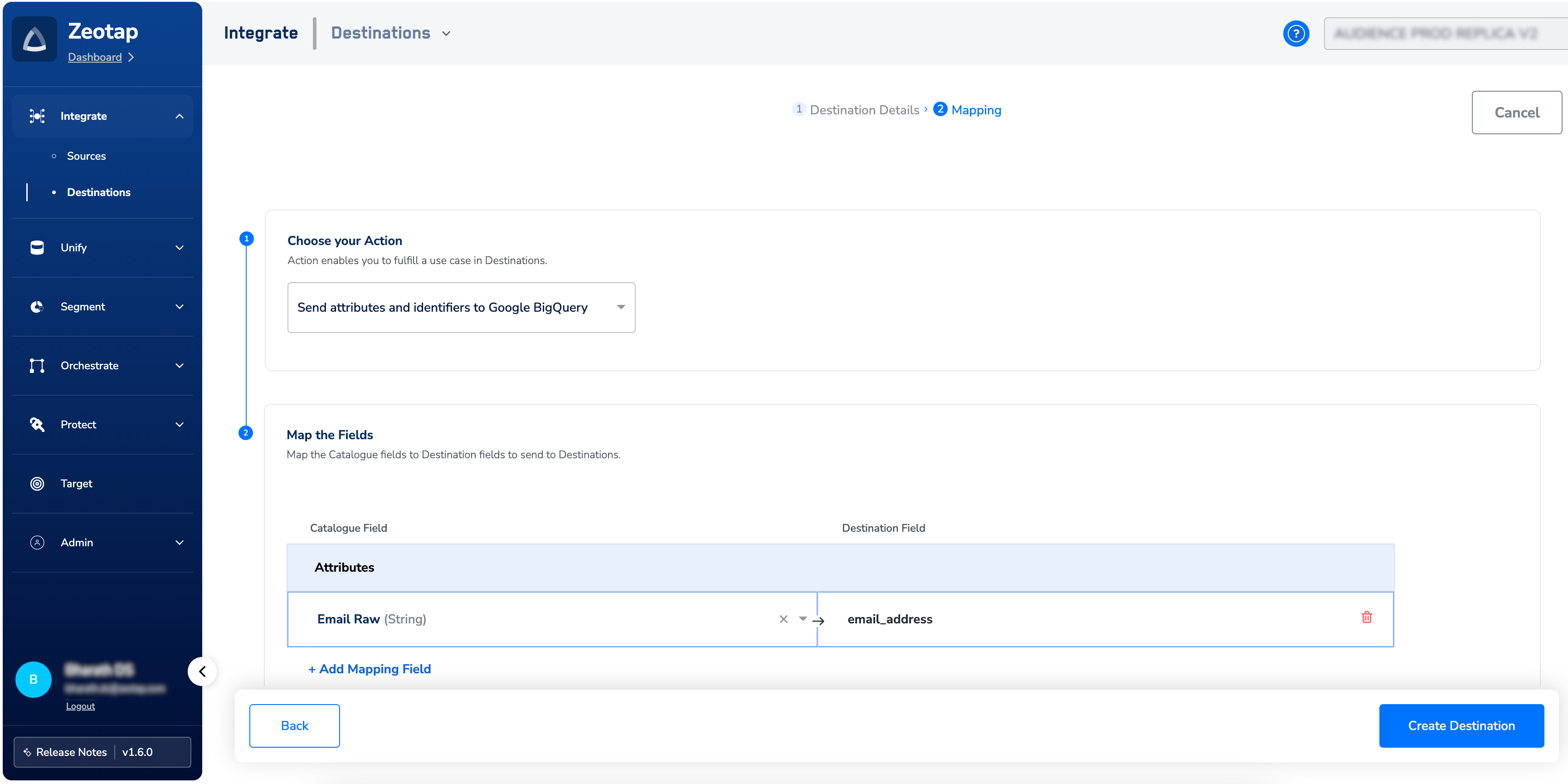
You can send any identifier or attribute available in your Zeotap CDP audience to Google BigQuery through this destination. The destination exposes a single action — sending attributes and identifiers to Google BigQuery — and does not support the ID Extension, Delete, or Delta Upload features.Configure the Google BigQuery destination
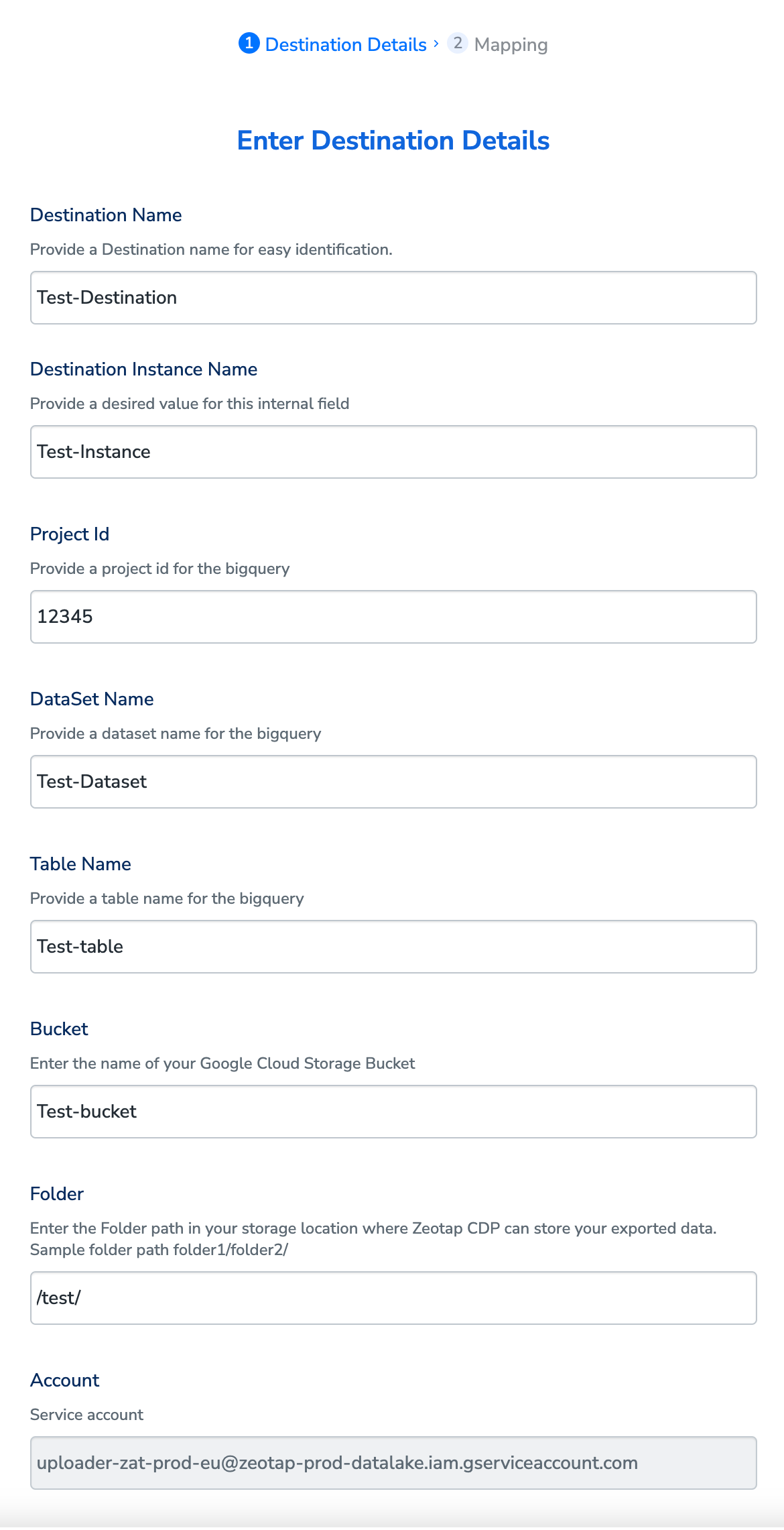
Create a new destination in Zeotap CDP and select Google BigQuery as the destination type. The configuration is provided in three parts:- Identify the destination. Give the destination a descriptive name and a destination instance name (an internal identifier that Zeotap uses for the destination).
- Provide the BigQuery target. Enter the Project ID, dataset name, and table name you prepared above, along with the GCS bucket and folder path where Zeotap should stage export files. The folder path must satisfy the structure rules from the prerequisites.
- Confirm the service account. In Step 1 Destination Details, the service account email that Zeotap CDP will use to reach your Google Cloud resources is displayed under Account. Confirm it holds every BigQuery and Cloud Storage permission listed in the prerequisites before continuing.
Verify the destination works
Link the destination to an audience and run a delivery. The destination is working when all three of the following are true:- The Google BigQuery destination is listed among your destinations in Zeotap CDP as available to link to audiences.
- Files land in the configured GCS bucket under the folder path you specified after an audience is linked and activated.
- Rows appear in the target BigQuery table for the mapped identifiers and attributes.
Common configuration issues
FAQ
Does the target BigQuery table need to exist before I configure the destination?
Does the target BigQuery table need to exist before I configure the destination?
Provide a table name that matches the schema you want Zeotap to write into. The existing table’s column names and data types determine which mappings will succeed. A table whose schema contains a JSON-typed column is not supported.
Can I send data to a BigQuery table that has a JSON column?
Can I send data to a BigQuery table that has a JSON column?
No. The destination does not support tables with JSON-typed columns. Store those fields in a supported scalar type (for example,
STRING) in the target table’s schema if you need to land them in BigQuery.Which identifiers and attributes can I send?
Which identifiers and attributes can I send?
Any identifier or attribute available in your Zeotap CDP audience can be mapped to a column in the target BigQuery table.
What Google Cloud permissions does the service account need?
What Google Cloud permissions does the service account need?
The service account needs the eleven
bigquery.* and storage.* permissions listed in the prerequisites — enough to create, update, and delete tables and to submit load jobs in BigQuery, and to read, list, create, update, and delete objects in the staging bucket.