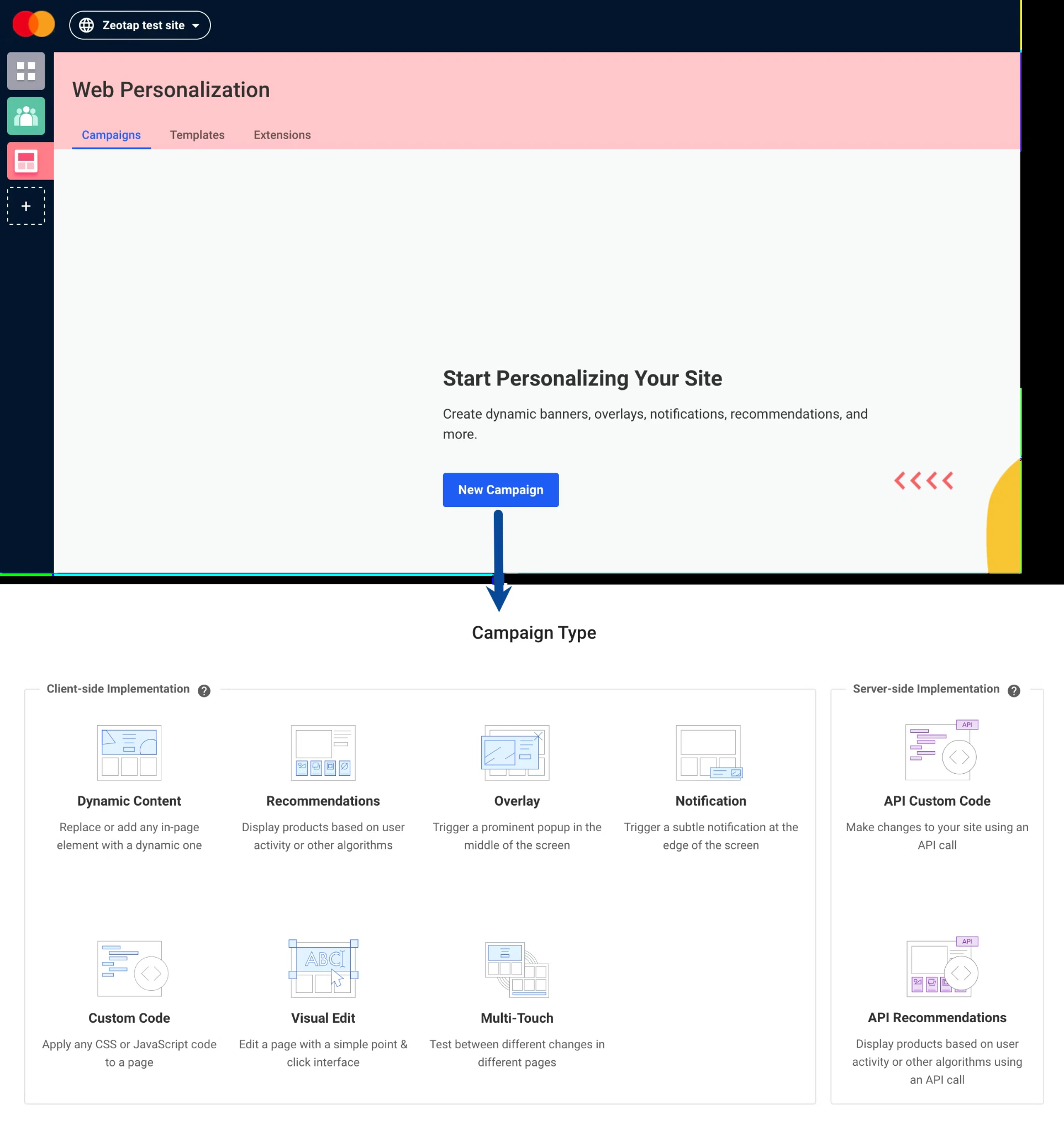
Overview
Dynamic Yield is a personalisation platform that builds actionable customer segments in real time, enabling marketers to increase revenue through personalisation, recommendations, automatic optimisation, and one-to-one messaging. This integration streams the Journey ID from Zeotap CDP to Dynamic Yield in real time as soon as a user qualifies for a Journey, so on-site experiences can be personalised based on the Journey the user is currently enrolled in.Supported Identifiers
This integration supports SHA256 Hashed email, MAIDs, and Journey ID. You can also send any custom identifier and attributes. However, ensure that you create them under Data Feed in Dynamic Yield as explained in the Prerequisites section.Available Actions and Supported Features
The following table lists the available action types for the integration and the supported features for each action type:Prerequisites
Before pushing audiences to Dynamic Yield, ensure that you have set up the User Data Feed as mentioned below.- Create a User Feed and obtain the Feed ID.
- Choose a Unique User Identifier or create one.
- Decide which attributes (columns) to pass in the API and set up the schema that determines where and how the information is stored in Dynamic Yield.
- Create an API Key.
For more information, refer to the Dynamic Yield documentation.
Step 1 - Create a New User Feed and Obtain the Feed ID
In Dynamic Yield, a User Feed ID is a unique identifier for a set of user data feeds that drive personalised experiences across channels. A user feed can contain a variety of user data points such as browsing history, purchase history, and demographic information. To create a new User Feed and obtain the Feed ID, perform the following steps:1
Log in to your Dynamic Yield account.
2
In the left navigation panel, click Audience Hub.
3
Under Audience Hub, navigate to the Extensions tab.
4
Under Profile, click Add Source.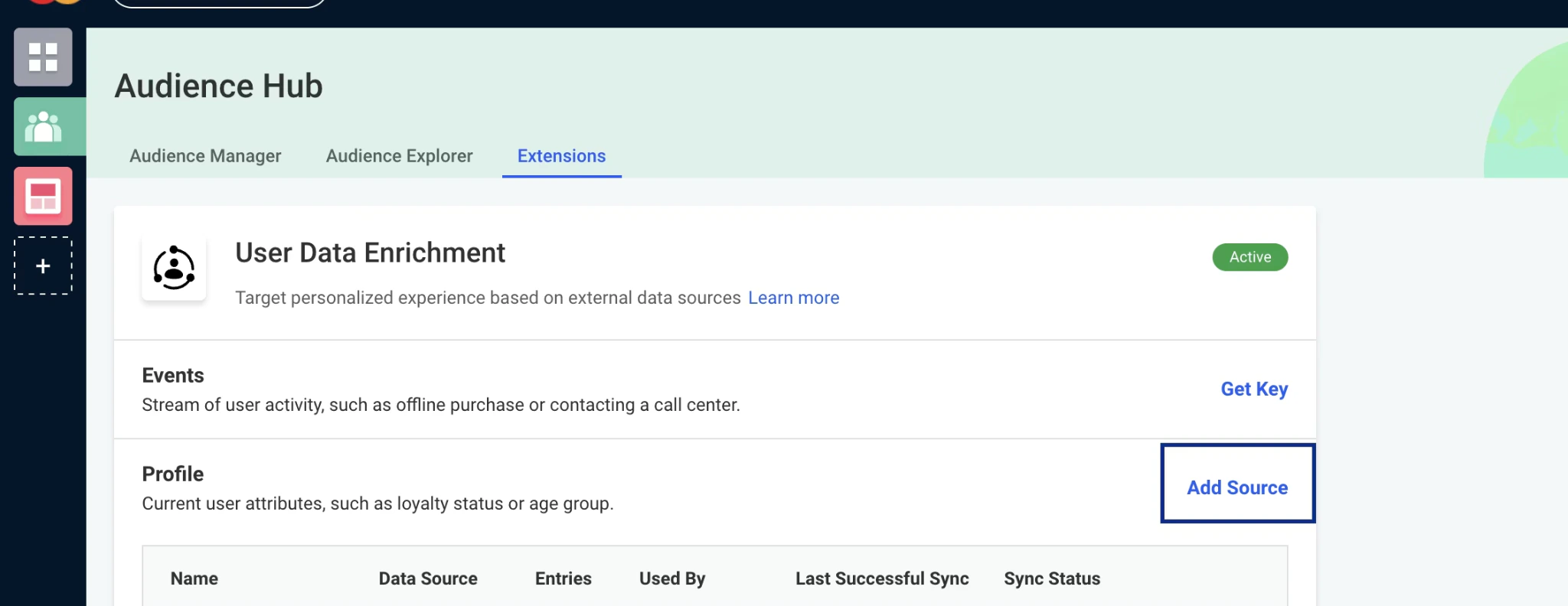
5
On the new screen, under Feed Source, select Sync via API and copy the Feed key displayed below it — this is your User Feed ID. You will paste it into Zeotap CDP while creating the destination.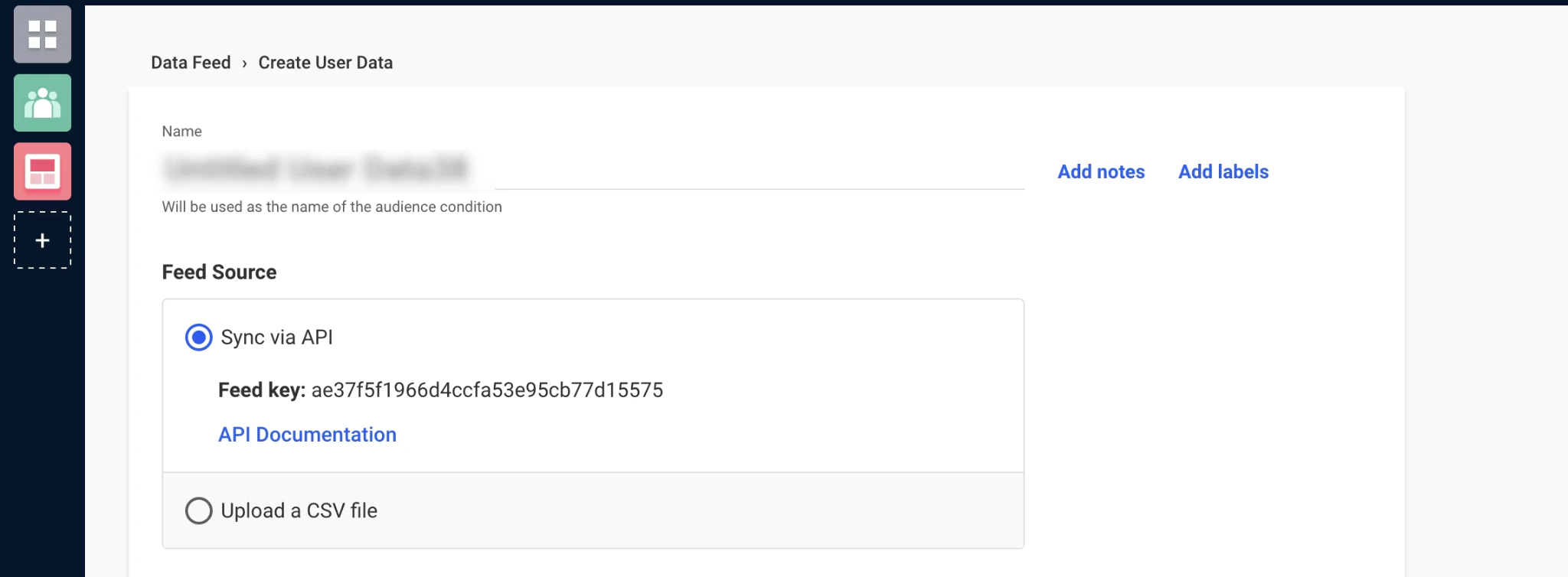
Step 2 - Choose a Unique User Identifier or Create One
Under Unique User Identifier, you can choose Email Address (CUID) or DYID by default. To add a custom identifier, perform the following steps:1
On the top bar, click Settings > General Settings.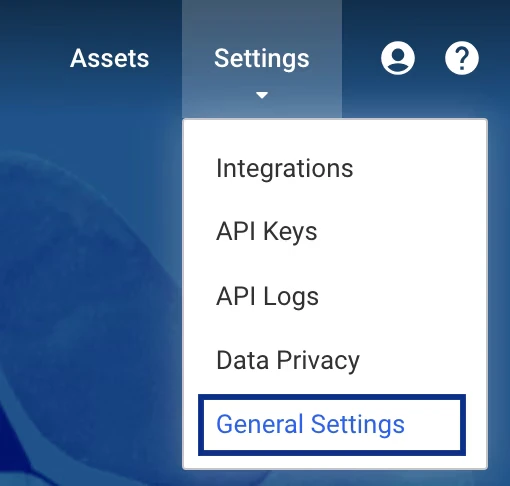
2
Under User Identifier Types, click Add Identifier Type and choose Phone Number or Other. If you choose Other, you can name your custom identifier.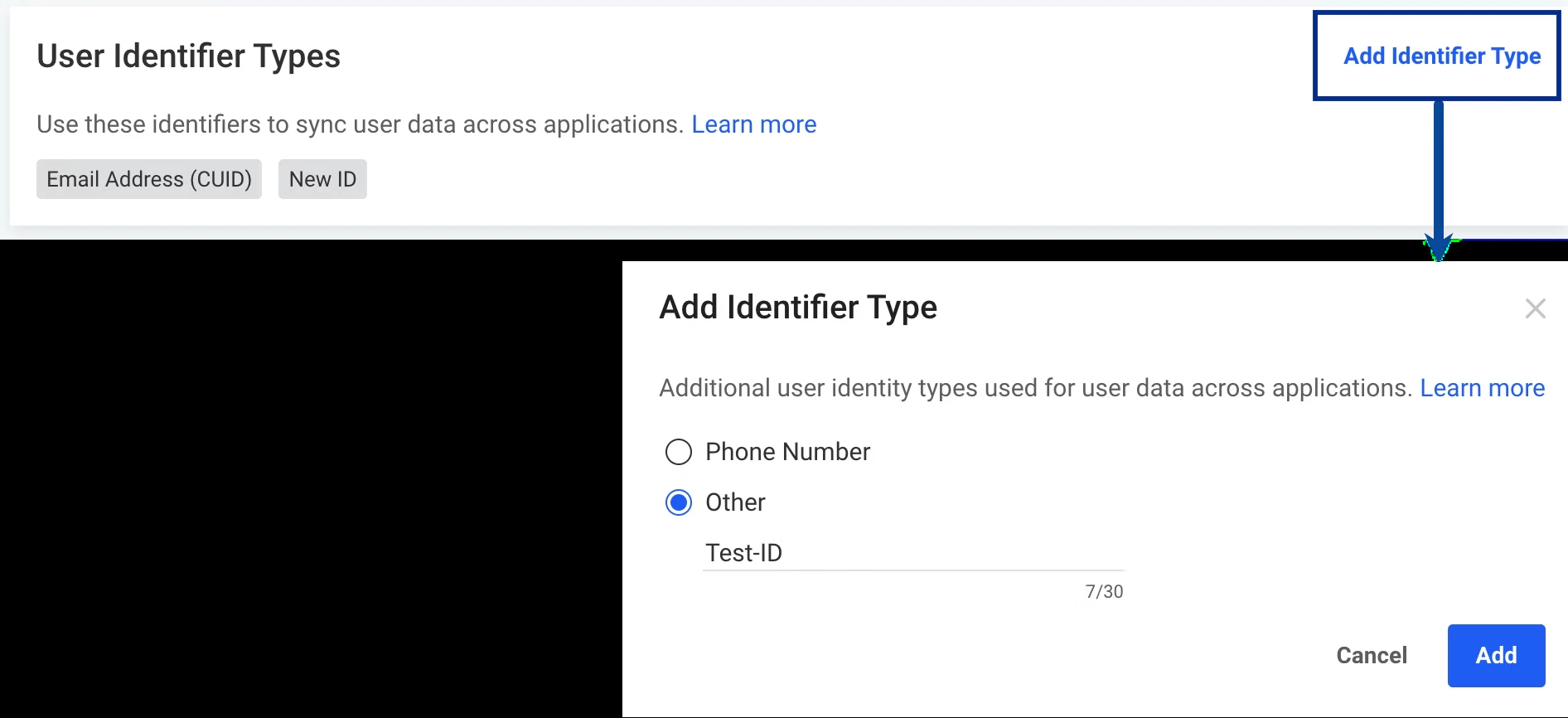
3
The newly created identifier appears under User Unique Identifier on the User Feed creation screen.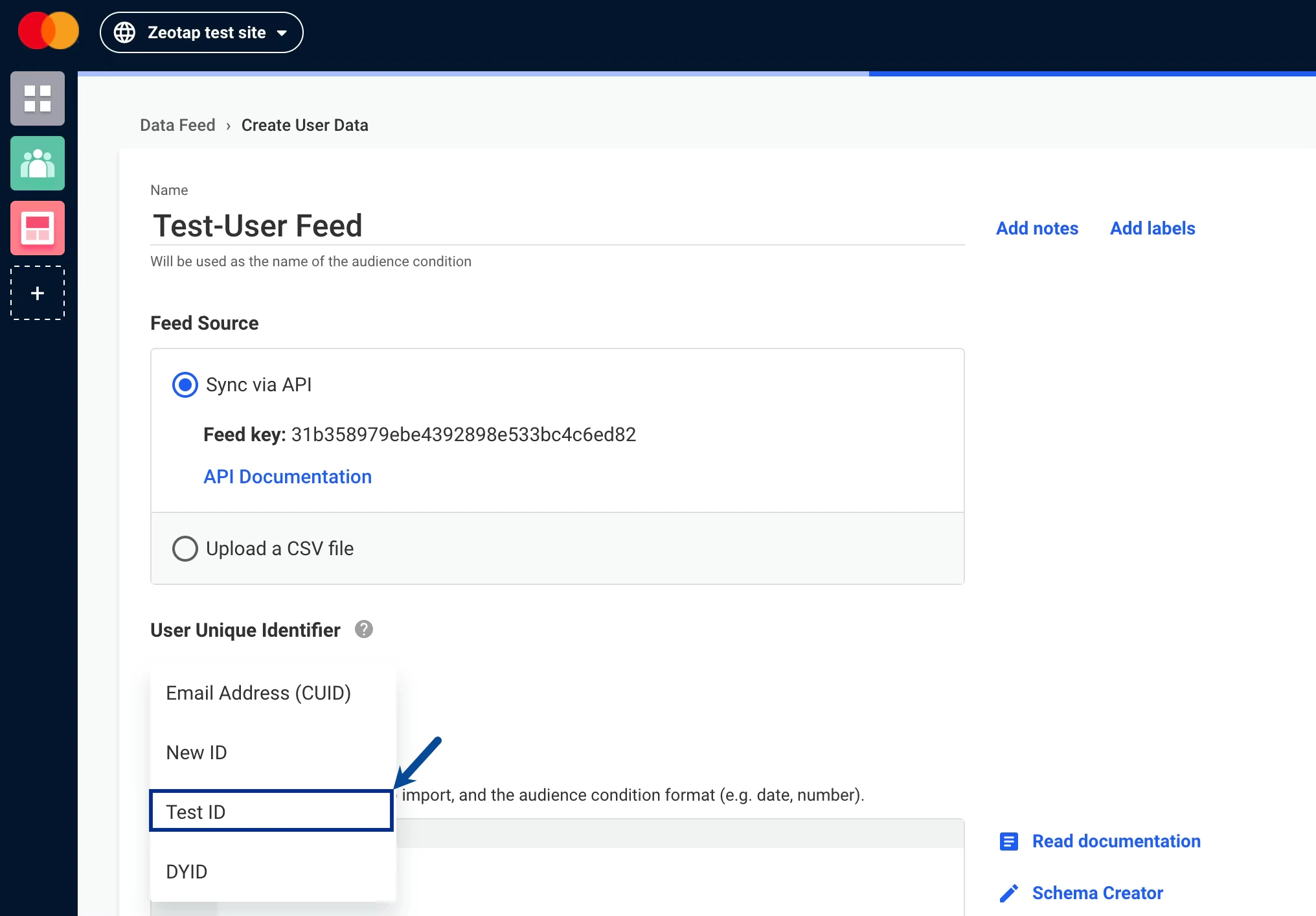
Step 3 - Decide the Attributes to Send and Set up the Schema
Under Data Schema, define the identifiers and attributes you want to send to Dynamic Yield. Use the Schema Creator for an easier no-code experience.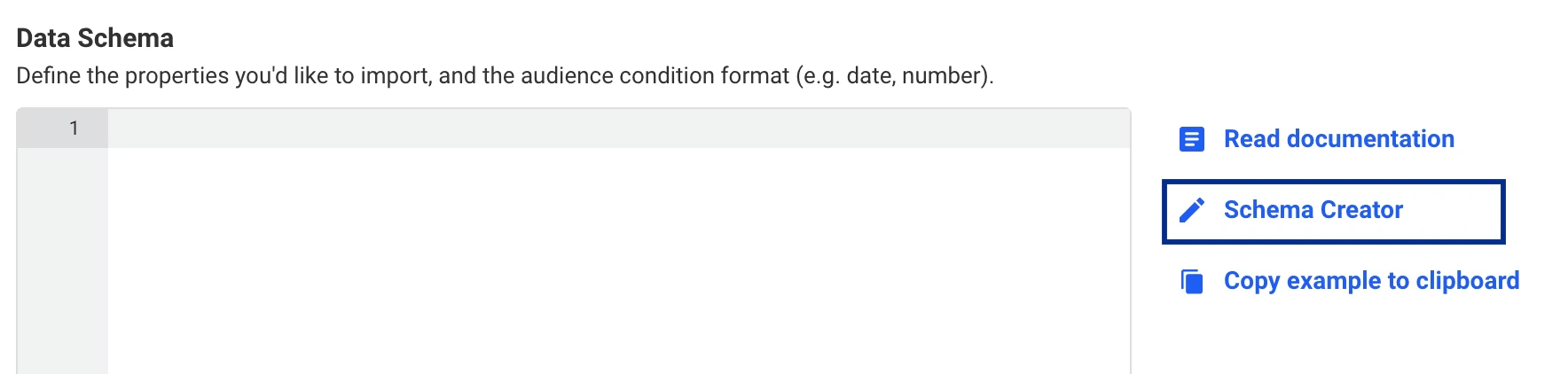
1
Click Schema Creator. You can either create a schema from scratch or modify an existing schema.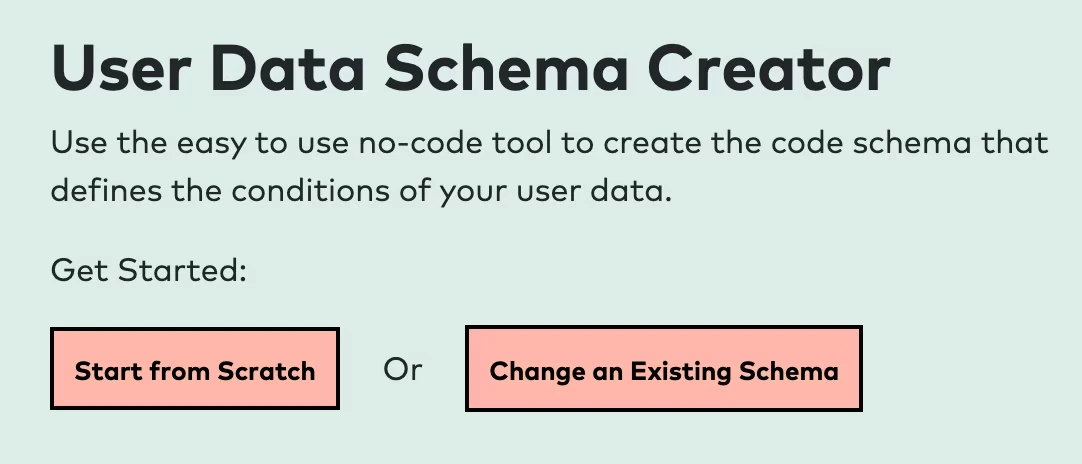
2
If you choose Start from Scratch, provide the following details:a. Under Column name in your user data source, enter d. Once done, click Copy to Clipboard to copy the schema.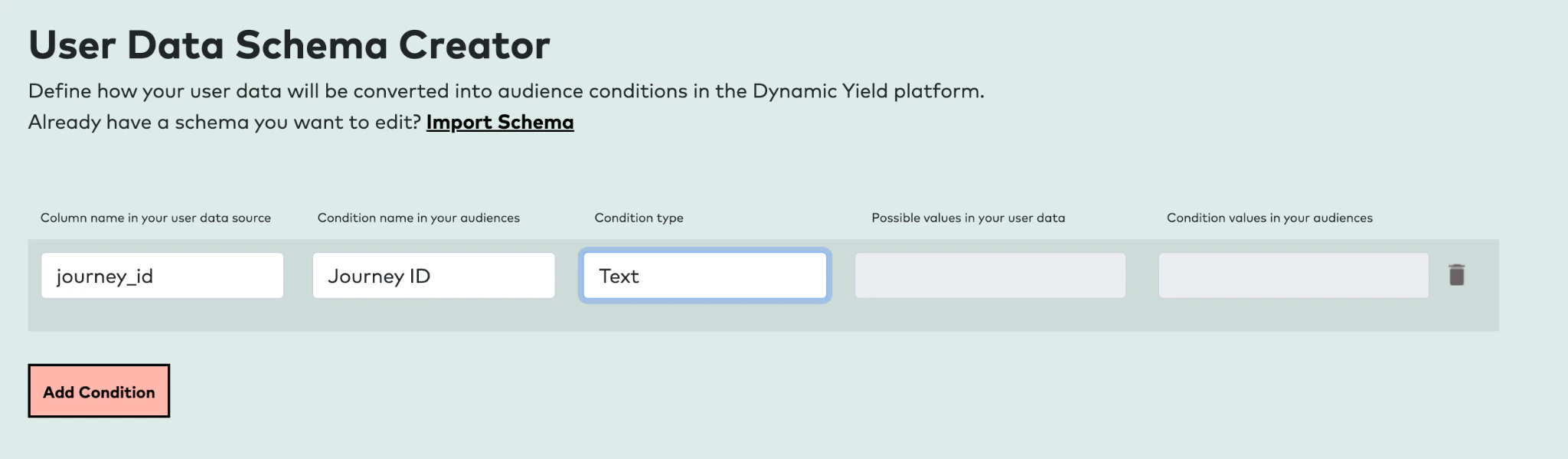
journey_id. Use this exact name in the Destination field on the mapping screen when creating the destination in Zeotap CDP.b. Under Condition name in your audiences, enter the name as you would like it to appear in Audience conditions (for example, Journey ID).c. Set the Condition type to String for the Journey ID field.The Journey ID field must have its Condition type set to String.
3
Paste the copied schema into the space provided under Data Schema.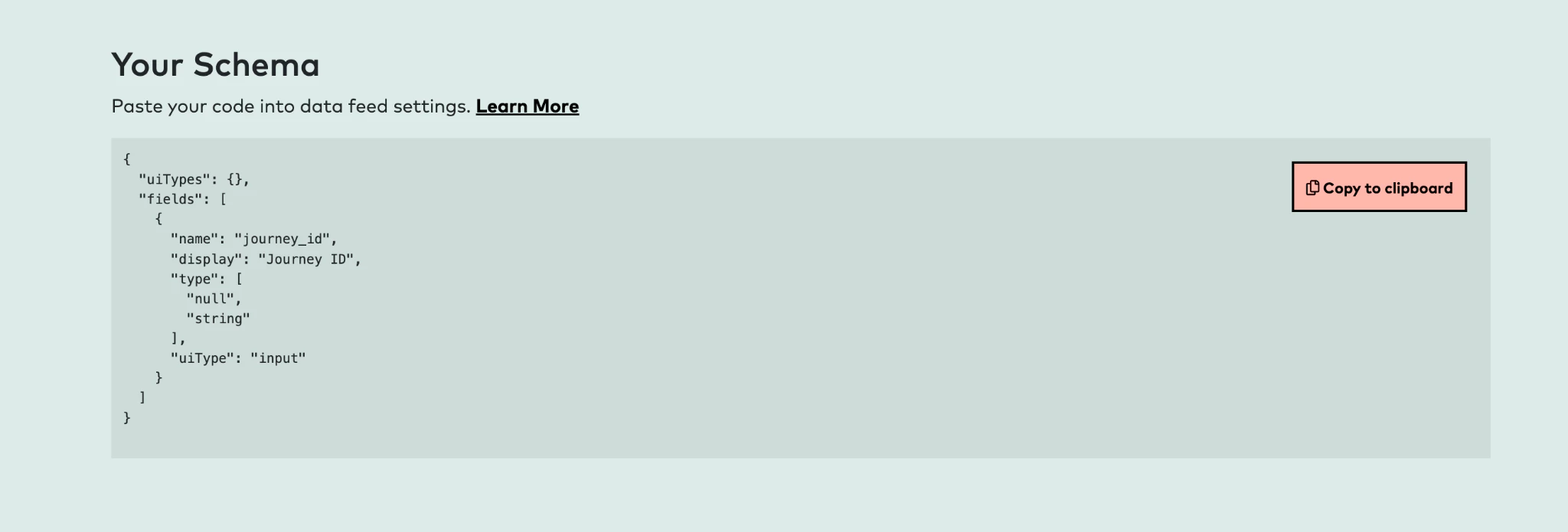
At this stage, you may encounter an error such as
Illegal Character in: {Your Data Feed}. If this occurs, remove any special characters (for example, hyphens or underscores) from the data feed name. If you are editing an existing data feed and adding a field, include "default": null after "uiType": "input" in the data schema before saving.4
Click Save & Activate. The User Feed is now listed on the Data Feeds page.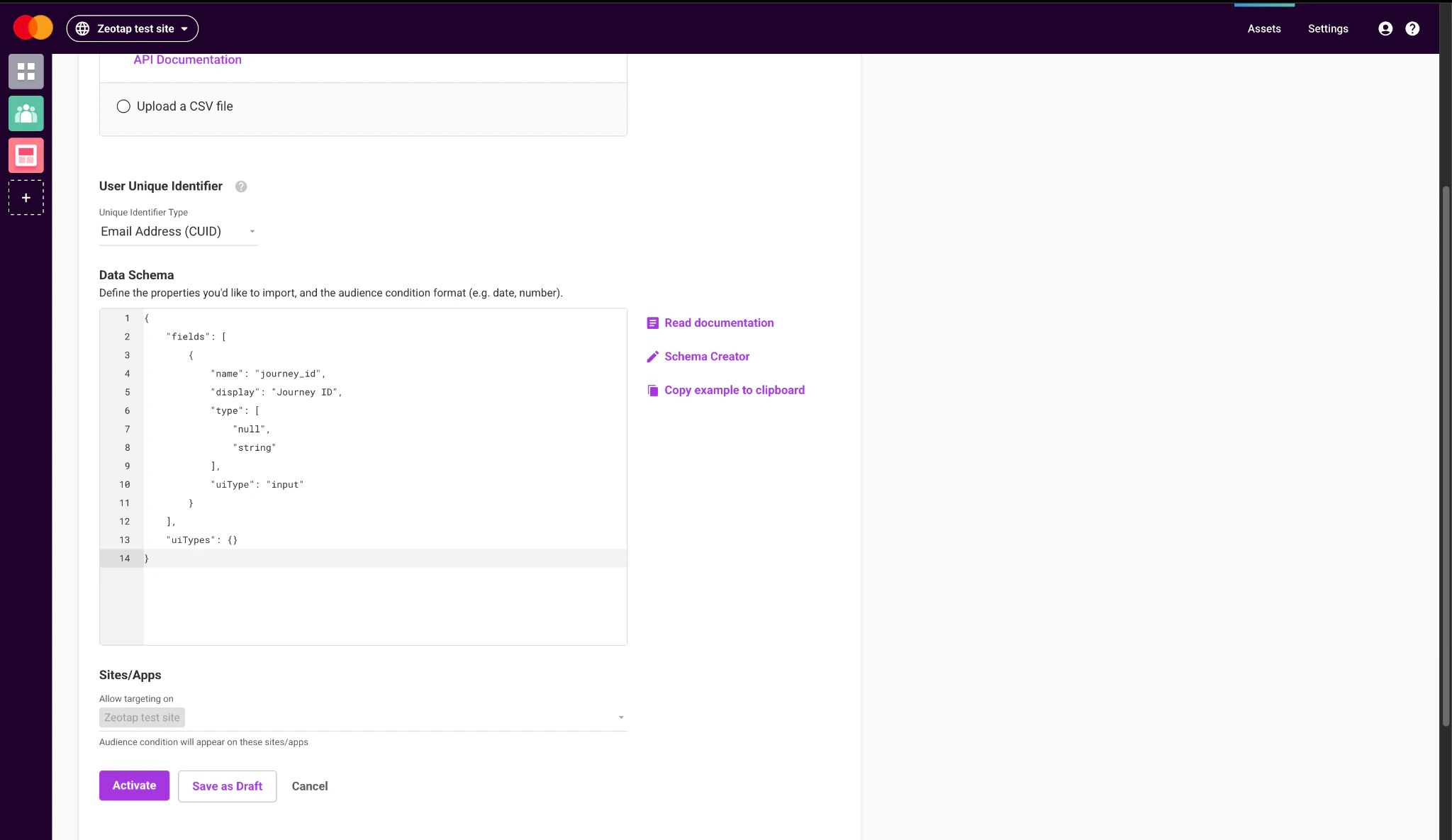
Step 4 - Create the API Access Token / API Key
You must create an API Key that you will paste into Zeotap CDP while creating the destination. To do so, perform the following steps:1
In the Dynamic Yield console, click Settings > API Keys and click New Key.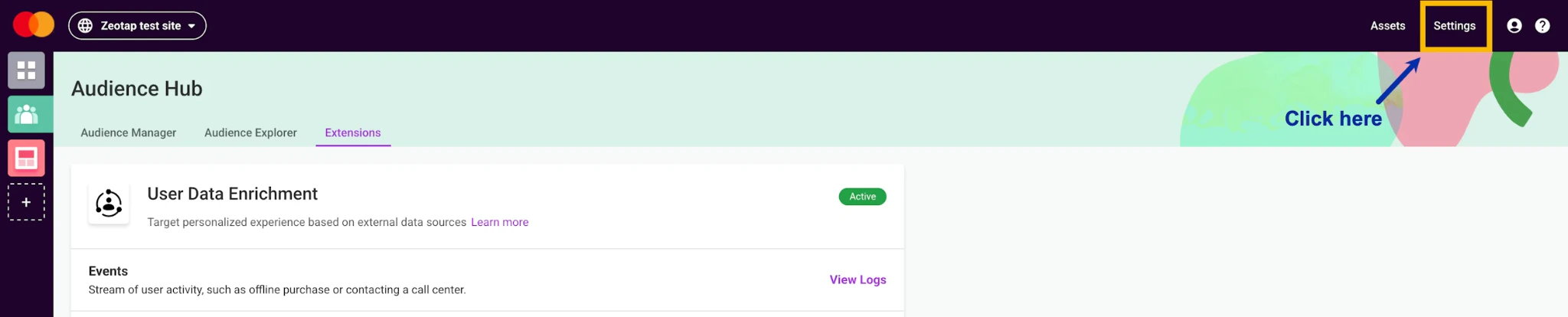
2
In the window that appears:a. Enter a Name and (optionally) internal notes.b. Under Source, select Server-side.c. Under ACL, select the User Data Profile permission.d. Click Save.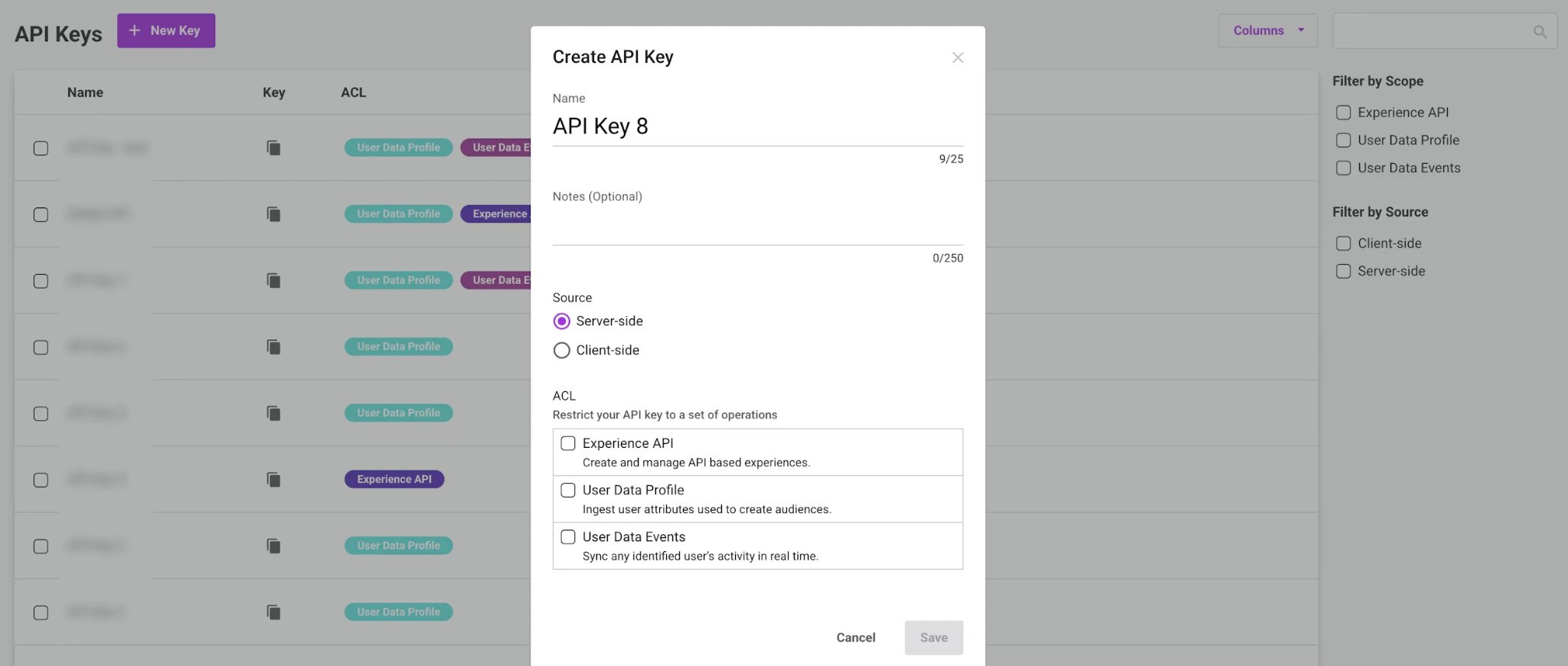
3
The created API Key gets listed on the API Keys page. Copy it to use while creating the destination in Zeotap CDP.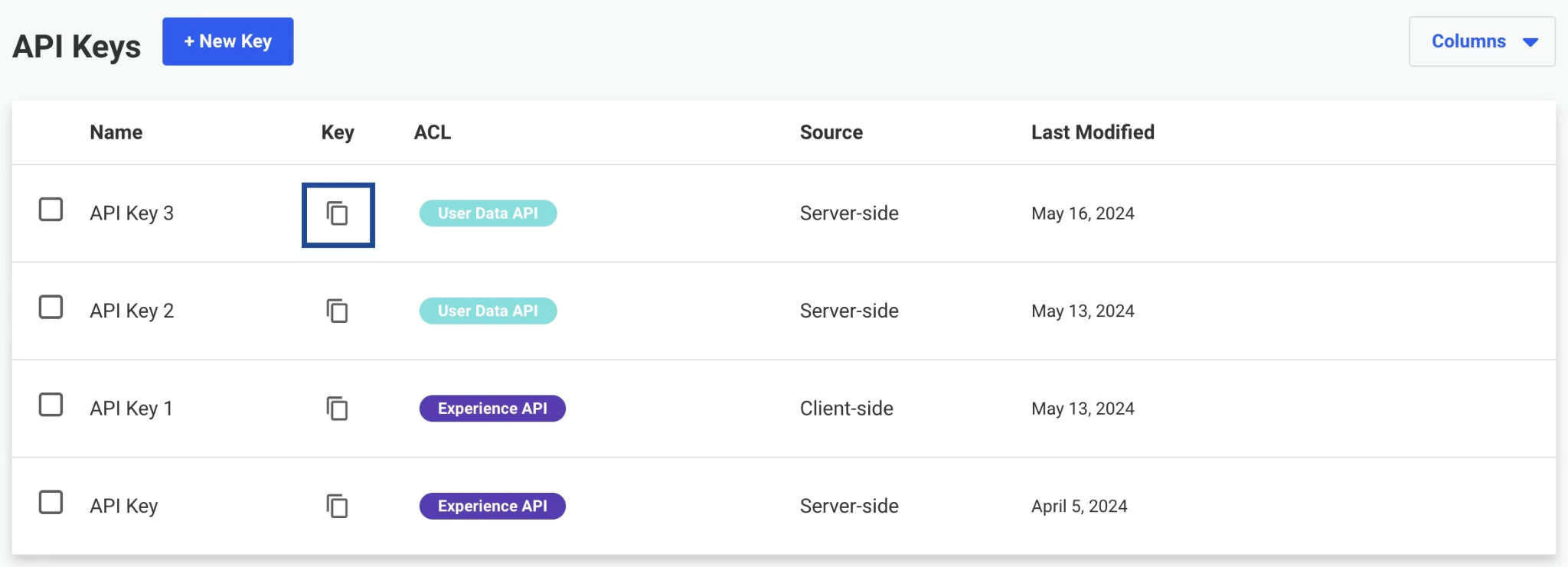
Create a Destination for Dynamic Yield (RealTime)
Once the prerequisites are in place, perform the following steps to create the destination in Zeotap CDP:1
Log in to the Zeotap CDP app and go to the Destinations application.
2
Click + Create Destination.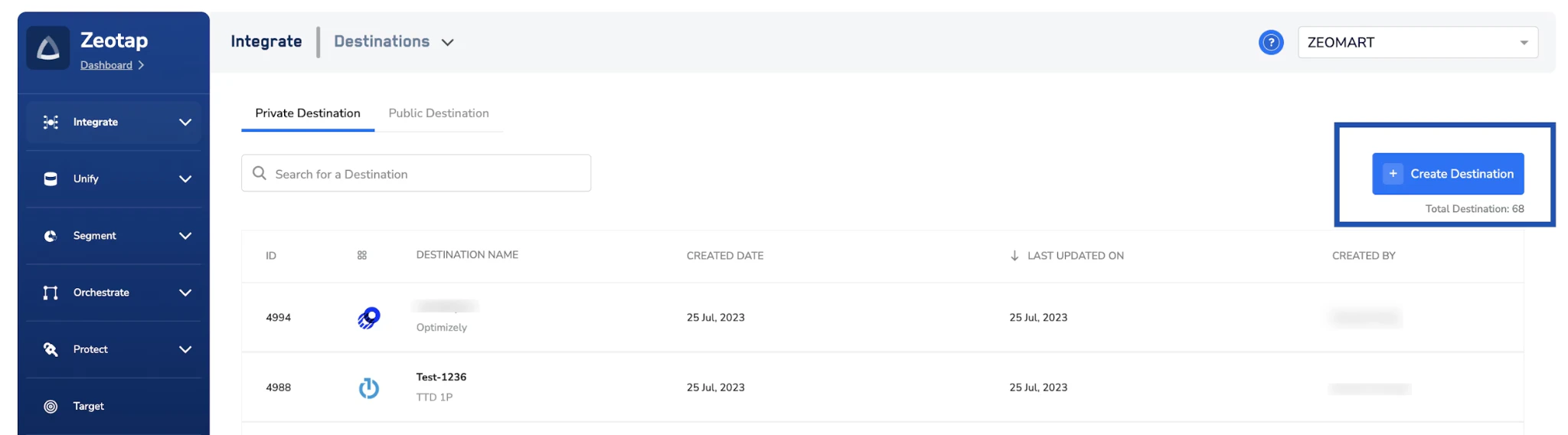
3
Under All Destinations, search for Dynamic Yield.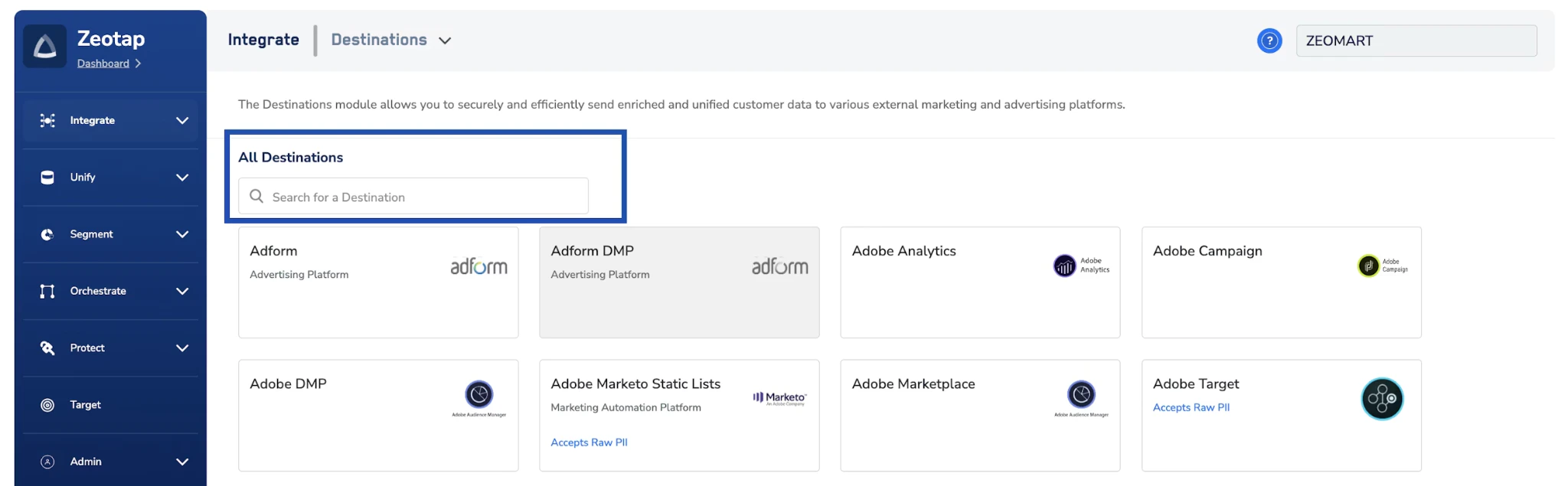
4
Click Dynamic Yield. On the Enter Destination Details screen, the left panel describes the integration; enter your credentials on the right:a. Enter a Name for the destination.b. Enter the User Feed ID and API Access Token obtained from Dynamic Yield.c. Under Cluster Region, choose the region of your Dynamic Yield data centre.d. Under User Unique Identifier in Dynamic Yield, choose the unique identifier that matches what you selected when creating the User Data Feed in Dynamic Yield. You can choose Hashed Email Address or Custom Identifier.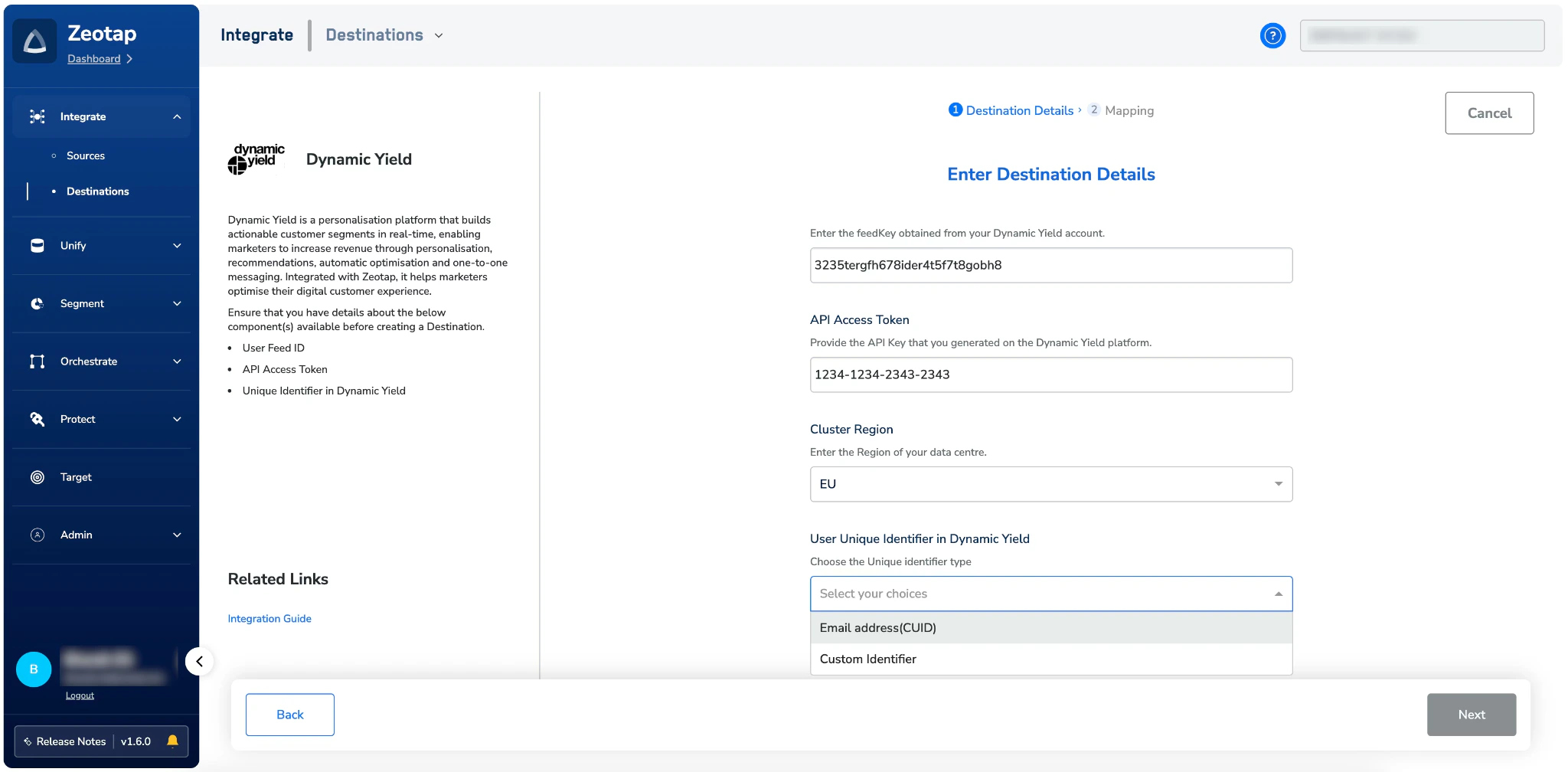
- If you choose Hashed Email Address, the Unique Identifier for Email field is auto-populated with the value
ihe. - If you choose Custom Identifier, enter the exact identifier name as defined in Dynamic Yield. This name will also be used in the mapping screen, so ensure it matches your Dynamic Yield configuration precisely.
5
On the Action and Mapping screen, select Send attributes and identifiers to Dynamic Yield in RealTime as the action. The Destination fields are pre-populated — you only need to select the corresponding Catalogue fields on the left: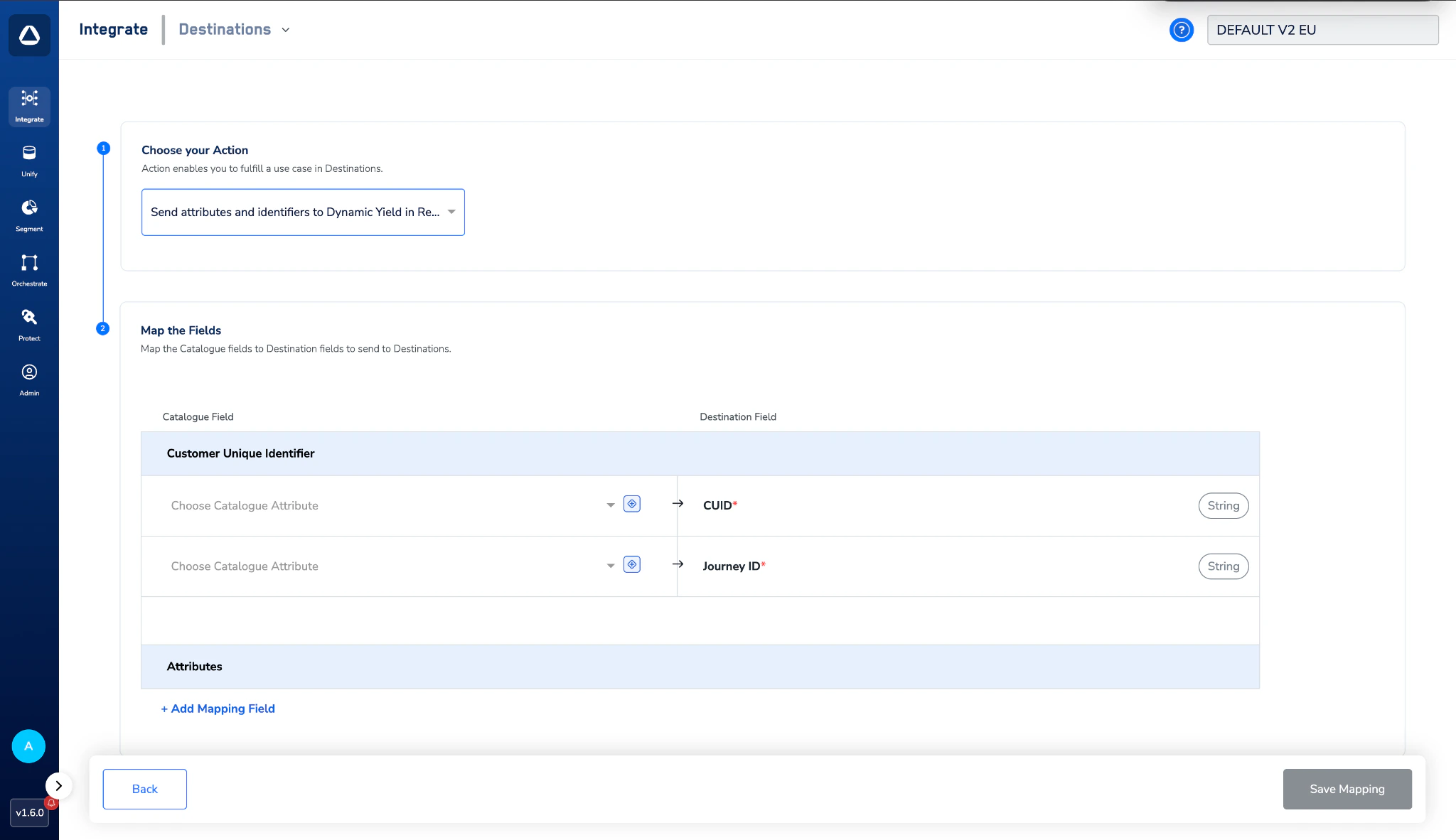
- CUID (Customer Unique Identifier) — Against the CUID destination field, select the identifier you configured during destination creation from the Catalogue dropdown (your hashed email address or your custom identifier).
- Journey ID — Against the Journey ID destination field, open the Catalogue dropdown and switch to the Platform Attributes tab. Select Journey ID from the list. When a user qualifies for a Journey in Zeotap, the corresponding Journey ID is automatically sent to Dynamic Yield in real time, enabling personalisation based on the Journey the user is currently enrolled in.
The custom CUID nomenclature entered here must be identical to the identifier you defined in Dynamic Yield and provided during the destination setup.
6
Once all mappings are complete, click Create Destination. The destination is now listed in the Journeys application and can be linked to a Journey.
Activate the Destination on Journeys
After creating the destination, link it inside the Send to Destinations node within a Journey workflow:1
In the workflow, click + and choose Send to Destinations.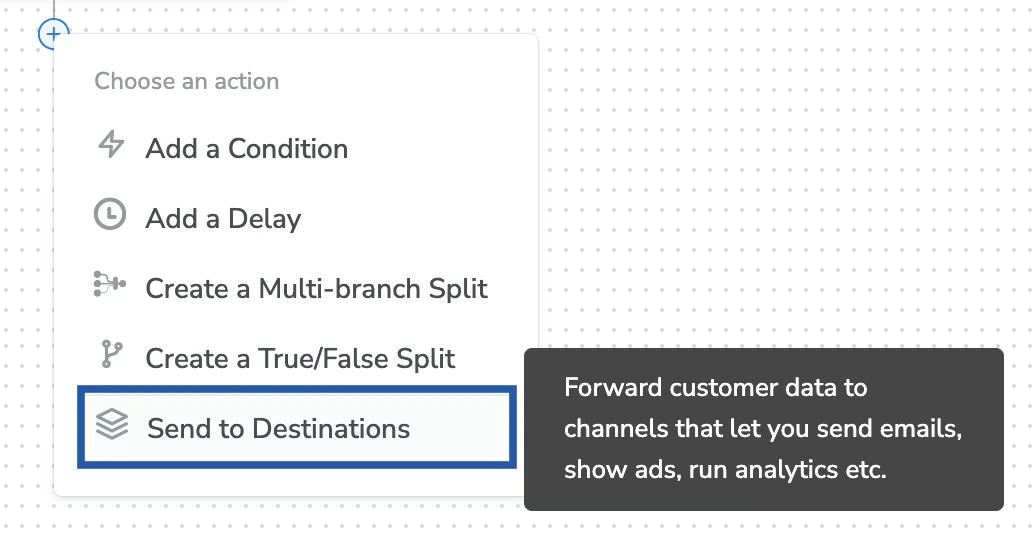
2
Choose the Dynamic Yield destination from the list of available destinations using the search box.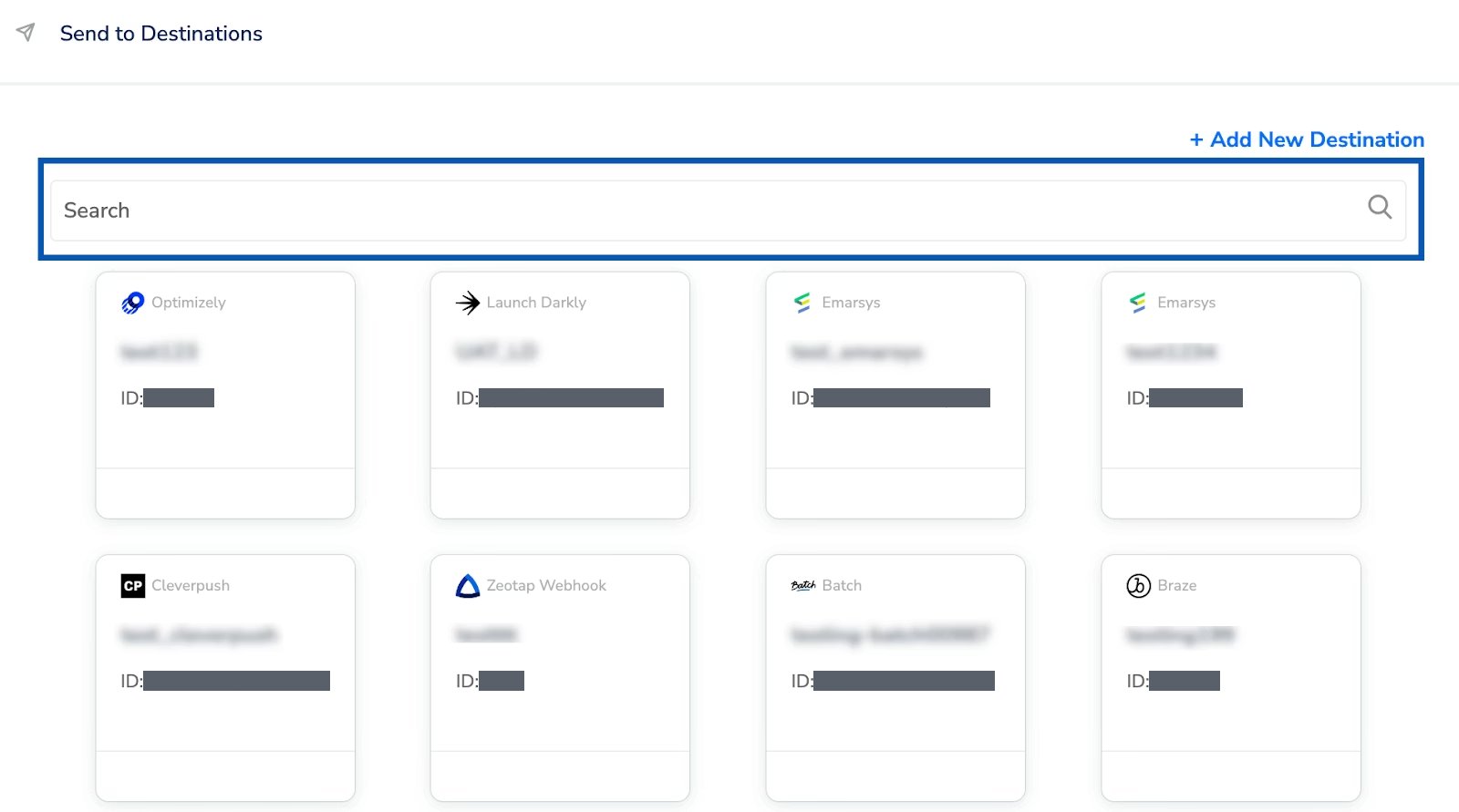
3
Under the Destination Details tab, the relevant fields are automatically populated based on the values entered while creating the destination.
4
Click Save Destination. The destination is now attached to the Journey node and will receive the Journey ID for every user who qualifies for that Journey in real time.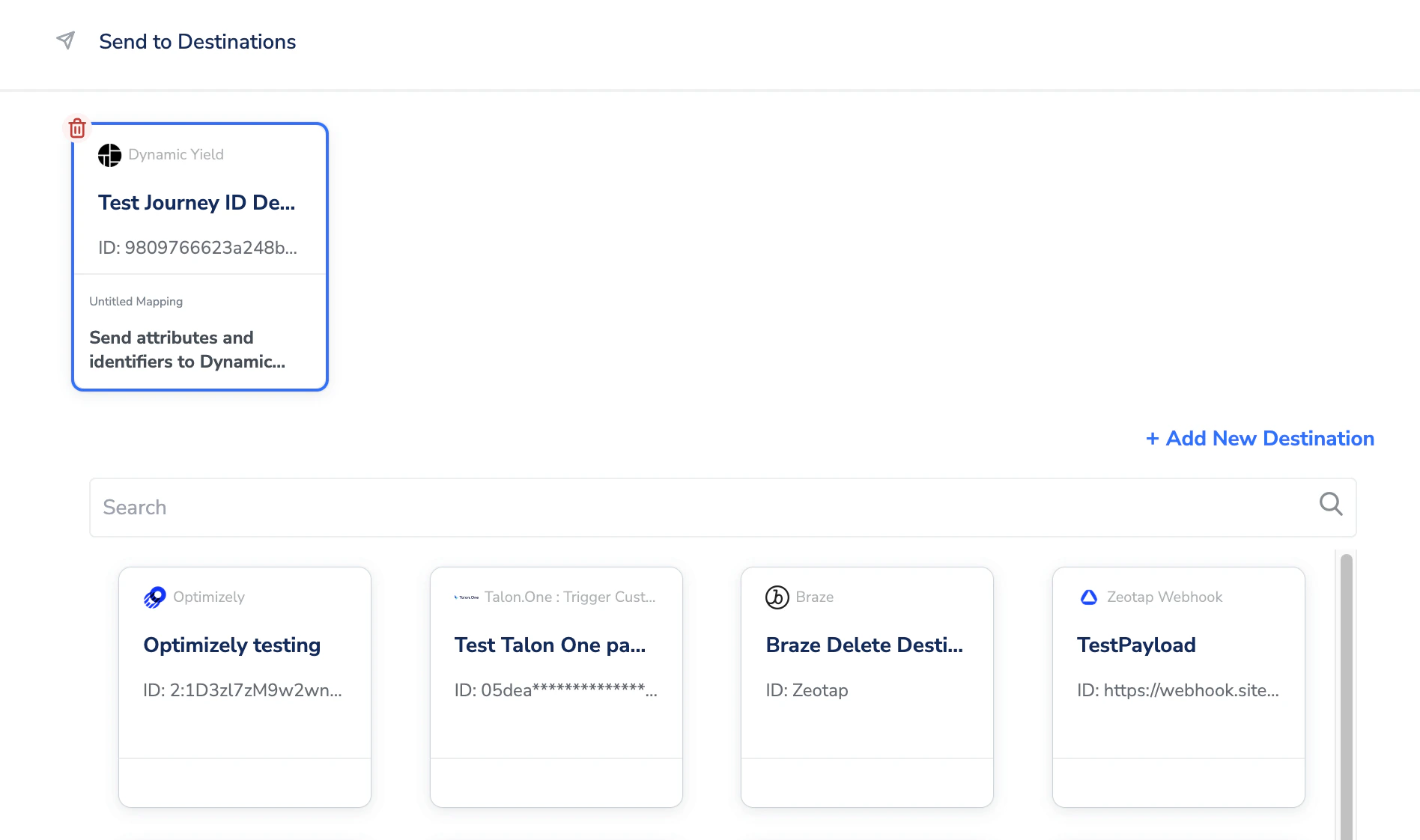
The terms Audiences and Segments are used interchangeably to refer to customer cohorts belonging to a specific category. For example, an Audience or a segment can be a specific group of customers who are over 18 years of age and have performed an
addToCart event within the last 30 days.Create Audiences and Campaigns in Dynamic Yield
To create audiences in Dynamic Yield using the Journey ID streamed from Zeotap, perform the following steps:1
Log in to the Dynamic Yield UI with your credentials.
2
Under the Audience tab, go to Audience Manager and click Create Audience.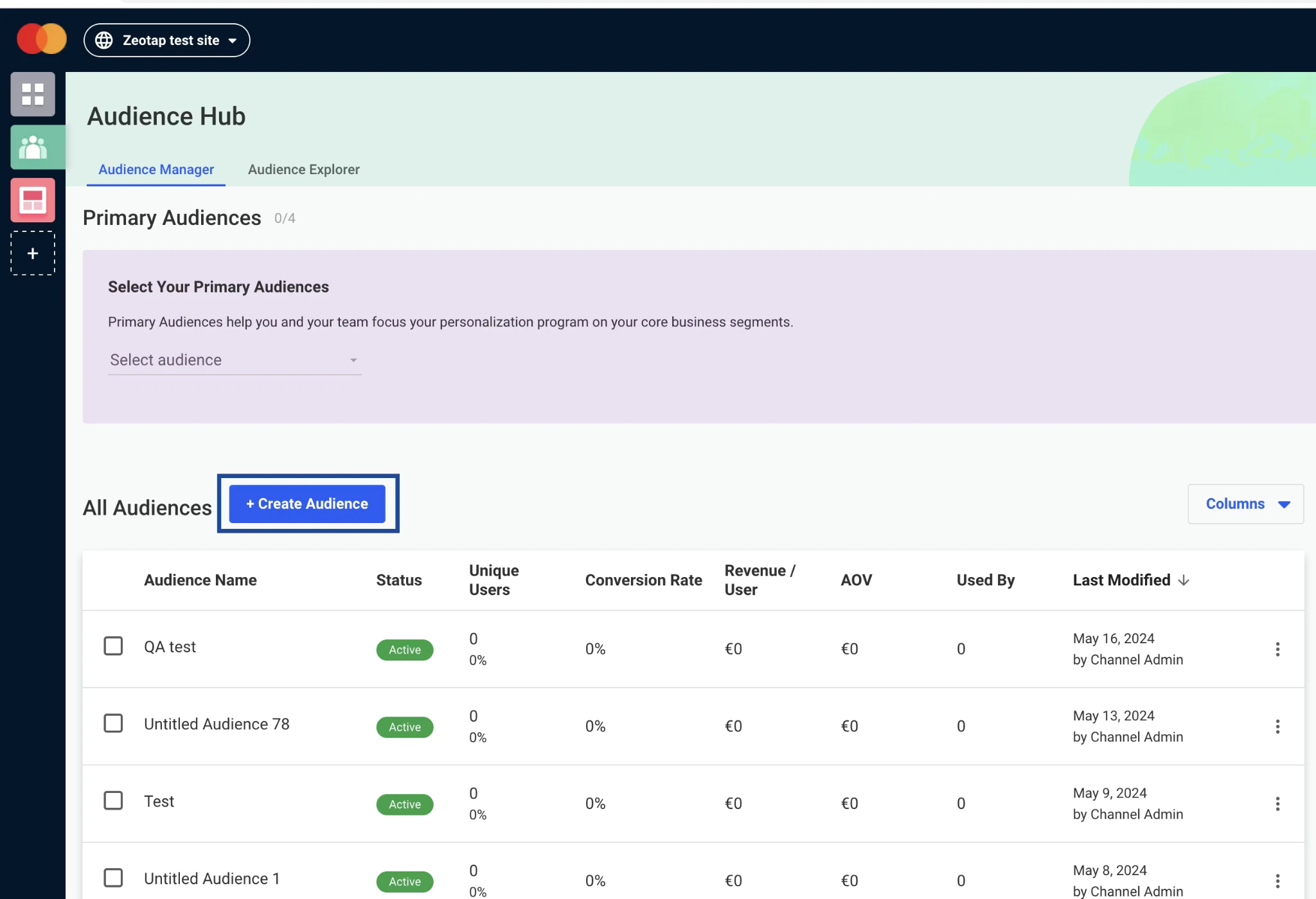
3
From the options, select User Attributes.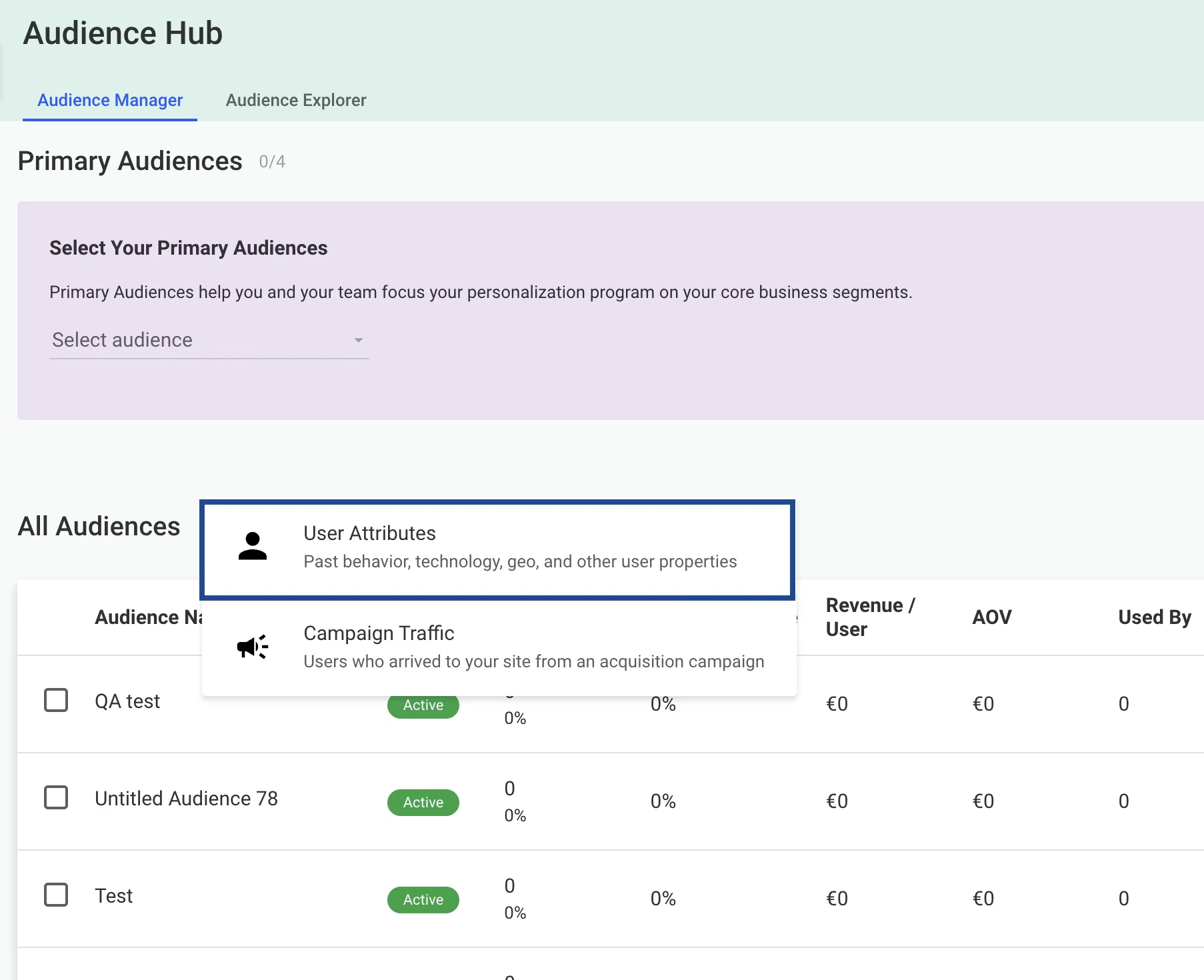
4
Enter a name for the Audience.
5
Under Conditions, provide the following:a. In the first field, choose the User Data Feed to include for this Audience.b. In the second field, select Realtime Journey ID (or any other identifier or attribute you have sent from Zeotap). You can add any number of attributes by adding new conditions.c. In the third field, choose the operator (for example, 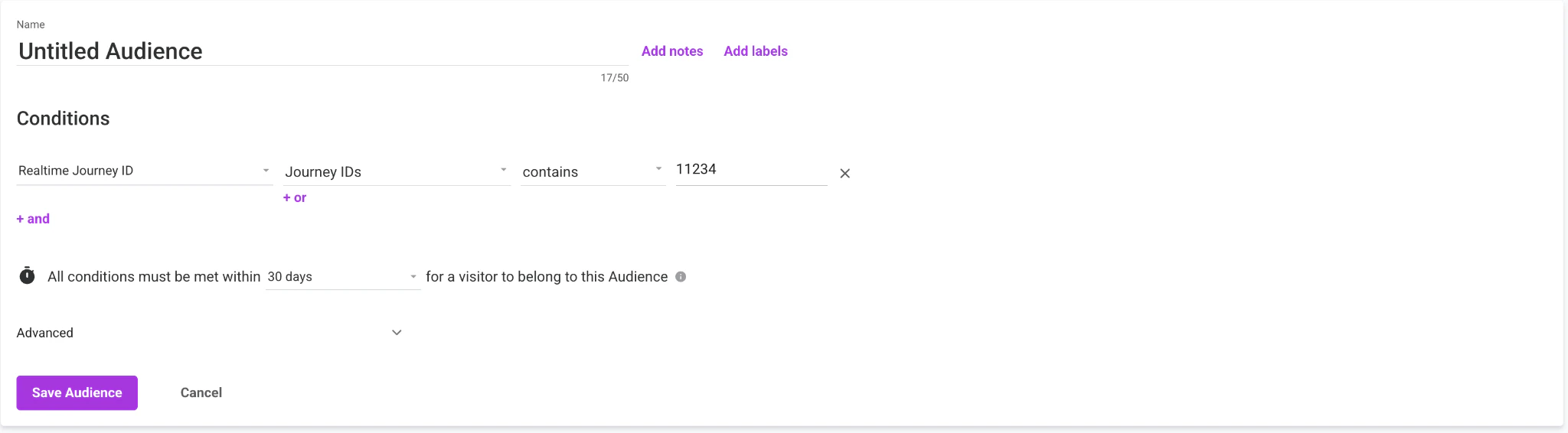
Is, contains, equals).d. In the fourth field, choose the desired value from the dropdown — values populate based on the User Data Feed chosen.e. Set the timeframe of the condition up to 30 days. Options for 3 months or 1 year are available but cannot be selected — selecting them shows the error “Projected performance is not supported for audience time frame over 30 days”.f. Once all the conditions are set, click Save Audience.6
Under the Projected Audience Performance tab, you can view the projected audience size for the selected timeframe.
7
The audiences created here are used for building Campaigns under Web Personalisation in the Dynamic Yield interface.