

What this is
Taboola is a content discovery and native advertising platform that helps marketers drive traffic and engagement to their websites. Integrated with Zeotap CDP, it lets marketers use the content discovery platform to drive engagement and meet their business goals through programmatic advertising. The Taboola destination is a batch integration for audiences: you configure it once against a Taboola Seat ID and then reuse it for every audience you link to it. Taboola appears in the integrations master list as a destination only — there is no Taboola source integration, so nothing flows from Taboola into the CDP.Supported identifiers
The Taboola destination accepts:- Mobile advertising IDs (MAIDs)
- Taboola Cookies
Available actions
The destination exposes a single action, Send identifiers to Taboola. It supports ID Extension for expanding an audience before delivery. Taboola is not listed among the integrations where Delete and Delta Upload are enabled.
Prerequisites
Before you create the destination, gather:
- Your Taboola Seat ID — the ID of your Taboola advertiser account. This is the only Taboola detail the integration requires; see Get your Taboola Seat ID below.
- Access to the Taboola console for the account you want to deliver to, so you can read the Seat ID.
- The currency for the destination. USD is selected by default.
- An audience to activate, and the destination rights described in the Destinations prerequisites.
Get your Taboola Seat ID
Log in to the Taboola console and open the Audiences page for the account you want to deliver to. The Seat ID is the account ID carried in the page URL — copy it from the browser address bar, as highlighted below.Create the Taboola destination
1
Log in to the Zeotap CDP app and go to Integrate > Destinations.
2
Click + Create Destination.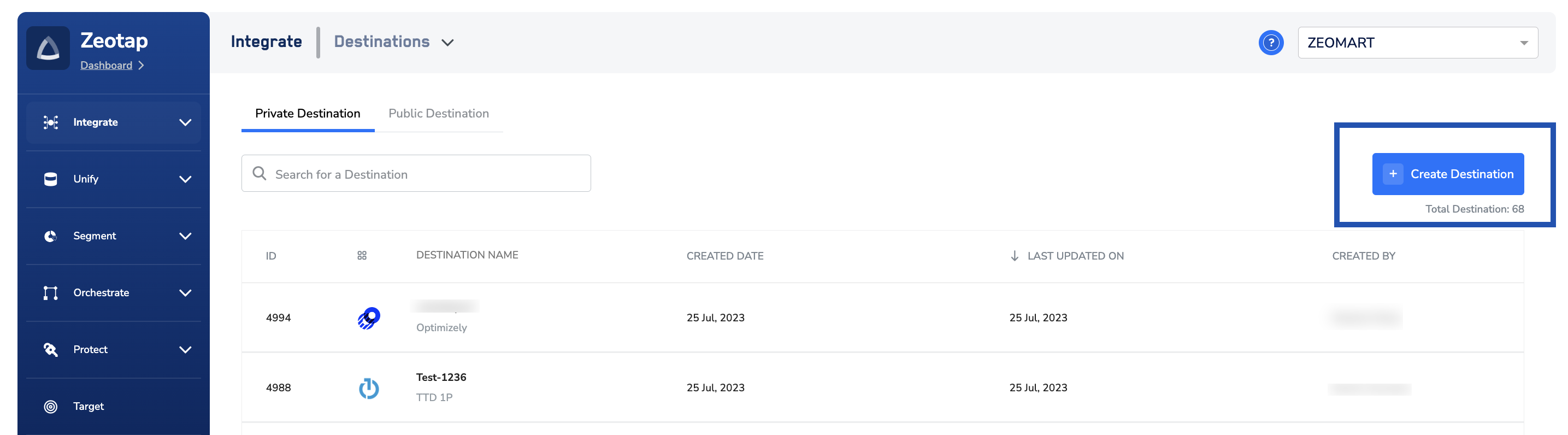
3
Under All Destinations, search for Taboola.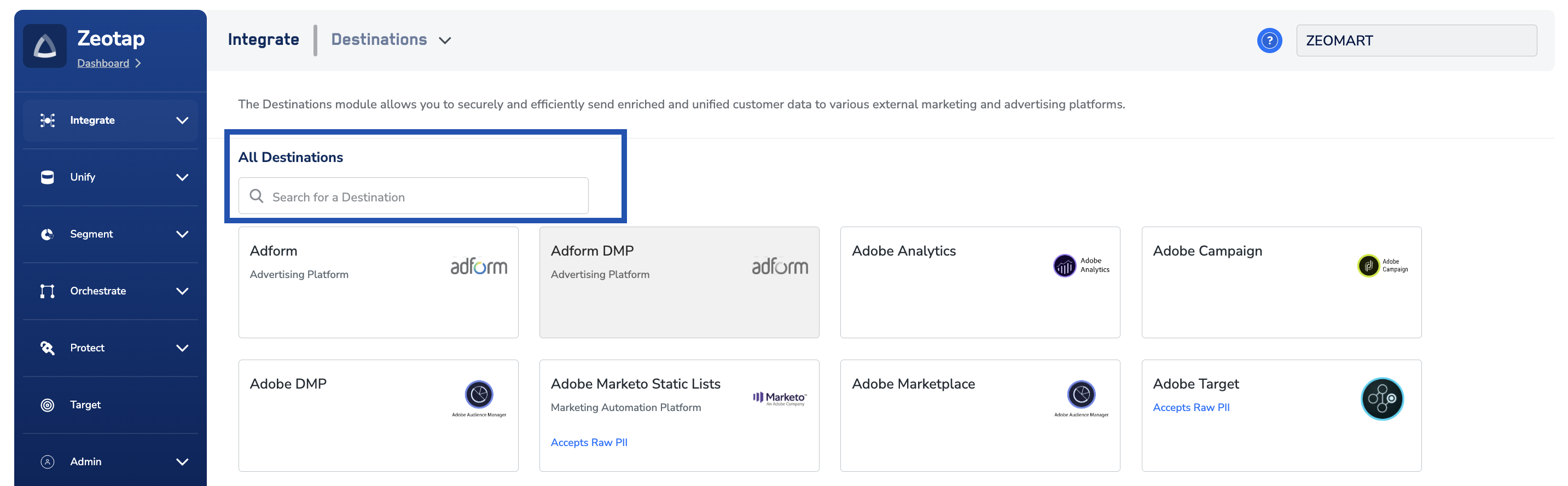
4
Click Taboola. Details about the destination appear on the left of the screen; the fields the integration needs appear on the right. Enter:a. A name for the destination. Choose a name that identifies the Taboola seat it connects to, so the destination is easy to find when you link an audience.b. The Taboola Seat ID you copied above.c. The Currency. USD is selected by default.d. Review the values you entered, then click Next.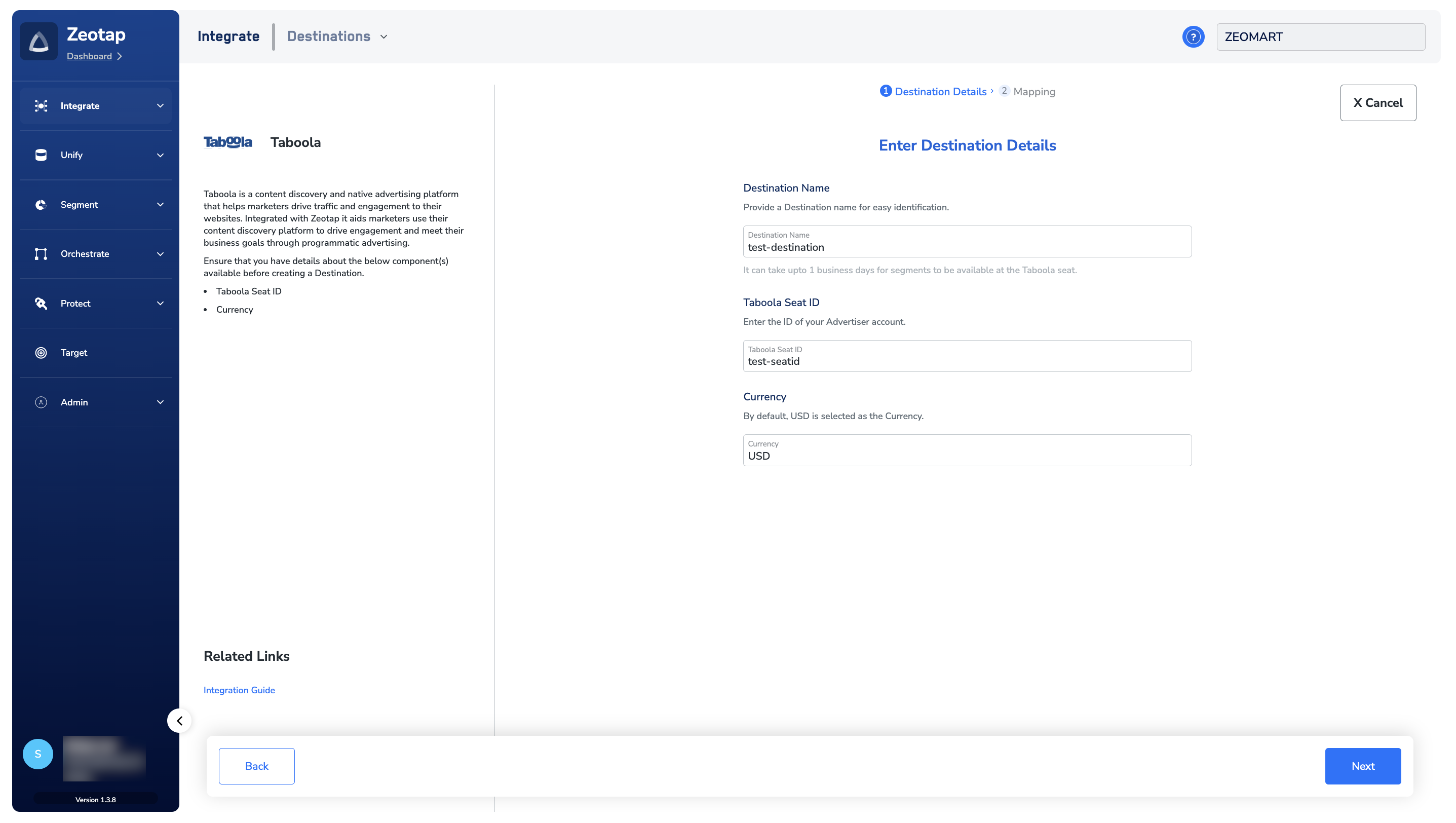
5
On the mapping screen, choose the action and the identifiers to send:a. Under Choose your Action, select Send identifiers to Taboola, then choose the corresponding identifiers under Map the Fields. The output identifiers the platform accepts — MAIDs, Cookies and more — are shown by default. You can edit, add or remove an identifier from the list; see Define the mapping.b. Click Create Destination. The created destination is then listed in the Target and Audiences applications, ready to be linked to an audience.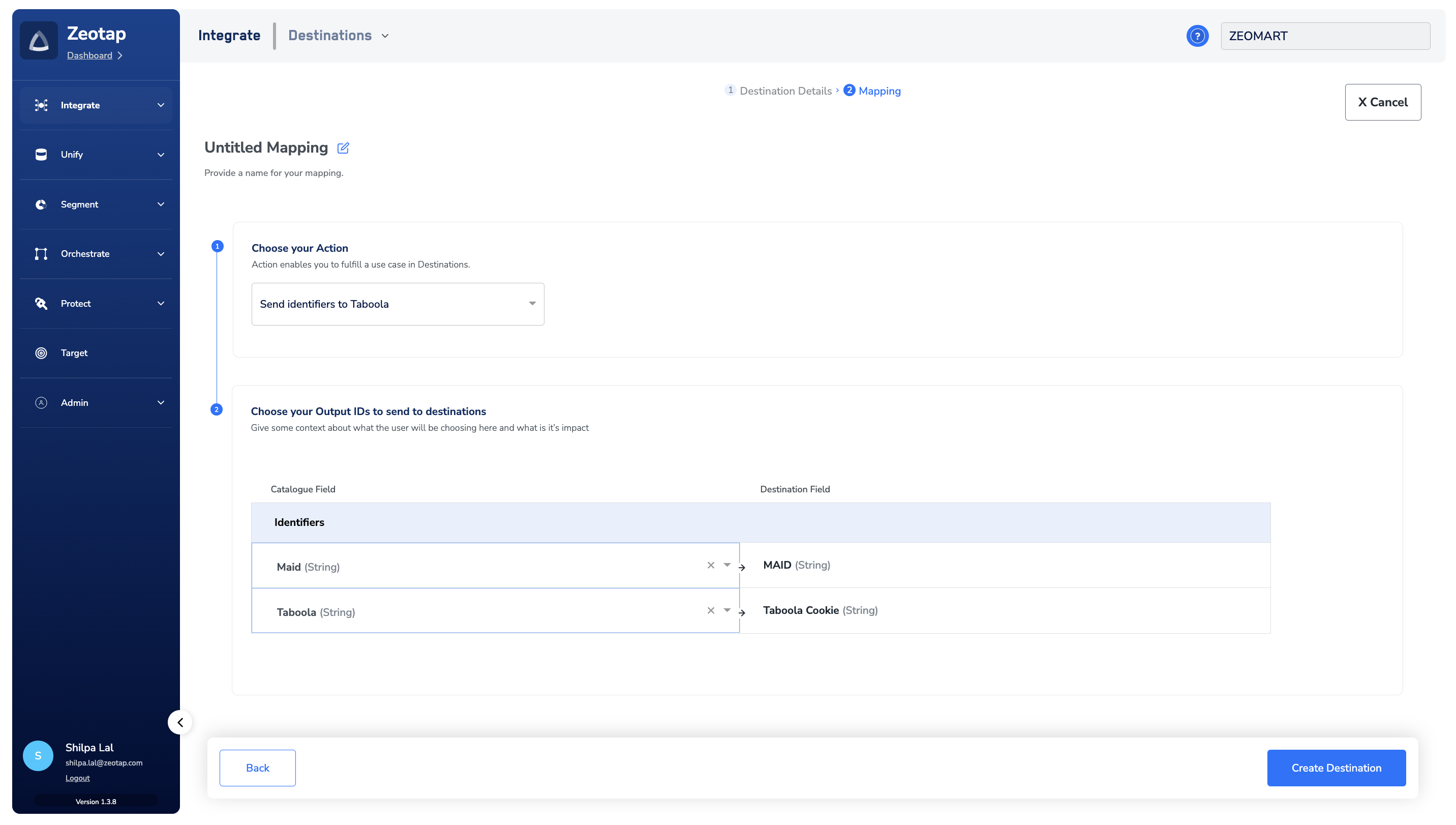
Link an audience to the destination
Once the destination is created, link it to the audience you want to activate from the Audiences or Target application — see Link an audience to the destination for the end-to-end workflow. It can take up to one business day for a linked segment to be available at the Taboola seat. Once the audience is linked, share both of the following with the Taboola team, which maps them to your account:- The taxonomy file, sent as a CSV to your Taboola Account Manager.
- The Channel ID, which Zeotap CDP generates for the audience.
The terms Audiences and Segments are used interchangeably to refer to customer cohorts belonging to a specific category. For example, an audience or a segment can be a specific group of customers who are over 18 years of age and have performed an
addToCart event within the last 30 days.Verify the audience reached Taboola
Confirm delivery from both sides:- In Zeotap CDP — saving the destination settings on the linked audience moves the destination to In Progress, which triggers the upload of the IDs. Once all the IDs are uploaded, the status changes to Success. For what a successful run records, see Verify the activation worked.
- In the Taboola console — open Audiences > Custom Audiences for the seat. Audiences delivered from the CDP are listed with Zeotap in the Source column, along with their status, monthly reach and Taboola’s own match rate. Allow up to one business day before expecting the audience to appear.
Troubleshoot the Taboola destination
For delivery errors that are not specific to Taboola — no customers qualified, a terminated refresh, a rejected payload — see Why deliveries fail and When to contact support.