

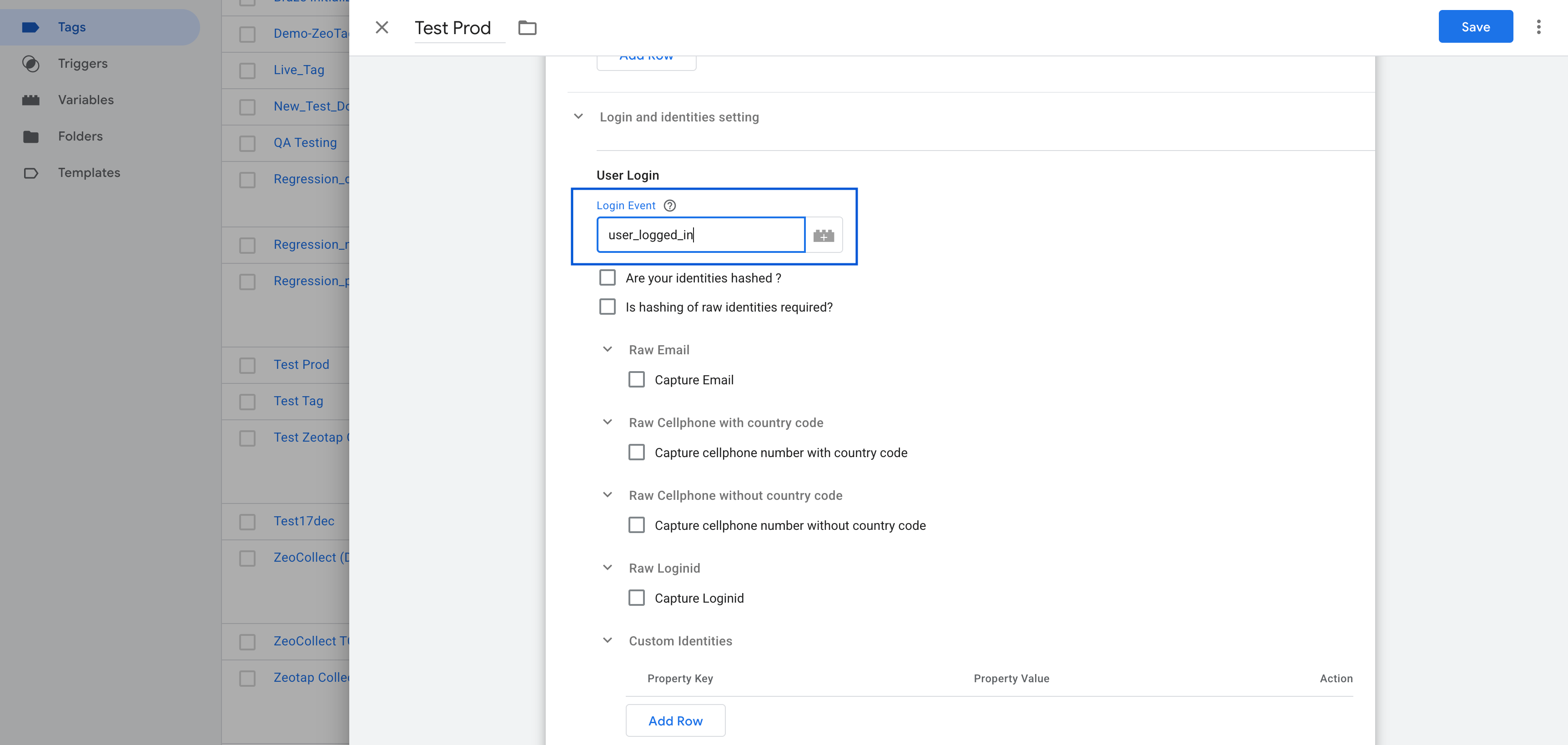
Login Event
Purpose: Specifies thedataLayer event name that is fired when a user logs in or when an user identity is to stored.
These Identities will be stored and persisted across all the subsequent calls to zeotap.
In the tag configuration, set the Login Event field to match your event name (e.g.,
user_logged_in).
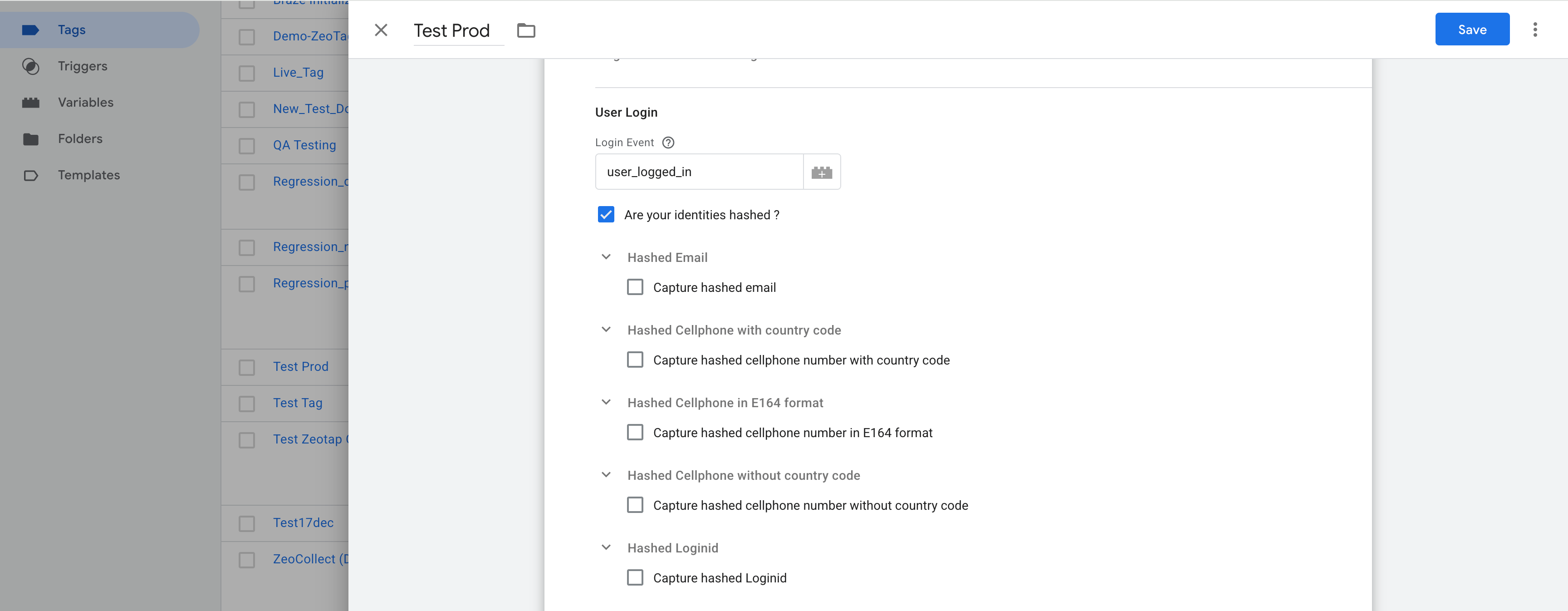
Are Your Identities Hashed?
Check this option only if your identity values (email, phone, login ID) are already hashed when pushed to thedataLayer.
Configuration for Hashed Identities:
Hashed Email
- Enable: “Capture hashed email”
- Click Add Row:
- Select Hash Algorithm (e.g., SHA-256)
- Choose your GTM Variable (e.g.,
{{Hashed Email}})
Hashed Cellphone with Country Code
- Enable: “Capture hashed cellphone number with country code”
- Click Add Row:
- Select Hash Algorithm (e.g., SHA-256)
- Choose your GTM Variable (e.g.,
{{Hashed Phone}})
Hashed Login ID
- Enable: “Capture hashed Loginid”
- Click Add Row:
- Select Hash Algorithm (e.g., SHA-256)
- Choose your GTM Variable (e.g.,
{{Hashed Login ID}})
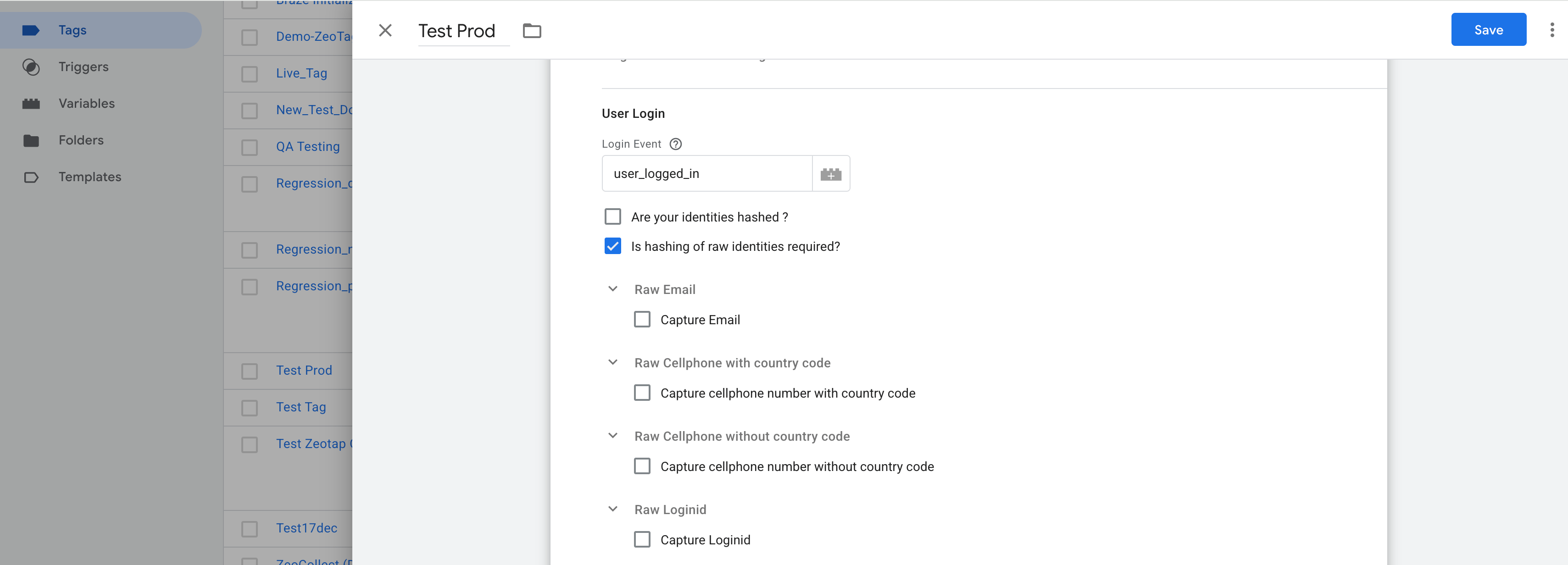
Is Hashing of Raw Identities Required?
Enable this only if your identity values are in raw format (e.g., plain email or phone) and need to be hashed by the tag before sending to Zeotap.Configuration for Raw Identities:
Raw Email
- Enable: “Capture Email”
- Select Variable (e.g.,
{{Email}})
Raw Cellphone with Country Code
- Enable: “Capture cellphone number with country code”
- Select Variable (e.g.,
{{Phone Number}})
Raw Login ID
- Enable: “Capture Loginid”
- Select Variable (e.g.,
{{Login ID}})
Create First Party ID+ Cookie on Login
If you are a Publisher using Zeotap’s ID+ services, enable this checkbox to trigger the creation of a first-party ID+ cookie on user login.This requires that you have enabled ID+ for your organization.
Organisation Partner ID
Enter the Partner ID provided by Zeotap.This field is required for using ID+ services.
Example: zeotap-partner-12345
User Logout
Purpose: Identifies thedataLayer event that should unset identity values (email, phone, loginid) from the user profile.
Example:
Set this to the event name (e.g.,
user_logged_out) in your tag configuration.
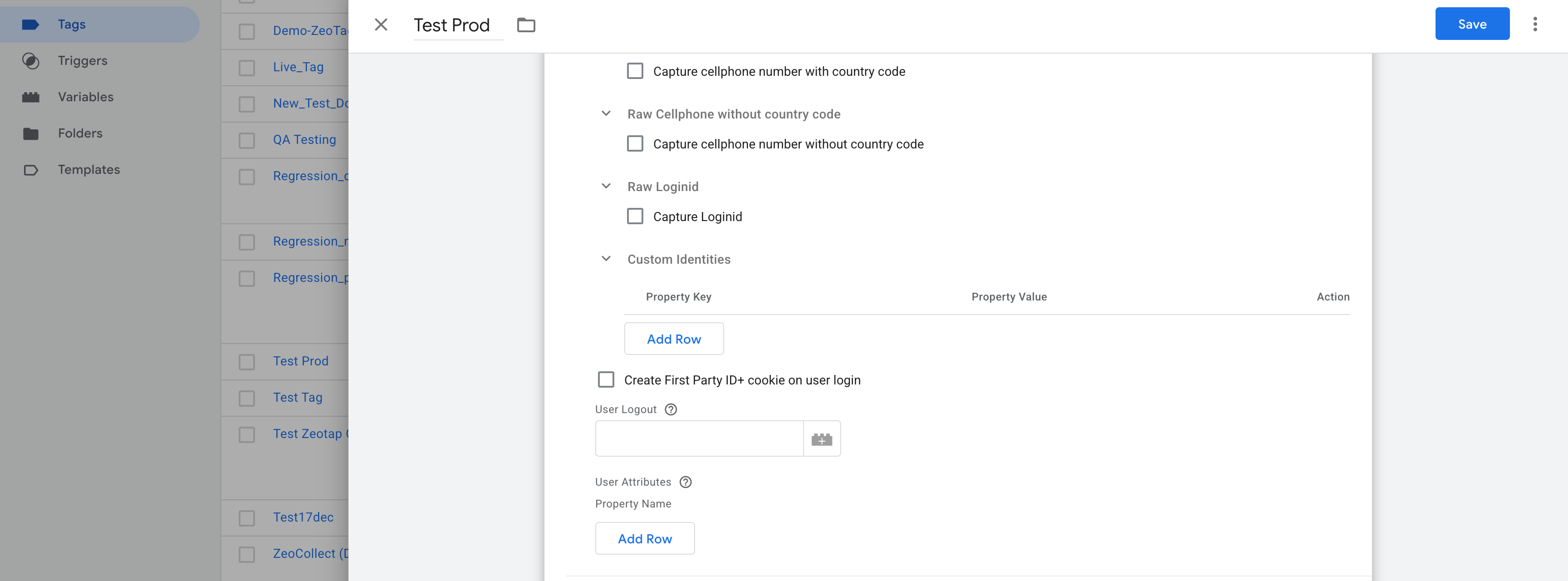
User Attributes
Use this section to provide additional user information to be sent to Zeotap.Example GTM Variables:
Action:
Map each GTM variable to the corresponding attribute key. These will be included in
setUserProperties.
A call to zeotap will be made with eventName: 'set_user_properties' with the set user properties in the user node of the paylod.
These properties are not persisted across subsequent calls to zeotap.
Still need help? Contact Zeotap Support