

Setup in Zeotap CDP
Create an iOS source in your Zeotap CDP account. How to create an iOS source? Obtain the write key from the created source. How to obtain a write key?Installation
CocoaPods (Recommended)
Add the following line to yourPodfile:
Swift Package Manager
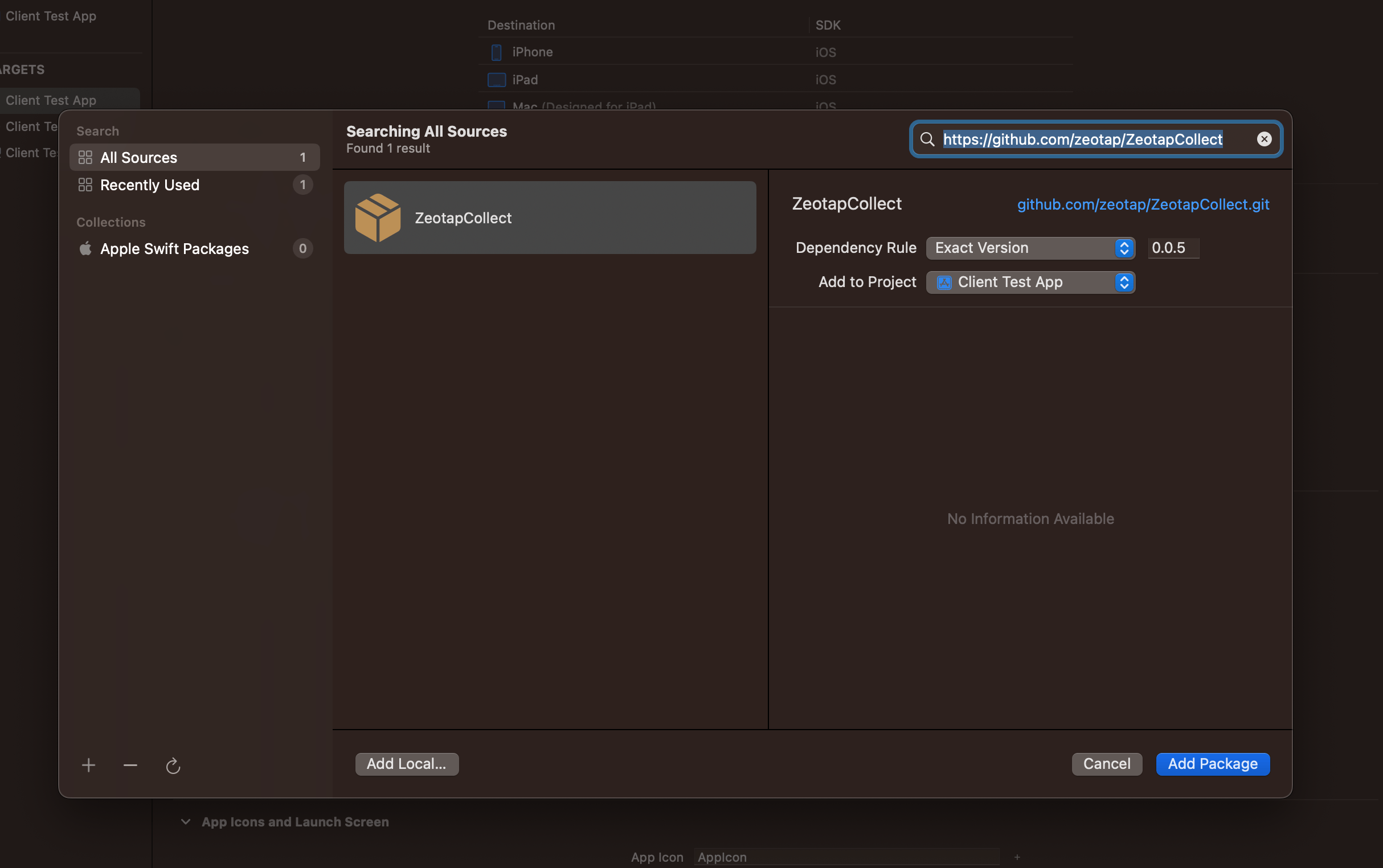
- Open your project in Xcode
- Go to File → Add Package Dependencies
- Enter the repository URL:
https://github.com/zeotap/ZeotapCollect - Click Add Package
- Select the target where you want to add the SDK
Manual Installation
- Download the latest release from here and Unzip it.
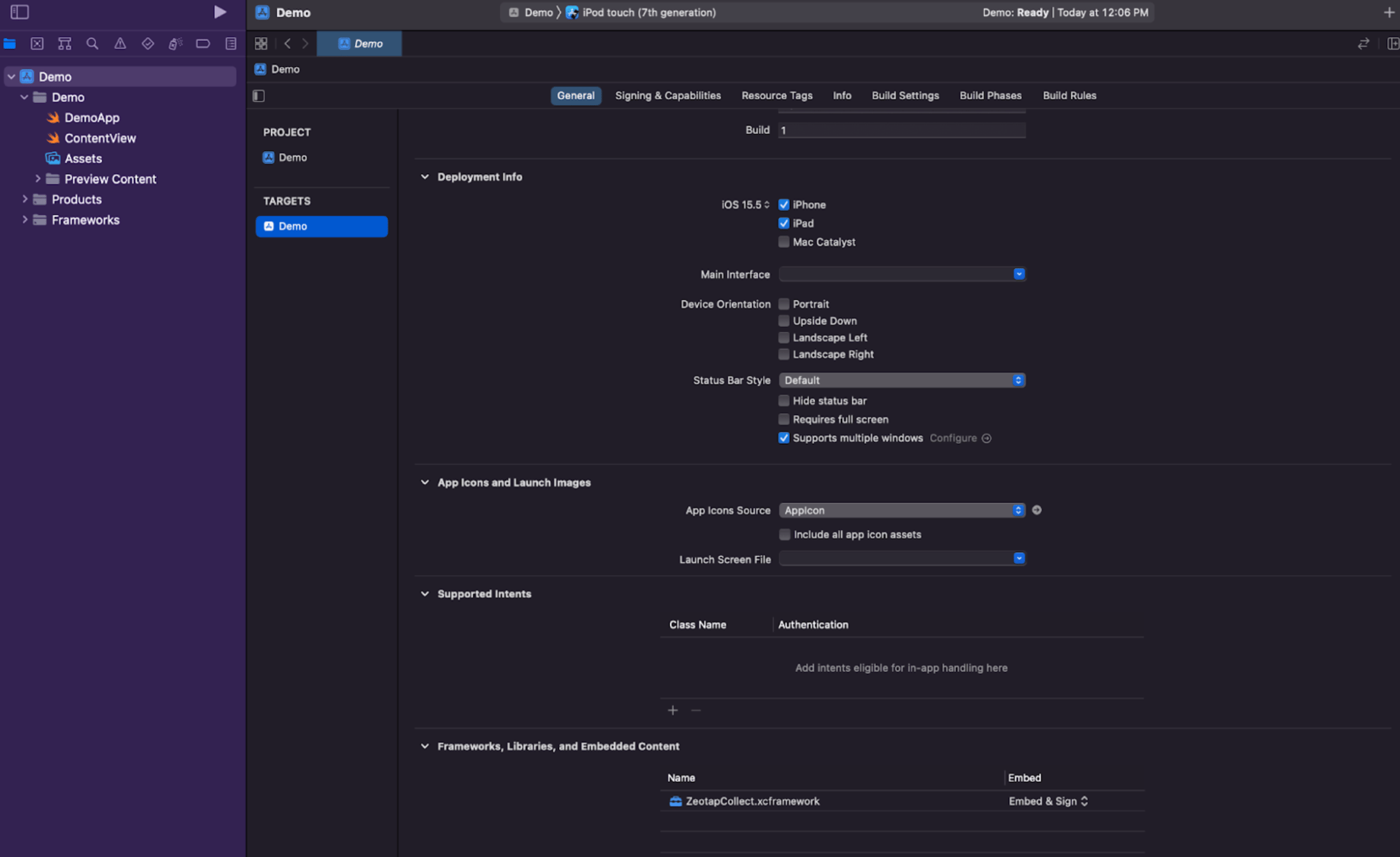
- Launch the project settings by PROJECT → TARGET → General → scroll and find Frameworks, Libraries and Embedded Content
- Add the
ZeotapCollect.xcframeworkinto your Xcode project
Initialization
Import the SDK in your AppDelegate or main app file:application(_:didFinishLaunchingWithOptions:) method:
You need to input your
write key in place of YOUR_WRITE_KEY so that the data gets ingested to an iOS source created in your Zeotap CDP account.Setting up User Identities (Learn more)
Once the Zeotap SDK is integrated, you can start setting up user identities. User identities are how you associate data to specific users. The Zeotap iOS SDK provides thesetUserIdentities function to identify your users:
Setting User Properties (Learn more)
User properties allow you to store information about your users that doesn’t change frequently, such as subscription status, user preferences, or demographic information. To set user properties, use thesetUserProperties method:
Tracking User Events (Learn more)
Event tracking allows you to track specific actions that users take in your app, such as making a purchase, completing a level, or sharing content. To track user events, you can use thesetEventProperties method: