

Overview
Under the Custom strategy you classify each identifier as Primary, Secondary, or Disabled — see High-fidelity or Custom ID Strategy for what those classifications mean. This page explains what the system does with an incoming record once those classifications are in place.Match scenarios
When a new data record is received, the system looks up the existing profiles based on how you have classified your identifiers, and performs the action below.Note:The above table explains a scenario where the ID prioritisation feature is not used — that is, all the IDs within a classification (Primary or Secondary) are treated the same. For how priorities change these outcomes, see ID Prioritisation.
Example
We are considering the following ID classification to further explain the use cases for ID Classification:Note:In this use case, the priority of these IDs is the same within their classification.
Disable ID
Disabled identifiers are still ingested and stored against the profile, and stay available to you downstream — being Disabled only keeps them out of identity resolution, where they cannot create a profile, match one, or merge two. Disable an identifier when you do not want it to influence which profile a record belongs to.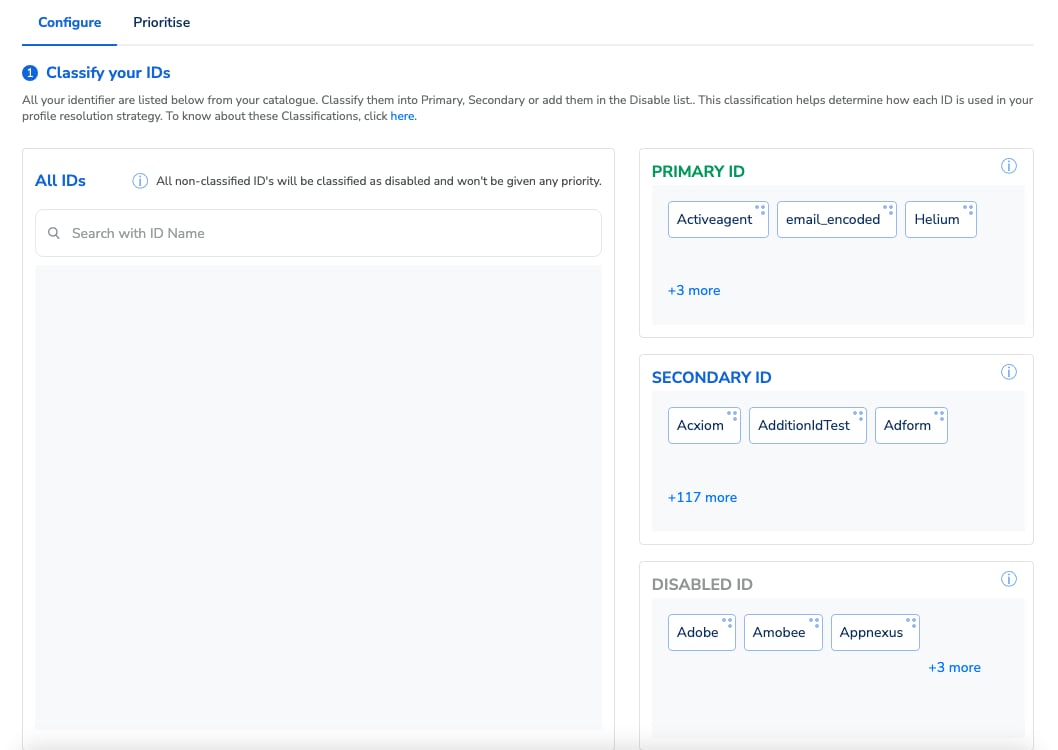
Classify your IDs: every catalogue identifier sits in the Primary, Secondary, or Disabled bucket.
When you choose a Custom strategy, every identifier starts as Disabled by default — including identifiers added to your catalogue later. Classify an identifier as Primary or Secondary if you want it to take part in identity resolution.