

Note: The Real-Time Attributes feature is available only for organizations where it has been enabled. If you do not see the Real-Time Attributes tab under Unify → Calculated Attributes, please contact the Zeotap Support team to have the feature enabled for your organization. Once enabled, the option will be visible in the UI, allowing you to create and manage Real-Time Calculated Attributes.To understand what calculated attributes are and how they are computed, see [How Calculated Attributes Work] To understand this better, let’s assume you want to send a special deal for order values exceeding 8000 within a 1-hour timeframe. In this case, you can create a Real-Time Calculated Attribute as follows:
1
Navigate to Calculated Attributes under Unify.
2
Under the Real Time Attributes tab,
click + Create Attribute.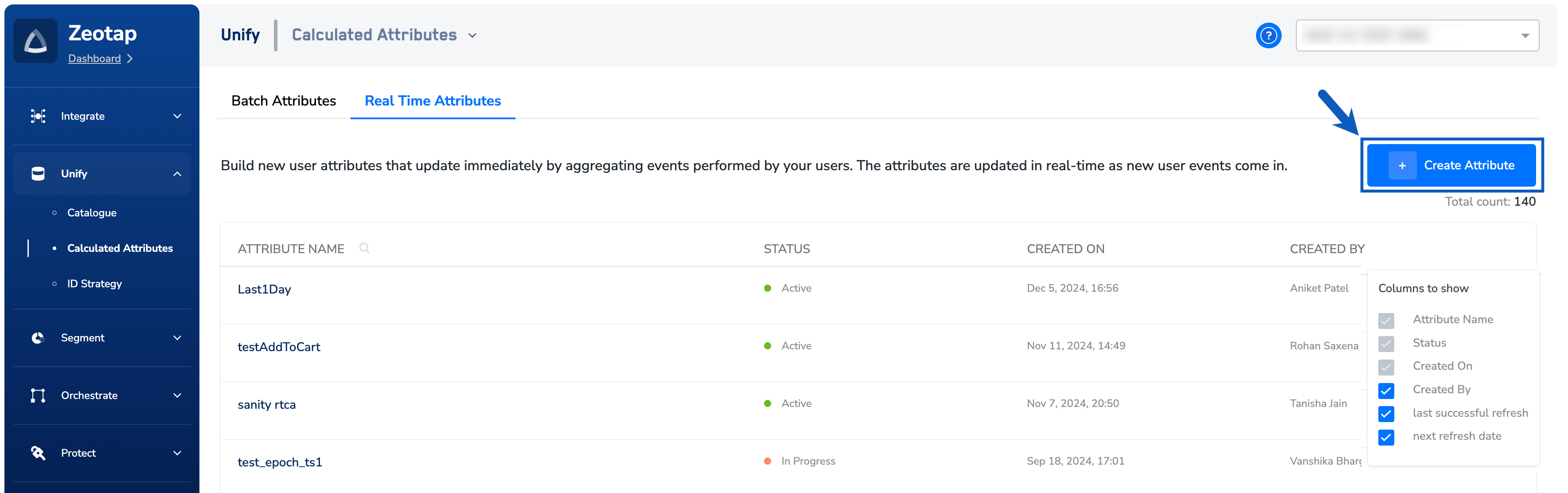
3
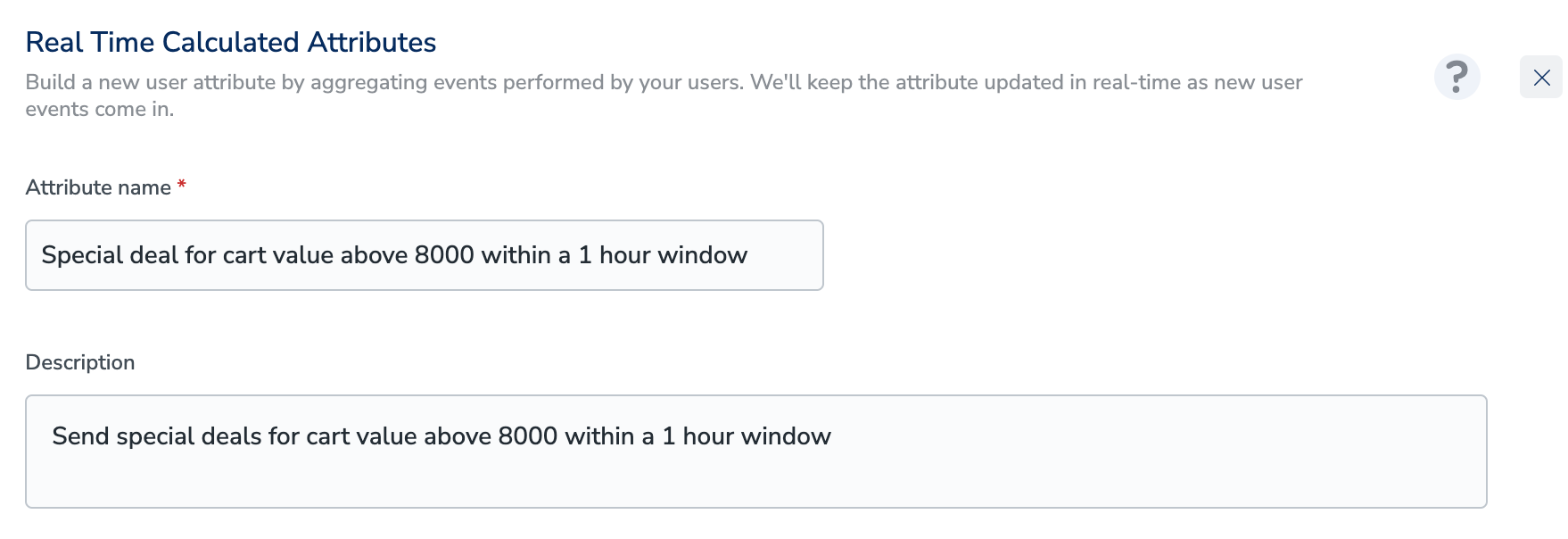
In the Attribute name field, enter a descriptive name to refer to the Real Time Calculated Attribute.
4
- In the Description field, enter a description to remember details about the attribute.
5
Select the appropriate Aggregation type using the drop-down menu. The values can be Count, Sum and Unique List.There are 3 real-time operators — see [Calculated Attributes: Guardrails & Limits] for the full list and their constraints.
6
In Select a field, choose the attribute on which the calculation works based on the chosen aggregation type.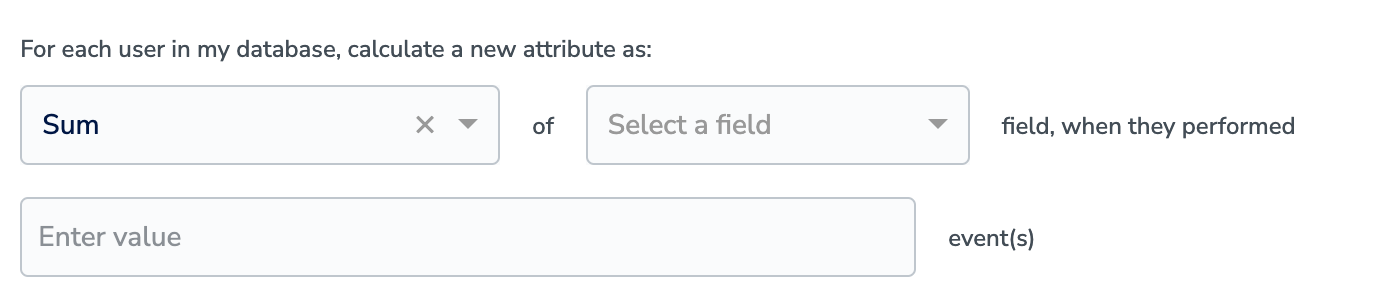
7
In event(s) field, provide the event name(s). In the example shown below, the event name is Event OrderVal.
8
You can further specify conditions for your Real-Time Calculated Attribute by clicking Add Condition. We do not support NCE and complex data(object and list of object) in real time CA.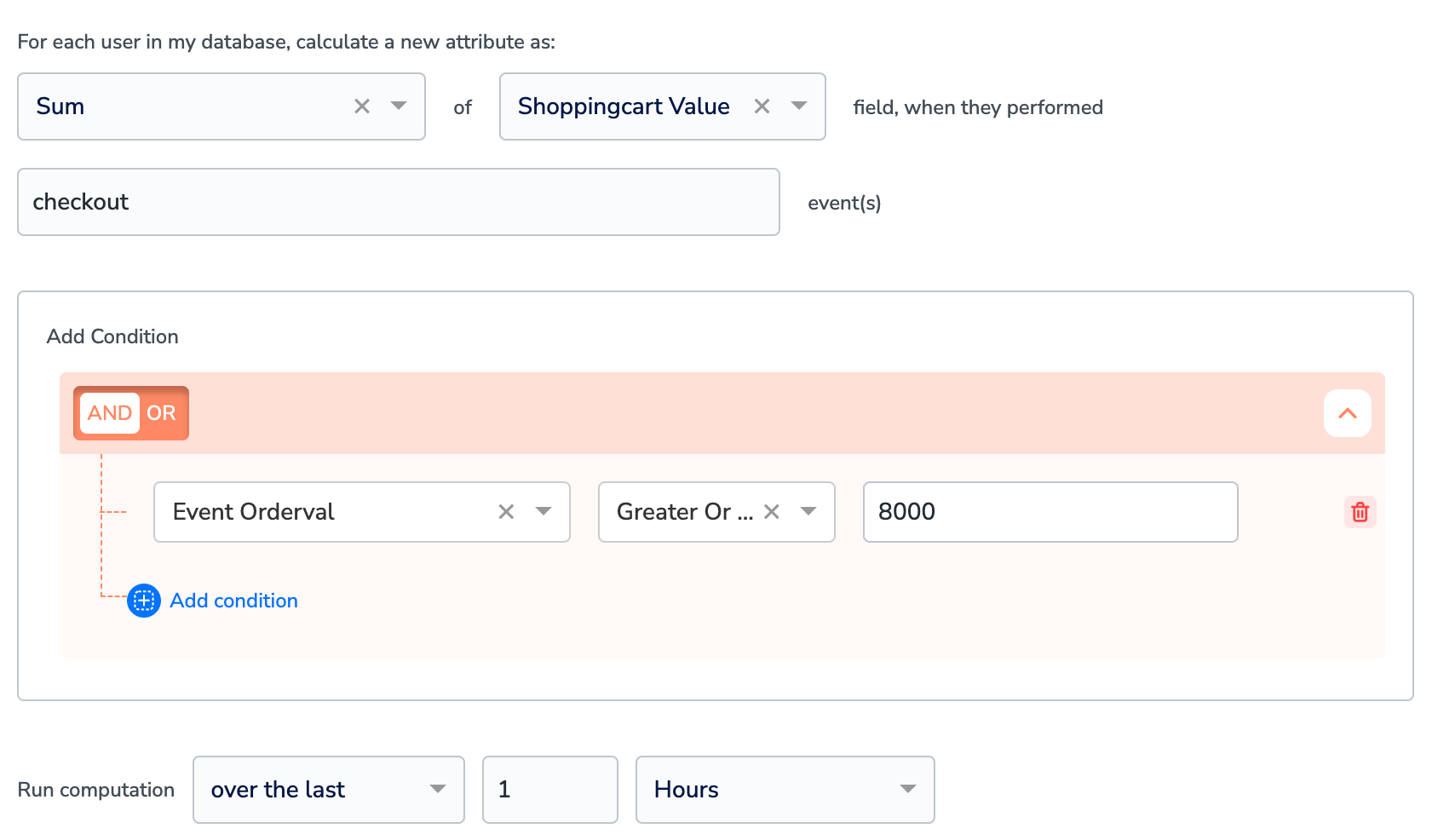
9
In the Run Computation section, choose the time period for the calculation.
10
Click Save to create the Real Time Calculated Attribute.