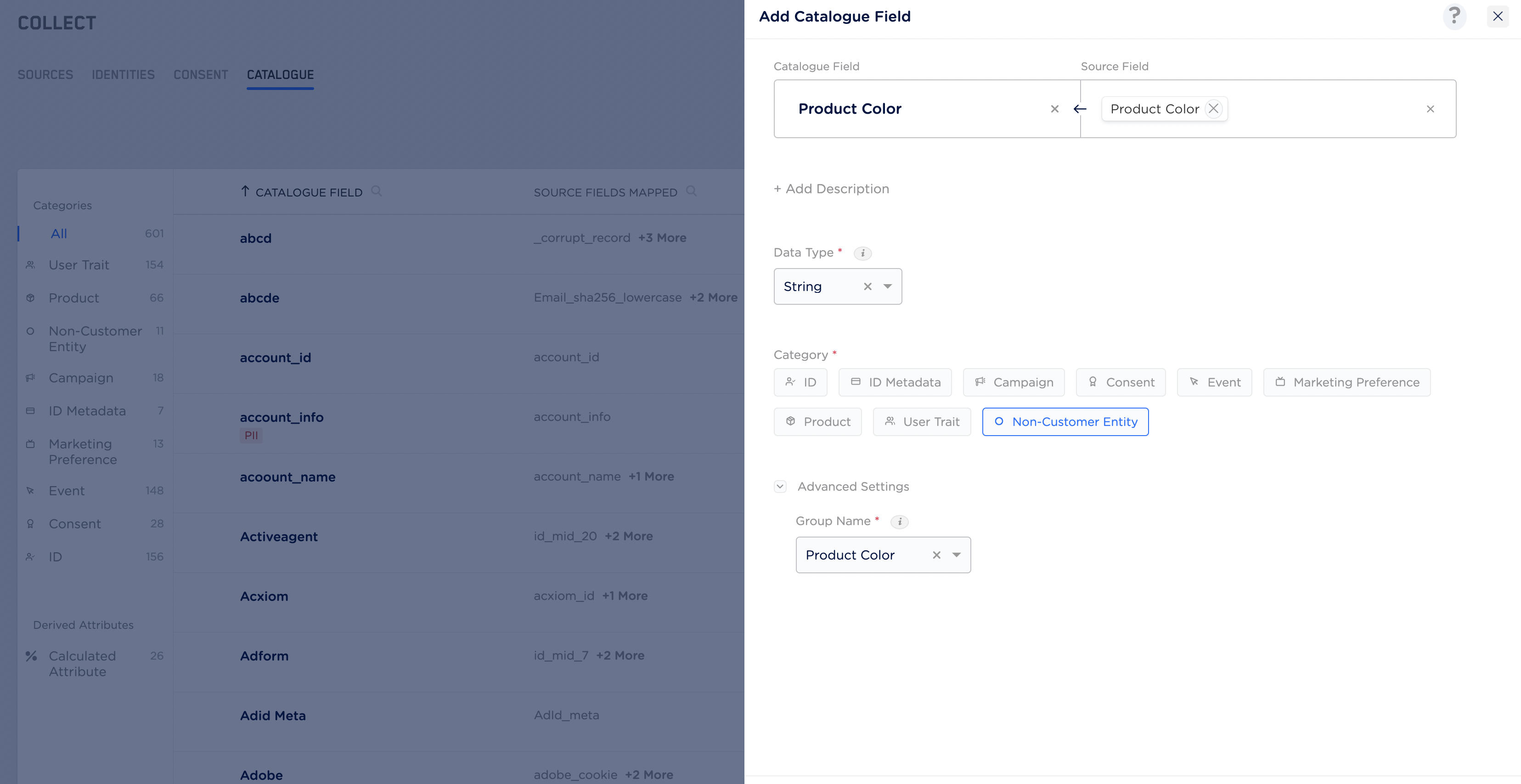
This page covers adding an NCE-type field to the Catalogue.For how NCE data joins to customer profiles, join patterns, composite keys and complex NCE joins, see Non-Customer Entity Data, How to Use NCE and Using Composite Key in NCE.
Steps
Perform the following steps to add a Non-Customer Entity category:1
Enter a Catalogue Field. As you type, suggestions based on the existing Catalogue Fields appear. You can choose a suggested Catalogue Field or click +Add Catalogue Field to add a new field.
2
Map the Catalogue Field to its corresponding Source Field. Same as the above behaviour, you can choose a suggested Source Field or click +Add a new Source Field to add a new field.
3
Enter a description for easy identification.
4
Choose one of the following as the Data Type:
- String
- Integer
- Double
- Timestamp
Note:Non-Customer Entity fields support only the single-value data types listed above.
Object, List of Objects and list types such as List of String, List of Integer or List of Double are not supported for this category.Wherever you use a field that is enriched with NCE data downstream, a drop-down lists all the NCE fields joined to it, so you pick the exact NCE field you want.5
Choose Non-customer Entity as the Category.
6
Save the changes.