What to check when Audience Boost shows no estimate, the boosted audience looks smaller than the seed, or the option is not available for a Destination.
This page covers Audience Boost — the Destination option that enriches your first-party (1P) audience with additional identifiers from Zeotap’s identity graph to increase match rates and addressable reach — and the outcomes you may see after enabling it: missing estimates, confusing size comparisons and the option not appearing for a Destination.
You enabled (or tried to enable) Audience Boost and one of the following:
The boosted audience’s size appears smaller than the seed audience’s size.
After enabling Audience Boost, no estimate populates and the connected destination platform’s count does not change.
The Audience Boost option is not available in the Destination Settings of the Destination you are linking.
Why This Happens
When Audience Boost is enabled, Zeotap creates two audiences in the connected Destination: {audience_name}, which contains your 1P seed data plus the Audience Boost enriched data, and do-not-use-{audience_name}, a benchmark reference that never receives the Audience Boost enriched data (by default it contains the seed data only). Because the boosted {audience_name} contains everything the seed contains and more, it should be larger than the seed — the Audience Insights Activation Metrics tab shows the uplift (for example, 50%↑) it delivers over the seed baseline.
Most “boosted is smaller than the seed” reports are a comparison mismatch, not a data loss: reading the do-not-use-{audience_name} benchmark (which is the un-boosted baseline by design), comparing a destination-reported matched count against a Zeotap-side count, or reading sizes before the first refresh completes. A boosted audience that is genuinely smaller than its seed on a like-for-like comparison is an anomaly to escalate, not expected behaviour.
Enabling the Do not create/refresh seed audience option only suppresses the do-not-use-{audience_name} benchmark audience. It does not remove seed records from the boosted audience — {audience_name} still contains seed plus enrichment.
A newly enabled boost typically shows its estimate only after the audience’s next scheduled refresh completes, and the destination platform reflects the new records on its own schedule after delivery.
Audience Boost is enabled per Destination, from that Destination’s settings in the UI. Its availability depends on the data acceptance policy of the specific Destination/Platform.
The destination platform’s matched count is governed by that platform’s identifier match rate against the records you sent — it is independent of how Zeotap counts the audience.
Observation
What it means
Where to look
In Progress (status does not advance after the scheduled refresh completes)
The boosted audience was queued but a downstream build step has not completed
Audiences list, status column
Boosted {audience_name} smaller than the seed on a like-for-like comparison
Not expected for any configuration — rule out a comparison mismatch, then escalate
Insights → Activation Metrics, Boosted vs. Seed cards
How to Resolve
Identify which of the three symptoms matches your situation, then follow that subsection.
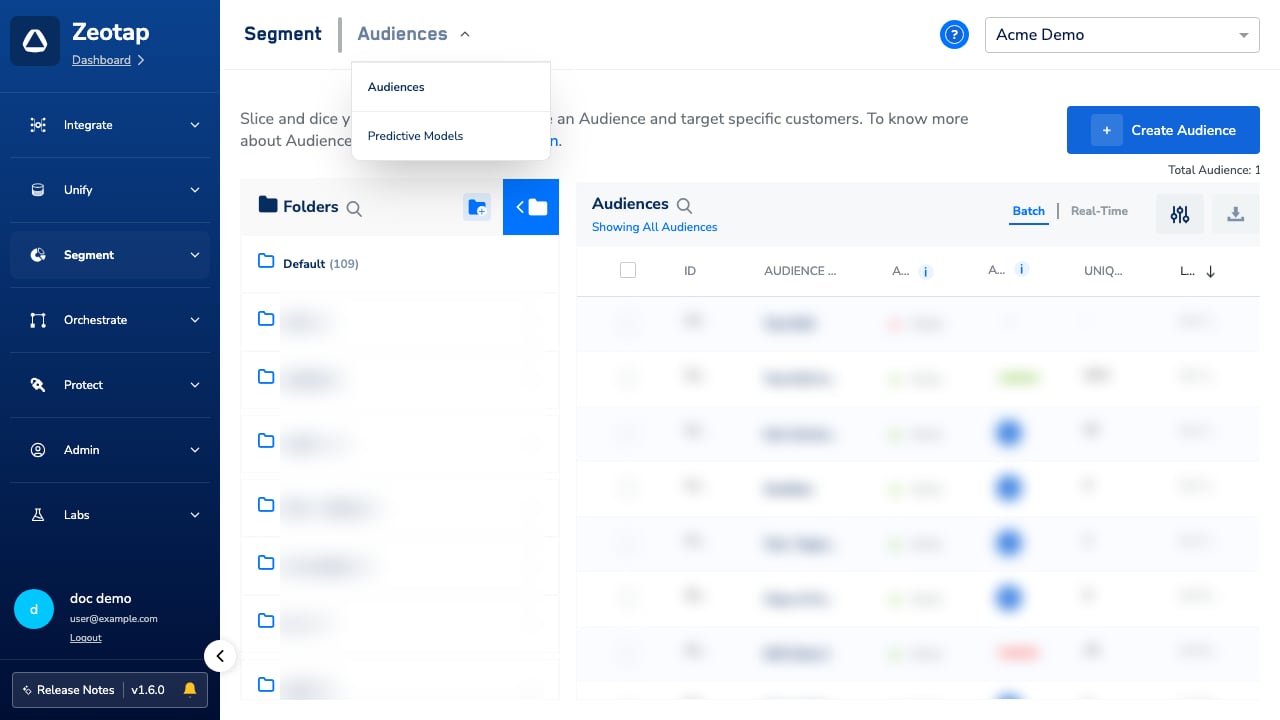
Segment → Audiences
The Boosted Audience Looks Smaller Than the Seed Audience
The boosted audience is defined as seed plus enrichment, so it should never be genuinely smaller than the seed. Work through the comparison checks below; if the gap survives all of them, treat it as an anomaly and raise it with support.
1
Check which audience you are reading. {audience_name} is the boosted audience; do-not-use-{audience_name} is the un-boosted benchmark and is expected to show the smaller, baseline size (it should not be used for targeting). Expected outcome: you have identified the boosted audience’s own numbers.
2
Compare like for like. Open Insights → Activation Metrics and compare the Boosted and Seed cards on the same field (User Count, Output Identifiers or — where the Destination reports feedback data — the Destination Metrics value, such as Estimated Audience Size). A destination-reported size for the boosted audience can legitimately sit below a Zeotap-side seed count, because the platform applies its own identifier match rate — that is a cross-system comparison, not a shrinking audience.
3
Confirm the boosted audience has completed a refresh since Audience Boost was enabled. Before the first refresh completes, its reported numbers are not yet meaningful to compare.
4
If the boosted {audience_name} is still smaller than the seed on the same metric from the same source, raise a support request with the audience ID, both sizes and where you read them, and the destination involved. This is not expected behaviour for any configuration — including Do not create/refresh seed audience, which only suppresses the benchmark audience and never removes seed records from the boosted output.
To verify the fix worked: on a like-for-like comparison, the boosted {audience_name} reports a size at or above the seed, and its Activation Metrics card shows the uplift over the seed baseline.
No Estimate Populates or the Destination Does Not Change
1
Confirm the date and time Audience Boost was enabled for this audience’s Destination. A boosted audience typically shows its estimate only after the audience’s next scheduled refresh completes and the records have been delivered to the destination.
2
Wait for the audience’s next scheduled refresh to complete before treating the empty estimate as an error. Re-open the audience to check whether the boosted audience’s estimate has populated.
Destination-platform counts (for example a DMP’s audience size or a CRM’s matched-user count) update on that platform’s own schedule after Zeotap delivers the records. Check the destination platform directly to see whether the boosted records have arrived there.
3
If the boosted audience’s status in the audiences list is still In Progress after its scheduled refresh has completed, raise a support request with the audience ID, the destination, and the time the boost was enabled, and ask for the run to be re-triggered.
4
If the boosted audience reports a non-zero size but the destination platform reports a far smaller matched count, that is the destination’s identifier match rate at work, not a Zeotap-side failure. See Link an Audience to the Destination for how to manage the output identifiers sent to the destination.
To verify the fix worked: the boosted audience shows a non-empty estimate, and the destination platform’s count updates on its own schedule.
The Audience Boost Option Is Not Available for a Destination
Audience Boost is enabled per Destination, directly from the UI.
1
Open the Destination and go to its Destination Settings.
2
Go to the Enable Audience Boost section, select the Audience boost checkbox and save the Destination.
Destination Settings → Enable Audience Boost
3
If you cannot find the Enable Audience Boost section for this Destination, the feature may not be available for that platform — availability depends on the data acceptance policy of the specific Destination/Platform. Contact your Zeotap POC to confirm eligibility.
To verify the fix worked: the Audience boost checkbox is selected in the Destination Settings, and after the next refresh the Destination contains the boosted {audience_name} (plus the do-not-use-{audience_name} benchmark, unless you suppressed it with Do not create/refresh seed audience).
When to Contact Support
Raise a support request when:
The boosted audience’s status in the audiences list stays In Progress after its scheduled refresh has completed and a re-open shows no change.
The boosted {audience_name} is smaller than the seed on a like-for-like comparison (same metric, same source) after the checks above — this is an anomaly, not expected behaviour.
For questions about whether a specific Destination/Platform’s data acceptance policy permits Audience Boost, contact your Zeotap POC.Include in your request:
Audience ID and name
Destination name and ID
Date and time Audience Boost was enabled on the Destination
The sizes of {audience_name} and do-not-use-{audience_name} as shown, and where you read them (Zeotap audiences list, Activation Metrics, or the destination platform)
The exact alert or status text shown on the audience
Destination platform’s reported matched count, if you have it
FAQs
Can the boosted audience be smaller than the seed audience?
No. The boosted {audience_name} contains your seed data plus the Audience Boost enriched data, so it should be larger than the seed — that uplift is the point of the feature. If it looks smaller, first check that you are not reading the do-not-use-{audience_name} benchmark (the un-boosted baseline) or comparing a destination-reported matched count against a Zeotap-side count. If it is genuinely smaller on a like-for-like comparison, raise a support request.
Does 'Do not create/refresh seed audience' remove seed records from the boosted audience?
No. That option only suppresses the separate do-not-use-{audience_name} benchmark audience, so only the boosted audience is created and refreshed. The boosted {audience_name} still contains seed plus enriched data.
How long does it take for the boosted estimate to appear after enabling Audience Boost?
The estimate typically appears after the audience’s next scheduled refresh completes. The destination platform then updates its own count on its own schedule after Zeotap delivers the records.
Why is the Audience Boost option not visible for my Destination?
Audience Boost is enabled per Destination: open the Destination’s Destination Settings, go to the Enable Audience Boost section and select the Audience boost checkbox. If you cannot find that section, the feature may not be available for that platform — availability depends on the data acceptance policy of the specific Destination/Platform. Contact your Zeotap POC for any inquiries.
Why does the destination platform report fewer users than the boosted size in Zeotap?
The destination platform reports on its own matched user base after applying its identifier match rate to the records Zeotap delivered. That count is independent of how Zeotap counts the audience, and a lower number there is not a Zeotap-side failure.
{"docsConfig":{"theme":"mint","$schema":"https://mintlify.com/docs.json","name":"Zeotap docs","colors":{"primary":"#174efb","light":"#174efb","dark":"#174efb"},"logo":{"light":"https://mintcdn.com/zeotap/pbiFRnrYXBNUsbba/logo/light.svg?fit=max\u0026auto=format\u0026n=pbiFRnrYXBNUsbba\u0026q=85\u0026s=c566b5af653699d3bcf4d8efb4f678d1","dark":"https://mintcdn.com/zeotap/pbiFRnrYXBNUsbba/logo/dark.svg?fit=max\u0026auto=format\u0026n=pbiFRnrYXBNUsbba\u0026q=85\u0026s=ae6e1d27d3d2e409f9e86c089b64e224","href":"https://zeotap.com/"},"favicon":"https://mintcdn.com/zeotap/Tg-jPUQrcrgXsHVA/favicon.svg?fit=max\u0026auto=format\u0026n=Tg-jPUQrcrgXsHVA\u0026q=85\u0026s=f5b2731a91bf6cad0fe370680ebae4fe","appearance":{"default":"light"},"background":{"decoration":"gradient","color":{"light":"#eaf0fe"}},"navbar":{"links":[{"href":"https://login.zeotap.com/","label":"Login"}],"primary":{"type":"button","label":"Book a Demo","href":"https://zeotap.com/demo/"}},"footer":{"socials":{"linkedin":"https://www.linkedin.com/company/zeotap"}},"seo":{"indexing":"all"},"integrations":{"ga4":{"measurementId":"G-XXXXXXXXXX"}},"banner":{"content":"New: [Support \u0026 Diagnostics](/articles/support-diagnostics-customer/support-diagnostics) troubleshooting guides are now live.","dismissible":true},"contextual":{"options":["copy","view","chatgpt","claude","perplexity","mcp","cursor","vscode"],"display":"header"},"metadata":{"timestamp":true},"styling":{"latex":true},"navigation":{"global":{},"pages":[]}},"deployment":{"deploymentMetadataValue":{"subdomain":"zeotap","hasAudioNarration":false,"actualSubdomain":"zeotap","customDomains":["docs.zeotap.com"],"gitSource":{"type":"github","owner":"zeotap","repo":"zeotap-docs","deployBranch":"main","contentDirectory":"","isPrivate":true,"mountPath":"","label":""},"feedback":{"thumbs":true},"entitlements":{"AI_CHAT":{"status":"ENABLED"},"WEB_MCP":{"status":"ENABLED"},"NARRATION":{"status":"ENABLED"}},"buildId":"6afd9644333f0ea064070171","clientVersion":"0.0.4177","searchFilterCounts":[{"language":"default","tag":"Products","count":356},{"language":"default","tag":"Integrate","count":215},{"language":"default","tag":"SDKs","count":157},{"language":"default","tag":"Destinations","count":150},{"language":"default","tag":"Batch Integrations","count":97},{"language":"default","tag":"Sources","count":65},{"language":"default","tag":"Unify","count":65},{"language":"default","tag":"Source Integrations (Batch+Real-Time)","count":54},{"language":"default","tag":"Release Notes","count":54},{"language":"default","tag":"Catalogue","count":48}]},"assistantConfig":{"enableAskAiButton":false,"enableStarterQuestions":false,"enableAskAiSearchBar":true},"basePath":"","hasChatPermissions":true,"hasWebMcpPermissions":true,"toggles":[{"name":"kill-isr","enabled":true,"variant":{"name":"disabled","enabled":false,"feature_enabled":true},"impressionData":false},{"name":"custom-rbac-roles","enabled":true,"variant":{"name":"disabled","enabled":false,"feature_enabled":true},"impressionData":false},{"name":"agent-mintlify-slack","enabled":true,"variant":{"name":"disabled","enabled":false,"feature_enabled":true},"impressionData":false},{"name":"agent-integrations-settings","enabled":true,"variant":{"name":"disabled","enabled":false,"feature_enabled":true},"impressionData":false},{"name":"rbac-expansion","enabled":true,"variant":{"name":"disabled","enabled":false,"feature_enabled":true},"impressionData":false},{"name":"automations-pr-grouping","enabled":true,"variant":{"name":"disabled","enabled":false,"feature_enabled":true},"impressionData":false},{"name":"custom-prefix","enabled":true,"variant":{"name":"disabled","enabled":false,"feature_enabled":true},"impressionData":false},{"name":"analytics-v7","enabled":true,"variant":{"name":"disabled","enabled":false,"feature_enabled":true},"impressionData":false},{"name":"user-flows-analytics","enabled":true,"variant":{"name":"disabled","enabled":false,"feature_enabled":true},"impressionData":false},{"name":"no-publish-flow","enabled":true,"variant":{"name":"disabled","enabled":false,"feature_enabled":true},"impressionData":false},{"name":"workos-onboarding","enabled":true,"variant":{"name":"disabled","enabled":false,"feature_enabled":true},"impressionData":false},{"name":"snapshot-serving-live","enabled":true,"variant":{"name":"disabled","enabled":false,"feature_enabled":true},"impressionData":false},{"name":"stripTemperatureMiddleware","enabled":true,"variant":{"name":"disabled","enabled":false,"feature_enabled":true},"impressionData":false},{"name":"support-platform-pylon-zendesk","enabled":true,"variant":{"name":"disabled","enabled":false,"feature_enabled":true},"impressionData":false},{"name":"snapshot-serving","enabled":true,"variant":{"name":"disabled","enabled":false,"feature_enabled":true},"impressionData":false},{"name":"instant-rollback","enabled":true,"variant":{"name":"disabled","enabled":false,"feature_enabled":true},"impressionData":false},{"name":"granular-notifications-server","enabled":true,"variant":{"name":"disabled","enabled":false,"feature_enabled":true},"impressionData":false},{"name":"granular-notifications","enabled":true,"variant":{"name":"disabled","enabled":false,"feature_enabled":true},"impressionData":false},{"name":"automations-fable","enabled":true,"variant":{"name":"disabled","enabled":false,"feature_enabled":true},"impressionData":false},{"name":"fixed-ai-action-pricing","enabled":true,"variant":{"name":"disabled","enabled":false,"feature_enabled":true},"impressionData":false},{"name":"automation-resolve-merge-conflict","enabled":true,"variant":{"name":"disabled","enabled":false,"feature_enabled":true},"impressionData":false},{"name":"scoped-publishing","enabled":true,"variant":{"name":"disabled","enabled":false,"feature_enabled":true},"impressionData":false},{"name":"mintql","enabled":true,"variant":{"name":"disabled","enabled":false,"feature_enabled":true},"impressionData":false},{"name":"page-level-analytics","enabled":true,"variant":{"name":"disabled","enabled":false,"feature_enabled":true},"impressionData":false},{"name":"editor-version-history-v2","enabled":true,"variant":{"name":"disabled","enabled":false,"feature_enabled":true},"impressionData":false},{"name":"billing-page-v2","enabled":true,"variant":{"name":"disabled","enabled":false,"feature_enabled":true},"impressionData":false},{"name":"full-page-search","enabled":true,"variant":{"name":"disabled","enabled":false,"feature_enabled":true},"impressionData":false},{"name":"workspace-projects","enabled":true,"variant":{"name":"disabled","enabled":false,"feature_enabled":true},"impressionData":false},{"name":"assistant-v5","enabled":true,"variant":{"name":"disabled","enabled":false,"feature_enabled":true},"impressionData":false},{"name":"fork-pr-previews","enabled":true,"variant":{"name":"disabled","enabled":false,"feature_enabled":true},"impressionData":false},{"name":"revalidation-jwt","enabled":true,"variant":{"name":"disabled","enabled":false,"feature_enabled":true},"impressionData":false},{"name":"workos-sso-scim","enabled":true,"variant":{"name":"disabled","enabled":false,"feature_enabled":true},"impressionData":false},{"name":"hobby-abuse-scan","enabled":true,"variant":{"name":"disabled","enabled":false,"feature_enabled":true},"impressionData":false},{"name":"dashboard-inbox","enabled":true,"variant":{"name":"disabled","enabled":false,"feature_enabled":true},"impressionData":false},{"name":"workos-signup","enabled":true,"variant":{"name":"disabled","enabled":false,"feature_enabled":true},"impressionData":false},{"name":"turbopuffer-dual-write","enabled":true,"variant":{"name":"disabled","enabled":false,"feature_enabled":true},"impressionData":false},{"name":"workos-enabled","enabled":true,"variant":{"name":"disabled","enabled":false,"feature_enabled":true},"impressionData":false},{"name":"approve-review-flow","enabled":true,"variant":{"name":"disabled","enabled":false,"feature_enabled":true},"impressionData":false},{"name":"editor-metadata","enabled":true,"variant":{"name":"disabled","enabled":false,"feature_enabled":true},"impressionData":false},{"name":"sso-setup-deadline-banner","enabled":true,"variant":{"name":"disabled","enabled":false,"feature_enabled":true},"impressionData":false},{"name":"turbopuffer-serve","enabled":true,"variant":{"name":"disabled","enabled":false,"feature_enabled":true},"impressionData":false},{"name":"live-agents","enabled":true,"variant":{"name":"disabled","enabled":false,"feature_enabled":true},"impressionData":false},{"name":"starter-pricing","enabled":true,"variant":{"name":"control","enabled":true,"payload":{"type":"string","value":"control"},"feature_enabled":true},"impressionData":false},{"name":"llms-txt-v2","enabled":true,"variant":{"name":"disabled","enabled":false,"feature_enabled":true},"impressionData":false},{"name":"wildcard-email-auth","enabled":true,"variant":{"name":"disabled","enabled":false,"feature_enabled":true},"impressionData":false}],"googleFontsInlined":false},"customCss":[],"page":{"pagePath":"articles/segment-customer/troubleshoot-audience-boost","slug":"/articles/segment-customer/troubleshoot-audience-boost","pageMetadata":{"title":"Troubleshoot Audience Boost","description":"What to check when Audience Boost shows no estimate, the boosted audience looks smaller than the seed, or the option is not available for a Destination.","href":"/articles/segment-customer/troubleshoot-audience-boost"},"description":{"compiledSource":"\"use strict\";\nconst {jsx: _jsx} = arguments[0];\nconst {useMDXComponents: _provideComponents} = arguments[0];\nfunction _createMdxContent(props) {\n const _components = {\n p: \"p\",\n ..._provideComponents(),\n ...props.components\n };\n return _jsx(_components.p, {\n children: \"What to check when Audience Boost shows no estimate, the boosted audience looks smaller than the seed, or the option is not available for a Destination.\"\n });\n}\nfunction MDXContent(props = {}) {\n const {wrapper: MDXLayout} = {\n ..._provideComponents(),\n ...props.components\n };\n return MDXLayout ? _jsx(MDXLayout, {\n ...props,\n children: _jsx(_createMdxContent, {\n ...props\n })\n }) : _createMdxContent(props);\n}\nreturn {\n default: MDXContent\n};\n","frontmatter":{},"scope":{}},"pageType":"default","mdx":{"mdxSource":{"compiledSource":"\"use strict\";const{Fragment:_Fragment,jsx:_jsx,jsxs:_jsxs}=arguments[0];const{useMDXComponents:_provideComponents}=arguments[0];function _createMdxContent(props){const _components={a:`a`,code:`code`,li:`li`,p:`p`,strong:`strong`,tbody:`tbody`,td:`td`,th:`th`,thead:`thead`,tr:`tr`,ul:`ul`,..._provideComponents(),...props.components},{Accordion,AccordionGroup,Frame,Heading,Info,Note,OptimizedImage,Step,Steps,Table}=_components;if(!Accordion)_missingMdxReference(`Accordion`,true);if(!AccordionGroup)_missingMdxReference(`AccordionGroup`,true);if(!Frame)_missingMdxReference(`Frame`,true);if(!Heading)_missingMdxReference(`Heading`,true);if(!Info)_missingMdxReference(`Info`,true);if(!Note)_missingMdxReference(`Note`,true);if(!OptimizedImage)_missingMdxReference(`OptimizedImage`,true);if(!Step)_missingMdxReference(`Step`,true);if(!Steps)_missingMdxReference(`Steps`,true);if(!Table)_missingMdxReference(`Table`,true);return _jsxs(_Fragment,{children:[_jsxs(_components.p,{children:[`This page covers `,_jsx(_components.a,{href:`/articles/segment-customer/audience-boost`,children:`Audience Boost`}),` — the Destination option that enriches your first-party (1P) audience with additional identifiers from Zeotap’s identity graph to increase match rates and addressable reach — and the outcomes you may see after enabling it: missing estimates, confusing size comparisons and the option not appearing for a Destination.`]}),`\n`,_jsx(Note,{children:_jsxs(_components.p,{children:[`If your audience is stuck in an `,_jsx(_components.code,{children:`In Progress`}),` status without Audience Boost involved, see `,_jsx(_components.a,{href:`/articles/segment-customer/audience-status-and-activation-status`,children:`Audience Status and Activation Status`}),`.`]})}),`\n`,_jsx(Heading,{level:`2`,id:`what-happened`,children:`What Happened`}),`\n`,_jsx(_components.p,{children:`You enabled (or tried to enable) Audience Boost and one of the following:`}),`\n`,_jsxs(_components.ul,{children:[`\n`,_jsx(_components.li,{children:`The boosted audience’s size appears smaller than the seed audience’s size.`}),`\n`,_jsx(_components.li,{children:`After enabling Audience Boost, no estimate populates and the connected destination platform’s count does not change.`}),`\n`,_jsx(_components.li,{children:`The Audience Boost option is not available in the Destination Settings of the Destination you are linking.`}),`\n`]}),`\n`,_jsx(Heading,{level:`2`,id:`why-this-happens`,children:`Why This Happens`}),`\n`,_jsxs(_components.p,{children:[`When Audience Boost is enabled, Zeotap creates two audiences in the connected Destination: `,_jsx(_components.code,{children:`{audience_name}`}),`, which contains your 1P seed data `,_jsx(_components.strong,{children:`plus`}),` the Audience Boost enriched data, and `,_jsx(_components.code,{children:`do-not-use-{audience_name}`}),`, a benchmark reference that never receives the Audience Boost enriched data (by default it contains the seed data only). Because the boosted `,_jsx(_components.code,{children:`{audience_name}`}),` contains everything the seed contains and more, it should be `,_jsx(_components.strong,{children:`larger`}),` than the seed — the `,_jsx(_components.a,{href:`/articles/segment-customer/audience-insights`,children:`Audience Insights`}),` Activation Metrics tab shows the uplift (for example, `,_jsx(_components.code,{children:`50%↑`}),`) it delivers over the seed baseline.`]}),`\n`,_jsxs(_components.ul,{children:[`\n`,_jsxs(_components.li,{children:[`Most “boosted is smaller than the seed” reports are a comparison mismatch, not a data loss: reading the `,_jsx(_components.code,{children:`do-not-use-{audience_name}`}),` benchmark (which is the un-boosted baseline by design), comparing a destination-reported matched count against a Zeotap-side count, or reading sizes before the first refresh completes. A boosted audience that is genuinely smaller than its seed on a like-for-like comparison is an anomaly to escalate, not expected behaviour.`]}),`\n`,_jsxs(_components.li,{children:[`Enabling the `,_jsx(_components.strong,{children:`Do not create/refresh seed audience`}),` option only suppresses the `,_jsx(_components.code,{children:`do-not-use-{audience_name}`}),` benchmark audience. It does not remove seed records from the boosted audience — `,_jsx(_components.code,{children:`{audience_name}`}),` still contains seed plus enrichment.`]}),`\n`,_jsx(_components.li,{children:`A newly enabled boost typically shows its estimate only after the audience’s next scheduled refresh completes, and the destination platform reflects the new records on its own schedule after delivery.`}),`\n`,_jsx(_components.li,{children:`Audience Boost is enabled per Destination, from that Destination’s settings in the UI. Its availability depends on the data acceptance policy of the specific Destination/Platform.`}),`\n`,_jsx(_components.li,{children:`The destination platform’s matched count is governed by that platform’s identifier match rate against the records you sent — it is independent of how Zeotap counts the audience.`}),`\n`]}),`\n`,_jsxs(Table,{children:[_jsx(_components.thead,{children:_jsxs(_components.tr,{children:[_jsx(_components.th,{style:{textAlign:`left`},children:`Observation`}),_jsx(_components.th,{style:{textAlign:`left`},children:`What it means`}),_jsx(_components.th,{style:{textAlign:`left`},children:`Where to look`})]})}),_jsxs(_components.tbody,{children:[_jsxs(_components.tr,{children:[_jsxs(_components.td,{style:{textAlign:`left`},children:[_jsx(_components.code,{children:`In Progress`}),` (status does not advance after the scheduled refresh completes)`]}),_jsx(_components.td,{style:{textAlign:`left`},children:`The boosted audience was queued but a downstream build step has not completed`}),_jsx(_components.td,{style:{textAlign:`left`},children:`Audiences list, status column`})]}),_jsxs(_components.tr,{children:[_jsxs(_components.td,{style:{textAlign:`left`},children:[`Boosted `,_jsx(_components.code,{children:`{audience_name}`}),` smaller than the seed on a like-for-like comparison`]}),_jsx(_components.td,{style:{textAlign:`left`},children:`Not expected for any configuration — rule out a comparison mismatch, then escalate`}),_jsx(_components.td,{style:{textAlign:`left`},children:`Insights → Activation Metrics, Boosted vs. Seed cards`})]})]})]}),`\n`,_jsx(Heading,{level:`2`,id:`how-to-resolve`,children:`How to Resolve`}),`\n`,_jsx(_components.p,{children:`Identify which of the three symptoms matches your situation, then follow that subsection.`}),`\n`,_jsx(Frame,{caption:`Segment → Audiences`,children:_jsx(OptimizedImage,{src:`https://mintcdn.com/zeotap/t5Y3t-wxKOoV2xoM/articles/segment-customer/Storage/segment-customer/troubleshoot-audience-boost/troubleshoot-audience-boost-2026-06-10.png?fit=max\u0026auto=format\u0026n=t5Y3t-wxKOoV2xoM\u0026q=85\u0026s=a364ce4f4b1f03b02d7d2a6ba4975125`,alt:``,\"data-og-width\":`1280`,width:`1280`,\"data-og-height\":`720`,height:`720`,\"data-path\":`articles/segment-customer/Storage/segment-customer/troubleshoot-audience-boost/troubleshoot-audience-boost-2026-06-10.png`,\"data-optimize\":`true`,\"data-opv\":`3`,srcset:`https://mintcdn.com/zeotap/t5Y3t-wxKOoV2xoM/articles/segment-customer/Storage/segment-customer/troubleshoot-audience-boost/troubleshoot-audience-boost-2026-06-10.png?w=280\u0026fit=max\u0026auto=format\u0026n=t5Y3t-wxKOoV2xoM\u0026q=85\u0026s=26fe1dc4c59fa92437e1b1e614f68e80 280w, https://mintcdn.com/zeotap/t5Y3t-wxKOoV2xoM/articles/segment-customer/Storage/segment-customer/troubleshoot-audience-boost/troubleshoot-audience-boost-2026-06-10.png?w=560\u0026fit=max\u0026auto=format\u0026n=t5Y3t-wxKOoV2xoM\u0026q=85\u0026s=ffa379ec1ca8bd5f1a39877323a9de6e 560w, https://mintcdn.com/zeotap/t5Y3t-wxKOoV2xoM/articles/segment-customer/Storage/segment-customer/troubleshoot-audience-boost/troubleshoot-audience-boost-2026-06-10.png?w=840\u0026fit=max\u0026auto=format\u0026n=t5Y3t-wxKOoV2xoM\u0026q=85\u0026s=275a5088cfbe441518f565aa6bbee662 840w, https://mintcdn.com/zeotap/t5Y3t-wxKOoV2xoM/articles/segment-customer/Storage/segment-customer/troubleshoot-audience-boost/troubleshoot-audience-boost-2026-06-10.png?w=1100\u0026fit=max\u0026auto=format\u0026n=t5Y3t-wxKOoV2xoM\u0026q=85\u0026s=a6ef6567a63c81ee8adf2ce132e2a930 1100w, https://mintcdn.com/zeotap/t5Y3t-wxKOoV2xoM/articles/segment-customer/Storage/segment-customer/troubleshoot-audience-boost/troubleshoot-audience-boost-2026-06-10.png?w=1650\u0026fit=max\u0026auto=format\u0026n=t5Y3t-wxKOoV2xoM\u0026q=85\u0026s=0362fb82d05a92588f2b67aa1f05e925 1650w, https://mintcdn.com/zeotap/t5Y3t-wxKOoV2xoM/articles/segment-customer/Storage/segment-customer/troubleshoot-audience-boost/troubleshoot-audience-boost-2026-06-10.png?w=2500\u0026fit=max\u0026auto=format\u0026n=t5Y3t-wxKOoV2xoM\u0026q=85\u0026s=e32b19366047c7934d8b1302e4ac1d54 2500w`})}),`\n`,_jsx(Heading,{level:`3`,id:`the-boosted-audience-looks-smaller-than-the-seed-audience`,children:`The Boosted Audience Looks Smaller Than the Seed Audience`}),`\n`,_jsx(_components.p,{children:`The boosted audience is defined as seed plus enrichment, so it should never be genuinely smaller than the seed. Work through the comparison checks below; if the gap survives all of them, treat it as an anomaly and raise it with support.`}),`\n`,_jsxs(Steps,{children:[_jsx(Step,{children:_jsxs(_components.p,{children:[`Check which audience you are reading. `,_jsx(_components.code,{children:`{audience_name}`}),` is the boosted audience; `,_jsx(_components.code,{children:`do-not-use-{audience_name}`}),` is the un-boosted benchmark and is expected to show the smaller, baseline size (it should not be used for targeting). Expected outcome: you have identified the boosted audience’s own numbers.`]})}),_jsx(Step,{children:_jsxs(_components.p,{children:[`Compare like for like. Open `,_jsx(_components.strong,{children:`Insights → Activation Metrics`}),` and compare the `,_jsx(_components.strong,{children:`Boosted`}),` and `,_jsx(_components.strong,{children:`Seed`}),` cards on the same field (User Count, Output Identifiers or — where the Destination reports feedback data — the Destination Metrics value, such as Estimated Audience Size). A destination-reported size for the boosted audience can legitimately sit below a Zeotap-side seed count, because the platform applies its own identifier match rate — that is a cross-system comparison, not a shrinking audience.`]})}),_jsx(Step,{children:_jsx(_components.p,{children:`Confirm the boosted audience has completed a refresh since Audience Boost was enabled. Before the first refresh completes, its reported numbers are not yet meaningful to compare.`})}),_jsx(Step,{children:_jsxs(_components.p,{children:[`If the boosted `,_jsx(_components.code,{children:`{audience_name}`}),` is still smaller than the seed on the same metric from the same source, raise a support request with the audience ID, both sizes and where you read them, and the destination involved. This is not expected behaviour for any configuration — including `,_jsx(_components.strong,{children:`Do not create/refresh seed audience`}),`, which only suppresses the benchmark audience and never removes seed records from the boosted output.`]})})]}),`\n`,_jsxs(_components.p,{children:[_jsx(_components.strong,{children:`To verify the fix worked:`}),` on a like-for-like comparison, the boosted `,_jsx(_components.code,{children:`{audience_name}`}),` reports a size at or above the seed, and its Activation Metrics card shows the uplift over the seed baseline.`]}),`\n`,_jsx(Heading,{level:`3`,id:`no-estimate-populates-or-the-destination-does-not-change`,children:`No Estimate Populates or the Destination Does Not Change`}),`\n`,_jsxs(Steps,{children:[_jsx(Step,{children:_jsx(_components.p,{children:`Confirm the date and time Audience Boost was enabled for this audience’s Destination. A boosted audience typically shows its estimate only after the audience’s next scheduled refresh completes and the records have been delivered to the destination.`})}),_jsxs(Step,{children:[_jsx(_components.p,{children:`Wait for the audience’s next scheduled refresh to complete before treating the empty estimate as an error. Re-open the audience to check whether the boosted audience’s estimate has populated.`}),_jsx(Info,{children:_jsx(_components.p,{children:`Destination-platform counts (for example a DMP’s audience size or a CRM’s matched-user count) update on that platform’s own schedule after Zeotap delivers the records. Check the destination platform directly to see whether the boosted records have arrived there.`})})]}),_jsx(Step,{children:_jsxs(_components.p,{children:[`If the boosted audience’s status in the audiences list is still `,_jsx(_components.code,{children:`In Progress`}),` after its scheduled refresh has completed, raise a support request with the audience ID, the destination, and the time the boost was enabled, and ask for the run to be re-triggered.`]})}),_jsx(Step,{children:_jsxs(_components.p,{children:[`If the boosted audience reports a non-zero size but the destination platform reports a far smaller matched count, that is the destination’s identifier match rate at work, not a Zeotap-side failure. See `,_jsx(_components.a,{href:`/articles/integrate-customer/link-an-audience-to-the-destination`,children:`Link an Audience to the Destination`}),` for how to manage the output identifiers sent to the destination.`]})})]}),`\n`,_jsxs(_components.p,{children:[_jsx(_components.strong,{children:`To verify the fix worked:`}),` the boosted audience shows a non-empty estimate, and the destination platform’s count updates on its own schedule.`]}),`\n`,_jsx(Heading,{level:`3`,id:`the-audience-boost-option-is-not-available-for-a-destination`,children:`The Audience Boost Option Is Not Available for a Destination`}),`\n`,_jsx(_components.p,{children:`Audience Boost is enabled per Destination, directly from the UI.`}),`\n`,_jsxs(Steps,{children:[_jsx(Step,{children:_jsxs(_components.p,{children:[`Open the Destination and go to its `,_jsx(_components.strong,{children:`Destination Settings`}),`.`]})}),_jsxs(Step,{children:[_jsxs(_components.p,{children:[`Go to the `,_jsx(_components.strong,{children:`Enable Audience Boost`}),` section, select the `,_jsx(_components.strong,{children:`Audience boost`}),` checkbox and save the Destination.`]}),_jsx(Frame,{caption:`Destination Settings → Enable Audience Boost`,children:_jsx(OptimizedImage,{src:`https://mintcdn.com/zeotap/wyZMqLfxzxMYIb-g/articles/segment-customer/Storage/segment-customer/audience-boost/audience-boost-2026-06-01-1.png?fit=max\u0026auto=format\u0026n=wyZMqLfxzxMYIb-g\u0026q=85\u0026s=9d028a6388fd61aea9667f3e115dd43b`,alt:``,\"data-og-width\":`2048`,width:`2048`,\"data-og-height\":`1561`,height:`1561`,\"data-path\":`articles/segment-customer/Storage/segment-customer/audience-boost/audience-boost-2026-06-01-1.png`,\"data-optimize\":`true`,\"data-opv\":`3`,srcset:`https://mintcdn.com/zeotap/wyZMqLfxzxMYIb-g/articles/segment-customer/Storage/segment-customer/audience-boost/audience-boost-2026-06-01-1.png?w=280\u0026fit=max\u0026auto=format\u0026n=wyZMqLfxzxMYIb-g\u0026q=85\u0026s=0608cb9ae8a4bab1e1e6fa52e5632724 280w, https://mintcdn.com/zeotap/wyZMqLfxzxMYIb-g/articles/segment-customer/Storage/segment-customer/audience-boost/audience-boost-2026-06-01-1.png?w=560\u0026fit=max\u0026auto=format\u0026n=wyZMqLfxzxMYIb-g\u0026q=85\u0026s=43d5ce6ac7af35f3687666950931bee3 560w, https://mintcdn.com/zeotap/wyZMqLfxzxMYIb-g/articles/segment-customer/Storage/segment-customer/audience-boost/audience-boost-2026-06-01-1.png?w=840\u0026fit=max\u0026auto=format\u0026n=wyZMqLfxzxMYIb-g\u0026q=85\u0026s=76db755f024679686237301c38ba1e7d 840w, https://mintcdn.com/zeotap/wyZMqLfxzxMYIb-g/articles/segment-customer/Storage/segment-customer/audience-boost/audience-boost-2026-06-01-1.png?w=1100\u0026fit=max\u0026auto=format\u0026n=wyZMqLfxzxMYIb-g\u0026q=85\u0026s=b98020cced30020fff01c1a6b4e57b3f 1100w, https://mintcdn.com/zeotap/wyZMqLfxzxMYIb-g/articles/segment-customer/Storage/segment-customer/audience-boost/audience-boost-2026-06-01-1.png?w=1650\u0026fit=max\u0026auto=format\u0026n=wyZMqLfxzxMYIb-g\u0026q=85\u0026s=4ed7cb73292474211d5ec6a7095a6ce6 1650w, https://mintcdn.com/zeotap/wyZMqLfxzxMYIb-g/articles/segment-customer/Storage/segment-customer/audience-boost/audience-boost-2026-06-01-1.png?w=2500\u0026fit=max\u0026auto=format\u0026n=wyZMqLfxzxMYIb-g\u0026q=85\u0026s=f80de9d51e30f5f17190a9c01459c255 2500w`})})]}),_jsx(Step,{children:_jsxs(_components.p,{children:[`If you cannot find the `,_jsx(_components.strong,{children:`Enable Audience Boost`}),` section for this Destination, the feature may not be available for that platform — availability depends on the data acceptance policy of the specific Destination/Platform. Contact your Zeotap POC to confirm eligibility.`]})})]}),`\n`,_jsxs(_components.p,{children:[_jsx(_components.strong,{children:`To verify the fix worked:`}),` the `,_jsx(_components.strong,{children:`Audience boost`}),` checkbox is selected in the Destination Settings, and after the next refresh the Destination contains the boosted `,_jsx(_components.code,{children:`{audience_name}`}),` (plus the `,_jsx(_components.code,{children:`do-not-use-{audience_name}`}),` benchmark, unless you suppressed it with `,_jsx(_components.strong,{children:`Do not create/refresh seed audience`}),`).`]}),`\n`,_jsx(Heading,{level:`2`,id:`when-to-contact-support`,children:`When to Contact Support`}),`\n`,_jsx(_components.p,{children:`Raise a support request when:`}),`\n`,_jsxs(_components.ul,{children:[`\n`,_jsxs(_components.li,{children:[`The boosted audience’s status in the audiences list stays `,_jsx(_components.code,{children:`In Progress`}),` after its scheduled refresh has completed and a re-open shows no change.`]}),`\n`,_jsxs(_components.li,{children:[`The boosted `,_jsx(_components.code,{children:`{audience_name}`}),` is smaller than the seed on a like-for-like comparison (same metric, same source) after the checks above — this is an anomaly, not expected behaviour.`]}),`\n`]}),`\n`,_jsx(_components.p,{children:`For questions about whether a specific Destination/Platform’s data acceptance policy permits Audience Boost, contact your Zeotap POC.`}),`\n`,_jsx(_components.p,{children:`Include in your request:`}),`\n`,_jsxs(_components.ul,{children:[`\n`,_jsx(_components.li,{children:`Audience ID and name`}),`\n`,_jsx(_components.li,{children:`Destination name and ID`}),`\n`,_jsx(_components.li,{children:`Date and time Audience Boost was enabled on the Destination`}),`\n`,_jsxs(_components.li,{children:[`The sizes of `,_jsx(_components.code,{children:`{audience_name}`}),` and `,_jsx(_components.code,{children:`do-not-use-{audience_name}`}),` as shown, and where you read them (Zeotap audiences list, Activation Metrics, or the destination platform)`]}),`\n`,_jsx(_components.li,{children:`The exact alert or status text shown on the audience`}),`\n`,_jsx(_components.li,{children:`Destination platform’s reported matched count, if you have it`}),`\n`]}),`\n`,_jsx(Heading,{level:`2`,id:`faqs`,children:`FAQs`}),`\n`,_jsxs(AccordionGroup,{children:[_jsx(Accordion,{title:`Can the boosted audience be smaller than the seed audience?`,id:`can-the-boosted-audience-be-smaller-than-the-seed-audience`,children:_jsxs(_components.p,{children:[`No. The boosted `,_jsx(_components.code,{children:`{audience_name}`}),` contains your seed data plus the Audience Boost enriched data, so it should be larger than the seed — that uplift is the point of the feature. If it looks smaller, first check that you are not reading the `,_jsx(_components.code,{children:`do-not-use-{audience_name}`}),` benchmark (the un-boosted baseline) or comparing a destination-reported matched count against a Zeotap-side count. If it is genuinely smaller on a like-for-like comparison, raise a support request.`]})}),_jsx(Accordion,{title:`Does 'Do not create/refresh seed audience' remove seed records from the boosted audience?`,id:`does-do-not-create-refresh-seed-audience-remove-seed-records-from-the-boosted-audience`,children:_jsxs(_components.p,{children:[`No. That option only suppresses the separate `,_jsx(_components.code,{children:`do-not-use-{audience_name}`}),` benchmark audience, so only the boosted audience is created and refreshed. The boosted `,_jsx(_components.code,{children:`{audience_name}`}),` still contains seed plus enriched data.`]})}),_jsx(Accordion,{title:`How long does it take for the boosted estimate to appear after enabling Audience Boost?`,id:`how-long-does-it-take-for-the-boosted-estimate-to-appear-after-enabling-audience-boost`,children:_jsx(_components.p,{children:`The estimate typically appears after the audience’s next scheduled refresh completes. The destination platform then updates its own count on its own schedule after Zeotap delivers the records.`})}),_jsx(Accordion,{title:`Why is the Audience Boost option not visible for my Destination?`,id:`why-is-the-audience-boost-option-not-visible-for-my-destination`,children:_jsxs(_components.p,{children:[`Audience Boost is enabled per Destination: open the Destination’s `,_jsx(_components.strong,{children:`Destination Settings`}),`, go to the `,_jsx(_components.strong,{children:`Enable Audience Boost`}),` section and select the `,_jsx(_components.strong,{children:`Audience boost`}),` checkbox. If you cannot find that section, the feature may not be available for that platform — availability depends on the data acceptance policy of the specific Destination/Platform. Contact your Zeotap POC for any inquiries.`]})}),_jsx(Accordion,{title:`Why does the destination platform report fewer users than the boosted size in Zeotap?`,id:`why-does-the-destination-platform-report-fewer-users-than-the-boosted-size-in-zeotap`,children:_jsx(_components.p,{children:`The destination platform reports on its own matched user base after applying its identifier match rate to the records Zeotap delivered. That count is independent of how Zeotap counts the audience, and a lower number there is not a Zeotap-side failure.`})})]}),`\n`,_jsx(Heading,{level:`2`,id:`related-topics`,children:`Related Topics`}),`\n`,_jsxs(_components.ul,{children:[`\n`,_jsx(_components.li,{children:_jsx(_components.a,{href:`/articles/segment-customer/audience-boost`,children:`Audience Boost`})}),`\n`,_jsx(_components.li,{children:_jsx(_components.a,{href:`/articles/segment-customer/extend-your-audience`,children:`Extend Your Audience`})}),`\n`,_jsx(_components.li,{children:_jsx(_components.a,{href:`/articles/segment-customer/audience-insights`,children:`Audience Insights`})}),`\n`,_jsx(_components.li,{children:_jsx(_components.a,{href:`/articles/segment-customer/audience`,children:`Audience`})}),`\n`,_jsx(_components.li,{children:_jsx(_components.a,{href:`/articles/segment-customer/audience-status-and-activation-status`,children:`Audience Status and Activation Status`})}),`\n`,_jsx(_components.li,{children:_jsx(_components.a,{href:`/articles/integrate-customer/link-an-audience-to-the-destination`,children:`Link an Audience to the Destination`})}),`\n`]})]})}function MDXContent(props={}){const{wrapper:MDXLayout}={..._provideComponents(),...props.components};return MDXLayout?_jsx(MDXLayout,{...props,children:_jsx(_createMdxContent,{...props})}):_createMdxContent(props)}return{default:MDXContent};function _missingMdxReference(id,component){throw new Error(`Expected `+(component?`component`:`object`)+\" `\"+id+\"` to be defined: you likely forgot to import, pass, or provide it.\")}","frontmatter":{},"scope":{"config":{},"pageMetadata":{"title":"Troubleshoot Audience Boost","description":"What to check when Audience Boost shows no estimate, the boosted audience looks smaller than the seed, or the option is not available for a Destination.","href":"/articles/segment-customer/troubleshoot-audience-boost"}}},"mdxSourceWithNoJs":null},"mdxExtracts":{"tableOfContents":[{"title":"What Happened","slug":"what-happened","depth":2,"children":[]},{"title":"Why This Happens","slug":"why-this-happens","depth":2,"children":[]},{"title":"How to Resolve","slug":"how-to-resolve","depth":2,"children":[{"title":"The Boosted Audience Looks Smaller Than the Seed Audience","slug":"the-boosted-audience-looks-smaller-than-the-seed-audience","depth":3,"children":[]},{"title":"No Estimate Populates or the Destination Does Not Change","slug":"no-estimate-populates-or-the-destination-does-not-change","depth":3,"children":[]},{"title":"The Audience Boost Option Is Not Available for a Destination","slug":"the-audience-boost-option-is-not-available-for-a-destination","depth":3,"children":[]}]},{"title":"When to Contact Support","slug":"when-to-contact-support","depth":2,"children":[]},{"title":"FAQs","slug":"faqs","depth":2,"children":[]},{"title":"Related Topics","slug":"related-topics","depth":2,"children":[]}],"codeExamples":{}},"jsLinks":["/_mintlify/custom/zeotap/8d1f66bf8eed64a4/scripts/convert-to-mdx.js"],"subdomain":"zeotap","siteName":"Zeotap docs","title":"Troubleshoot Audience Boost - Zeotap docs","navMaps":{"firstHrefInVersion":{},"firstHrefInLanguage":{}},"lastModified":"2026-11-18T12:12:58.391Z","gitLastModified":"2026-11-18T12:12:49.000Z","originalFileLocation":"articles/segment-customer/troubleshoot-audience-boost.mdx"},"headHtml":"\u003cscript data-mint-head>(function(){var d=document.documentElement,p=null;if(!p){try{p=localStorage.getItem(\"isDarkMode\")}catch(e){}if(p==='true')p='dark';else if(p==='false')p='light';if(p!=='light'\u0026\u0026p!=='dark'\u0026\u0026p!=='system')p=\"light\"}var r=p==='system'?(matchMedia(\"(prefers-color-scheme: dark)\").matches?'dark':'light'):p;d.classList.remove(r==='dark'?'light':'dark');d.classList.add(r);d.setAttribute(\"data-theme-preference\",p)})();\u003c/script>\u003cmeta data-mint-head name=\"description\" content=\"What to check when Audience Boost shows no estimate, the boosted audience looks smaller than the seed, or the option is not available for a Destination.\">\u003cmeta data-mint-head name=\"application-name\" content=\"Zeotap docs\">\u003cmeta data-mint-head name=\"generator\" content=\"Mintlify\">\u003clink data-mint-head rel=\"icon\" type=\"image/png\" sizes=\"192x192\" href=\"/mintlify-assets/_mintlify/favicons/zeotap/dSUuokAmJ7V-SYpL/_generated/favicon/android-chrome-192x192.png\" media=\"(prefers-color-scheme: light)\">\u003clink data-mint-head rel=\"apple-touch-icon\" type=\"image/png\" sizes=\"180x180\" href=\"/mintlify-assets/_mintlify/favicons/zeotap/dSUuokAmJ7V-SYpL/_generated/favicon/apple-touch-icon.png\">\u003clink data-mint-head rel=\"icon\" type=\"image/png\" sizes=\"16x16\" href=\"/mintlify-assets/_mintlify/favicons/zeotap/dSUuokAmJ7V-SYpL/_generated/favicon/favicon-16x16.png\" media=\"(prefers-color-scheme: light)\">\u003clink data-mint-head rel=\"icon\" type=\"image/png\" sizes=\"32x32\" href=\"/mintlify-assets/_mintlify/favicons/zeotap/dSUuokAmJ7V-SYpL/_generated/favicon/favicon-32x32.png\" media=\"(prefers-color-scheme: light)\">\u003clink data-mint-head rel=\"shortcut icon\" type=\"image/x-icon\" href=\"/mintlify-assets/_mintlify/favicons/zeotap/dSUuokAmJ7V-SYpL/_generated/favicon/favicon.ico\" media=\"(prefers-color-scheme: light)\">\u003clink data-mint-head rel=\"icon\" type=\"image/png\" sizes=\"192x192\" href=\"/mintlify-assets/_mintlify/favicons/zeotap/dSUuokAmJ7V-SYpL/_generated/favicon-dark/android-chrome-192x192.png\" media=\"(prefers-color-scheme: dark)\">\u003clink data-mint-head rel=\"icon\" type=\"image/png\" sizes=\"16x16\" href=\"/mintlify-assets/_mintlify/favicons/zeotap/dSUuokAmJ7V-SYpL/_generated/favicon-dark/favicon-16x16.png\" media=\"(prefers-color-scheme: dark)\">\u003clink data-mint-head rel=\"icon\" type=\"image/png\" sizes=\"32x32\" href=\"/mintlify-assets/_mintlify/favicons/zeotap/dSUuokAmJ7V-SYpL/_generated/favicon-dark/favicon-32x32.png\" media=\"(prefers-color-scheme: dark)\">\u003clink data-mint-head rel=\"shortcut icon\" type=\"image/x-icon\" href=\"/mintlify-assets/_mintlify/favicons/zeotap/dSUuokAmJ7V-SYpL/_generated/favicon-dark/favicon.ico\" media=\"(prefers-color-scheme: dark)\">\u003cmeta data-mint-head property=\"og:title\" content=\"Troubleshoot Audience Boost - Zeotap docs\">\u003cmeta data-mint-head property=\"og:description\" content=\"What to check when Audience Boost shows no estimate, the boosted audience looks smaller than the seed, or the option is not available for a Destination.\">\u003cmeta data-mint-head property=\"og:site_name\" content=\"Zeotap docs\">\u003cmeta data-mint-head property=\"og:url\" content=\"https://docs.zeotap.com/articles/segment-customer/troubleshoot-audience-boost\">\u003cmeta data-mint-head property=\"og:type\" content=\"website\">\u003cmeta data-mint-head property=\"og:image\" content=\"https://zeotap.mintlify.site/_mintlify/api/og/v2?division=Activate+%26+Send+to+Destinations\u0026amp;title=Troubleshoot+Audience+Boost\u0026amp;description=What+to+check+when+Audience+Boost+shows+no+estimate%2C+the+boosted+audience+looks+smaller+than+the+seed%2C+or+the+option+is+not+available+for+a+Destination.\u0026amp;theme=93bf95acd4691f2b4bc4d35f\u0026amp;signature=13ebd297ad5808b881b6cb6e2ab02c3bef30ce43a69087e03aa1a4542f76b36a\">\u003cmeta data-mint-head property=\"og:image:width\" content=\"1200\">\u003cmeta data-mint-head property=\"og:image:height\" content=\"630\">\u003cmeta data-mint-head name=\"twitter:card\" content=\"summary_large_image\">\u003cmeta data-mint-head name=\"twitter:title\" content=\"Troubleshoot Audience Boost - Zeotap docs\">\u003cmeta data-mint-head name=\"twitter:description\" content=\"What to check when Audience Boost shows no estimate, the boosted audience looks smaller than the seed, or the option is not available for a Destination.\">\u003cmeta data-mint-head name=\"twitter:image\" content=\"https://zeotap.mintlify.site/_mintlify/api/og/v2?division=Activate+%26+Send+to+Destinations\u0026amp;title=Troubleshoot+Audience+Boost\u0026amp;description=What+to+check+when+Audience+Boost+shows+no+estimate%2C+the+boosted+audience+looks+smaller+than+the+seed%2C+or+the+option+is+not+available+for+a+Destination.\u0026amp;theme=93bf95acd4691f2b4bc4d35f\u0026amp;signature=13ebd297ad5808b881b6cb6e2ab02c3bef30ce43a69087e03aa1a4542f76b36a\">\u003cmeta data-mint-head name=\"twitter:image:width\" content=\"1200\">\u003cmeta data-mint-head name=\"twitter:image:height\" content=\"630\">\u003cmeta data-mint-head name=\"msapplication-config\" content=\"/mintlify-assets/_mintlify/favicons/zeotap/dSUuokAmJ7V-SYpL/_generated/favicon/browserconfig.xml\">\u003cmeta data-mint-head name=\"apple-mobile-web-app-title\" content=\"Zeotap docs\">\u003cmeta data-mint-head name=\"msapplication-TileColor\" content=\"#174efb\">\u003clink data-mint-head rel=\"canonical\" href=\"https://docs.zeotap.com/articles/segment-customer/troubleshoot-audience-boost\">\u003clink data-mint-head rel=\"alternate\" type=\"application/xml\" href=\"/sitemap.xml\">\u003clink data-mint-head rel=\"alternate\" type=\"text/markdown\" href=\"/articles/segment-customer/troubleshoot-audience-boost.md\">\u003cscript data-mint-head type=\"application/ld+json\">{\"@context\":\"https://schema.org\",\"@graph\":[{\"@type\":\"Organization\",\"@id\":\"https://docs.zeotap.com/#organization\",\"name\":\"Zeotap docs\",\"url\":\"https://docs.zeotap.com\",\"logo\":{\"@type\":\"ImageObject\",\"url\":\"https://mintcdn.com/zeotap/pbiFRnrYXBNUsbba/logo/light.svg?fit=max\u0026auto=format\u0026n=pbiFRnrYXBNUsbba\u0026q=85\u0026s=c566b5af653699d3bcf4d8efb4f678d1\"}},{\"@type\":\"WebSite\",\"@id\":\"https://docs.zeotap.com#website\",\"name\":\"Zeotap docs\",\"url\":\"https://docs.zeotap.com\",\"publisher\":{\"@id\":\"https://docs.zeotap.com/#organization\"}},{\"@type\":\"WebPage\",\"@id\":\"https://docs.zeotap.com/articles/segment-customer/troubleshoot-audience-boost#webpage\",\"url\":\"https://docs.zeotap.com/articles/segment-customer/troubleshoot-audience-boost\",\"name\":\"Troubleshoot Audience Boost\",\"description\":\"What to check when Audience Boost shows no estimate, the boosted audience looks smaller than the seed, or the option is not available for a Destination.\",\"dateModified\":\"2026-11-18T12:12:49.000Z\",\"isPartOf\":{\"@id\":\"https://docs.zeotap.com#website\"},\"breadcrumb\":{\"@id\":\"https://docs.zeotap.com/articles/segment-customer/troubleshoot-audience-boost#breadcrumb\"}},{\"@type\":\"BreadcrumbList\",\"@id\":\"https://docs.zeotap.com/articles/segment-customer/troubleshoot-audience-boost#breadcrumb\",\"itemListElement\":[{\"@type\":\"ListItem\",\"position\":1,\"name\":\"Segment\",\"item\":\"https://docs.zeotap.com/articles/segment-customer/audience\"},{\"@type\":\"ListItem\",\"position\":2,\"name\":\"Activate \u0026 Send to Destinations\",\"item\":\"https://docs.zeotap.com/articles/segment-customer/activate-your-audience\"},{\"@type\":\"ListItem\",\"position\":3,\"name\":\"Troubleshoot Audience Boost\",\"item\":\"https://docs.zeotap.com/articles/segment-customer/troubleshoot-audience-boost\"}]},{\"@type\":[\"Article\",\"TechArticle\"],\"@id\":\"https://docs.zeotap.com/articles/segment-customer/troubleshoot-audience-boost#article\",\"headline\":\"Troubleshoot Audience Boost\",\"name\":\"Troubleshoot Audience Boost\",\"description\":\"What to check when Audience Boost shows no estimate, the boosted audience looks smaller than the seed, or the option is not available for a Destination.\",\"url\":\"https://docs.zeotap.com/articles/segment-customer/troubleshoot-audience-boost\",\"mainEntityOfPage\":{\"@id\":\"https://docs.zeotap.com/articles/segment-customer/troubleshoot-audience-boost#webpage\"},\"dateModified\":\"2026-11-18T12:12:49.000Z\",\"publisher\":{\"@id\":\"https://docs.zeotap.com/#organization\"},\"isPartOf\":{\"@id\":\"https://docs.zeotap.com#website\"}}]}\u003c/script>\u003cscript data-mint-head type=\"application/ld+json\">{\"@context\":\"https://schema.org\",\"@type\":\"WebSite\",\"name\":\"Zeotap docs\",\"publisher\":{\"@type\":\"Organization\",\"name\":\"Zeotap docs\"},\"provider\":{\"@type\":\"Organization\",\"name\":\"Mintlify\",\"url\":\"https://mintlify.com\"}}\u003c/script>","agentPointerHref":"/articles/segment-customer/troubleshoot-audience-boost.md","siteName":"Zeotap docs","nav":{"global":{},"tabs":[{"tab":"Home","icon":"house","pages":[{"title":"Home","href":""}]},{"tab":"Products","icon":"grid-2","groups":[{"group":"Integrate","icon":"plug","root":{"title":"Integrate","sidebarTitle":"Overview","href":"/articles/integrate-customer/integrate"},"expanded":false,"pages":[{"group":"Sources","icon":"database","root":{"title":"Sources","sidebarTitle":"Overview","href":"/articles/integrate-customer/sources"},"pages":[{"title":"Components of the Source Listing Page","sidebarTitle":"Source Listing Page","href":"/articles/integrate-customer/components-of-the-source-listing-page"},{"title":"Components of the Preview Data Tab","sidebarTitle":"Preview Data tab","href":"/articles/integrate-customer/knowing-the-fields-on-the-preview-data-tab"},{"title":"Onboard Raw PII data into Zeotap","sidebarTitle":"Onboard Raw PII","href":"/articles/integrate-customer/onboard-raw-pii-data-into-zeotap"},{"group":"Source Integrations (Batch+Real-Time)","root":{"title":"Source Integrations (Batch and Real-Time)","sidebarTitle":"Sources catalogue","href":"/articles/integrate-customer/creating-a-source"},"pages":[{"group":"Website Events (CE)","root":{"title":"Website Events (CE)","sidebarTitle":"Website Events","href":"/articles/integrate-customer/website-events"},"pages":[{"group":"Web JavaScript SDK","root":{"title":"Web JavaScript SDK","sidebarTitle":"Web JavaScript SDK","href":"/articles/integrate-customer/web-javascript"},"pages":[{"title":"Create a Web JavaScript source","sidebarTitle":"Create a Web JS source","href":"/articles/integrate-customer/creating-web-js-source-2676490558"}]},{"group":"Web Pixel/Web IFrame/App Pixel","root":{"title":"Web Pixel/Web IFrame/App Pixel","sidebarTitle":"Overview","href":"/articles/integrate-customer/web-pixel-web-iframe-app-pixel"},"pages":[{"title":"Create a Web Pixel, IFrame or App Pixel source","sidebarTitle":"Create the source","href":"/articles/integrate-customer/2676392376"},{"title":"Implement the Pixel Source","sidebarTitle":"Implement pixels","href":"/articles/integrate-customer/implementing-pixel-source-2665775396"},{"title":"Implement Pixels on a Site, Ad or Campaign","sidebarTitle":"Pixels via a tag manager","href":"/articles/integrate-customer/implementing-pixels-on-a-site-2c-ad-or-campaign-2693727342"}]}]},{"group":"App Events (CE)","root":{"title":"App Events (CE)","sidebarTitle":"App Events","href":"/articles/integrate-customer/app-events"},"pages":[{"group":"Android SDK","root":{"title":"Android SDK source","sidebarTitle":"Android SDK","href":"/articles/integrate-customer/android-sdk"},"pages":[{"title":"Create an Android SDK source","sidebarTitle":"Create the source","href":"/articles/integrate-customer/creating-android-sdk-source"}]},{"group":"iOS SDK","root":{"title":"iOS SDK","sidebarTitle":"iOS SDK","href":"/articles/integrate-customer/ios-sdk"},"pages":[{"title":"Create an iOS SDK source","sidebarTitle":"Create the source","href":"/articles/integrate-customer/create-an-ios-sdk-source"}]},{"title":"SDK Reference","sidebarTitle":"SDK Reference","href":"/articles/integrate-customer/sdk-reference"}]},{"group":"Flat Files (CE+NCE)","root":{"title":"Flat Files (CE+NCE)","sidebarTitle":"Flat Files","href":"/articles/integrate-customer/flat-files"},"pages":[{"group":"Zeotap Google Cloud Storage","root":{"title":"Zeotap Google Cloud Storage","sidebarTitle":"GCS source","href":"/articles/integrate-customer/zeotap-google-cloud-storage"},"pages":[{"title":"Create a Zeotap Google Cloud Storage Source","sidebarTitle":"Create the source","href":"/articles/integrate-customer/create-a-zeotap-google-cloud-storage-source"},{"title":"Implement a Zeotap Google Cloud Storage Source","sidebarTitle":"Implement the source","href":"/articles/integrate-customer/implement-a-zeotap-google-cloud-storage-source"},{"title":"Upload files to your source using the Google Cloud Console","sidebarTitle":"Upload with Cloud Console","href":"/articles/integrate-customer/upload-files-on-gcloud-console"},{"title":"Upload files to your source using gsutil","sidebarTitle":"Upload with gsutil","href":"/articles/integrate-customer/upload-files-using-gsutil"},{"title":"Upload files to your source using Cyberduck","sidebarTitle":"Upload with Cyberduck","href":"/articles/integrate-customer/upload-files-using-cyberduck"}]},{"group":"SFTP (Secure File Transfer Protocol)","root":{"title":"SFTP (Secure File Transfer Protocol)","sidebarTitle":"SFTP Source","href":"/articles/integrate-customer/sftp-secure-file-transfer-protocol"},"pages":[{"group":"Create an SFTP (Pull) Source","root":{"title":"Create an SFTP (Push) Source","sidebarTitle":"Create SFTP (Push) source","href":"/articles/integrate-customer/creating-sftp-push-source"},"pages":[{"title":"Implement the SFTP (Push) Source","sidebarTitle":"Implement SFTP (Push)","href":"/articles/integrate-customer/implementing-sftp-push-source"}]},{"group":"Create an SFTP (Pull) Source","root":{"title":"Create an SFTP (Pull) Source","sidebarTitle":"Create SFTP (Pull) source","href":"/articles/integrate-customer/create-an-sftp-pull-source"},"pages":[{"title":"Implement the SFTP (Pull) Source","sidebarTitle":"Implement SFTP (Pull)","href":"/articles/integrate-customer/implement-the-sftp-pull-source"}]}]},{"group":"Best Practices for Flat File Source","root":{"title":"Best Practices for Flat File Source","sidebarTitle":"Flat file best practices","href":"/articles/integrate-customer/best-practices-for-flat-file-source-2709422090"},"pages":[{"title":"Supported File Formats","href":"/articles/integrate-customer/supported-file-formats"}]}]},{"group":"Server-to-Server (CE+NCE)","root":{"title":"Server-to-Server (CE+NCE)","sidebarTitle":"Overview","href":"/articles/integrate-customer/server-to-server"},"pages":[{"title":"Create and Implement the Server-to-Server Source","sidebarTitle":"Server-to-Server source","href":"/articles/integrate-customer/implementing-server-to-server-source-2665709918"},{"title":"Create an Adjust source","sidebarTitle":"Adjust","href":"/articles/integrate-customer/create-an-adjust-source"}]},{"group":"Tag Managers (CE)","root":{"title":"Tag Managers (CE)","sidebarTitle":"Overview","href":"/articles/integrate-customer/tag-managers"},"pages":[{"group":"Adobe Experience Platform Tag Extension","root":{"title":"Adobe Experience Platform Tag Extension","sidebarTitle":"Overview","href":"/articles/integrate-customer/adobe-experience-platform-tag-extension"},"pages":[{"group":"Create an Adobe Experience Platform Tag Extension Source","root":{"title":"Create an Adobe Experience Platform Tag Extension Source","sidebarTitle":"Create the source","href":"/articles/integrate-customer/create-an-adobe-experience-platform-tag-extension-source"},"pages":[{"title":"Implement an Adobe Experience Platform Tag Extension Source","sidebarTitle":"Implement the source","href":"/articles/integrate-customer/implement-an-adobe-experience-platform-tag-extension-source"}]}]},{"group":"Google Tag Manager","root":{"title":"Google Tag Manager","sidebarTitle":"Google Tag Manager","href":"/articles/integrate-customer/google-tag-manager"},"pages":[{"title":"Create a Google Tag Manager Source","sidebarTitle":"Create the GTM source","href":"/articles/integrate-customer/creating-tag-manager-source-2676490586"},{"title":"Implement the Google Tag Manager source","sidebarTitle":"Implement the GTM source","href":"/articles/integrate-customer/implementing-google-tag-manager-source-2665775403"}]}]},{"group":"CRM Data (CE)","root":{"title":"CRM Data","href":"/articles/integrate-customer/crm-data"},"pages":[{"group":"HubSpot Source","root":{"title":"HubSpot Source","sidebarTitle":"Overview","href":"/articles/integrate-customer/hubspot-source"},"pages":[{"title":"Create a HubSpot source","sidebarTitle":"Create a HubSpot source","href":"/articles/integrate-customer/create-a-hubspot-source"}]},{"group":"Microsoft Dynamics CRM","root":{"title":"Microsoft Dynamics CRM source","sidebarTitle":"Microsoft Dynamics CRM","href":"/articles/integrate-customer/ms-dynamics-source"},"pages":[{"title":"Create a Microsoft Dynamics CRM source","sidebarTitle":"Create a source","href":"/articles/integrate-customer/create-a-ms-dynamics-crm-source"}]},{"group":"Salesforce CRM","root":{"title":"Salesforce CRM source","sidebarTitle":"Salesforce CRM","href":"/articles/integrate-customer/salesforce-crm"},"pages":[{"title":"Create a Salesforce CRM source","sidebarTitle":"Create a Salesforce CRM source","href":"/articles/integrate-customer/creating-salesforce-crm"},{"title":"Best practices for the Salesforce CRM source","sidebarTitle":"Best practices","href":"/articles/integrate-customer/best-practices-for-salesforce-crm-source"}]}]},{"group":"Data Warehouse (CE+NCE)","root":{"title":"Data Warehouse (CE+NCE)","href":"/articles/integrate-customer/data-warehouse"},"pages":[{"group":"Snowflake","root":{"title":"Snowflake","sidebarTitle":"Snowflake (Source)","href":"/articles/integrate-customer/snowflake"},"pages":[{"title":"Create a Snowflake Source and Load Data","sidebarTitle":"Create a Snowflake Source","href":"/articles/integrate-customer/create-a-snowflake-source"},{"title":"Best Practices for Snowflake Source","sidebarTitle":"Snowflake best practices","href":"/articles/integrate-customer/best-practices-for-snowflake-source"},{"title":"Error Handling and More","href":"/articles/integrate-customer/snowflake-source-error-handling-and-more"},{"title":"FAQs for Snowflake","sidebarTitle":"FAQs","href":"/articles/integrate-customer/faqs-for-snowflake"}]},{"group":"BigQuery","root":{"title":"BigQuery source overview","sidebarTitle":"BigQuery","href":"/articles/integrate-customer/bigquery"},"pages":[{"title":"Create and Implement a BigQuery Source","sidebarTitle":"Create a BigQuery source","href":"/articles/integrate-customer/create-a-bigquery-source"},{"title":"Best Practices for BigQuery","sidebarTitle":"Best Practices for BigQuery","href":"/articles/integrate-customer/best-practices-for-bigquery"}]},{"group":"Amazon S3","root":{"title":"Amazon S3 source overview","sidebarTitle":"Amazon S3","href":"/articles/integrate-customer/amazon-s3"},"pages":[{"title":"Create and Implement an Amazon S3 Source","sidebarTitle":"Create and Implement an Amazon S3 Source","href":"/articles/integrate-customer/create-and-implement-an-amazon-s3-source"}]},{"group":"Databricks","root":{"title":"Databricks source overview","sidebarTitle":"Databricks","href":"/articles/integrate-customer/databricks"},"pages":[{"title":"Create and Implement a Databricks Source","sidebarTitle":"Databricks Source","href":"/articles/integrate-customer/create-and-implement-a-databricks-source"},{"title":"Set up a Databricks source","sidebarTitle":"Set up a source","href":"/articles/integrate-customer/set-up-a-databricks-source"}]},{"title":"Microsoft Fabric","sidebarTitle":"Microsoft Fabric","href":"/articles/integrate-customer/microsoft-fabric"}]},{"group":"Customer Engagement Channels (CE)","root":{"title":"Customer Engagement Channels (CE)","href":"/articles/integrate-customer/customer-engagement-channels"},"pages":[{"group":"Batch Source","root":{"title":"Batch Source","href":"/articles/integrate-customer/batch-source"},"pages":[{"title":"Create a Batch Source","href":"/articles/integrate-customer/create-a-batch-source"}]},{"group":"Braze Currents","root":{"title":"Braze Currents source","sidebarTitle":"Braze Currents","href":"/articles/integrate-customer/braze-currents"},"pages":[{"group":"Create a Braze Currents Source","root":{"title":"Create a Braze Currents source","sidebarTitle":"Create a Braze Currents source","href":"/articles/integrate-customer/create-a-braze-currents-source"},"pages":[{"title":"Implement a Braze Currents source","sidebarTitle":"Implement the Braze Currents source","href":"/articles/integrate-customer/implement-a-braze-currents-source"}]},{"title":"Best Practices for Braze Currents","sidebarTitle":"Braze Currents Best Practices","href":"/articles/integrate-customer/best-practices-for-braze-currents"}]},{"group":"Dotdigital","root":{"title":"Dotdigital","sidebarTitle":"Overview","href":"/articles/integrate-customer/dotdigital"},"pages":[{"title":"Create a Dotdigital source","sidebarTitle":"Create a source","href":"/articles/integrate-customer/create-a-dotdigital-source"}]},{"group":"Airship (Batch)","root":{"title":"Airship (Batch) source","sidebarTitle":"Airship (Batch)","href":"/articles/integrate-customer/airship-batch-source"},"pages":[{"title":"Create an Airship (Batch) source","sidebarTitle":"Create the source","href":"/articles/integrate-customer/create-an-airship-batch-source"}]},{"group":"Airship Real-Time Data Streaming","root":{"title":"Airship Real-Time Data Streaming Source","sidebarTitle":"Overview","href":"/articles/integrate-customer/airship-real-time-data-streaming-source"},"pages":[{"title":"Create an Airship Real-Time Data Streaming Source","sidebarTitle":"Create the source","href":"/articles/integrate-customer/create-an-airship-real-time-data-streaming-source"},{"title":"Implement an Airship Real-Time Data Streaming Source","sidebarTitle":"Implement the Airship source","href":"/articles/integrate-customer/implement-an-airship-real-time-data-streaming-source"}]},{"group":"Cleverpush (Batch) Source","root":{"title":"Cleverpush (Batch) Source","sidebarTitle":"Overview","href":"/articles/integrate-customer/cleverpush-batch-source"},"pages":[{"title":"Create a Cleverpush (Batch) source","sidebarTitle":"Create a Cleverpush (Batch) source","href":"/articles/integrate-customer/create-a-cleverpush-batch-source"},{"title":"Appendix for the Cleverpush sources","sidebarTitle":"Appendix","href":"/articles/integrate-customer/cleverpush_appendix"}]},{"group":"Cleverpush Real-Time Source","root":{"title":"Cleverpush Real-Time Source","sidebarTitle":"Overview","href":"/articles/integrate-customer/cleverpush-real-time-source"},"pages":[{"title":"Create a Cleverpush Real-Time source","sidebarTitle":"Create a Cleverpush Real-Time source","href":"/articles/integrate-customer/create-a-cleverpush-real-time-source"},{"title":"Implement a Cleverpush real-time source","sidebarTitle":"Implement the source","href":"/articles/integrate-customer/implement-a-cleverpush-real-time-source"}]},{"group":"Emarsys Source","root":{"title":"Emarsys source","sidebarTitle":"Emarsys source","href":"/articles/integrate-customer/emarsys-source"},"pages":[{"title":"Getting Emarsys credentials","sidebarTitle":"Getting credentials","href":"/articles/integrate-customer/getting-emarsys-credentials"},{"title":"Create an Emarsys source","sidebarTitle":"Create the source","href":"/articles/integrate-customer/creating-an-emarsys-source"}]},{"group":"Insider Webhook","root":{"title":"Insider Webhook Source","sidebarTitle":"Overview","href":"/articles/integrate-customer/insider-webhook"},"pages":[{"title":"Create an Insider source","sidebarTitle":"Create an Insider source","href":"/articles/integrate-customer/create-an-insider-source"},{"title":"Implement an Insider Source","sidebarTitle":"Implement the Insider source","href":"/articles/integrate-customer/implement-an-insider-source"}]},{"group":"Moengage Source","root":{"title":"MoEngage source","sidebarTitle":"MoEngage source","href":"/articles/integrate-customer/moengage-source"},"pages":[{"title":"Create a MoEngage Events stream source","sidebarTitle":"Create the source","href":"/articles/integrate-customer/creating-a-moengage-stream"}]}]},{"group":"Message Queue","root":{"title":"Message Queue","sidebarTitle":"Overview","href":"/articles/integrate-customer/message-queue"},"pages":[{"group":"Pub/Sub Stream","root":{"title":"Pub/Sub Stream","sidebarTitle":"Overview","href":"/articles/integrate-customer/pub-sub-stream"},"pages":[{"title":"Create a Pub/Sub Stream Source","sidebarTitle":"Create Pub/Sub Stream source","href":"/articles/integrate-customer/create-a-pub-sub-streaming-source"}]},{"group":"Pub/Sub Batch","root":{"title":"Pub/Sub Batch","sidebarTitle":"Overview","href":"/articles/integrate-customer/pub-sub-batch"},"pages":[{"title":"Create a Pub/Sub Batch Source","sidebarTitle":"Create the source","href":"/articles/integrate-customer/create-a-pub-sub-batch-source"}]},{"title":"Kafka Message Queue Source","sidebarTitle":"Kafka source","href":"/articles/integrate-customer/kafka_message_queue"}]},{"title":"Blacklisted Fields for Data Ingestion","href":"/articles/integrate-customer/blacklisted-fields-for-data-ingestion"}]},{"title":"Source Alerts","sidebarTitle":"Source Alerts","href":"/articles/integrate-customer/source-alerts"},{"group":"Source Report","root":{"title":"Source Report","sidebarTitle":"Overview","href":"/articles/integrate-customer/source-report"},"pages":[{"title":"Exploring Source Reports","href":"/articles/integrate-customer/exploring-source-reports"},{"title":"Understanding the Ingestion Log Error","sidebarTitle":"Ingestion log errors","href":"/articles/integrate-customer/understanding-the-ingestion-log-error"}]},{"title":"Understanding Cookies","href":"/articles/integrate-customer/understanding-cookies"},{"title":"Region of Storage","href":"/articles/integrate-customer/region-of-storage"},{"title":"PGP Encryption in Sources","sidebarTitle":"PGP Encryption","href":"/articles/integrate-customer/pgp-encryption-in-sources"},{"title":"Source Access Rules","sidebarTitle":"Source Access Rules","href":"/articles/integrate-customer/source-access-rules"},{"title":"Archived Source","href":"/articles/integrate-customer/archived-source"}]},{"group":"Destinations","icon":"paper-plane","root":{"title":"Destinations","sidebarTitle":"Destinations","href":"/articles/integrate-customer/destinations"},"pages":[{"title":"Create a Destination","sidebarTitle":"Create a Destination","href":"/articles/integrate-customer/create-a-destination"},{"title":"Payload Preview for Destination Mappings","href":"/articles/integrate-customer/payload-preview-for-destination-mappings"},{"title":"Activate Your Batch Audiences","sidebarTitle":"Activate Audiences","href":"/articles/integrate-customer/link-an-audience-to-the-destination"},{"title":"Activate your real-time audiences","sidebarTitle":"Activate real-time","href":"/articles/integrate-customer/activate-your-real-time-audiences"},{"title":"PGP encryption for file-based destinations","sidebarTitle":"PGP encryption","href":"/articles/integrate-customer/pgp-encryption-in-destinations"},{"title":"Destination Access Rules","sidebarTitle":"Destination Access Rules","href":"/articles/integrate-customer/destination-access-rules"},{"title":"Troubleshoot Batch Uploads to a Destination","href":"/articles/integrate-customer/troubleshoot-batch-destination-uploads"},{"group":"Batch Integrations","root":{"title":"Batch Destination Integrations","sidebarTitle":"Batch Integrations","href":"/articles/integrate-customer/destination-batch-integrations"},"pages":[{"title":"Acxiom","sidebarTitle":"Acxiom","href":"/articles/integrate-customer/acxiom"},{"title":"Active Agent - Virtual Minds","sidebarTitle":"Active Agent","href":"/articles/integrate-customer/active-agent-virtual-minds"},{"title":"Adform","sidebarTitle":"Adform","href":"/articles/integrate-customer/adform"},{"title":"Adform DMP","sidebarTitle":"Adform DMP","href":"/articles/integrate-customer/adform-dmp"},{"title":"Adobe Analytics (New)","sidebarTitle":"Adobe Analytics (New)","href":"/articles/integrate-customer/adobe-analytics"},{"title":"Adobe Campaign (Audiences)","sidebarTitle":"Adobe Campaign (Audiences)","href":"/articles/integrate-customer/adobe-campaign"},{"group":"Adobe Target","root":{"title":"Adobe Target","sidebarTitle":"Adobe Target","href":"/articles/integrate-customer/adobe-target"},"pages":[{"title":"Adobe Target (Bulk Update)","sidebarTitle":"Adobe Target (Bulk Update)","href":"/articles/integrate-customer/adobe-target-bulk-update"}]},{"title":"Airship Static Lists","sidebarTitle":"Airship Static Lists","href":"/articles/integrate-customer/airship"},{"title":"Amazon DSP","sidebarTitle":"Amazon DSP","href":"/articles/integrate-customer/amazon-dsp"},{"title":"Amazon DSP - DP Audience","sidebarTitle":"Amazon DSP - DP","href":"/articles/integrate-customer/amazon-dsp-dp-audience"},{"title":"Amazon S3","sidebarTitle":"Amazon S3 (Destination)","href":"/articles/integrate-customer/amazon-s3-destination"},{"title":"Amazon Marketing Cloud (AMC)","sidebarTitle":"Amazon Marketing Cloud","href":"/articles/integrate-customer/amazon-marketing-cloud"},{"title":"Appademic S3","sidebarTitle":"Appademic S3","href":"/articles/integrate-customer/appademic-s3"},{"title":"AppNexus","sidebarTitle":"AppNexus","href":"/articles/integrate-customer/appnexus"},{"title":"Azure Blob Storage","sidebarTitle":"Azure Blob Storage","href":"/articles/integrate-customer/azure-blob-storage"},{"title":"Batch","href":"/articles/integrate-customer/batch"},{"title":"Batch CEP","href":"/articles/integrate-customer/batch-audience-management"},{"title":"Bird - Customer Lists","sidebarTitle":"Bird - Customer Lists","href":"/articles/integrate-customer/bird-customer-lists"},{"title":"Bloomreach","sidebarTitle":"Bloomreach","href":"/articles/integrate-customer/bloomreach"},{"title":"Braze","sidebarTitle":"Braze","href":"/articles/integrate-customer/braze-1"},{"title":"Channable GCS Upload","sidebarTitle":"Channable GCS Upload","href":"/articles/integrate-customer/channable-gcs-upload"},{"group":"Cleverpush","root":{"title":"Cleverpush","sidebarTitle":"Cleverpush","href":"/articles/integrate-customer/cleverpush-destination"},"pages":[{"title":"Appendix for Cleverpush","sidebarTitle":"Appendix for Cleverpush","href":"/articles/integrate-customer/appendix-cleverpush-destination"}]},{"title":"Criteo","sidebarTitle":"Criteo","href":"/articles/integrate-customer/criteo"},{"title":"Criteo Retail Media","sidebarTitle":"Criteo Retail Media","href":"/articles/integrate-customer/criteo-retail-media"},{"title":"Decentriq","sidebarTitle":"Decentriq","href":"/articles/integrate-customer/decentriq"},{"title":"Dotdigital (New)","sidebarTitle":"Dotdigital (New)","href":"/articles/integrate-customer/dotdigital-1"},{"title":"Dynamic Yield","sidebarTitle":"Dynamic Yield","href":"/articles/integrate-customer/dynamic-yield"},{"title":"Dynamic Yield: CSV upload","sidebarTitle":"Dynamic Yield: CSV upload","href":"/articles/integrate-customer/dynamic-yield-csv-upload"},{"title":"ELAINE","sidebarTitle":"ELAINE","href":"/articles/integrate-customer/artegic-elaine"},{"title":"Send audiences to Emarsys","sidebarTitle":"Emarsys","href":"/articles/integrate-customer/emarsys"},{"title":"Facebook","sidebarTitle":"Facebook","href":"/articles/integrate-customer/facebook"},{"title":"Facebook 1P (Meta)","sidebarTitle":"Facebook 1P (Meta)","href":"/articles/integrate-customer/facebook-1p"},{"title":"Facebook Enhanced Conversions API (Send Offline data)","sidebarTitle":"Facebook Enhanced CAPI","href":"/articles/integrate-customer/facebook-enhanced-conversions-api-capi"},{"title":"Facebook Product Catalog","sidebarTitle":"Facebook Product Catalog","href":"/articles/integrate-customer/facebook-product-catalog"},{"title":"Google Ad Manager","sidebarTitle":"Google Ad Manager","href":"/articles/integrate-customer/google-ad-manager"},{"title":"Google Analytics 4","sidebarTitle":"Google Analytics 4","href":"/articles/integrate-customer/google-analytics-4"},{"title":"Google Analytics Hub","sidebarTitle":"Google Analytics Hub","href":"/articles/integrate-customer/google-analytics-hub"},{"title":"Google BigQuery destination","sidebarTitle":"Google BigQuery","href":"/articles/integrate-customer/google-bigquery-destination"},{"title":"Google Cloud Storage destination","sidebarTitle":"Google Cloud Storage","href":"/articles/integrate-customer/google-cloud-storage"},{"group":"Google Customer Match (Customer Contact Information)","root":{"title":"Google Customer Match (Customer Contact Information)","sidebarTitle":"Customer Match (contact info)","href":"/articles/integrate-customer/google-customer-match-customer-contact-information"},"pages":[{"title":"Google Customer Match consent update","sidebarTitle":"Google consent update","href":"/articles/integrate-customer/faqs-related-to-google-consent-update"}]},{"title":"Google Customer Match (Mobile Device IDs)","sidebarTitle":"GCM (MAIDs)","href":"/articles/integrate-customer/google-customer-match-mobile-device-ids"},{"title":"Google DDP","sidebarTitle":"Google DDP","href":"/articles/integrate-customer/google-ddp"},{"title":"Google DMP","sidebarTitle":"Google DMP","href":"/articles/integrate-customer/google-dmp"},{"title":"Hello Charles","sidebarTitle":"Hello Charles","href":"/articles/integrate-customer/hello-charles"},{"title":"HubSpot","sidebarTitle":"HubSpot","href":"/articles/integrate-customer/hubspot"},{"title":"InfoSum Audience","sidebarTitle":"InfoSum Audience","href":"/articles/integrate-customer/infosum-audience"},{"title":"Insider","sidebarTitle":"Insider","href":"/articles/integrate-customer/insider"},{"title":"Inxmail Audience","sidebarTitle":"Inxmail Audience","href":"/articles/integrate-customer/inxmail-audience"},{"title":"Iterable: Campaign Trigger","sidebarTitle":"Iterable: Campaign Trigger (Audiences)","href":"/articles/integrate-customer/iterable-campaign-trigger-audience"},{"title":"LaunchDarkly","sidebarTitle":"LaunchDarkly","href":"/articles/integrate-customer/launchdarkly"},{"title":"LinkedIn destination","sidebarTitle":"LinkedIn","href":"/articles/integrate-customer/linkedin"},{"title":"Looker","sidebarTitle":"Looker Studio","href":"/articles/integrate-customer/looker"},{"title":"Meta Custom Audience","sidebarTitle":"Meta Custom Audience","href":"/articles/integrate-customer/meta-custom-audience"},{"title":"Microsoft Ads Customer Match","sidebarTitle":"Microsoft Ads Customer Match","href":"/articles/integrate-customer/microsoft-ads-customer-match"},{"title":"Microsoft Fabric [Audience]","sidebarTitle":"Microsoft Fabric","href":"/articles/integrate-customer/microsoft-fabric-audience"},{"title":"MoEngage Audience","sidebarTitle":"MoEngage Audience","href":"/articles/integrate-customer/moengage-audience"},{"title":"Moloco","sidebarTitle":"Moloco","href":"/articles/integrate-customer/moloco"},{"title":"Neodata","sidebarTitle":"Neodata","href":"/articles/integrate-customer/neodata"},{"title":"Oath (Yahoo)","sidebarTitle":"Oath (Yahoo)","href":"/articles/integrate-customer/yahoo"},{"title":"Ongage","sidebarTitle":"Ongage","href":"/articles/integrate-customer/ongage"},{"title":"Optimizely","sidebarTitle":"Optimizely","href":"/articles/integrate-customer/optimizely-connect-integration"},{"title":"Permutive","sidebarTitle":"Permutive","href":"/articles/integrate-customer/permutive"},{"title":"Personyze","sidebarTitle":"Personyze","href":"/articles/integrate-customer/personyze"},{"title":"Pinterest Customer Lists destination","sidebarTitle":"Pinterest","href":"/articles/integrate-customer/pinterest"},{"title":"PromoteIQ","sidebarTitle":"PromoteIQ","href":"/articles/integrate-customer/promote-iq"},{"title":"PubMatic","sidebarTitle":"PubMatic","href":"/articles/integrate-customer/pubmatic"},{"title":"Quantcast","sidebarTitle":"Quantcast","href":"/articles/integrate-customer/quantcast"},{"title":"Reddit","sidebarTitle":"Reddit","href":"/articles/integrate-customer/reddit"},{"title":"Reddit Offline CAPI","sidebarTitle":"Reddit Offline CAPI","href":"/articles/integrate-customer/reddit-offline-capi"},{"title":"Responsys","sidebarTitle":"Responsys","href":"/articles/integrate-customer/responsys"},{"title":"Rokt","sidebarTitle":"Rokt","href":"/articles/integrate-customer/rokt"},{"title":"RTB House","sidebarTitle":"RTB House","href":"/articles/integrate-customer/rtb-house"},{"title":"Salesforce CRM (Sales and Service Cloud)","sidebarTitle":"Salesforce CRM","href":"/articles/integrate-customer/salesforce-crm-sales-and-service-cloud"},{"title":"Salesforce Marketing Cloud — Data Extension","sidebarTitle":"SFMC Data Extension","href":"/articles/integrate-customer/salesforce-marketing-cloud-data-extension"},{"title":"SFMC Personalization (Audiences)","sidebarTitle":"SFMC Personalization (Audiences)","href":"/articles/integrate-customer/sfmc-personalization-audiences"},{"title":"SFTP Audience Integration","sidebarTitle":"SFTP","href":"/articles/integrate-customer/sftp-audience-integration"},{"group":"Sendinblue (Brevo)","root":{"title":"Sendinblue (Brevo)","sidebarTitle":"Sendinblue (Brevo)","href":"/articles/integrate-customer/brevo-sendinblue"},"pages":[{"title":"Appendix for Sendinblue","sidebarTitle":"Appendix for Sendinblue","href":"/articles/integrate-customer/appendix-for-sendinblue"}]},{"title":"Smadex","sidebarTitle":"Smadex","href":"/articles/integrate-customer/smadex"},{"title":"Snapchat","sidebarTitle":"Snapchat","href":"/articles/integrate-customer/snapchat"},{"title":"Snapchat OAuth 2.0","sidebarTitle":"Snapchat OAuth 2.0","href":"/articles/integrate-customer/snapchat-oauth-2-0"},{"title":"Snowflake","sidebarTitle":"Snowflake (Destination)","href":"/articles/integrate-customer/snowflake-destination"},{"title":"Sportradar","sidebarTitle":"Sportradar","href":"/articles/integrate-customer/sportradar"},{"title":"StackAdapt DSP","sidebarTitle":"StackAdapt DSP","href":"/articles/integrate-customer/stackadapt-dsp"},{"title":"Tableau AWS S3","sidebarTitle":"Tableau AWS S3","href":"/articles/integrate-customer/tableau-aws-s3"},{"group":"Taboola","root":{"title":"Taboola","sidebarTitle":"Taboola","href":"/articles/integrate-customer/taboola"},"pages":[{"title":"Taboola appendix: taxonomy file and Channel ID","sidebarTitle":"Appendix","href":"/articles/integrate-customer/appendix-taboola-destination"}]},{"title":"Taboola Custom Audience","href":"/articles/integrate-customer/taboola-custom-audience"},{"title":"Talon.One Audience","sidebarTitle":"Talon.One Audience","href":"/articles/integrate-customer/talon-one-audience"},{"title":"TikTok","href":"/articles/integrate-customer/tiktok"},{"title":"The Trade Desk (TTD)","sidebarTitle":"TTD","href":"/articles/integrate-customer/ttd"},{"title":"TTD CRM Data","sidebarTitle":"TTD CRM Data","href":"/articles/integrate-customer/ttd-euid"},{"title":"TTD 1P","sidebarTitle":"TTD 1P","href":"/articles/integrate-customer/ttd-1p"},{"title":"TTD Data Monetisation","sidebarTitle":"TTD Data Monetisation","href":"/articles/integrate-customer/ttd-data-monetisation"},{"title":"Twitter","sidebarTitle":"Twitter","href":"/articles/integrate-customer/twitter"},{"title":"Yieldlab SSP","sidebarTitle":"Yieldlab SSP","href":"/articles/integrate-customer/yieldlab-ssp"},{"title":"Zeotap Pvt Channel","sidebarTitle":"Zeotap Pvt Channel","href":"/articles/integrate-customer/zeotap-pvt-channel"},{"title":"Databricks","sidebarTitle":"Databricks","href":"/articles/integrate-customer/databricks_destination"},{"title":"PubMatic Publisher","sidebarTitle":"PubMatic Publisher","href":"/articles/integrate-customer/pubmatic-publisher"}]},{"group":"Real-time Integrations","root":{"title":"Real-Time Integrations","sidebarTitle":"Real-Time Integrations","href":"/articles/integrate-customer/real-time-integrations"},"pages":[{"title":"Apache Kafka","sidebarTitle":"Apache Kafka","href":"/articles/integrate-customer/apache-kafka-destination"},{"title":"Adobe Campaign real-time integration","sidebarTitle":"Adobe Campaign (real-time)","href":"/articles/integrate-customer/adobe-campaign-real-time-integration"},{"title":"Adobe Target (Delivery API)","sidebarTitle":"Adobe Target (Delivery API)","href":"/articles/integrate-customer/adobe-target-delivery-api"},{"title":"Adobe Target (Single Update)","sidebarTitle":"Adobe Target (Single Update)","href":"/articles/integrate-customer/adobe-target-single-update"},{"title":"Airship real-time destination","sidebarTitle":"Airship (real-time)","href":"/articles/integrate-customer/airship-real-time-destination-integration"},{"title":"Amazon Conversions API","sidebarTitle":"Amazon Conversions API","href":"/articles/integrate-customer/amazon-conversions-api"},{"title":"AppsFlyer Real Time Integration","sidebarTitle":"AppsFlyer","href":"/articles/integrate-customer/appsflyer-real-time-integration"},{"title":"Batch Real Time Destination Integration","sidebarTitle":"Batch (Real-Time)","href":"/articles/integrate-customer/batch-real-time-destination-integration"},{"title":"Braze Integration","sidebarTitle":"Braze Integration","href":"/articles/integrate-customer/braze-integration"},{"title":"Braze - Object Sync (Journey Action)","sidebarTitle":"Braze - Object Sync","href":"/articles/integrate-customer/braze-journey-action"},{"title":"Brevo","sidebarTitle":"Brevo","href":"/articles/integrate-customer/brevo"},{"title":"Bird Trigger Events","sidebarTitle":"Bird Trigger Events","href":"/articles/integrate-customer/bird-trigger-events"},{"title":"Channable real-time integration","sidebarTitle":"Channable","href":"/articles/integrate-customer/channable-real-time-integration"},{"title":"Cleverpush Real-Time Integration","sidebarTitle":"Cleverpush Real-Time Integration","href":"/articles/integrate-customer/cleverpush-real-time-integration"},{"title":"Appendix: Cleverpush channel and platform setup","sidebarTitle":"Appendix: channel and platforms","href":"/articles/integrate-customer/appendix-cleverpush-real-time-integration"},{"title":"Criteo Offline Sales Reporting","sidebarTitle":"Criteo Offline Sales Reporting","href":"/articles/integrate-customer/criteo-offline-sales-reporting"},{"title":"Dynamic Yield (RealTime)","sidebarTitle":"Dynamic Yield (RealTime)","href":"/articles/integrate-customer/dynamic-yield-realtime"},{"title":"ELAINE real-time integration","sidebarTitle":"ELAINE real-time integration","href":"/articles/integrate-customer/elaine-real-time-integration"},{"title":"Eloqua","sidebarTitle":"Eloqua","href":"/articles/integrate-customer/eloqua"},{"title":"Emarsys real-time integration","sidebarTitle":"Emarsys real-time","href":"/articles/integrate-customer/emarsys-real-time-integration"},{"title":"Facebook Conversions API","sidebarTitle":"Facebook Conversions API","href":"/articles/integrate-customer/facebook-conversions-api"},{"title":"Send events to Facebook Conversions API using the /events endpoint","sidebarTitle":"Send events via API","href":"/articles/integrate-customer/send-events-using-the-api"},{"title":"Google Enhanced Conversions API (CAPI)","sidebarTitle":"Google Enhanced CAPI","href":"/articles/integrate-customer/google-enhanced-conversions-api-capi"},{"title":"Google Pub/Sub","sidebarTitle":"Google Pub/Sub","href":"/articles/integrate-customer/google-pub-sub"},{"title":"Google Universal Analytics Integration","sidebarTitle":"Google Universal Analytics","href":"/articles/integrate-customer/google-universal-analytics-integration"},{"title":"Inxmail","sidebarTitle":"Inxmail","href":"/articles/integrate-customer/inxmail"},{"title":"Iterable: Campaign Trigger real-time integration","sidebarTitle":"Iterable: Campaign Trigger","href":"/articles/integrate-customer/iterable-campaign-trigger"},{"title":"LaunchDarkly real-time integration","sidebarTitle":"LaunchDarkly (real-time)","href":"/articles/integrate-customer/launchdarkly-real-time-integration"},{"title":"Microsoft CAPI","sidebarTitle":"Microsoft CAPI","href":"/articles/integrate-customer/microsoft-capi"},{"title":"MoEngage","sidebarTitle":"MoEngage","href":"/articles/integrate-customer/moengage"},{"title":"Optimizely (Real Time)","sidebarTitle":"Optimizely (Real Time)","href":"/articles/integrate-customer/optimizely"},{"title":"Optimizely Campaigns (Real Time)","sidebarTitle":"Optimizely Campaigns","href":"/articles/integrate-customer/optimizely-campaigns"},{"title":"Personyze real-time integration","sidebarTitle":"Personyze real-time","href":"/articles/integrate-customer/personyze-real-time-integration"},{"title":"Pinterest CAPI","sidebarTitle":"Pinterest CAPI","href":"/articles/integrate-customer/pinterest-capi"},{"title":"Reddit CAPI destination","sidebarTitle":"Reddit CAPI","href":"/articles/integrate-customer/reddit-capi"},{"title":"Responsys real-time integration","sidebarTitle":"Responsys real-time integration","href":"/articles/integrate-customer/responsys-real-time-integration"},{"title":"RTB House Conversions API (CAPI)","sidebarTitle":"RTB House CAPI","href":"/articles/integrate-customer/rtb-house-capi"},{"title":"Salesforce CRM Real Time Integration","sidebarTitle":"Salesforce CRM : Journeys","href":"/articles/integrate-customer/salesforce-crm-real-time-integration"},{"title":"SendGrid","sidebarTitle":"SendGrid","href":"/articles/integrate-customer/sendgrid"},{"title":"SFMC Journey Builder","sidebarTitle":"SFMC Journey Builder","href":"/articles/integrate-customer/sfmc-journey-builder"},{"title":"Appendix for SFMC Journey Builder","sidebarTitle":"SFMC Journey Builder appendix","href":"/articles/integrate-customer/appendix-for-sfmc-journey-builder"},{"title":"SFMC Personalization (Journeys)","sidebarTitle":"SFMC Personalization (Journeys)","href":"/articles/integrate-customer/sfmc-personalization-journeys"},{"title":"Talon.One Trigger Custom Events","sidebarTitle":"Talon.One Trigger Custom Events","href":"/articles/integrate-customer/talon-one"},{"title":"TikTok Events","sidebarTitle":"TikTok Events","href":"/articles/integrate-customer/tiktok-events"},{"title":"WhatsApp","sidebarTitle":"WhatsApp","href":"/articles/integrate-customer/whatsapp"},{"title":"Zeotap Webhook","sidebarTitle":"Zeotap Webhook","href":"/articles/integrate-customer/zeotap-webhook"}]}]}]},{"group":"Unify","icon":"layer-group","root":{"title":"Unify","href":"/articles/unify-customer/unify"},"expanded":false,"pages":[{"group":"Catalogue","icon":"book-open","root":{"title":"Catalogue","href":"/articles/unify-customer/catalogue"},"expanded":true,"pages":[{"group":"Components of the Catalogue Screen","root":{"title":"Components of the Catalogue Screen","href":"/articles/unify-customer/components-of-the-catalogue-screen"},"pages":[{"title":"Understand the Basic Fields","href":"/articles/unify-customer/understand-the-basic-fields"},{"title":"Understand the Advance Fields","href":"/articles/unify-customer/understand-the-advance-fields"}]},{"title":"When to use a Catalogue Field","href":"/articles/unify-customer/when-to-use-a-catalogue-field"},{"group":"Standard Fields in Catalogue","root":{"title":"Standard Fields in Catalogue","href":"/articles/unify-customer/standard-fields-in-catalogue"},"pages":[{"title":"Zeotap Standard Fields","href":"/articles/unify-customer/zeotap-standard-fields"},{"title":"Reserved Catalogue Fields","href":"/articles/unify-customer/reserved-catalogue-fields"}]},{"title":"Data Types in Catalogue","href":"/articles/unify-customer/data-types-in-catalogue"},{"group":"Add a Catalogue Field","root":{"title":"Add a Catalogue Field","href":"/articles/unify-customer/add-a-catalogue-field"},"pages":[{"group":"Categories for adding Catalogue fields","root":{"title":"Categories for adding Catalogue fields","href":"/articles/unify-customer/categories-in-catalogue"},"pages":[{"title":"Add a Consent Category","href":"/articles/unify-customer/adding-a-consent-category"},{"title":"Add a Campaign Category","href":"/articles/unify-customer/adding-a-campaign-category"},{"title":"Add a Product Category","href":"/articles/unify-customer/adding-a-product-category"},{"title":"Add a Marketing Preference Category","href":"/articles/unify-customer/adding-a-marketing-preference-category"},{"title":"Add an Event Category","href":"/articles/unify-customer/adding-an-event-category"},{"title":"Add an ID Metadata Category","href":"/articles/unify-customer/adding-an-id-metadata-category"},{"title":"Add an ID Consent Category","href":"/articles/unify-customer/adding-an-id-consent-category"},{"title":"Add an ID Category","href":"/articles/unify-customer/adding-an-id-category"},{"title":"Add a User Trait Category","href":"/articles/unify-customer/adding-a-user-trait-category"},{"title":"Add a Non-Customer Entity Category","href":"/articles/unify-customer/adding-a-non-customer-entity-category"}]}]},{"title":"Edit a Catalogue Field","href":"/articles/unify-customer/edit-a-catalogue-field"},{"group":"Map the Catalogue","root":{"title":"Map the Catalogue","href":"/articles/unify-customer/map-the-catalogue"},"pages":[{"group":"Supported Data Entities","root":{"title":"Supported Data Entities","href":"/articles/unify-customer/supported-data-entities"},"pages":[{"group":"Customer Data","root":{"title":"Customer Data","href":"/articles/unify-customer/customer-data"},"pages":[{"title":"Map the Catalogue for Customer Data","href":"/articles/unify-customer/map-the-catalogue-for-customer-data"}]},{"group":"Non Customer Entity Data","root":{"title":"Non-Customer Entity Data","href":"/articles/unify-customer/non-customer-entity-data"},"pages":[{"title":"How to use NCE","href":"/articles/unify-customer/how-to-use-nce"},{"title":"Why do we need NCE?","href":"/articles/unify-customer/why-do-we-need-nce"},{"title":"Understand One-to-Many Relationship in NCE","href":"/articles/unify-customer/understand-one-to-many-relationship-in-nce"},{"title":"Join Key Enricher","href":"/articles/unify-customer/join-key-enricher"},{"title":"Using Composite Key in NCE","href":"/articles/unify-customer/using-composite-key-in-nce"},{"title":"Map the Catalogue for Non-Customer Entity Data","href":"/articles/unify-customer/map-the-catalogue-for-non-customer-entity-data"}]},{"title":"Auto Mapping","href":"/articles/unify-customer/auto-mapping"}]}]},{"title":"Editing a Catalogue Mapping","href":"/articles/unify-customer/editing-a-mapping"},{"title":"Ingestion Filter Criteria","href":"/articles/unify-customer/ingestion-filter"},{"title":"Override the Source Data Type","href":"/articles/unify-customer/override-the-source-data-type"},{"group":"Enrichers","root":{"title":"Enrichers","href":"/articles/unify-customer/enrichers"},"pages":[{"title":"Predefined Data Transformers","href":"/articles/unify-customer/enrichers-for-data-transformation-2816770049"},{"group":"Custom Transformers","root":{"title":"Enrichers for Custom Transformations","href":"/articles/unify-customer/enrichers-for-custom-transformations"},"pages":[{"group":"Use Cases for Custom Transformers","root":{"title":"Use Cases for Custom Transformers","href":"/articles/unify-customer/use-cases-for-custom-transformers"},"pages":[{"title":"Scenario 1: Transformation of Consent Using a Custom Transformer","href":"/articles/unify-customer/scenario-1-transformation-of-consent-using-a-custom-transformer"},{"title":"Scenario 2: Transformation of Currency Data Using a Custom Transformer","href":"/articles/unify-customer/scenario-2-transformation-of-currency-data-using-custom-transformer"},{"title":"Scenario 3: Extraction of Object Data Using a Custom Transformer","href":"/articles/unify-customer/scenario-3-extraction-of-object-data-using-custom-transformer"},{"title":"Scenario 4: Transformation of Array Using a Custom Transformer","href":"/articles/unify-customer/scenario-4-transformation-of-array-using-custom-transformer"},{"title":"Scenario 5: Transformation of Cellphone Number into E164 Format Using a Custom Transformer","href":"/articles/unify-customer/scenario-5-transformation-of-cellphone-number-into-e164-format-using-custom-transformer"}]}]},{"group":"Configure the Enrichers","root":{"title":"Configuring the Enrichers","href":"/articles/unify-customer/configuring-the-enrichers"},"pages":[{"title":"Configure the Country Enricher","href":"/articles/unify-customer/configuring-the-country-enricher"},{"title":"Configure the Timestamp Enricher","href":"/articles/unify-customer/configuring-the-timestamp-enricher"},{"title":"Configure the Value Mapper Enricher","href":"/articles/unify-customer/configuring-the-value-mapper-enricher"},{"title":"Configure the Hardcode Enricher","href":"/articles/unify-customer/configuring-the-hardcode-enricher"},{"title":"Configure the Derived Field Enricher","href":"/articles/unify-customer/configuring-the-derived-field-enricher"},{"title":"Configure the Custom Transformation Enricher","href":"/articles/unify-customer/configuring-the-custom-transformation-enricher"},{"title":"Configure the Join Key Enricher","href":"/articles/unify-customer/configuring-the-join-key-enricher"}]}]},{"title":"Hashing Guidelines","href":"/articles/unify-customer/hashing-guidelines"},{"title":"Data Onboarding Guide for Partners","href":"/articles/unify-customer/data-onboarding-guide-for-partners"},{"title":"Time-to-Live","href":"/articles/unify-customer/time-to-live"},{"title":"Group Name","href":"/articles/unify-customer/group-name"},{"title":"Taxonomy","href":"/articles/unify-customer/taxonomy-and-catalogue"},{"title":"FAQs about Catalogue","href":"/articles/unify-customer/faqs-about-catalogue"},{"title":"FAQs about Mapping and Ingestion","href":"/articles/unify-customer/faqs-about-mapping-and-ingestion"}]},{"group":"Calculated Attributes","icon":"calculator","root":{"title":"Calculated Attributes","href":"/articles/unify-customer/calculated-attributes"},"expanded":true,"pages":[{"title":"How Calculated Attributes Work","href":"/articles/unify-customer/how-calculated-attributes-work"},{"title":"Batch vs. Real-Time Calculated Attributes","href":"/articles/unify-customer/batch-vs-real-time-calculated-attributes"},{"title":"Components of the Calculated Attributes Screen","href":"/articles/unify-customer/components-of-the-calculated-attributes-screen"},{"title":"Create a Batch Calculated Attribute","href":"/articles/unify-customer/add-a-calculated-attribute"},{"title":"Create a Real-Time Calculated Attribute","href":"/articles/unify-customer/create-a-real-time-calculated-attribute"},{"title":"Segment Membership Calculated Attribute","sidebarTitle":"Segment Membership","href":"/articles/unify-customer/system-defined-calculated-attributes"},{"title":"Calculated Attributes: Use Cases","href":"/articles/unify-customer/calculated-attributes-use-cases"},{"title":"Calculated Attributes: Guardrails \u0026 Limits","href":"/articles/unify-customer/calculated-attributes-guardrails-and-limits"},{"title":"FAQs about Calculated Attributes","href":"/articles/unify-customer/faqs-about-calculated-attributes"}]},{"group":"ID Strategy","icon":"fingerprint","root":{"title":"Identity Resolution","href":"/articles/unify-customer/identity-resolution"},"expanded":true,"pages":[{"group":"Types of ID Strategies","root":{"title":"Types of ID Strategies","href":"/articles/unify-customer/id-strategies"},"pages":[{"title":"Default ID Strategy","href":"/articles/unify-customer/default-id-strategy"},{"group":"High-fidelity or Custom ID Strategy","root":{"title":"High-fidelity or Custom ID Strategy","href":"/articles/unify-customer/high-fidelity-or-custom-id-strategy"},"pages":[{"title":"How does Custom Strategy Work","href":"/articles/unify-customer/how-does-the-strategy-work"},{"title":"ID Prioritisation","href":"/articles/unify-customer/id-prioritisation"},{"title":"How to Stitch Unknown to Known Profile using the Custom Strategy","href":"/articles/unify-customer/how-to-stitch-unknown-to-known-profile-using-the-custom-strategy"}]}]},{"title":"ID Strategy Use Cases","href":"/articles/unify-customer/id-strategy-use-cases"},{"title":"Configure the ID Strategy","href":"/articles/unify-customer/configure-the-id-strategy"},{"title":"Edit an ID Strategy","href":"/articles/unify-customer/edit-an-id-strategy"},{"title":"FAQs about Identity Strategy","href":"/articles/unify-customer/faqs-about-identity-resolution"}]}]},{"group":"Segment","icon":"users","root":{"title":"Audiences","href":"/articles/segment-customer/audience"},"expanded":false,"pages":[{"title":"Audience lifecycle","sidebarTitle":"Audience lifecycle","href":"/articles/segment-customer/audience-lifecycle"},{"title":"Batch audience vs real-time audience","sidebarTitle":"Batch vs real-time","href":"/articles/segment-customer/batch-audience-vs-real-time-audience"},{"title":"Real-time audiences vs journeys","sidebarTitle":"Real-time vs journeys","href":"/articles/segment-customer/real-time-audience-vs-journeys"},{"title":"RFM predictive model","sidebarTitle":"RFM model","href":"/articles/segment-customer/predictive-model"},{"group":"Build an Audience","icon":"filter","root":{"title":"Create an audience","sidebarTitle":"Create an audience","href":"/articles/segment-customer/create-an-audience"},"expanded":true,"pages":[{"title":"Apply attributes to your audience","sidebarTitle":"Apply attributes","href":"/articles/segment-customer/apply-attributes-to-your-audience"},{"title":"Operators used in audience segmentation","sidebarTitle":"Audience operators","href":"/articles/segment-customer/work-with-operators"},{"title":"How do conditional blocks work","sidebarTitle":"Conditional blocks","href":"/articles/segment-customer/how-do-conditional-blocks-work"},{"title":"NOT logic vs. Does Not Exist","sidebarTitle":"NOT vs Does Not Exist","href":"/articles/segment-customer/not-logic-vs-does-not-exist"},{"title":"Create an audience with Ada (AI-based audience builder)","sidebarTitle":"Ada audience builder","href":"/articles/segment-customer/create-audience-using-ada-ai-based-audience-builder"},{"title":"Choose the Output Identifiers","href":"/articles/segment-customer/choose-the-output-identifiers"}]},{"group":"Activate \u0026 Send to Destinations","icon":"rocket","root":{"title":"Activate Your Audience","href":"/articles/segment-customer/activate-your-audience"},"expanded":true,"pages":[{"title":"Link an audience to a destination","sidebarTitle":"Link to destination","href":"/articles/segment-customer/link-the-destination"},{"title":"Create a new destination","sidebarTitle":"Create a new destination","href":"/articles/segment-customer/create-a-new-destination"},{"title":"Explore A/B Testing","href":"/articles/segment-customer/ab-testing"},{"title":"Extend your audience","sidebarTitle":"Extend your audience","href":"/articles/segment-customer/extend-your-audience"},{"title":"Audience Boost","description":"Enrich a first-party audience with Zeotap's identity graph to raise match rates on connected ad platforms, and benchmark the uplift against an unenriched seed audience.","sidebarTitle":"Audience Boost","href":"/articles/segment-customer/audience-boost"},{"title":"Troubleshoot Audience Boost","href":"/articles/segment-customer/troubleshoot-audience-boost"},{"title":"Enable Membership (Beta)","description":"Give an audience that has no Destination its own refresh schedule, so its members keep being recalculated and tagged through the Segment Membership calculated attribute.","sidebarTitle":"Enable Membership","href":"/articles/segment-customer/enable-membership"},{"title":"Audience Scheduling","href":"/articles/segment-customer/audience-scheduling"},{"title":"Using the 'Delete customers in this Audience from the system' checkbox","href":"/articles/segment-customer/using-the-delete-customers-in-this-audience-from-the-system-checkbox"},{"title":"Delta Upload and Delete Functions","href":"/articles/segment-customer/delta-upload-and-delete-functions"},{"title":"Key Factors Influencing the Data Upload to Destinations","href":"/articles/segment-customer/factors-influencing-the-data-upload-time-to-destinations"},{"title":"Object, List of Objects and NCE Support in Destination Upload","href":"/articles/segment-customer/object-list-of-objects-and-nce-support-in-destination-upload"},{"title":"Enrichers in Destination Mapping","href":"/articles/segment-customer/enrichers-in-destination-mapping"}]},{"group":"Manage \u0026 Organize","icon":"folder-tree","root":{"title":"Explore audience listing page options","sidebarTitle":"Audience listing page","href":"/articles/segment-customer/audience-listing-page-options"},"expanded":true,"pages":[{"title":"Work with folders","sidebarTitle":"Folders","href":"/articles/segment-customer/work-with-folders"},{"title":"Audience templates","sidebarTitle":"Audience templates","href":"/articles/segment-customer/audience-templates"},{"title":"Audience status and activation status","sidebarTitle":"Audience statuses","href":"/articles/segment-customer/audience-status-and-activation-status"}]},{"group":"Monitor","icon":"chart-line","pages":[{"title":"Audience Insights","href":"/articles/segment-customer/audience-insights"},{"title":"Audience Alerts","href":"/articles/segment-customer/audience-alerts"},{"title":"Audience Destination Alert Emails","href":"/articles/segment-customer/audience-destination-alert-emails"}]},{"group":"FAQs","icon":"circle-question","pages":[{"title":"FAQs for real-time audience creation","sidebarTitle":"Real-time audience FAQs","href":"/articles/segment-customer/faqs-for-real-time-audience-creation"}]}]},{"group":"Orchestrate","icon":"code-branch","root":{"title":"Orchestrate","sidebarTitle":"Orchestrate","href":"/articles/orchestrate-customer/orchestrate"},"expanded":false,"pages":[{"group":"Build a journey","icon":"diagram-project","root":{"title":"Create a Workflow","href":"/articles/orchestrate-customer/create-a-workflow"},"expanded":true,"pages":[{"title":"Add an Entry Condition","href":"/articles/orchestrate-customer/add-an-entry-condition"},{"title":"Add a Condition","href":"/articles/orchestrate-customer/add-a-condition"},{"title":"Add a Delay","href":"/articles/orchestrate-customer/add-a-delay"},{"title":"Wait for Condition","href":"/articles/orchestrate-customer/wait-for-condition"},{"title":"Apply True/False Split","sidebarTitle":"Apply True/False Split","href":"/articles/orchestrate-customer/apply-true-false-split"},{"title":"Apply a multi-branch split","sidebarTitle":"Apply a multi-branch split","href":"/articles/orchestrate-customer/apply-multi-branch-split"},{"title":"Add or delete a node","sidebarTitle":"Add or delete a node","href":"/articles/orchestrate-customer/add-or-delete-a-node"},{"title":"Name a Node","href":"/articles/orchestrate-customer/name-a-node"},{"title":"Gateway","sidebarTitle":"Gateway","href":"/articles/orchestrate-customer/gateway"},{"title":"Save as draft","sidebarTitle":"Save as draft","href":"/articles/orchestrate-customer/save-as-draft"}]},{"group":"Journey Settings","icon":"sliders","pages":[{"title":"Add Concurrent Entry","href":"/articles/orchestrate-customer/add-concurrent-entry"},{"title":"Add Re-entry Criteria","href":"/articles/orchestrate-customer/add-re-entry-criteria"}]},{"group":"Manage \u0026 Organize","icon":"folder-tree","root":{"title":"Explore Journeys Listing Page Options","href":"/articles/orchestrate-customer/components-of-the-listing-screen"},"expanded":true,"pages":[{"title":"Organise journeys into folders","sidebarTitle":"Journey folders","href":"/articles/orchestrate-customer/journey-folders"},{"title":"Journey Templates","href":"/articles/orchestrate-customer/journey-templates"}]},{"group":"Monitor","icon":"chart-line","pages":[{"title":"Understand Metrics","href":"/articles/orchestrate-customer/understand-metrics"},{"title":"Journey Traces","href":"/articles/orchestrate-customer/journey-traces"}]},{"group":"Troubleshoot \u0026 Errors","icon":"triangle-exclamation","pages":[{"title":"Identify journey errors","sidebarTitle":"Identify journey errors","href":"/articles/orchestrate-customer/identify-journey-errors"},{"title":"Journey error codes","sidebarTitle":"Journey error codes","href":"/articles/orchestrate-customer/journey-error-codes"},{"title":"Troubleshooting journeys","sidebarTitle":"Troubleshooting journeys","href":"/articles/orchestrate-customer/journey-troubleshooting"}]},{"group":"FAQs","icon":"circle-question","pages":[{"title":"Frequently asked questions","sidebarTitle":"Frequently asked questions","href":"/articles/orchestrate-customer/frequently-asked-questions"}]}]},{"group":"Collaborate","icon":"handshake","root":{"title":"Collaborate","sidebarTitle":"Overview","href":"/articles/collaborate-customer/collaborate"},"expanded":false,"pages":[{"title":"Quick Start: Your First Partnership","href":"/articles/collaborate-customer/quick-start"},{"title":"Contributor Guide","href":"/articles/collaborate-customer/contributor-guide"},{"title":"Subscriber Guide","href":"/articles/collaborate-customer/subscriber-guide"},{"title":"Key Concepts","href":"/articles/collaborate-customer/key-concepts"},{"title":"Frequently Asked Questions","href":"/articles/collaborate-customer/frequently-asked-questions"}]},{"group":"Dashboard","icon":"chart-bar","root":{"title":"Overview","href":"/articles/dashboard-customer/overview"},"expanded":false,"pages":[]},{"group":"Protect","icon":"shield-halved","root":{"title":"Protect","href":"/articles/protect-customer/protect"},"expanded":false,"pages":[{"group":"Consent","icon":"handshake","root":{"title":"Consent","href":"/articles/protect-customer/consent"},"expanded":true,"pages":[{"title":"Granular Consent","href":"/articles/protect-customer/processing-and-storing-granular-consent-2830598176"},{"title":"Marketing Preferences","href":"/articles/protect-customer/processing-and-storing-customer-marketing-preferences-2830630950"},{"title":"Consent Orchestration","href":"/articles/protect-customer/consent-orchestration-2830401643"}]},{"group":"Customer 360","icon":"circle-user","root":{"title":"Customer 360","href":"/articles/protect-customer/customer-360"},"expanded":true,"pages":[{"title":"Lookup a User Profile","href":"/articles/protect-customer/working-with-customer-360"},{"title":"Delete a Profile","href":"/articles/protect-customer/delete-a-profile"},{"title":"Frequently Asked Questions","href":"/articles/protect-customer/frequently-asked-questions"}]},{"group":"Data Lifecycle","icon":"arrows-rotate","root":{"title":"Data Lifecycle","href":"/articles/protect-customer/data-lifecycle"},"expanded":true,"pages":[{"title":"Working with different Data Lifecycle Screens","href":"/articles/protect-customer/working-with-different-data-lifecycle-screens"},{"title":"Create a Deletion Rule for Customer Data","href":"/articles/protect-customer/create-a-deletion-rule-for-customer-data"},{"title":"FAQs for Data Lifecycle","href":"/articles/protect-customer/faqs-for-data-lifecycle"},{"title":"Create a Deletion Rule for Non-Customer Entity Data","href":"/articles/protect-customer/create-a-deletion-rule-for-nce-data"}]}]},{"group":"Admin","icon":"gear","root":{"title":"Admin","href":"/articles/admin-customer/admin"},"expanded":false,"pages":[{"title":"My Organisation","href":"/articles/admin-customer/creating-an-organisation"},{"title":"My Roles","href":"/articles/admin-customer/my-roles"},{"title":"Access Rules","sidebarTitle":"Access Rules","href":"/articles/admin-customer/access-rules"},{"group":"My Users","root":{"title":"My Users","href":"/articles/admin-customer/add-an-user"},"expanded":true,"pages":[{"title":"User Roles and Access","href":"/articles/admin-customer/user-roles-and-access"},{"title":"Roles and their descriptions","href":"/articles/admin-customer/role-descriptions"}]},{"group":"Request Access","root":{"title":"Request Access","href":"/articles/admin-customer/request-access"},"expanded":true,"pages":[{"title":"Process to follow for Org/User creation or access","href":"/articles/admin-customer/process-to-follow-for-org-user-creation-or-access-1"}]},{"group":"Audit Logs","root":{"title":"Audit Logs","href":"/articles/admin-customer/audit-logs"},"expanded":true,"pages":[{"title":"Events Tracked in Zeotap CDP","href":"/articles/admin-customer/events-tracked-in-zeotap-cdp"}]},{"title":"Alerts \u0026 Notifications","href":"/articles/admin-customer/alerts-and-notifications"},{"title":"Logging In \u0026 Two-Factor Authentication","href":"/articles/admin-customer/your-first-login-to-the-zeotap-cdp-platform"}]},{"group":"Labs","icon":"flask-vial","root":{"title":"Labs","href":"/articles/labs-customer/labs"},"expanded":false,"pages":[{"group":"AI Playground","icon":"sparkles","root":{"title":"AI Playground","href":"/articles/labs-customer/ai-playground"},"expanded":false,"pages":[{"title":"Audience Recommender","href":"/articles/labs-customer/audience-recommender"}]},{"title":"Zeotap MCP","href":"/articles/labs-customer/zeotap-mcp"},{"title":"Observability Hub","href":"/articles/labs-customer/observability-hub"}]}]},{"tab":"SDKs","icon":"code","pages":[{"title":"SDKs","href":"/articles/sdks/overview"}]},{"tab":"Status","icon":"signal","href":"https://status.zeotap.com/"},{"tab":"Profile API","icon":"square-terminal","pages":[{"title":"Profile API","href":"/profile-api/profileapi"}]},{"tab":"Get Started","icon":"rocket","hidden":true,"pages":[{"title":"Get Started","href":"/articles/get-started-guide/getting-started"}]},{"tab":"What's New?","icon":"calendar-days","pages":[{"title":"What's New?","href":"/articles/product-release-notes/2026/q3-2026"}]},{"tab":"Composable CDP","href":"https://composable-docs.zeotap.com/"},{"tab":"ID+","icon":"fingerprint","hidden":true,"pages":[{"title":"ID+","href":"/articles/id-publication/basic-integration-guide_v2"}]},{"tab":"Support","icon":"headset","hidden":true,"pages":[{"title":"Support","href":"/articles/support/clear-your-cache-and-cookies"}]}]},"basePath":"","title":"Troubleshoot Audience Boost - Zeotap docs","deploymentId":"dpl_HhUetB7eHHDAmK9T1Teip38TgFx9","buildId":"dpl_HhUetB7eHHDAmK9T1Teip38TgFx9","dynamics":["10e4515597","07c022d89b","a74be98ba7"],"chunks":["BannerMarkdown-BjdIPj1P.js","dist-C5gjFYHe.js","lib-DuNMoZ05.js","lib-B8HbPgcC.js","katex-YMM-FMeD.js","html-void-elements-mCSPHezU.js","marked.esm-CZWythHk.js","Frame-DevImLcx.js","DynamicMarkdown-BGHukeRM.js","zoom-image-lightbox-DQG3o8Eu.js","lightbox-handle-r17bVUz3.js"]}