

Overview
Concurrent entry is a journey setting that controls whether the same user can be active in a journey more than once at the same time. By default this setting is off. A user can only be at one point in a journey at a time, which is the correct behaviour for most journeys. Enable concurrent entry only when you have a specific need for multiple independent instances of the same user to run through the same journey simultaneously.How it works
When concurrent entry is off (default), a journey enforces one active instance per user. If a user is already in the journey and a new trigger fires, that trigger is dropped — it is not queued. The user enters the journey again only when a new trigger fires after the current instance has exited and the re-entry window has passed. When concurrent entry is on, each new trigger creates a fresh, independent instance for that user immediately — regardless of whether they already have an active instance. Each instance runs with its own state, timing, and destination output.When to use concurrent entry
Enable concurrent entry when all of the following are true:- Multiple signals or triggers can fire for the same user simultaneously or in very quick succession.
- Each signal carries distinct data that must be processed and forwarded independently.
- It is acceptable — and intentional — for the same user to receive multiple outputs from the journey at the same time.
Common use cases
- High-frequency independent event forwarding — Multiple distinct events for the same user fire in rapid succession and each must be forwarded to a downstream destination without any being dropped.
- Multi-context user identities — A single user identity in your data represents more than one relationship, account, or subscription, and each context needs to progress through the journey independently.
- Parallel data processing flows — Each incoming data signal for a user carries its own payload that must be enriched, transformed, and sent separately — rather than being merged or deduplicated with other signals.
When not to use concurrent entry
Keep concurrent entry off for:- Onboarding journeys — A user should move through onboarding once in a single controlled sequence.
- Re-engagement campaigns — Sending the same re-engagement message to a user multiple times simultaneously is unlikely to be the intended outcome.
- Suppression journeys — Concurrent entry can interfere with suppression logic — one instance may trigger suppression while another is still progressing through earlier nodes.
- Any journey where duplicate communications are undesirable — If receiving the same message more than once simultaneously would be a problem for your users, leave concurrent entry off.
Configure on a new journey
Concurrent entry is configured during journey creation in the settings panel.Click Create Workflow
Set Allow user to re-enter the journey to Yes
The Allow concurrent entry? field appears
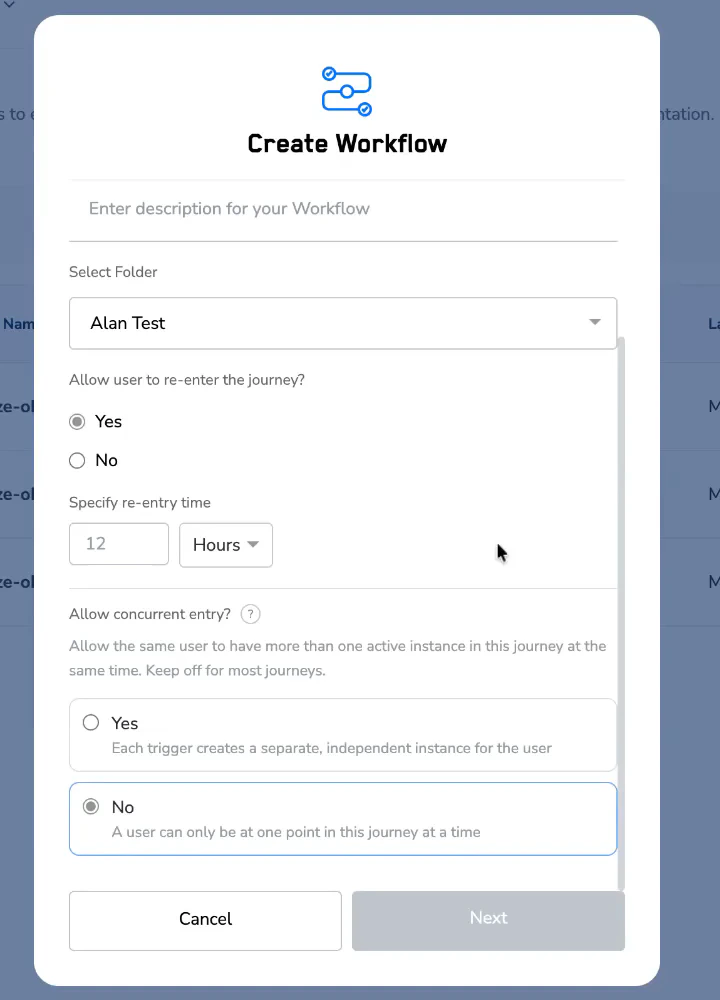
Create Workflow settings panel with re-entry enabled and concurrent entry set to No (default).
Select Yes if needed
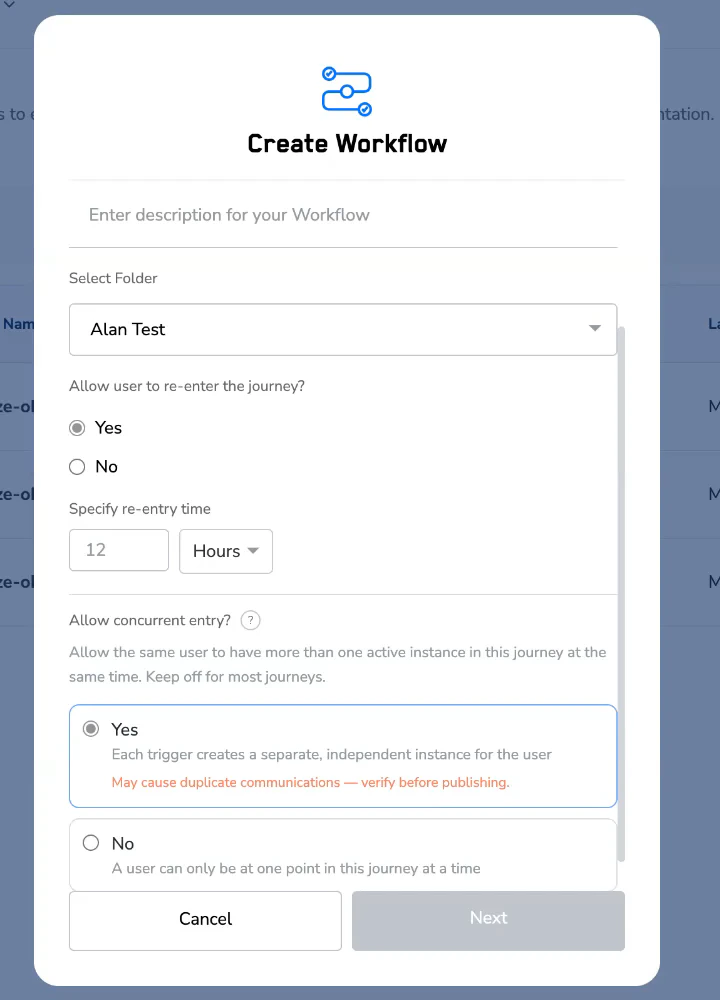
Concurrent entry set to Yes, with the inline warning 'May cause duplicate communications — verify before publishing.'
Complete your journey setup and publish
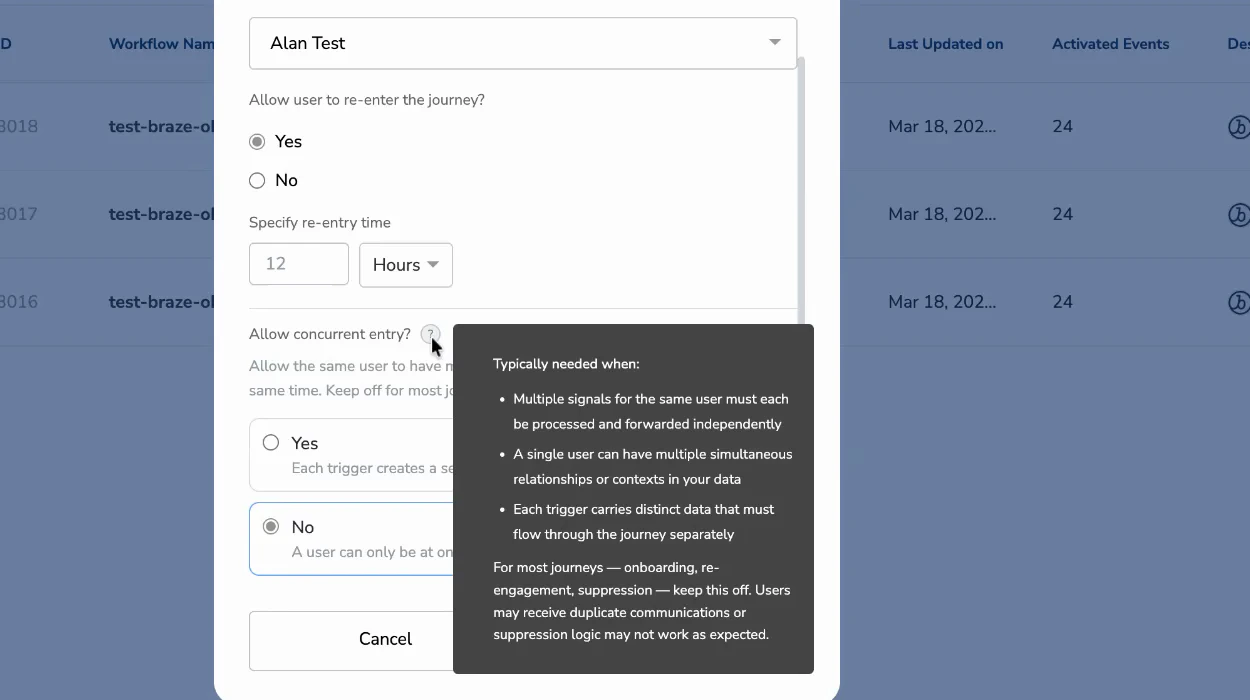
Inline help expanded from the ? icon next to Allow concurrent entry?
Configure on an existing (published) journey
You can change the concurrent entry setting on a live journey at any time.Open the journey in edit mode
Update the concurrent entry setting
Click Publish Workflow
Review the publish popup
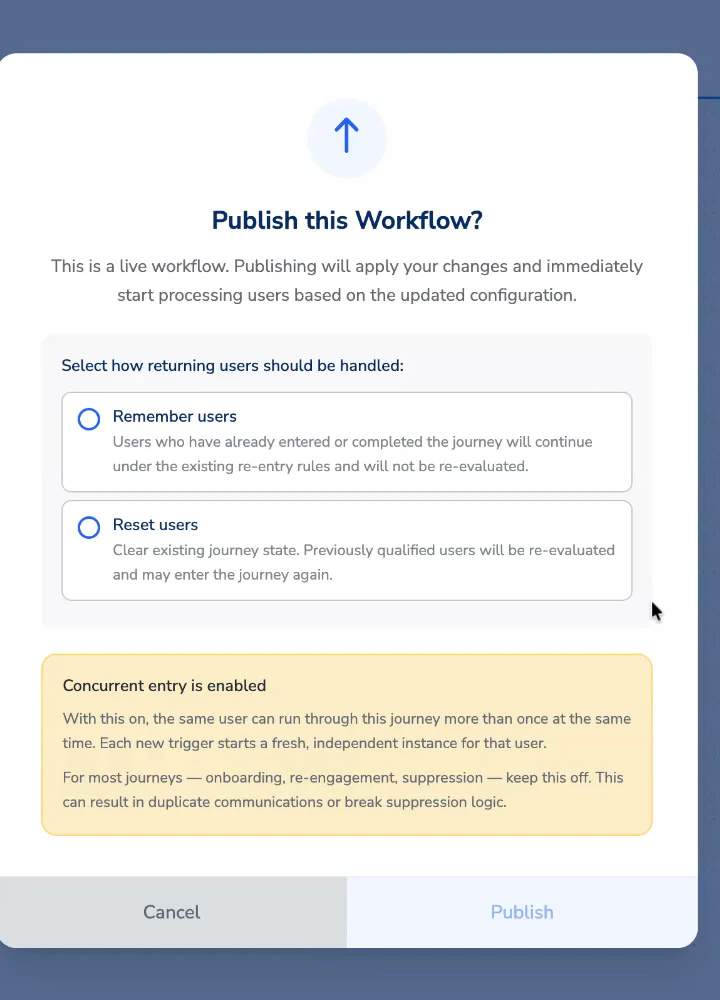
Publish this Workflow popup showing the amber 'Concurrent entry is enabled' callout.
Select how to handle returning users
Check the current status
The concurrent entry status is always visible in the top-right corner of the journey canvas, alongside the other journey settings.
Journey canvas header showing the re-entry and concurrent entry status at the top-right.
Relationship with the re-entry setting
Concurrent entry and re-entry are related but separate settings.Frequently asked questions
What happens to active instances if I turn concurrent entry off on a live journey?
What happens to active instances if I turn concurrent entry off on a live journey?
Is there a limit to how many concurrent instances one user can have?
Is there a limit to how many concurrent instances one user can have?
Will suppression logic still work with concurrent entry on?
Will suppression logic still work with concurrent entry on?
Does concurrent entry affect journey analytics?
Does concurrent entry affect journey analytics?
I'm not sure if my use case needs this. Who can help?
I'm not sure if my use case needs this. Who can help?