

Overview
Gateway is Zeotap CDP’s frequency capping module, found under Orchestrate. It lets you create policies that control how many times a message can be sent to any single user within a given time window — across all message types or per channel.- Prevents message fatigue and over-communication
- Protects user experience by enforcing consistent communication limits
- Fine-grained control for marketing and CRM teams over messaging egress
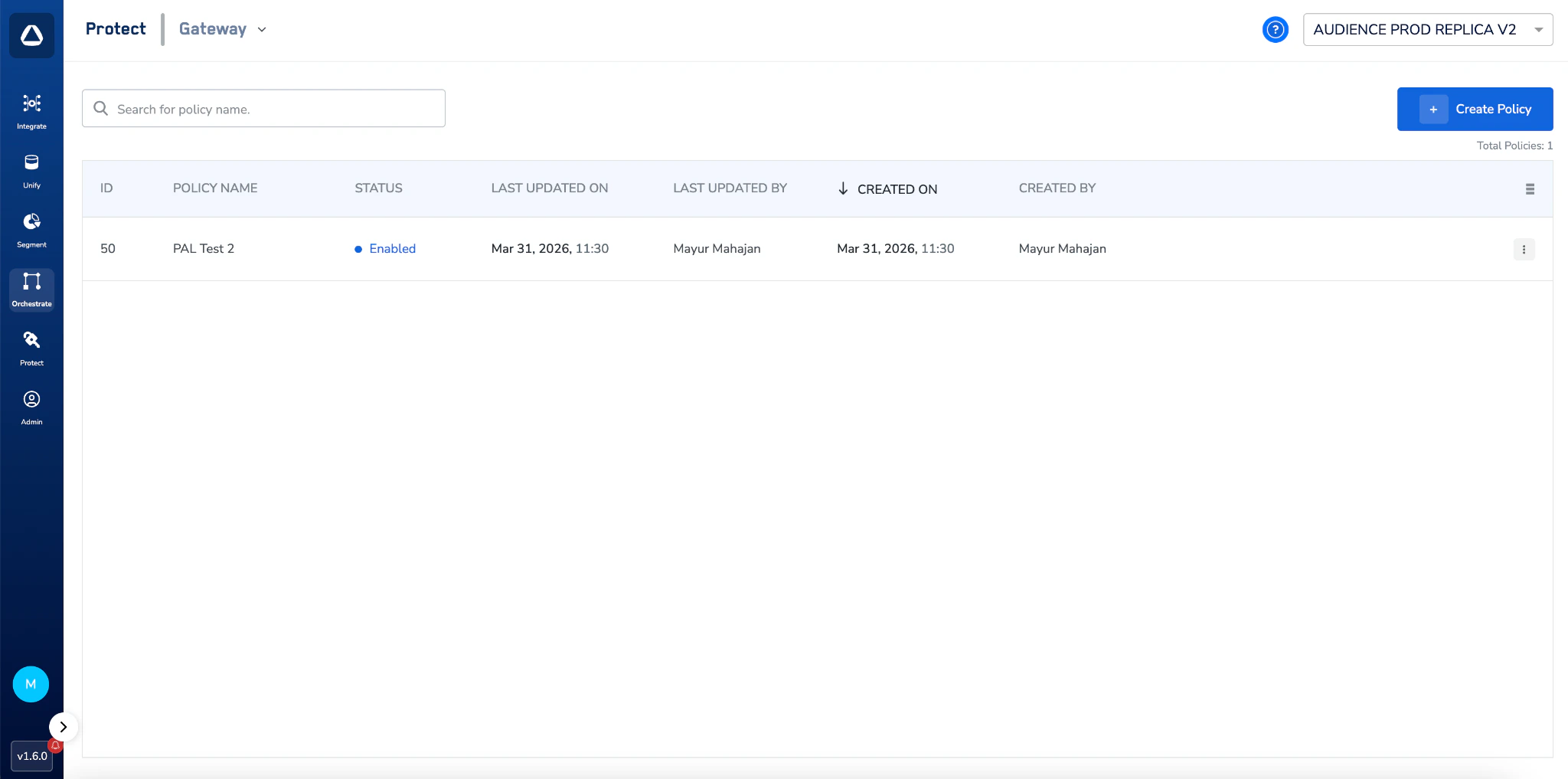
Gateway policy list showing all configured policies with their status, timestamps, and creators
Key Concepts
Policy
A named configuration that defines one or more frequency rules. Each policy must have at least one rule and applies to all Journeys within your organisation.Frequency Rule
A single condition within a policy. It specifies:- The maximum number of messages to send to a user
- The channel type the rule targets
- The specific destination mappings to include (for channel-specific rules)
- The time window (in days) over which the cap applies
Message Categories
Messages are grouped into four categories:- SMS
- In-App Push
- Web Push
Policy Status
How Gateway Works
Enforcement Flow
When a Journey attempts to send a message to a user via a connected destination:- The system checks whether any enabled Gateway policy applies to that destination.
- If a policy applies, it evaluates whether the user has already hit their frequency cap for the current time window.
- If the cap has been reached, the send is blocked and the Journey logs an error for that user.
- If the cap has not been reached, the message is sent and the counter is incremented.
Counter Reset
- Counters reset at 00:00:00 UTC based on the duration mentioned in the policy.
- Caps are based on calendar days, not rolling 24-hour windows.
When a Policy is Created
The policy takes effect immediately but the first full enforcement window begins on the next calendar day.When a Policy is Edited
- All counters are reset immediately upon saving.
- The edited policy behaves like a newly created policy — full enforcement begins from the next calendar day.
Supported Destinations
Gateway policies can only be applied to destinations that trigger a message send.Creating a Policy
Navigate to Orchestrate > Gateway and click + Create Policy.Name your policy
Define a frequency rule
Send no more than [X] [channel type] [from mapping(s)] to a user every [Y] Days
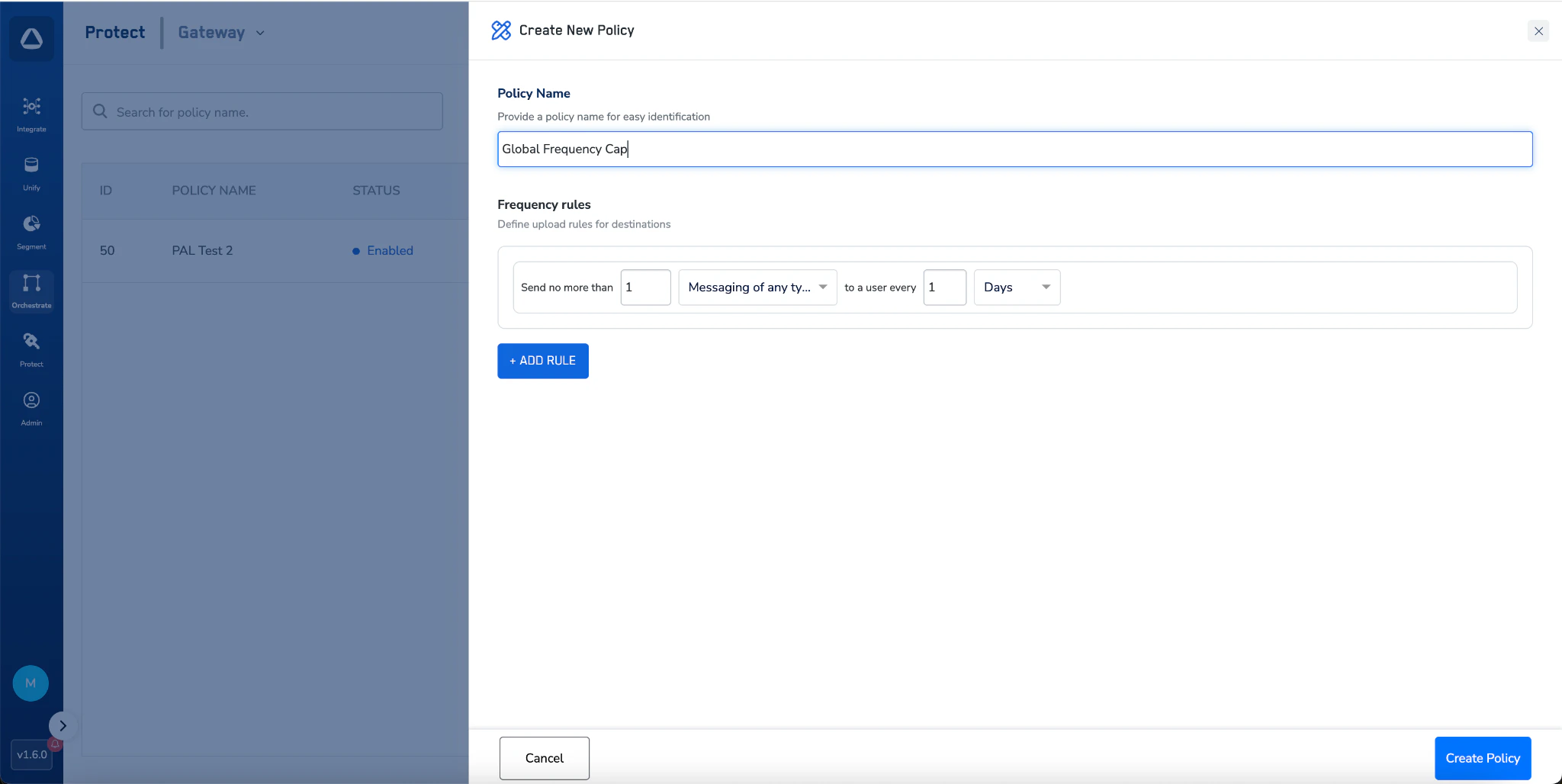
Create New Policy dialog with a global frequency cap rule set to 'Send no more than 1 Messaging of any type to a user every 1 Day'
Add more rules (optional)
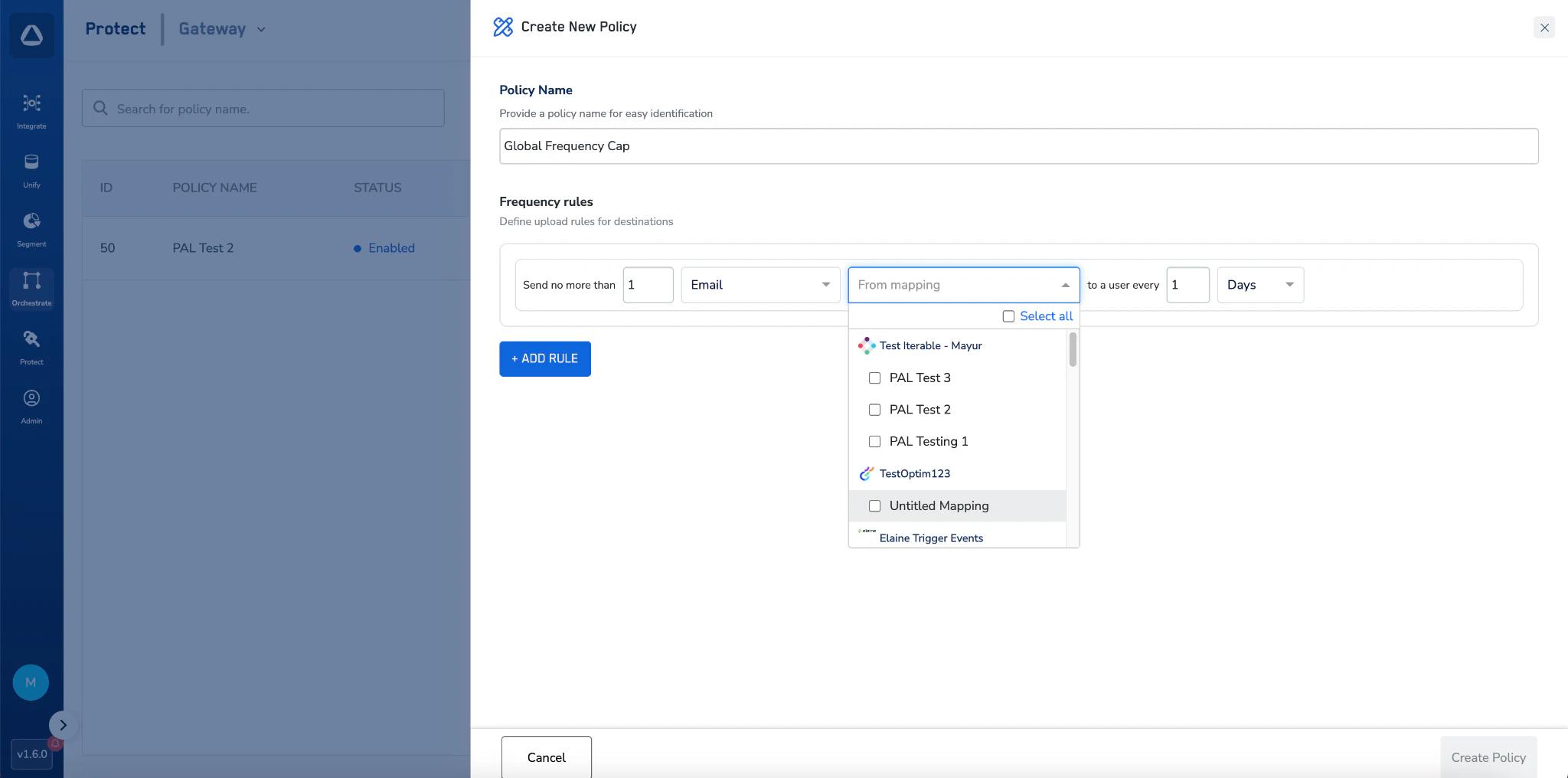
Create Policy with an Email channel rule showing the From Mapping dropdown to select specific destination mappings
Save
Managing Policies
Policy List
The Gateway home screen displays all policies for your organisation with the following columns:- Use the search bar to filter policies by name.
- Click any column header to sort. Default sort is by Created On (descending).
Actions
Click the three-dot menu on any policy row to access:Gateway & Journeys
Gateway is enforced automatically at the Journeys send layer. There is no additional configuration needed within a Journey — once a policy is enabled, it applies to all qualifying sends.What Happens When a User is Blocked
- The message send is blocked for that user.
- The Journey records an error against that user in the execution log, indicating the send was blocked by a Gateway policy.
- Other users in the same Journey who have not hit their cap continue to receive messages normally.
- The blocked user will be eligible again once the counter resets at 00:00 UTC based on the policy duration.
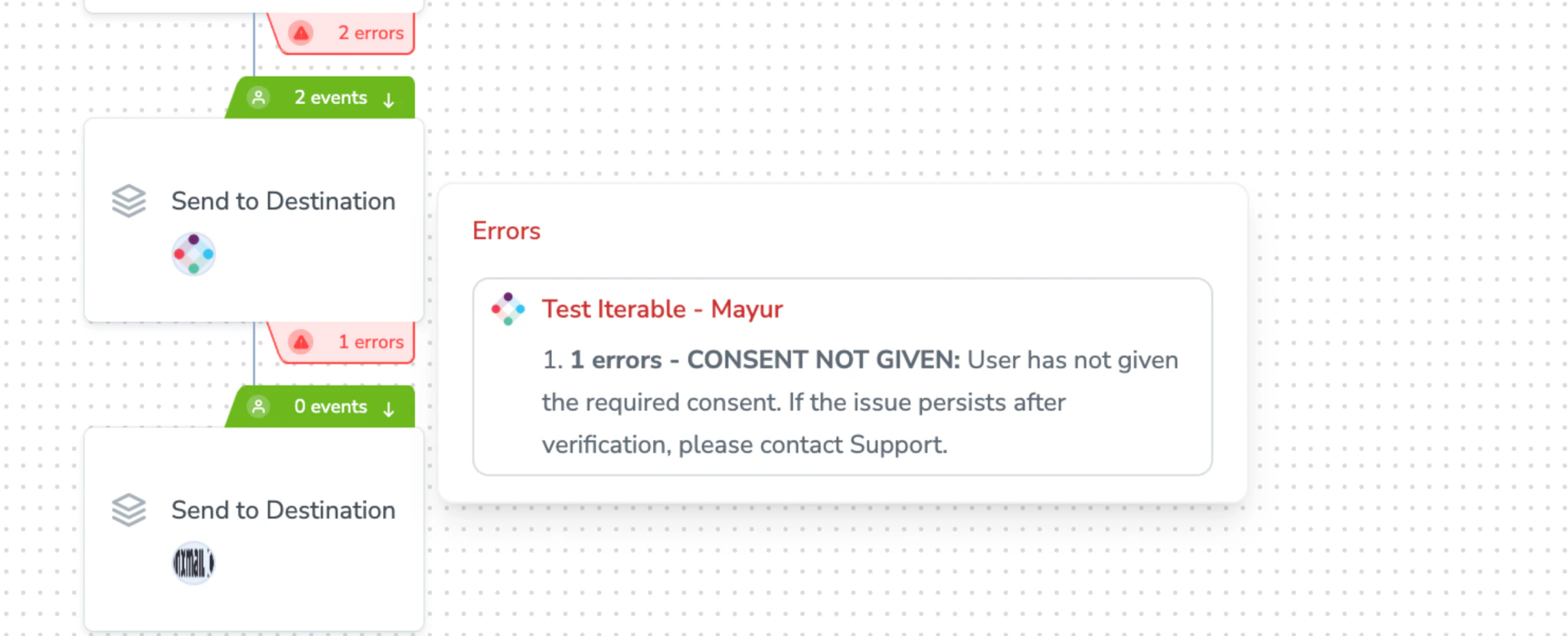
Journey canvas showing a blocked send with an error indicating the user was blocked by a Gateway policy
Which Journeys are Affected
- All published Journeys in your organisation that send via a supported destination are subject to active Gateway policies.
- Journeys using non-messaging destinations are unaffected.
User Roles & Permissions
Access to Gateway is controlled through Zeotap CDP’s role-based access control (RBAC) system.Access Levels
Role to Access Mapping
Example Use Cases
Global daily cap across all channels
A retailer wants to ensure no user receives more than 3 messages per day regardless of channel.- Channel type: Messaging of any type
- Limit: 3 per 1 Day
- Result: Once a user has received 3 messages (across any channel), further sends are blocked for the rest of that calendar day.
Email-only cap for a specific tool
A CRM team wants to limit Iterable email sends to 1 per day per user, while keeping SMS unrestricted.- Channel type: Email
- From mapping: Iterable: Campaign Trigger
- Limit: 1 per 1 Day
- Result: Only Iterable email sends are counted. SMS, In-App, and Web Push sends via Iterable are unaffected.
Multi-rule policy with AND logic
A team wants to cap both email and SMS independently on the same day.- Rule 1: Send no more than 2 Email to a user every 1 Day
- Rule 2: Send no more than 1 SMS to a user every 1 Day
- Result: A user receives a maximum of 2 emails and 1 SMS per day.
Limits & Constraints
Frequently Asked Questions
Does a policy apply retroactively to Journeys that are already running?
Does a policy apply retroactively to Journeys that are already running?
When does enforcement actually start after I create a policy?
When does enforcement actually start after I create a policy?
What happens if I edit a policy mid-day?
What happens if I edit a policy mid-day?
Can I apply different caps to different destinations in one policy?
Can I apply different caps to different destinations in one policy?
Can I use Gateway outside of Journeys?
Can I use Gateway outside of Journeys?
What time zone is used for the reset?
What time zone is used for the reset?
What does 'Messaging of any type' cover?
What does 'Messaging of any type' cover?
Where can I see if a user was blocked by a policy?
Where can I see if a user was blocked by a policy?