

What this is
The Kafka Message Queue source brings data into Zeotap CDP: you point Zeotap at a topic in your own Apache Kafka deployment, and Zeotap reads the messages published to that topic and ingests them — so real-time customer behaviour already flowing through your streaming platform lands in Zeotap CDP without a file drop or an SDK in between. This page covers the inbound direction only. To send data the other way — from Zeotap CDP out to a Kafka topic — use the Apache Kafka destination instead. The two are separate integrations, set up in different places — the source in the Sources application under Integrate, the destination in a Journeys workflow.Prerequisites
Before you create the source, confirm:
- You have access to the Sources application in the Zeotap CDP App, with permission to create a source.
- The topic you want to ingest from already exists in your Kafka deployment and messages are being published to it.
- You have collected the connection details listed below, either from the administrator who manages your Kafka cluster or from your cloud provider’s Kafka management interface (for example, Confluent Cloud or AWS MSK).
- You know which Data Entity the incoming data represents — Customer Data or Non Customer Data. See Supported Data Entities.
- You know which data format your producers write to the topic — AVRO or JSON. AVRO requires three additional schema registry values.
Details to collect from your Kafka deployment
How the Kafka source works
Apache Kafka is an open-source distributed event streaming platform used by thousands of companies for high-performance data pipelines, streaming analytics, data integration, and mission-critical applications. When you create a Kafka Message Queue source, Zeotap CDP connects to the broker host you supply, authenticates with the broker API key and secret where the broker requires authentication, and reads messages from the topic you name, identifying itself with the consumer group ID you provide. Messages are read as either AVRO or JSON. For AVRO, Zeotap CDP also connects to your schema registry with the registry URL and credentials so that the schema behind each message can be resolved. Once the connection between Zeotap and Kafka is established, the records read from the topic become visible on the source’s PREVIEW DATA tab and flow on into ingestion.Create the Kafka Message Queue source
Perform the following steps in the Zeotap CDP App.1. Open the Sources application
Log into the Zeotap CDP App and navigate to the Sources application under Integrate, then click CREATE SOURCE.2. Choose the category and the data source
Choose Message Queue as the Category.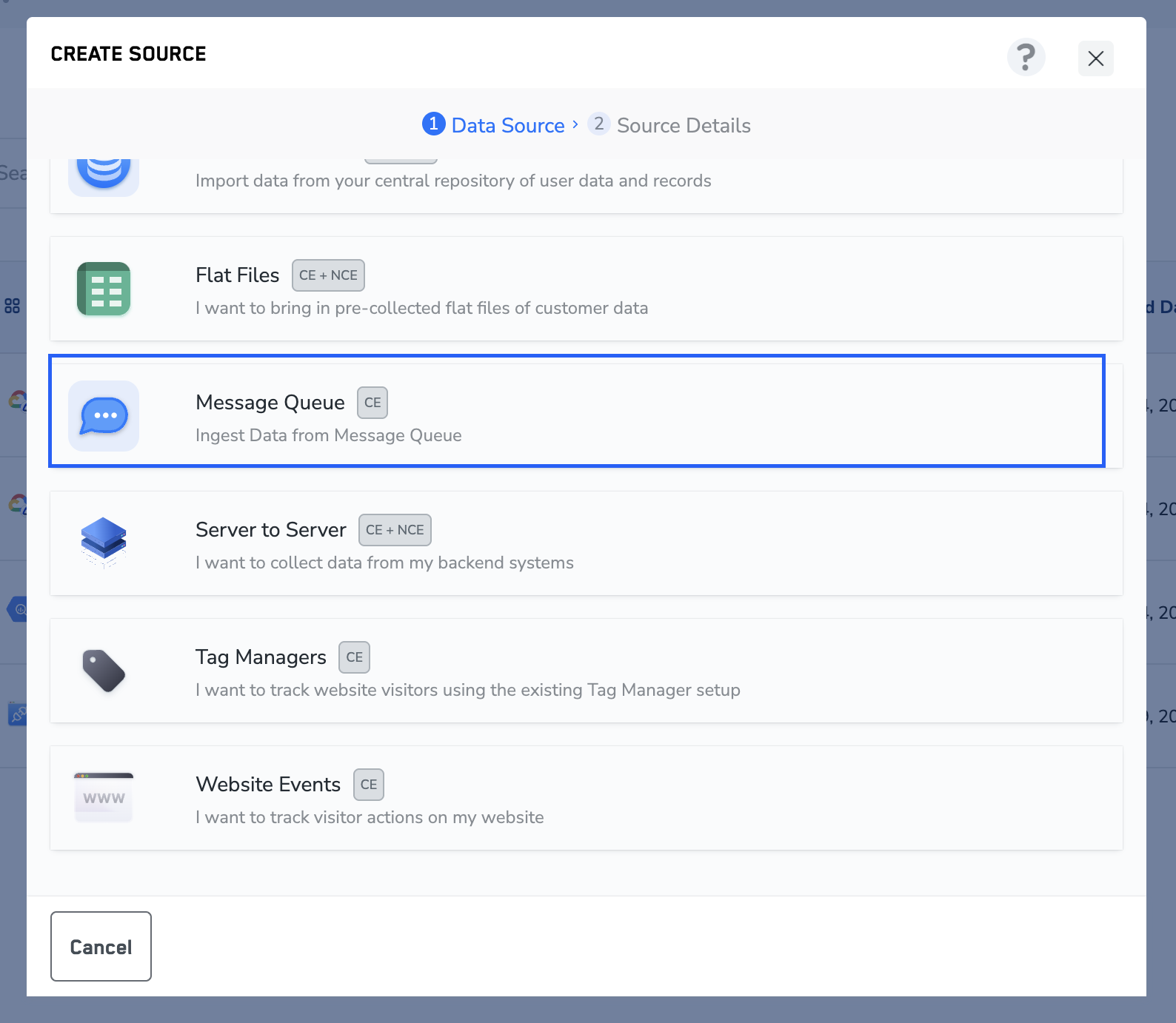
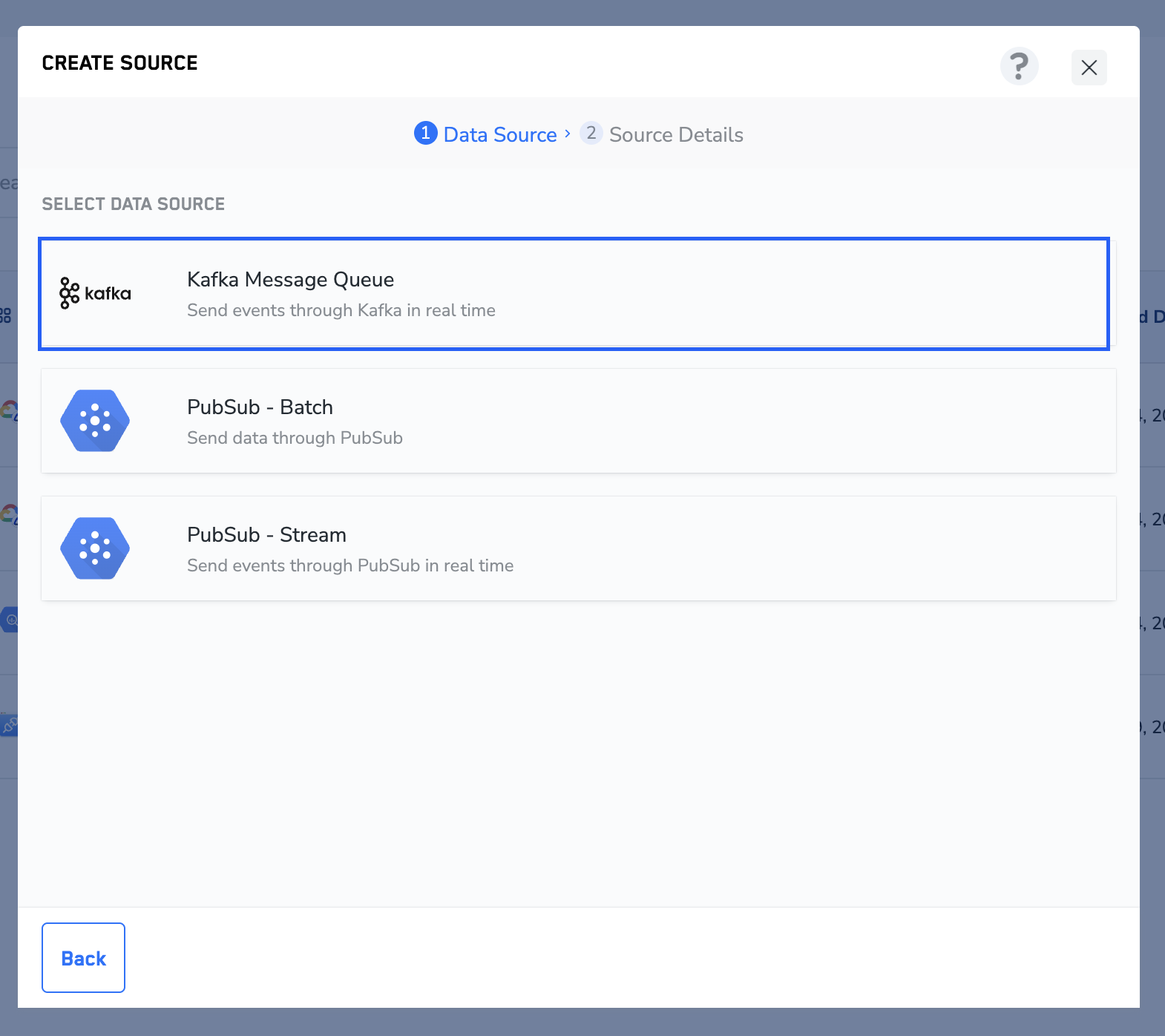
3. Name the source and set the region and data entity
- Enter a short and descriptive name for the source.
- By default, the region is chosen as Europe (EU). See Region of Storage for how Zeotap resolves the storage region.
- Under Data Entity, depending on the type of data that you want to ingest, choose either Customer Data or Non Customer Data and proceed with the source creation. To know more about Customer Data and Non Customer Data, see Supported Data Entities.
4. Enter the Kafka connection details
Enter the Topic name, Kafka Broker Host, Broker API Key, Broker API Secret and Consumer group ID obtained from your Kafka account, as listed in Prerequisites.5. Select the data format
Select the format of data that will be sent from Kafka. The supported formats are AVRO and JSON.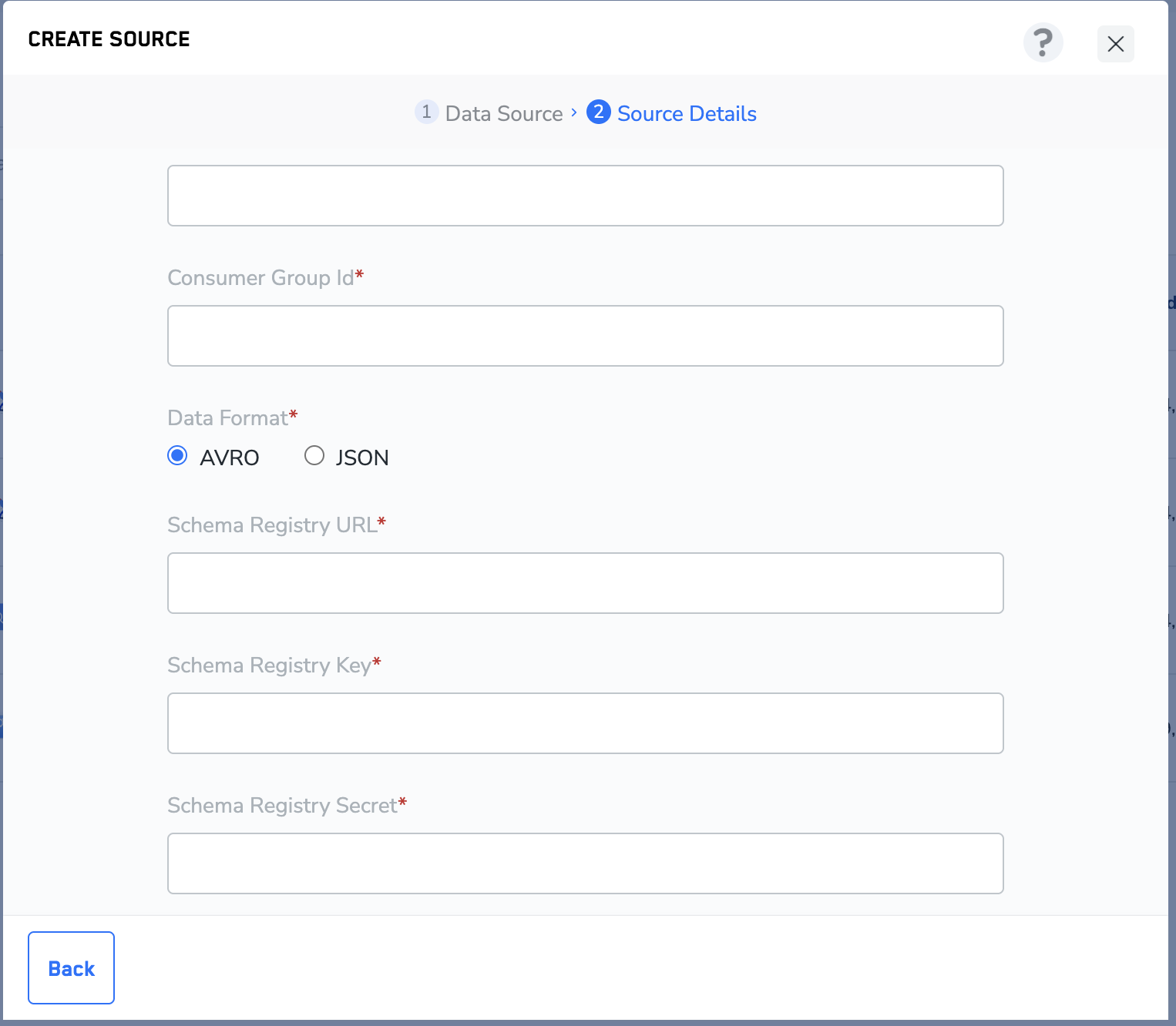
6. Create the source and review the implementation details
Click CREATE SOURCE. Upon successful creation, all the fields that were entered while creating the source are displayed under the IMPLEMENTATION DETAILS tab, along with all the important information related to the integration, as shown below.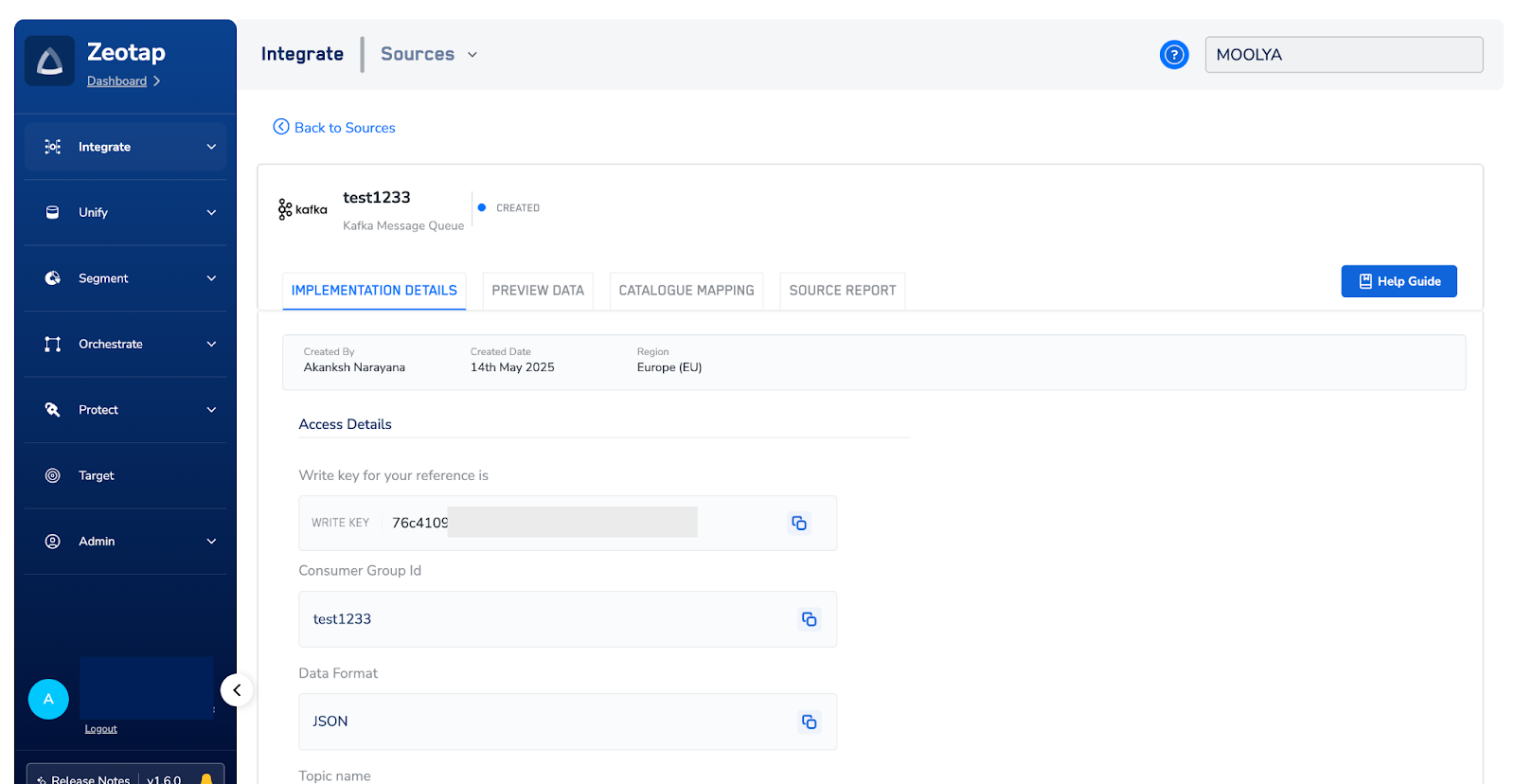
Verify the source is receiving data
The source is wired up correctly when all of the following hold:- The values on the IMPLEMENTATION DETAILS tab match the topic name, broker host and consumer group ID you intended to connect to.
- The source status on the source listing moves from Created to Integrated once data begins flowing into it. While the status is still Created, no data has arrived yet.
- Messages read from your Kafka topic appear as records under the PREVIEW DATA tab of the source.
Troubleshoot the Kafka source
FAQ
Is Kafka a source or a destination in Zeotap CDP?
Is Kafka a source or a destination in Zeotap CDP?
It is both, as two separate integrations. The Kafka Message Queue source on this page reads messages from your topic into Zeotap CDP. The Apache Kafka destination does the opposite — it sends event information from Zeotap CDP out to a topic in Kafka, through the Journeys module. Creating one does not create the other.
Which data formats can the Kafka source read?
Which data formats can the Kafka source read?
AVRO and JSON. If you select AVRO, you must also supply the Schema Registry URL, Schema Registry Key and Schema Registry Secret so that the schema behind each message can be resolved.
Next steps
- Explore the Preview Data tab → to read the records your Kafka topic has delivered.
- Explore the Apache Kafka destination → to send data from Zeotap CDP out to a Kafka topic.
- Explore Message Queue → for the other message queue sources Zeotap CDP supports.
- Explore Source Alerts → to be notified when a source stops receiving data.