

What this is
The Adobe Experience Platform Tag Extension source is an inbound integration: it brings web events and user identities from your website into Zeotap CDP through the Zeotap Collect Tag Extension deployed in Adobe Experience Platform Tags (Adobe Launch). Data flows one way — into Zeotap CDP. This source does not send anything back out to Adobe; activating audiences to a downstream platform is a destination, not a source. Creating the source is the first of two stages. On this page you create the source record in the Sources application and pick up the write key it generates. The second stage — installing the extension (Installing the Zeotap Collect Extension), configuring it, and setting the Rules that fire events — is covered in Implement an Adobe Experience Platform Tag Extension Source. For background on what the extension does and when to use it, see Adobe Experience Platform Tag Extension.Prerequisites
Before you begin, confirm the following:
- You have access to the Sources application under Integrate in the Zeotap CDP App, with permission to create a source.
- You know which region of upload your data must be stored in. See Region of storage.
- The data you plan to send is Customer Data (CE) — this is the only data entity the Adobe Experience Platform Tag Extension source supports. See Supported data entities.
- You have access to Adobe Experience Platform Tags (Adobe Launch) with edit permissions, and a published Adobe Launch property for your website. See Installing the Zeotap Collect Extension.
Create the Adobe Experience Platform Tag Extension source
Perform these steps in the Zeotap CDP App:- Navigate to the Sources application under Integrate.
- Click CREATE SOURCE.
-
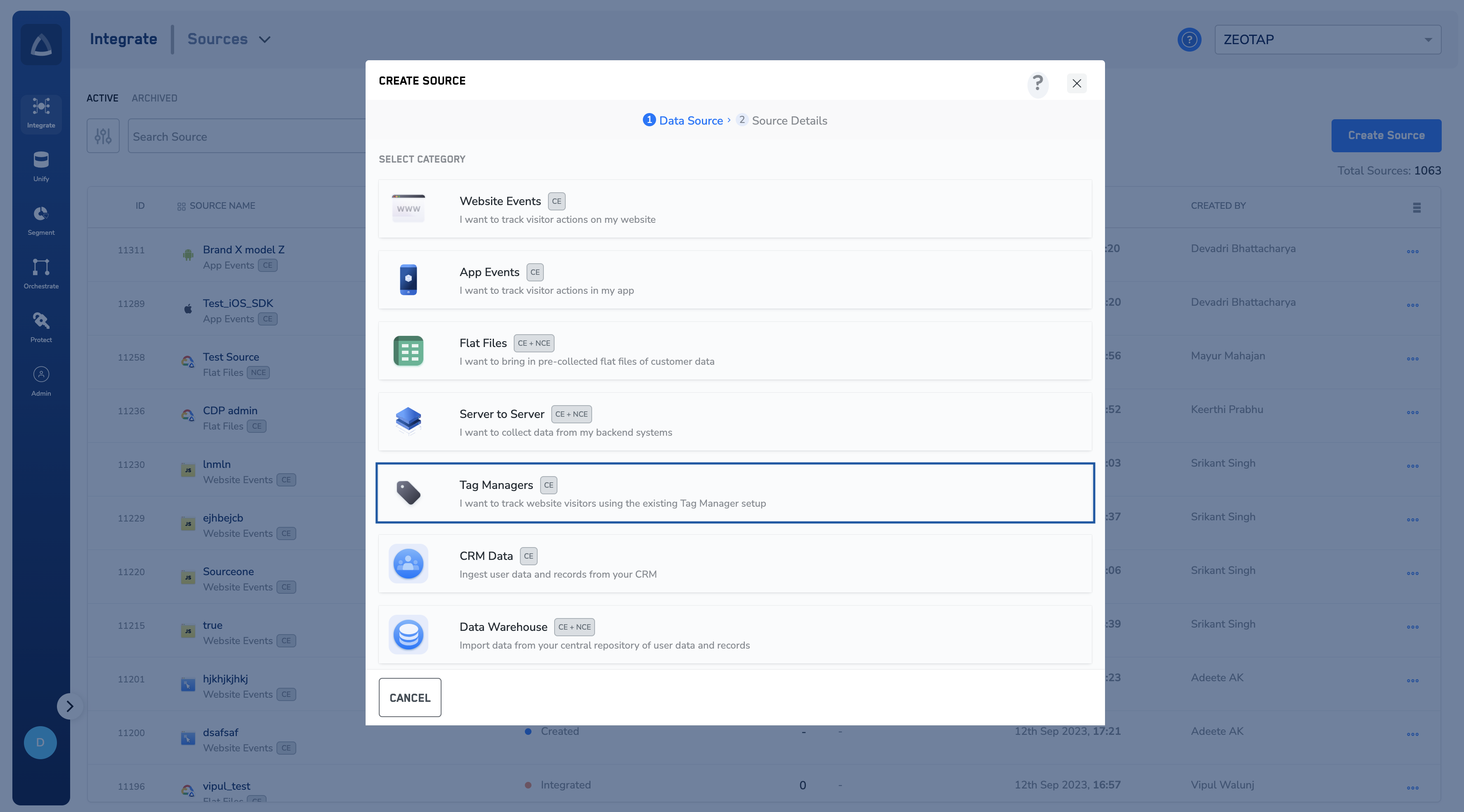
Choose Tag Managers as the Category.
-
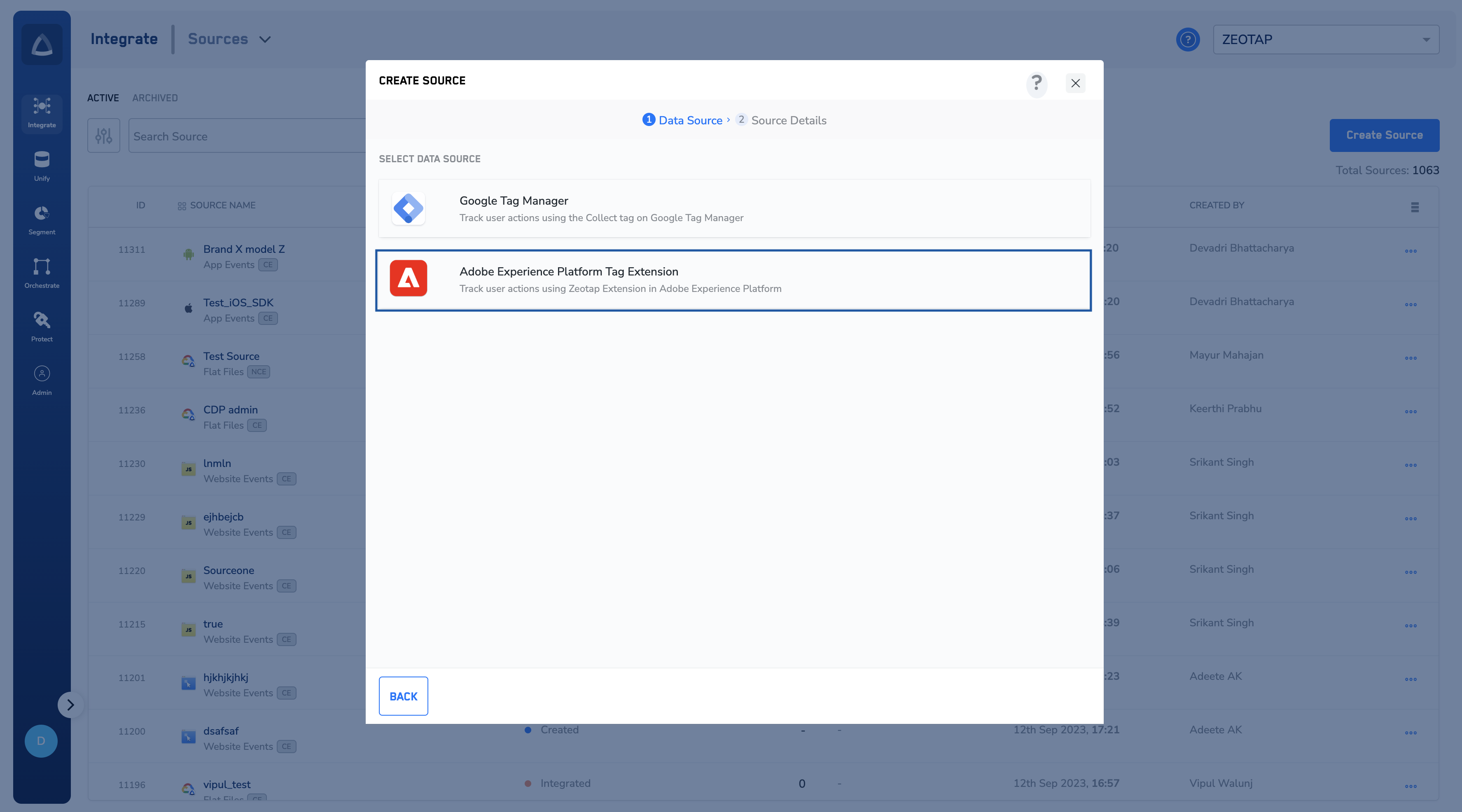
Click Adobe Experience Platform Tag Extension as the Data Source.
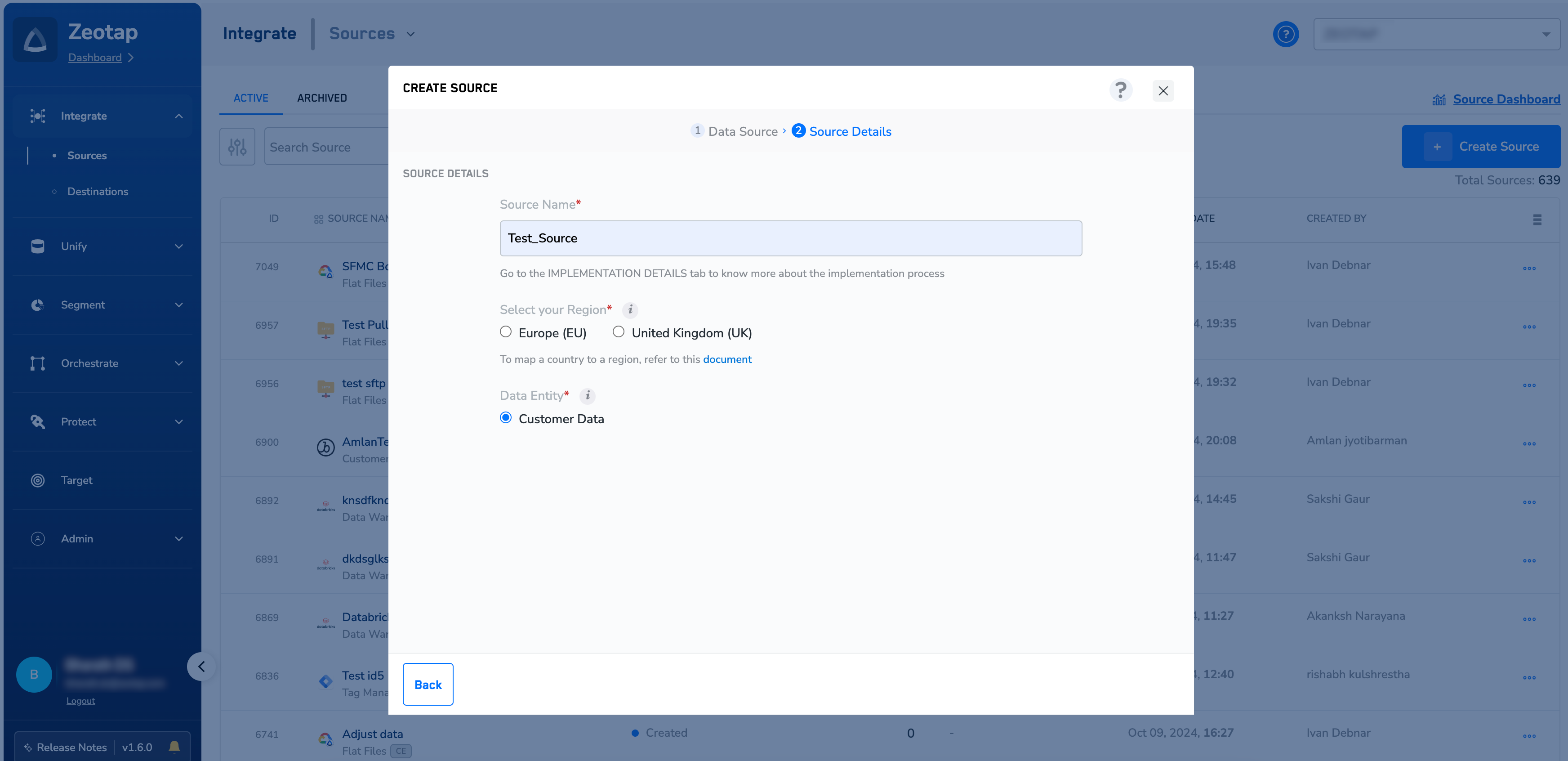
- Enter a short, descriptive name for the source.
-
Under Select your Region, choose where your data is stored, and set Data Entity to Customer Data.
-
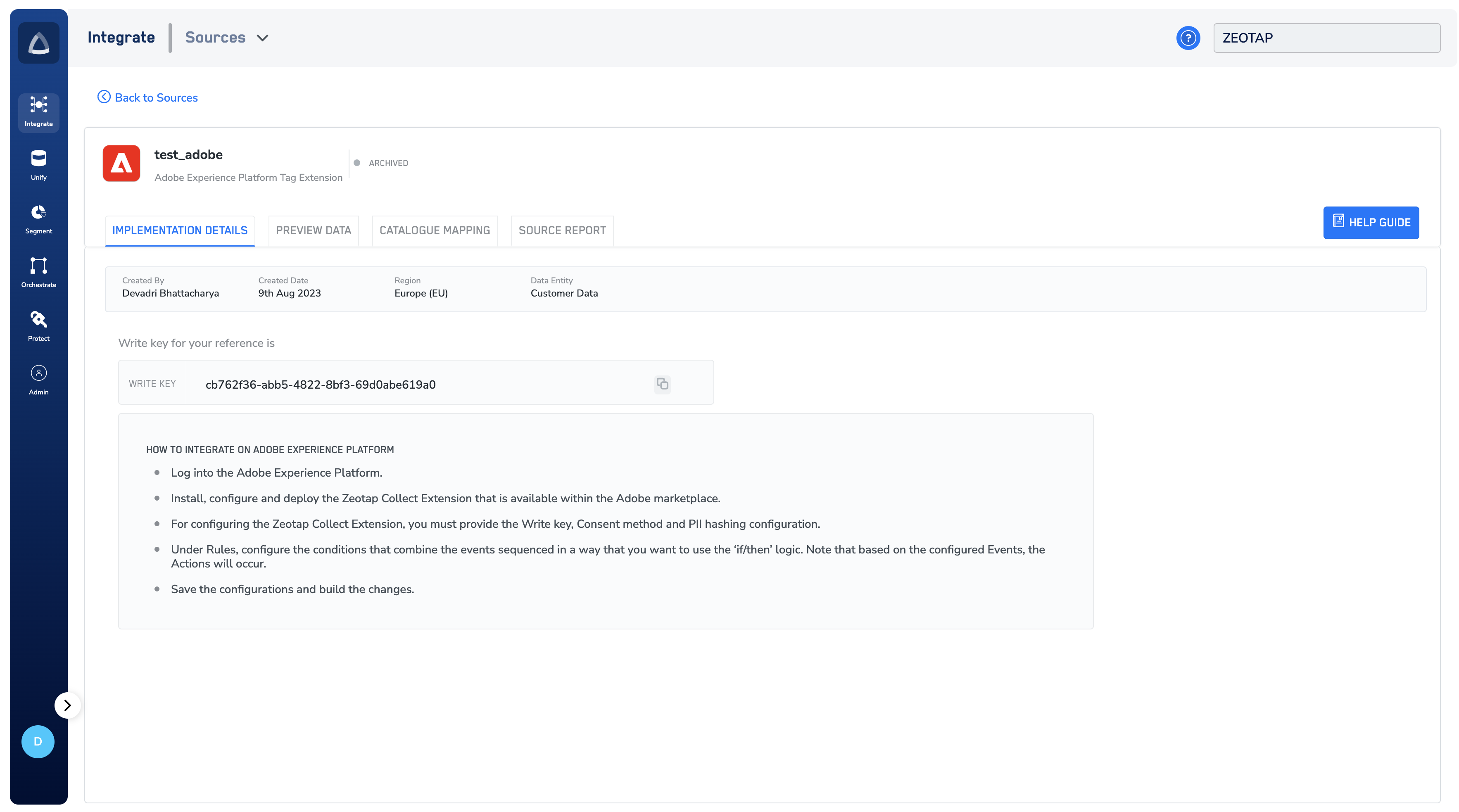
Click CREATE SOURCE. The new source is created and its detail page opens on the IMPLEMENTATION DETAILS tab; it also appears on the SOURCES listing page.
Collect the write key
Open the new source from the SOURCES listing page and go to the IMPLEMENTATION DETAILS tab. The WRITE KEY is shown there with a copy button. When you create an Adobe Experience Platform Tag Extension source in your Sources account, a Write Key is auto-generated by the system. It is a mandatory field for recording events. Provide this key when you configure the Zeotap Collect Extension in Adobe Experience Platform — it is entered in the extension’s Write Key field during configuration. See Configuring the Zeotap Collect Extension for where the field sits in the Adobe Launch configuration screen.Verify the source
You have created the source correctly when all of the following hold:- The source appears on the SOURCES listing page with the status Created. Created means the source exists in Sources but has not received any data yet — expected until the extension is live on your site. See Components of the Source Listing page for the full list of statuses.
- A write key has been generated for the source, and you have entered it in the Zeotap Collect Extension configuration in Adobe Launch.
- After the source is taken live through the implementation steps and events begin arriving, the status changes to Integrated and the PREVIEW DATA tab is populated. Use the Preview Data tab to see the incoming data.
Troubleshoot source creation
FAQ
Does this source send data out of Zeotap CDP to Adobe?
Does this source send data out of Zeotap CDP to Adobe?
No. This is a source, so data flows only into Zeotap CDP — the Zeotap Collect Extension in your Adobe Launch property captures web events and identities and sends them in. Sending audiences out to another platform is handled by a destination, not by this source.
Which data entity does this source support?
Which data entity does this source support?
Customer Data (CE) only. The Adobe Experience Platform Tag Extension source is listed under the Tag Managers category and supports Customer Data (CE) — see Source Integrations (Batch+Real-Time).
How is this different from the Google Tag Manager source?
How is this different from the Google Tag Manager source?
Both sit under the Tag Managers (CE) category and both bring web events into Zeotap CDP, but they are separate sources with separate creation flows. This one is deployed as the Zeotap Collect Tag Extension in Adobe Experience Platform Tags (Adobe Launch); the Google Tag Manager source is deployed as the Zeotap Collect Tag custom template on Google Tag Manager.