

Overview
Comcast’s EntOS is a comprehensive entertainment platform designed to enhance home entertainment by offering users greater control, discovery, and enjoyment of content across various devices. It aggregates multiple services and subscriptions, providing intuitive navigation and personalised content recommendations to reduce search time and increase viewing satisfaction. By integrating with Zeotap’s Customer Data Platform (CDP), you can create audience segments using your first-party data and associate them with device Ids. This integration enables you to push these audiences to Comcast EntOS, improving audience targeting, enhancing personalisation for set-top box users, and optimising advertising effectiveness.Supported Identifiers
You can use this integration to send any identifiers like Device Id, Account Id and other attributes of your choice.Available Actions and Supported Features
Components of Comcast EntOS
Ensure to obtain the following components of the Comcast EntOS integration from your Comcast POC before creating a destination in Zeotap CDP. These credentials are essential for generating a bearer token and establishing a secure connection with Comcast EntOS.- Client ID – Identifies the system, client, or application making API requests.
- Client Secret – Serves as a confidential key for authenticating your application.
- Request ID – Acts as a unique external transaction identifier, typically a UUID.
- Partner ID – Represents your organisation’s identity in the integration.
- Domain Name – Defines the namespace for audience segmentation and targeting rules.
Create a Destination for Comcast EntOS
Perform the following steps to create a Destination for Comcast EntOS:1
Log into the Zeotap CDP App and go to the DESTINATIONS application.
2
Click + Create Destination.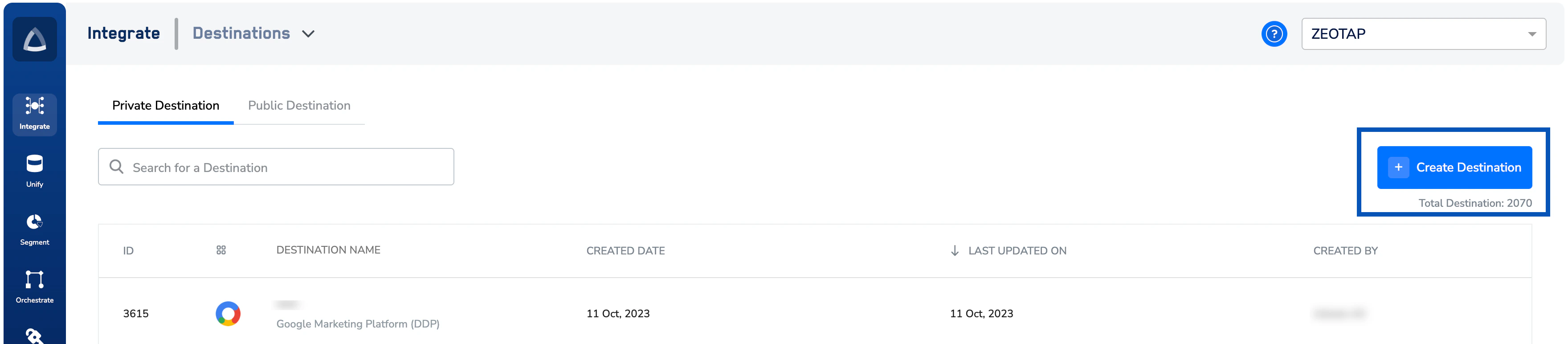
3
Under All Destinations, search for Comcast EntOS.
4
Click Comcast EntOS. A screen appears displaying details about the particular destination towards the left. On the right-hand side of the screen find a list of fields that are required for the integration to be established. Enter the required details as mentioned in the following steps: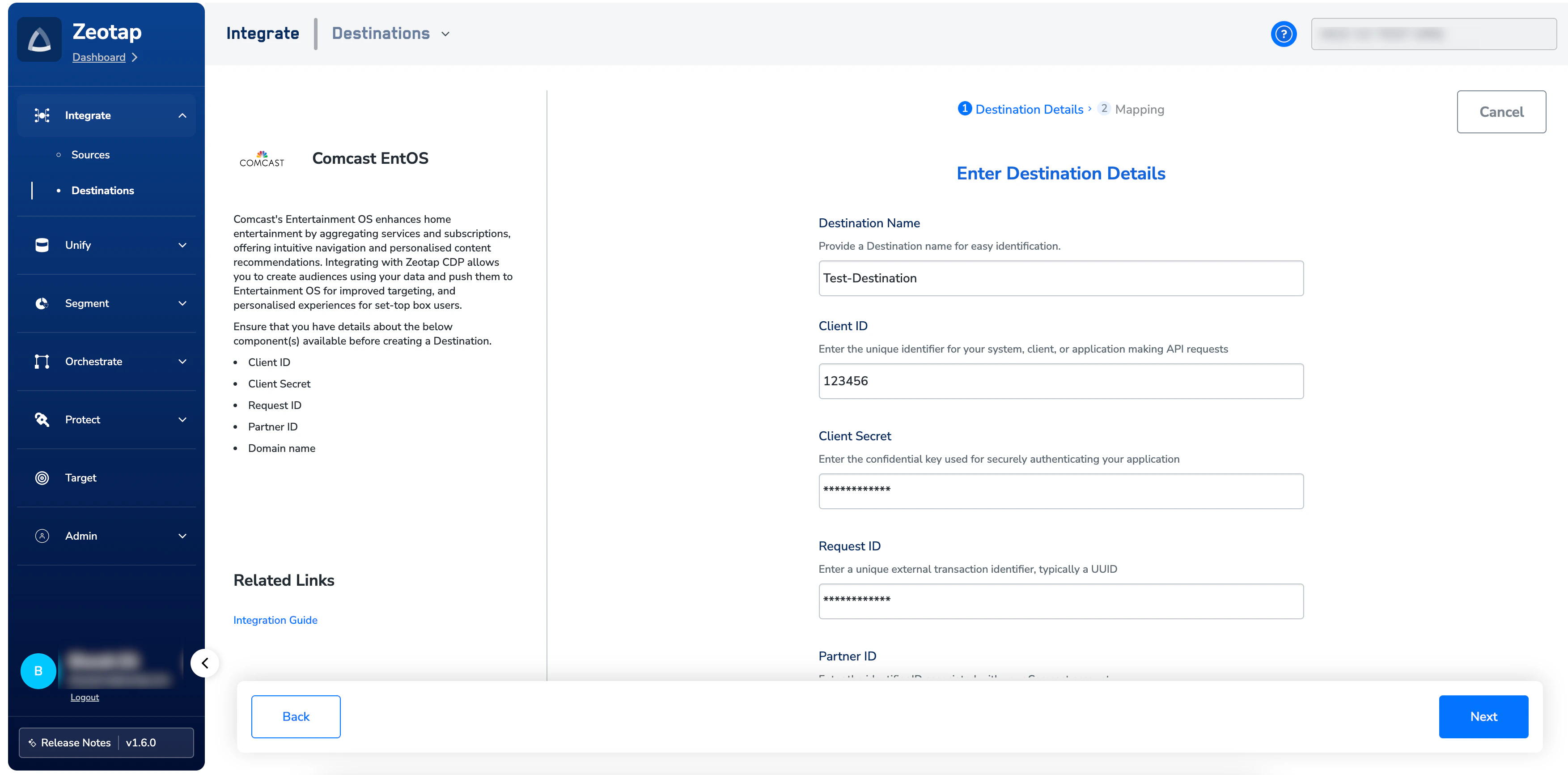
- Enter a name for the Destination.
- Enter the Client ID, Client Secret, Request ID, Partner ID (separated by commas) and the Domain name obtained from your Comcast POC.
- Click Next to proceed to mapping.
5
In the Actions and Mapping screen, choose Send identifiers and attributes to EntOS as your action.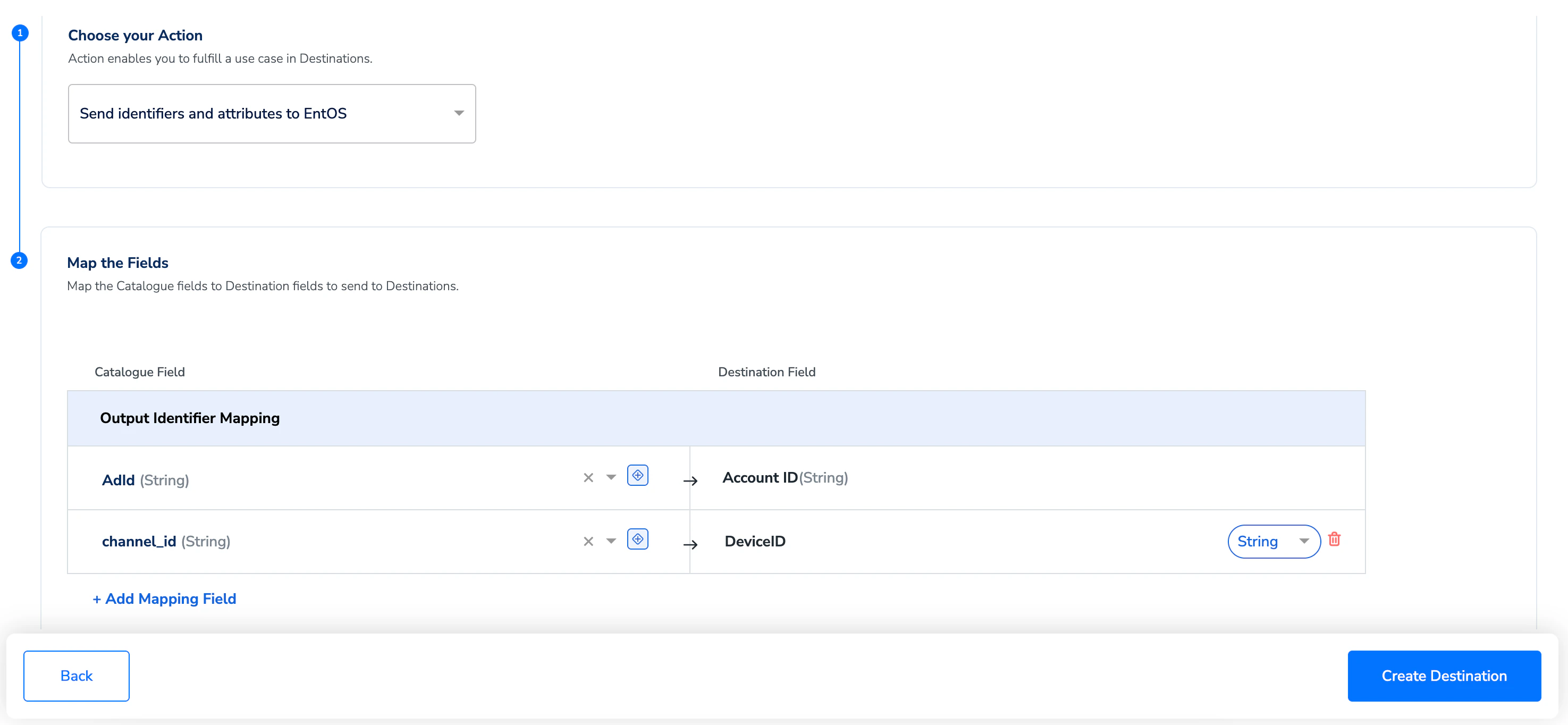
6
Under Map the Fields, map the required identifiers and attributes. Ensure to map the Catalogue fields to the corresponding Destination fields as per your requirement.
7
After completing the mapping, click Create Destination. The created Destination gets listed in the Audiencesapplication, which can be linked to an audience (segment).
Link an Audience to the Comcast EntOS Destination
For information about how to link an audience to the created Destination in the Audiences application, refer here.Note:The terms Audiences and Segments are used interchangeably to refer to customer cohorts belonging to a specific category. For example, an Audience or a segment could be a specific group of customers who are over 18 years of age and who have performed an addToCart event within the last 30 days.