> ## Documentation Index
> Fetch the complete documentation index at: https://docs.zeotap.com/llms.txt
> Use this file to discover all available pages before exploring further.
# Create a Real-Time Calculated Attribute
To understand this better, let's assume you want to send a special deal for order values exceeding 8000 within a 1-hour timeframe. In this case, you can create a Real-Time Calculated Attribute as follows:
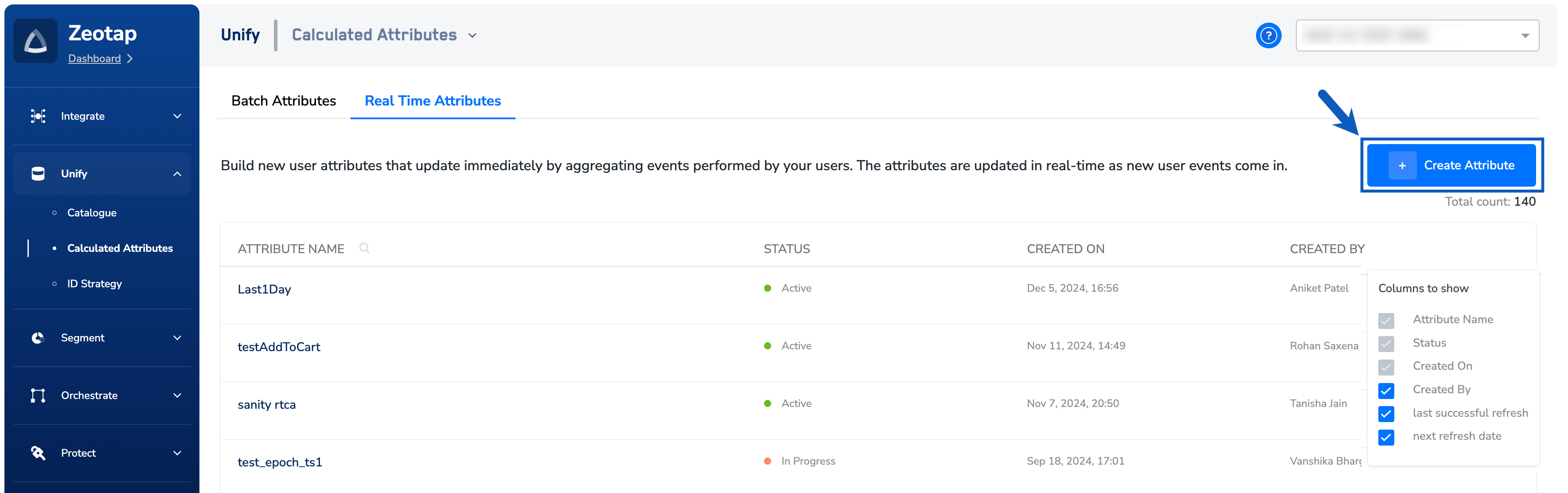
Navigate to **Calculated Attributes** under **Unify**.
Under the **Real Time Attributes** tab,
click + **Create Attribute**.
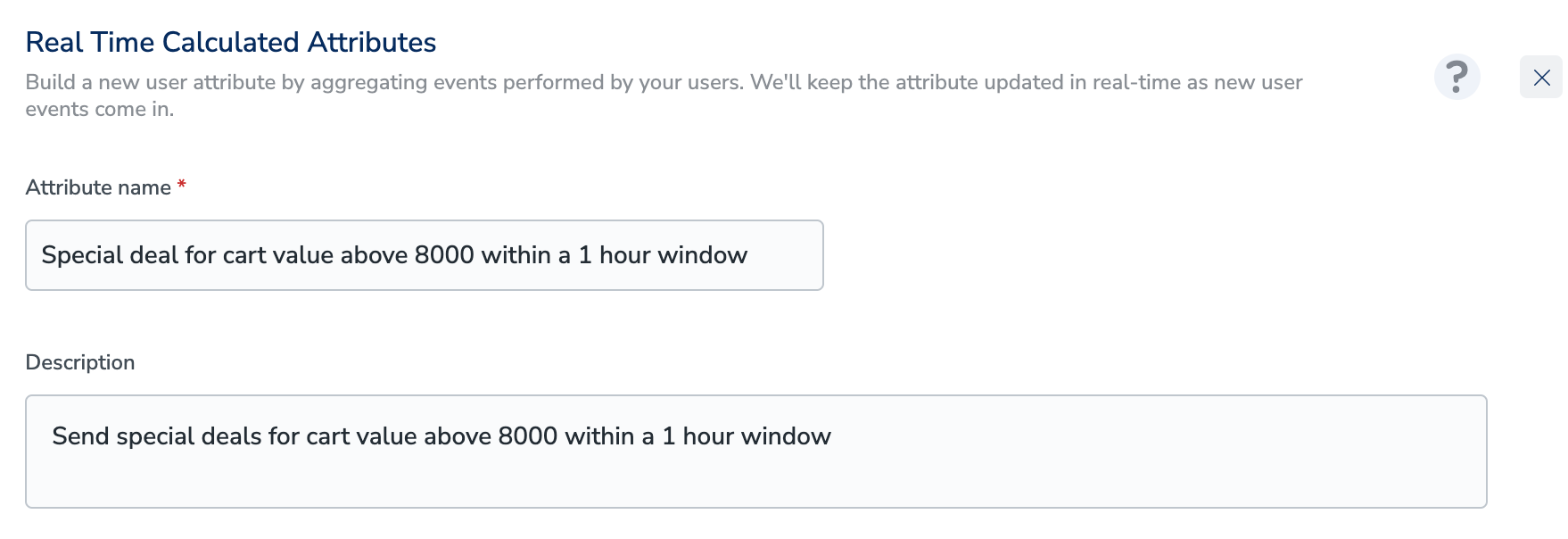
 In the **Attribute name** field, enter a descriptive name to refer to the Real Time Calculated Attribute.
4. In the **Description** field, enter a description to remember details about the attribute.
In the **Attribute name** field, enter a descriptive name to refer to the Real Time Calculated Attribute.
4. In the **Description** field, enter a description to remember details about the attribute.
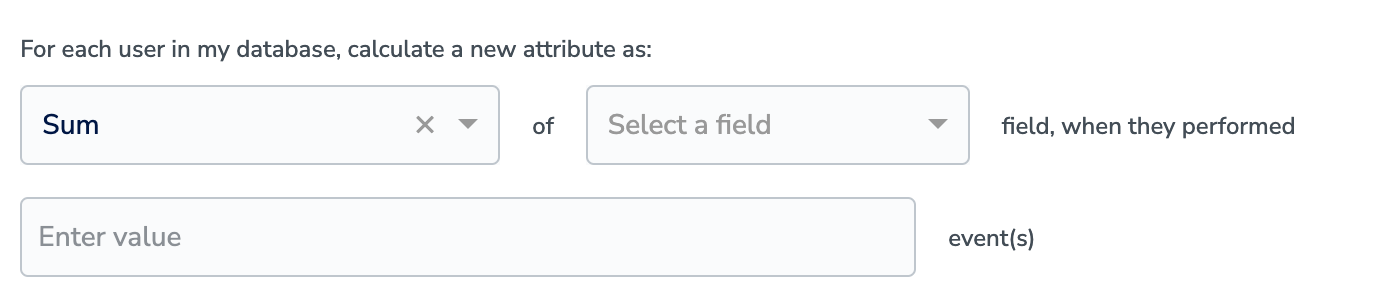
 Select the appropriate Aggregation type using the drop-down menu. The values can be Count, Sum and Unique List.
In **Select a field**, choose the attribute on which the calculation works based on the chosen aggregation type.
Select the appropriate Aggregation type using the drop-down menu. The values can be Count, Sum and Unique List.
In **Select a field**, choose the attribute on which the calculation works based on the chosen aggregation type.
 In **event(s)** field, provide the event name(s). In the example shown below, the event name is Event OrderVal.
You can further specify conditions for your Calculated Attributes by clicking **Add Condition**. Note that you can also include [Non-customer entity data](/articles/unify-customer/non-customer-entity-data) in the conditions based on your requirement.
In **event(s)** field, provide the event name(s). In the example shown below, the event name is Event OrderVal.
You can further specify conditions for your Calculated Attributes by clicking **Add Condition**. Note that you can also include [Non-customer entity data](/articles/unify-customer/non-customer-entity-data) in the conditions based on your requirement.
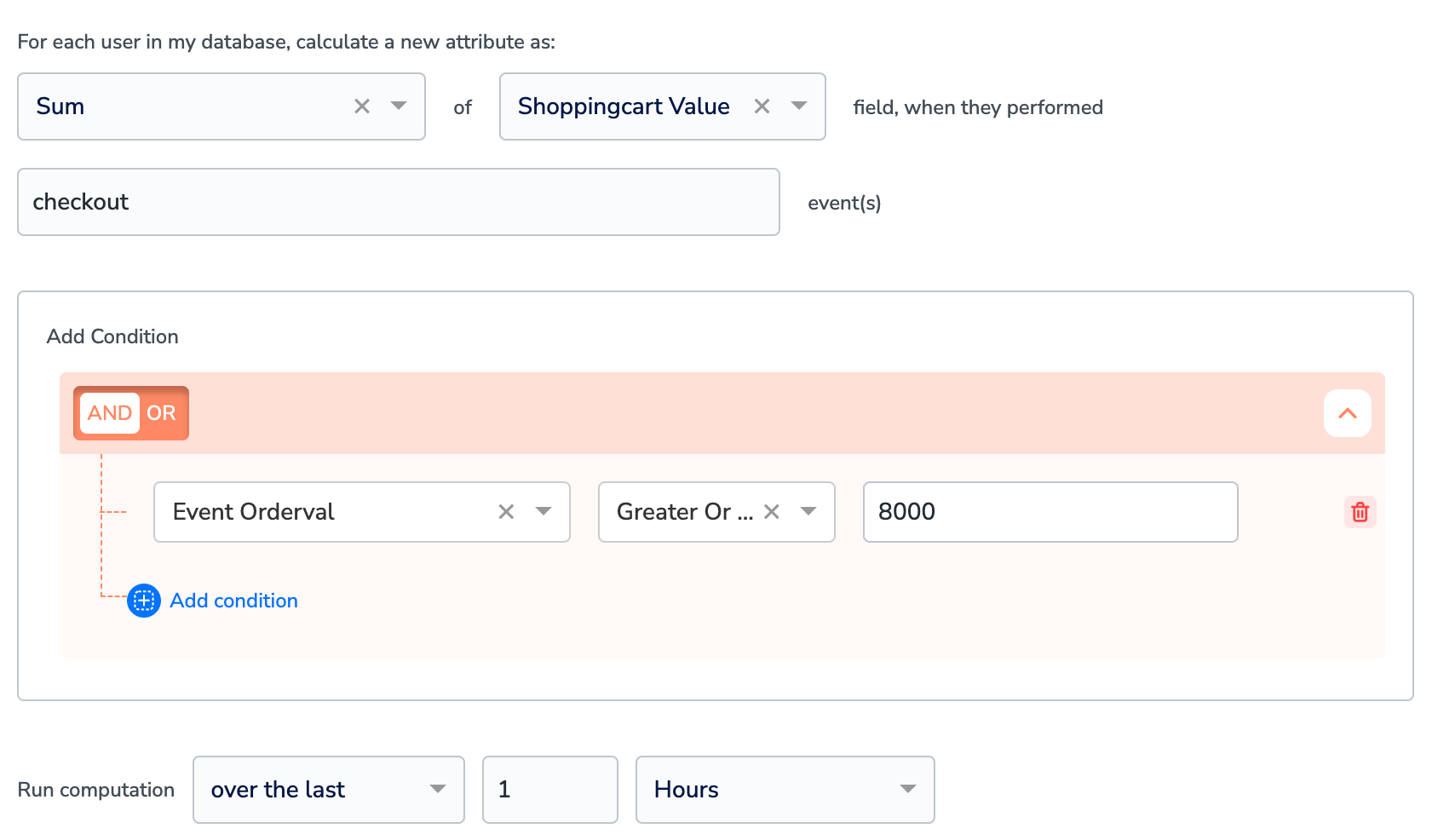 In the **Run Computation** section, choose the time period for the calculation.
Click **Save** to create the Real Time Calculated Attribute.
## Related Topics
In the **Run Computation** section, choose the time period for the calculation.
Click **Save** to create the Real Time Calculated Attribute.
## Related Topics