> ## Documentation Index
> Fetch the complete documentation index at: https://docs.zeotap.com/llms.txt
> Use this file to discover all available pages before exploring further.
# Configure the Join Key Enricher
**Note:**
You can add the Join Key Enricher only for the [Non-Customer Entity Data](/articles/unify-customer/non-customer-entity-data) fields. Note that you can select a user attribute from categories such as ID, User traits, Product, Event or Campaign as the Join Key.
Perform the following steps to configure the Join Key enricher:
Map the Primary key of the Non-Customer Entity (NCE) Data source with an NCE catalogue field. To learn how to choose the Primary Key, refer [here](/articles/unify-customer/join-key-enricher#how-to-identify-the-join-id-and-primary-key).
 **Note:**
Ensure that the following points are taken care of, while [configuring the Join Key Enricher](/articles/unify-customer/configuring-the-join-key-enricher):
* The primary catalogue field of an NCE source must have the same data type as the [Join ID](/articles/unify-customer/join-key-enricher) in the\
customer data. For instance, if the primary key, such as `Product ID`, is of `string` type, it can\
only be mapped to a `Join ID` of either `String` type or a `List of strings`.
* A raw PII field cannot be used as a Join ID.
* A `Join ID` cannot be of data type `Double` or `Timestamp`.
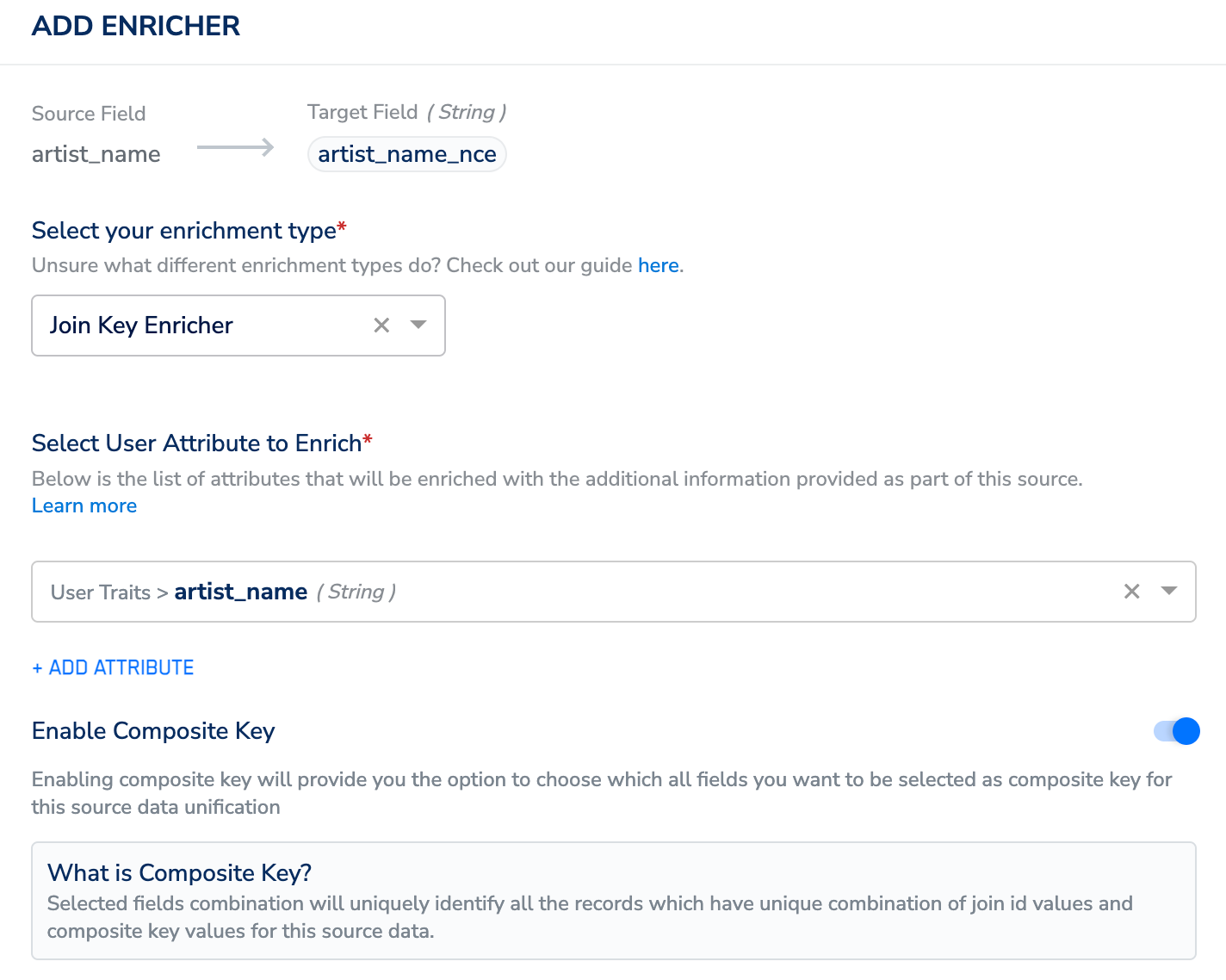
Click **ADD ENRICHER** to define the [Join ID](/articles/unify-customer/join-key-enricher). The Join ID corresponds to the ID in the user profile that is enriched with the NCE data.
**ADD ENRICHER** window, perform the following steps:
* Choose **Join Key Enricher** as the enrichment type.
* Under **Select User Attributes to Enrich**, choose the **unique identifier** from your customer source.
* Use the **Enable Composite Key** toggle to select an additional column along with the **Primary Key** of the NCE source to merge the customer data with the non-customer data. Use this option to create new NCE records when a new primary key and composite key(s) combination is ingested and update the existing records, if the same combination is ingested again. For more information about how the Composite Key works, refer [here](/articles/unify-customer/using-composite-key-in-nce).
**Note:**
Ensure that the following points are taken care of, while [configuring the Join Key Enricher](/articles/unify-customer/configuring-the-join-key-enricher):
* The primary catalogue field of an NCE source must have the same data type as the [Join ID](/articles/unify-customer/join-key-enricher) in the\
customer data. For instance, if the primary key, such as `Product ID`, is of `string` type, it can\
only be mapped to a `Join ID` of either `String` type or a `List of strings`.
* A raw PII field cannot be used as a Join ID.
* A `Join ID` cannot be of data type `Double` or `Timestamp`.
Click **ADD ENRICHER** to define the [Join ID](/articles/unify-customer/join-key-enricher). The Join ID corresponds to the ID in the user profile that is enriched with the NCE data.
**ADD ENRICHER** window, perform the following steps:
* Choose **Join Key Enricher** as the enrichment type.
* Under **Select User Attributes to Enrich**, choose the **unique identifier** from your customer source.
* Use the **Enable Composite Key** toggle to select an additional column along with the **Primary Key** of the NCE source to merge the customer data with the non-customer data. Use this option to create new NCE records when a new primary key and composite key(s) combination is ingested and update the existing records, if the same combination is ingested again. For more information about how the Composite Key works, refer [here](/articles/unify-customer/using-composite-key-in-nce).
 ## Related Topics