> ## Documentation Index
> Fetch the complete documentation index at: https://docs.zeotap.com/llms.txt
> Use this file to discover all available pages before exploring further.
# Configure the Country Enricher
Country enricher appears only when you are mapping a Zeotap catalogue field called `Country`. Without mapping the Country enricher you cannot map the other fields. Also, note that once you have added this enricher, you cannot edit it. To know more about this enricher, refer to [Country Enricher](/articles/unify-customer/enrichers-for-data-transformation-2816770049#country-enricher).
The procedure of configuring the Country enricher is divided into two scenarios as mentioned below.
* When you have the `Country` source field
* When you do not have the `Country` source field
## Configuring the Enricher When You Have the Country Source Field
Perform the following steps to configure the enricher when you have the `Country` source field:
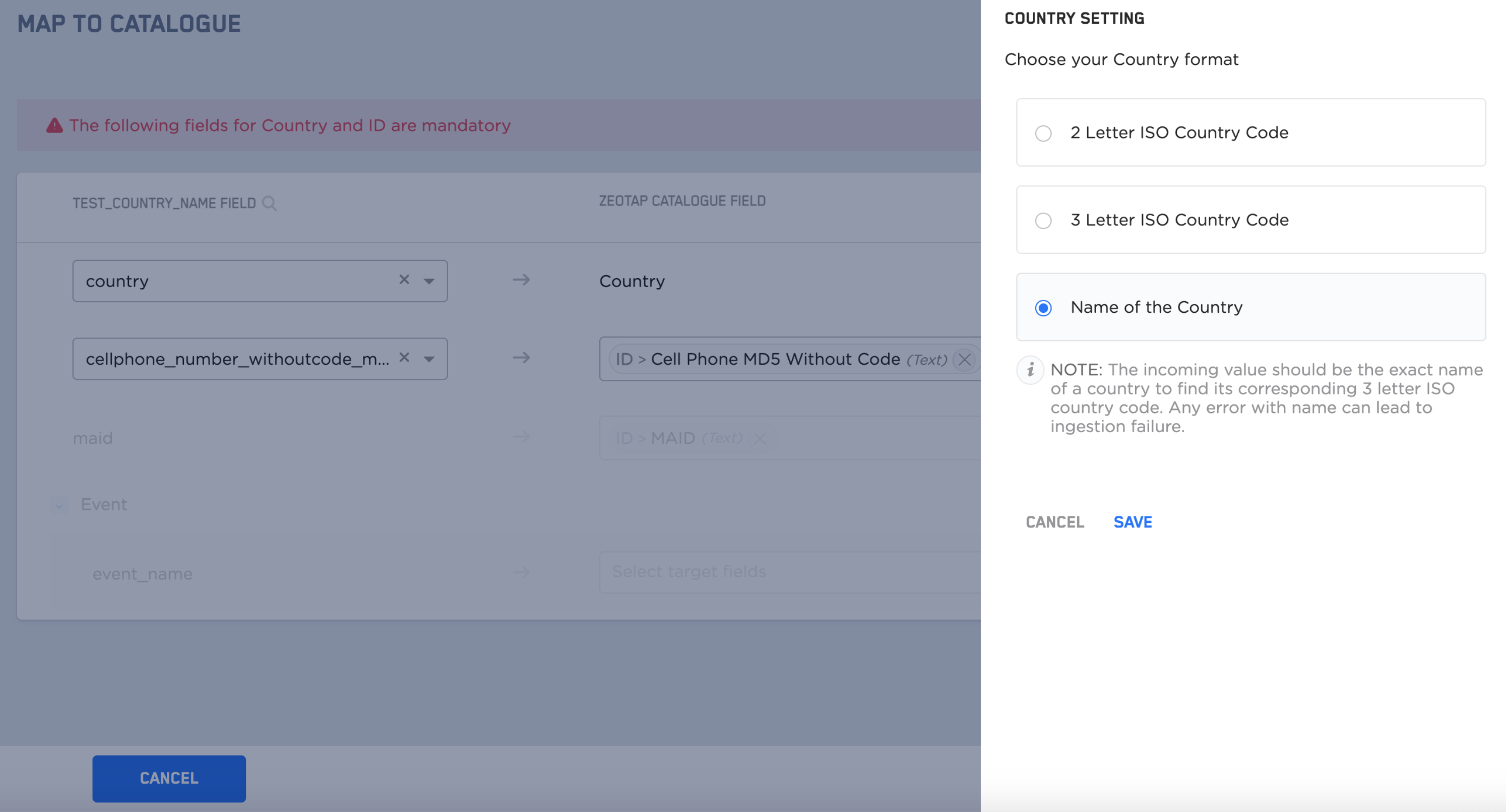
If you have the `Country` source field then select the source field name from the drop-down menu against the already mapped Country field.
Click **+ADD ENRICHER** against the Country field.
Select **Hardcode Enricher** as the enrichment type.
Select one of the following Country formats:
* **2 letter ISO**
* **3 letter ISO**
* **Name of the Country**– The incoming value must be the exact name of a Country to find its corresponding 3 letter ISO country code. Any error in the name can lead to ingestion failure.
Save the changes.
 ## Configuring the Enricher When You Do Not Have the Country Source Field
Perform the following steps to configure the enricher when you do not have the Country source field:
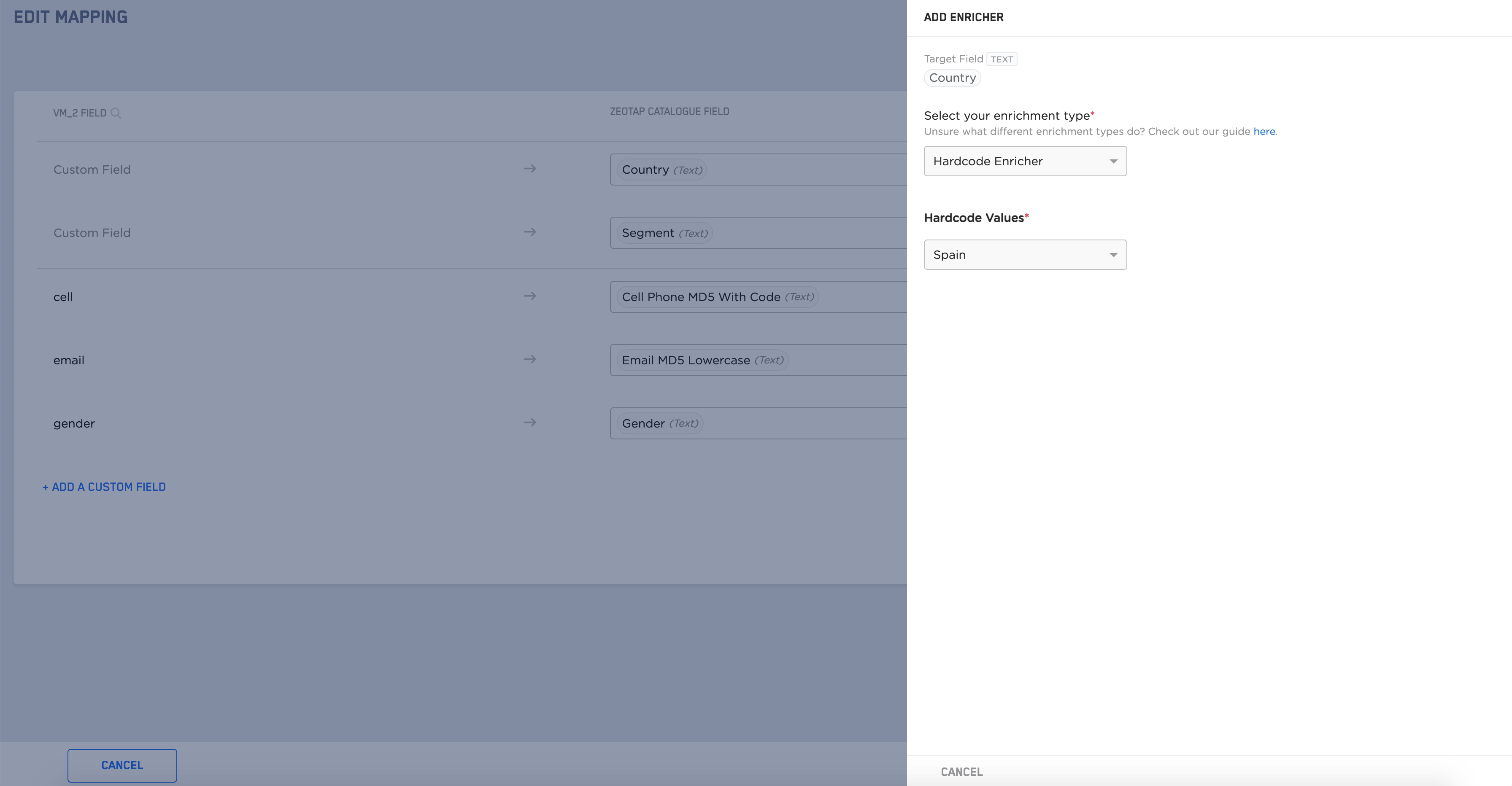
If you do not have the `Country` source field (that is, when you do not have any incoming field with `Country` as the value) then keep the source field blank and hardcode the Country of your incoming data by adding the Country enricher.
Click **+ADD ENRICHER** against the Country field.
Select **Hardcode Enricher** as the enrichment type.
Select the appropriate **Hardcode Value** from the drop-down menu.
Save the changes.
## Configuring the Enricher When You Do Not Have the Country Source Field
Perform the following steps to configure the enricher when you do not have the Country source field:
If you do not have the `Country` source field (that is, when you do not have any incoming field with `Country` as the value) then keep the source field blank and hardcode the Country of your incoming data by adding the Country enricher.
Click **+ADD ENRICHER** against the Country field.
Select **Hardcode Enricher** as the enrichment type.
Select the appropriate **Hardcode Value** from the drop-down menu.
Save the changes.