> ## Documentation Index
> Fetch the complete documentation index at: https://docs.zeotap.com/llms.txt
> Use this file to discover all available pages before exploring further.

# Your First Login to the Zeotap CDP Platform

To make your first login to the Zeotap CDP account using the welcome link you received after subscription, perform the following steps:

<Steps>
  <Step>
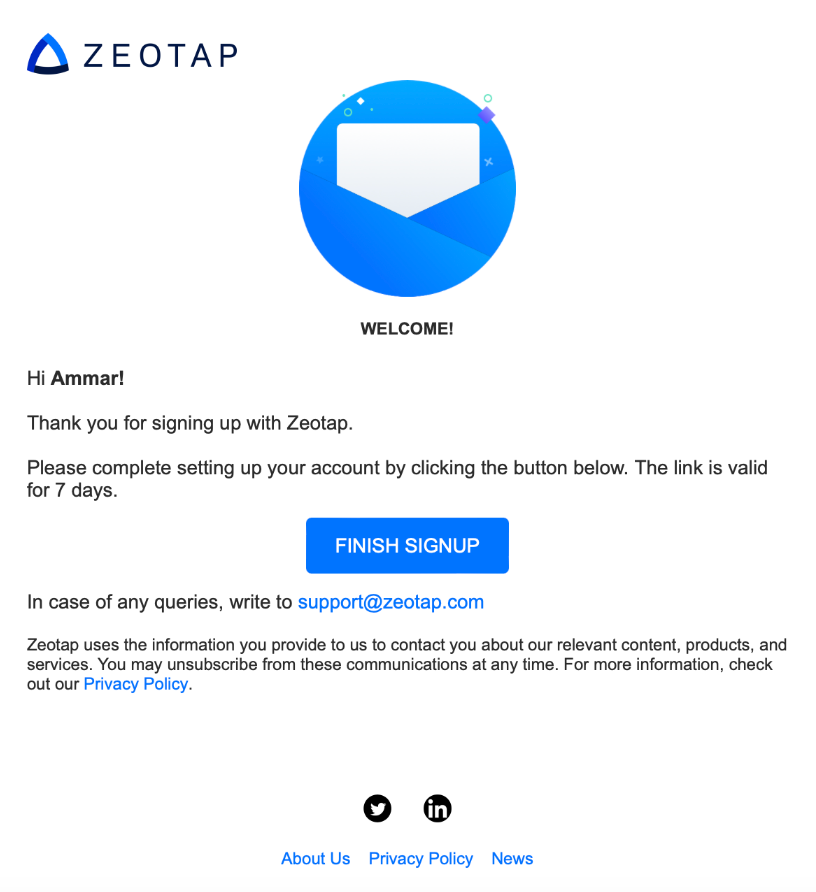
    To begin with, ensure that you have received the welcome email with the **FINISH SIGNUP** link from Zeotap C If you cannot find the email, check your spam folder or contact the Zeotap support team at [support@zeotap.com](mailto:support@zeotap.com).
    <Frame>
      <img src="https://mintcdn.com/zeotap/H0pOTVz_BvaIfSXr/articles/support/Storage/support/your-first-login-to-the-zeotap-cdp-platform/your-first-login-to-the-zeotap-cdp-platform-2024-09-02.png?fit=max&auto=format&n=H0pOTVz_BvaIfSXr&q=85&s=5a320176fc78cd5569bc9b91c9315db2" alt="" width="816" height="892" data-path="articles/support/Storage/support/your-first-login-to-the-zeotap-cdp-platform/your-first-login-to-the-zeotap-cdp-platform-2024-09-02.png" />
    </Frame>
  </Step>

  <Step>
    Click **FINISH SIGNUP** in the email.
  </Step>

  <Step>
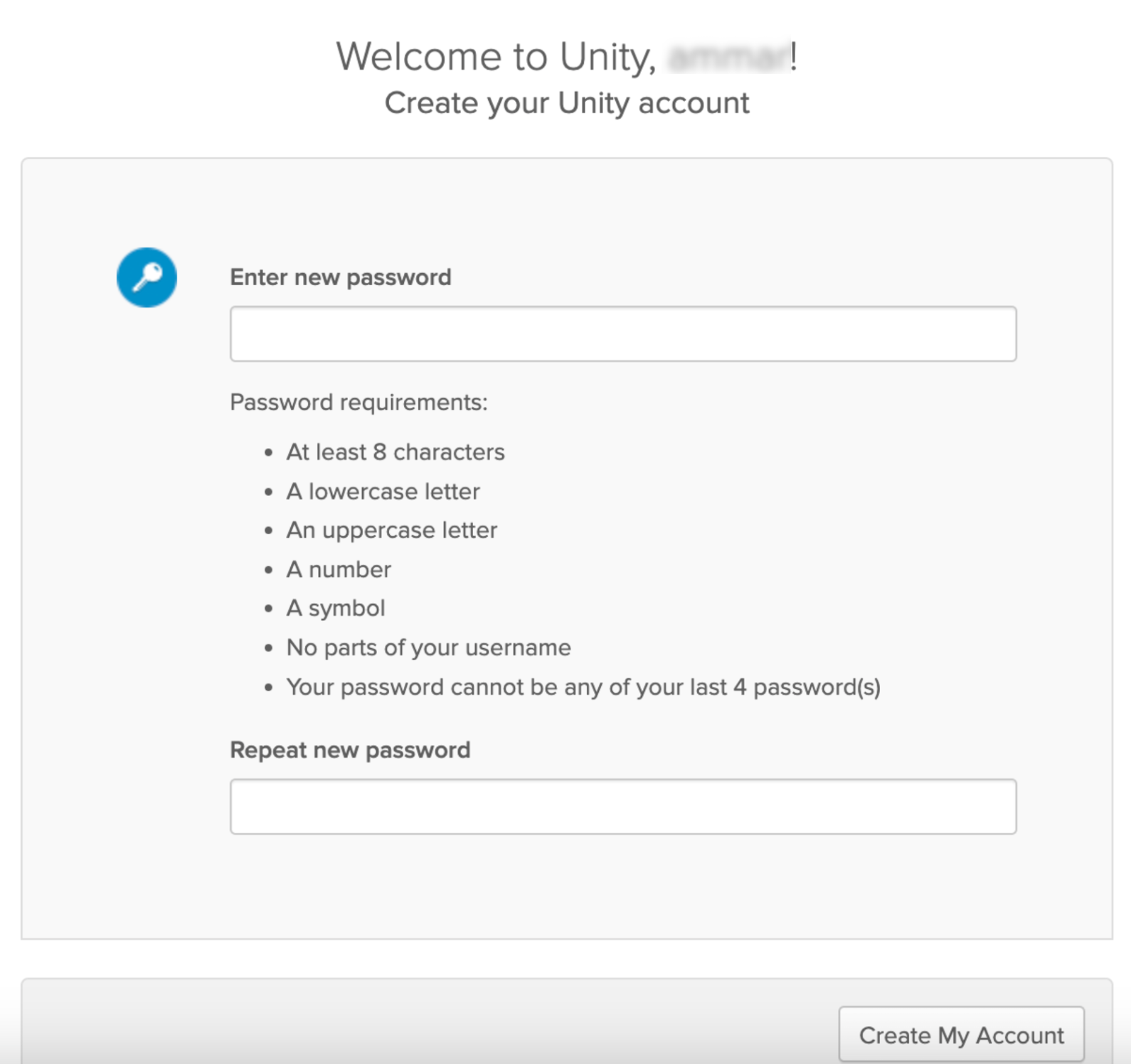
    Set a new password for your Zeotap CDP account. Ensure your password meets safety standards as mentioned in the image below.
    <Frame>
      <img src="https://mintcdn.com/zeotap/H0pOTVz_BvaIfSXr/articles/support/Storage/support/your-first-login-to-the-zeotap-cdp-platform/your-first-login-to-the-zeotap-cdp-platform-2024-09-02-1.png?fit=max&auto=format&n=H0pOTVz_BvaIfSXr&q=85&s=e2ce1c736aa8d77791a8a9e0dcf9eb68" alt="" width="1590" height="1496" data-path="articles/support/Storage/support/your-first-login-to-the-zeotap-cdp-platform/your-first-login-to-the-zeotap-cdp-platform-2024-09-02-1.png" />
    </Frame>
  </Step>

  <Step>
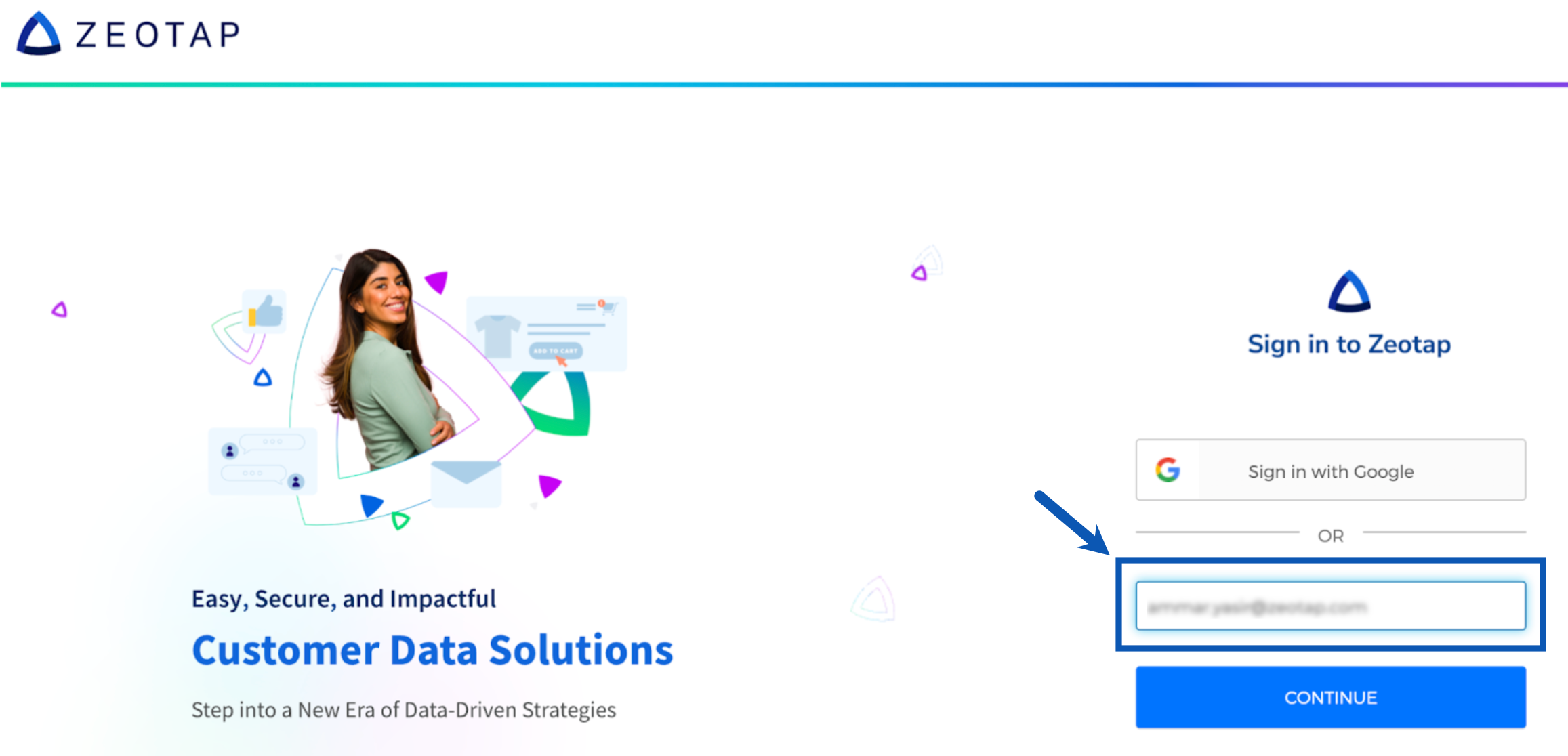
    Click **Create My Account** to complete the account setup. After successfully creating your account, you will be automatically redirected to [app.zeotap.com](https://app.zeotap.com). If redirection does not occur, manually navigate to [app.zeotap.com](https://app.zeotap.com). 
    <Frame>
      <img src="https://mintcdn.com/zeotap/H0pOTVz_BvaIfSXr/articles/support/Storage/support/your-first-login-to-the-zeotap-cdp-platform/your-first-login-to-the-zeotap-cdp-platform-2024-09-02-2.png?fit=max&auto=format&n=H0pOTVz_BvaIfSXr&q=85&s=9980e019f9676d0ac25f8abf7c52eb05" alt="" width="2314" height="1116" data-path="articles/support/Storage/support/your-first-login-to-the-zeotap-cdp-platform/your-first-login-to-the-zeotap-cdp-platform-2024-09-02-2.png" />
    </Frame>
  </Step>

  <Step>
    Upon successful login, you will be able to access the Zeotap CDP platform. Use the drop-down menu in the top right corner to switch between your preferred instance or Organization.

    <Frame>
      <img src="https://mintcdn.com/zeotap/H0pOTVz_BvaIfSXr/articles/support/Storage/support/your-first-login-to-the-zeotap-cdp-platform/your-first-login-to-the-zeotap-cdp-platform-2024-09-02-3.png?fit=max&auto=format&n=H0pOTVz_BvaIfSXr&q=85&s=9cc42ff57185b4bedd34bea91ff17d62" alt="" width="3488" height="570" data-path="articles/support/Storage/support/your-first-login-to-the-zeotap-cdp-platform/your-first-login-to-the-zeotap-cdp-platform-2024-09-02-3.png" />
    </Frame>
  </Step>
</Steps>

## Related Topics

As your next step, you will need guidance on how to create an organisation and a user. Use the following links to navigate:

<Columns cols={2}>
  <Card title="How to create an Organisation?" icon="building" horizontal href="https://docs.zeotap.com/articles/admin-customer/creating-an-organisation" />

  <Card title="How to add a User?" icon="user" horizontal href="https://docs.zeotap.com/articles/admin-customer/add-an-user" />

  <Card title="Feature/Functionalities available for different User Roles" icon="shield-halved" horizontal href="https://docs.zeotap.com/articles/admin-customer/user-roles-and-access" />

  <Card title="User roles and their descriptions" icon="circle-info" horizontal href="https://docs.zeotap.com/articles/admin-customer/role-descriptions" />

  <Card title="How to raise an Access Request?" icon="handshake" horizontal href="https://docs.zeotap.com/articles/admin-customer/request-access" />

  <Card title="Organisation/User creation process for different teams" icon="users" horizontal href="https://docs.zeotap.com/articles/admin-customer/process-to-follow-for-org-user-creation-or-access-1" />
</Columns>
