> ## Documentation Index
> Fetch the complete documentation index at: https://docs.zeotap.com/llms.txt
> Use this file to discover all available pages before exploring further.
# How do Conditional Blocks Work
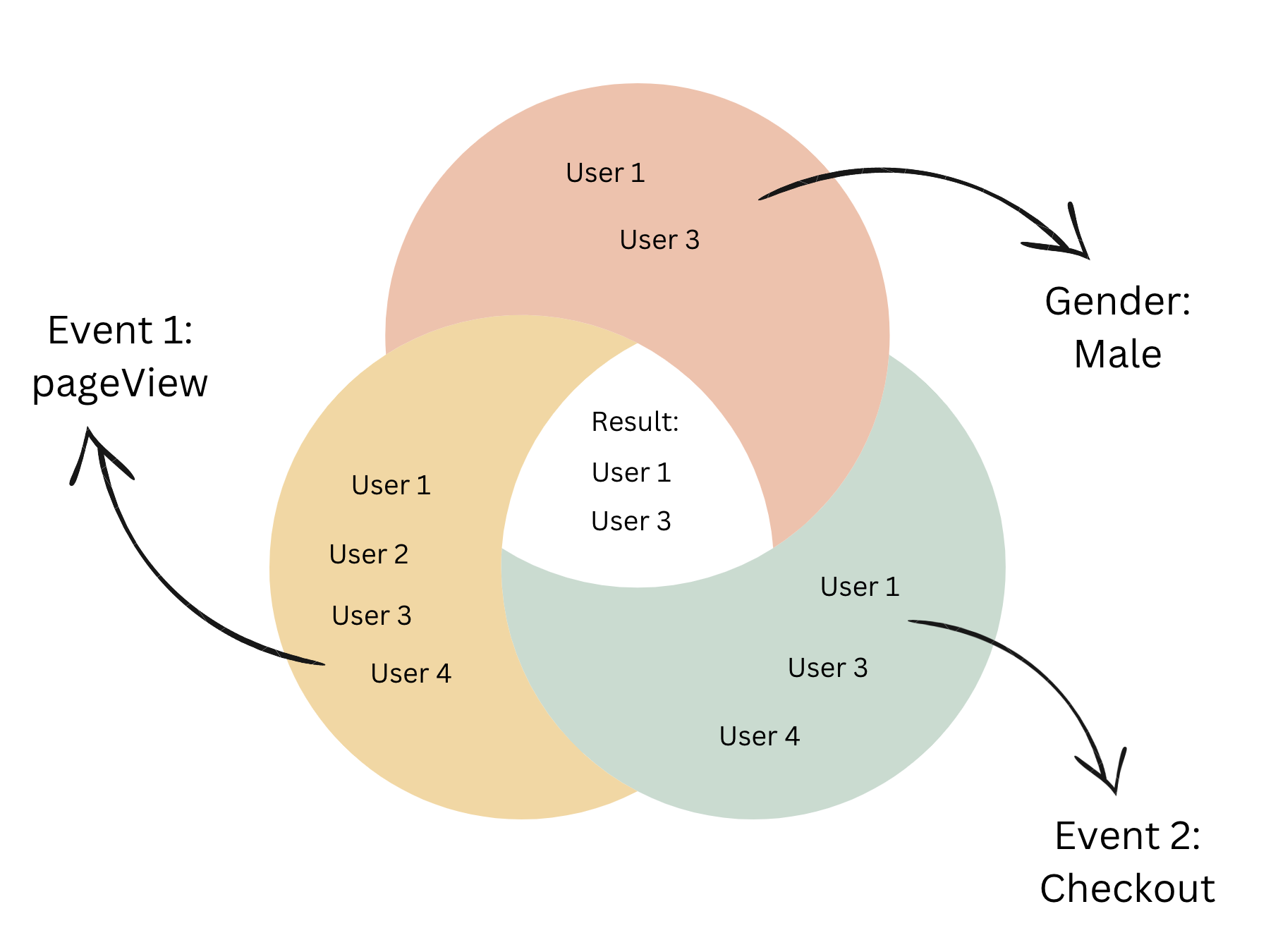
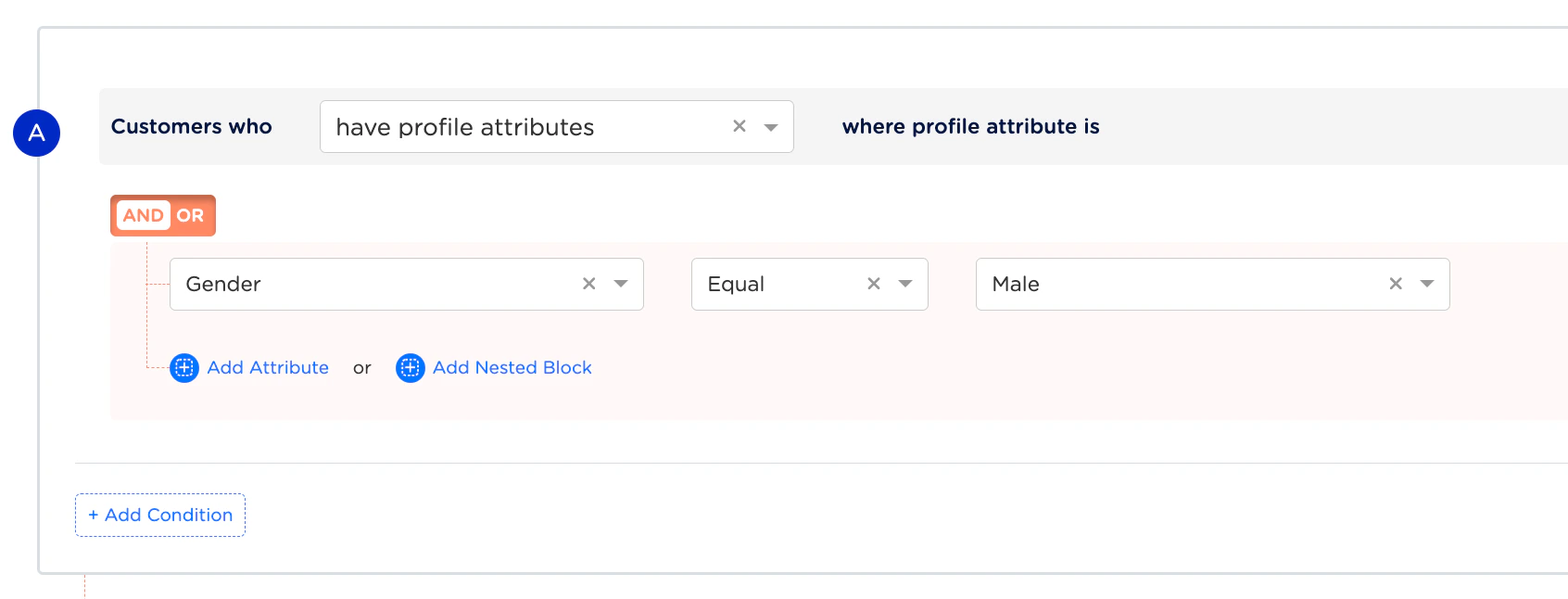
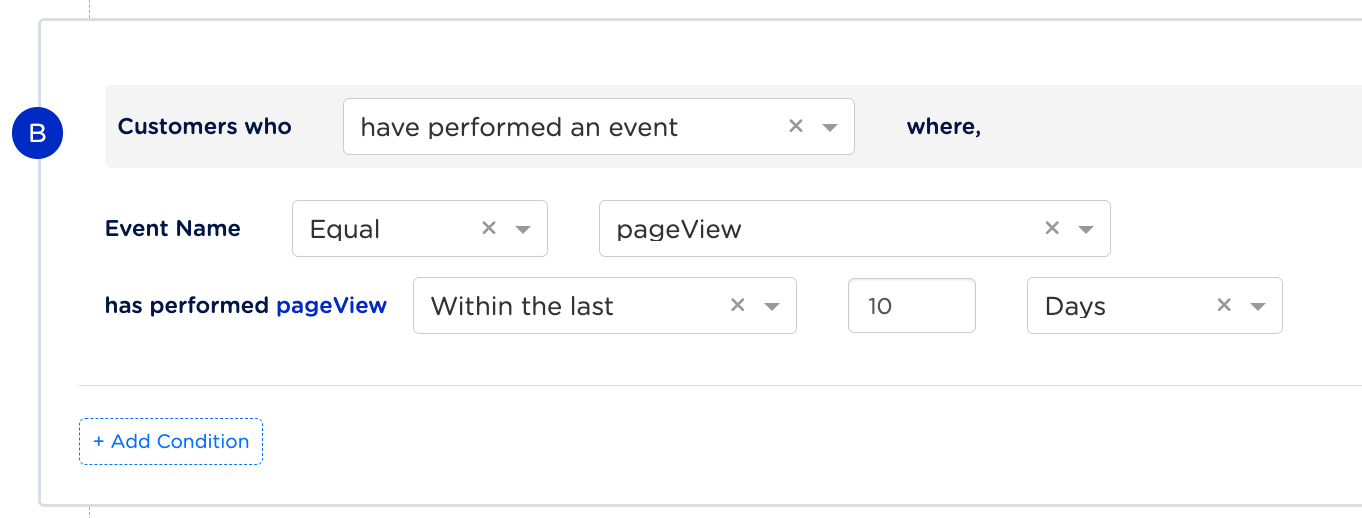
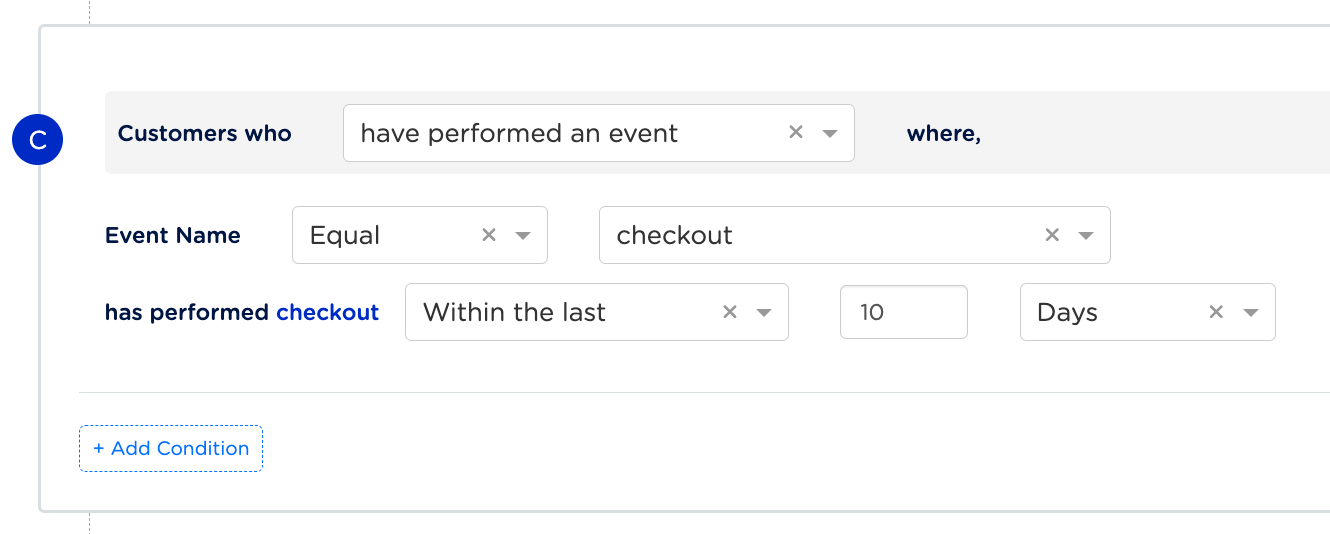
Let’s consider an example to understand how conditional blocks filter users when different logical operators such as `AND`, `OR`, and `NOT` are applied. Suppose, you want to filter male users who have performed both the `pageView` and `checkout` events within the last 10 days. We can build this scenario in Audience using three conditional blocks (conditional block `A`, `B` and `C`) as shown in the images below. Note that we are using AND operator between the conditional blocks for this particular use case, `((A AND B) AND C)`.
**Conditional Block A: Filters users by Gender** `Male`
 **Conditional Block B: Filters users who have performed** `pageView` **in the last 10 days**
 **Conditional Block C: Filters users who have performed** `checkout` **in the last 10 days**
 Now that we have built the conditional blocks, let us understand how the users qualify for these conditions. Consider four users who have performed the following events:
* User 1 – A male who has performed both the `pageView` and `checkout` events in the last 10 days.
* User 2 – A female who has performed only the `pageView` event in the last 10 days.
* User 3 – A male who has performed both the `pageView` and `checkout` events in the last 10 days.
* User 4 – A female who has performed both the `pageView` and `checkout` events in the last 10 days.
**Result**
Based on the above conditional blocks, `User 1` and `User 3` qualify. Applying the `AND` operator between the conditional blocks, we obtain a subset of users who are male and have performed both the `pageView` and `checkout` events in the last 10 days.
Now that we have built the conditional blocks, let us understand how the users qualify for these conditions. Consider four users who have performed the following events:
* User 1 – A male who has performed both the `pageView` and `checkout` events in the last 10 days.
* User 2 – A female who has performed only the `pageView` event in the last 10 days.
* User 3 – A male who has performed both the `pageView` and `checkout` events in the last 10 days.
* User 4 – A female who has performed both the `pageView` and `checkout` events in the last 10 days.
**Result**
Based on the above conditional blocks, `User 1` and `User 3` qualify. Applying the `AND` operator between the conditional blocks, we obtain a subset of users who are male and have performed both the `pageView` and `checkout` events in the last 10 days.