> ## Documentation Index
> Fetch the complete documentation index at: https://docs.zeotap.com/llms.txt
> Use this file to discover all available pages before exploring further.
# Audience Status and Activation Status
> The info icon beside the **Audience** **Status** and **Activation Status** columns displays a summary of the available statuses and what each status denotes. Refer to the below table for more information about each status.
## Audience Status
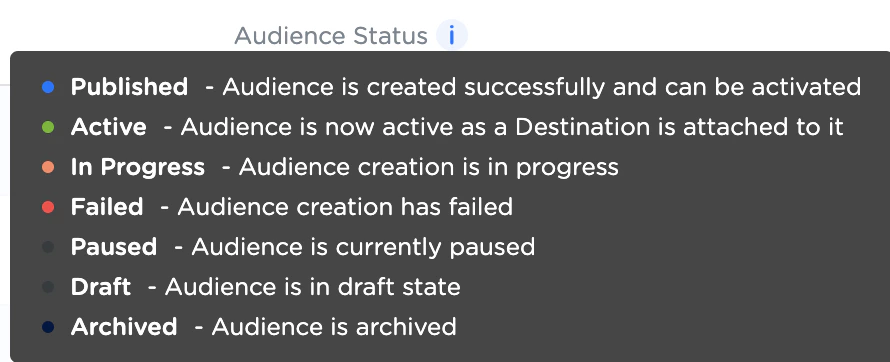 | **Status** | **Description** | **Colour Code** |
| :---------- | :----------------------------------------------------------------------------- | :-------------- |
| Published | This indicates that the Audience is created successfully and can be activated. | Blue |
| Active | This indicates that the Audience is active as a Destination is attached to it. | Green |
| In Progress | This indicates that the Audience creation is in progress. | Amber |
| Failed | This indicates that the Audience creation has failed. | Red |
| Paused | This indicates that the Audience is currently paused. | Grey |
| Draft | This indicates that the Audience is in draft stage. | Grey |
| Archived | This indicates that the Audience is archived. | Black |
## Activation Status
| **Status** | **Description** | **Colour Code** |
| :---------- | :----------------------------------------------------------------------------- | :-------------- |
| Published | This indicates that the Audience is created successfully and can be activated. | Blue |
| Active | This indicates that the Audience is active as a Destination is attached to it. | Green |
| In Progress | This indicates that the Audience creation is in progress. | Amber |
| Failed | This indicates that the Audience creation has failed. | Red |
| Paused | This indicates that the Audience is currently paused. | Grey |
| Draft | This indicates that the Audience is in draft stage. | Grey |
| Archived | This indicates that the Audience is archived. | Black |
## Activation Status
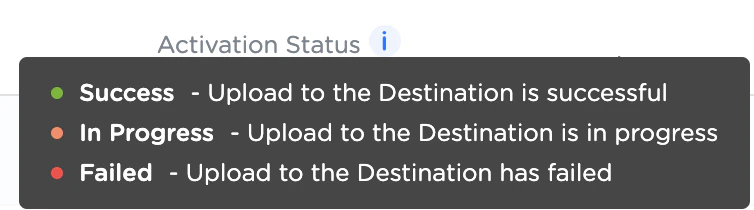 | **Status** | **Description** | **Colour Code** |
| :---------- | :--------------------------------------------------------- | :-------------- |
| Success | This indicates that the destination upload is successful. | Green |
| In Progress | This indicates that the destination upload is in progress. | Amber |
| Failed | This indicates that the destination upload has failed. | Red |
# Additional information available for Activation Status
On hovering over the Activation Status of a particular Audience, a window appears displaying the following information:
* Count of the successful destinations
* Count of the failed destinations
* Count of in-progress destinations
* Message about the overall destination status (if any)
* Icons of each destination with the relevant colour code for their respective statuses
| **Status** | **Description** | **Colour Code** |
| :---------- | :--------------------------------------------------------- | :-------------- |
| Success | This indicates that the destination upload is successful. | Green |
| In Progress | This indicates that the destination upload is in progress. | Amber |
| Failed | This indicates that the destination upload has failed. | Red |
# Additional information available for Activation Status
On hovering over the Activation Status of a particular Audience, a window appears displaying the following information:
* Count of the successful destinations
* Count of the failed destinations
* Count of in-progress destinations
* Message about the overall destination status (if any)
* Icons of each destination with the relevant colour code for their respective statuses