> ## Documentation Index
> Fetch the complete documentation index at: https://docs.zeotap.com/llms.txt
> Use this file to discover all available pages before exploring further.
# StackAdapt DSP
## Overview
StackAdapt is a AI-powered demand-side platform (DSP) that enables marketers to plan, execute, and optimize programmatic advertising campaigns across multiple channels like display, native, video, connected TV, audio, and in-game ads . With real-time, data‑driven targeting and automated bidding at scale, it helps advertisers reach precise audiences, maximize campaign efficiency, and deliver higher performance outcomes. The Stackadapt integration with Zeotap allows the customer to push the audiences from Zeotap to the S3 bucket provided by Stackadapt.
## Supported Identifiers
This integration supports **MAIDs, IP Address** and **StackAdapt Cookies**.
## Prerequisites
Before pushing the segments to StackAdapt, ensure that you have the following details from you StackAdapt POC.
1. Your 3P Marketplace Advertiser ID.
2. Destination Instance Name (This is used for the internal reference of the destination)
## Create a Destination for StackAdapt
Once you have obtained the prerequisites mentioned in the above section, perform the following steps to create a Destination for StackAdapt:
Log into the Zeotap CDP App and go to the **DESTINATIONS** application.
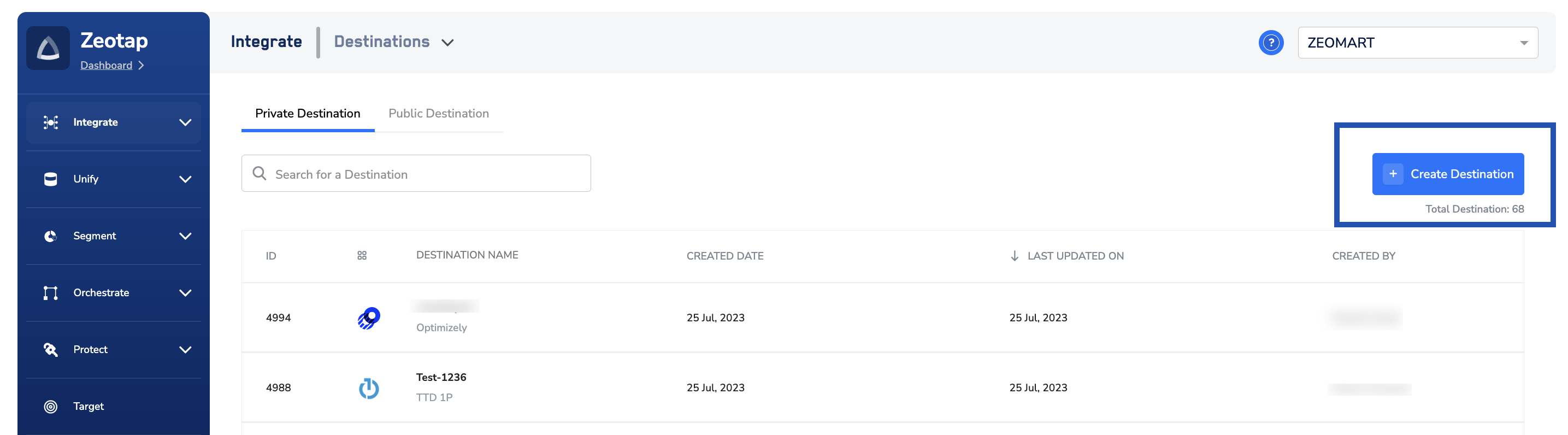
Click **+ Create Destination.**
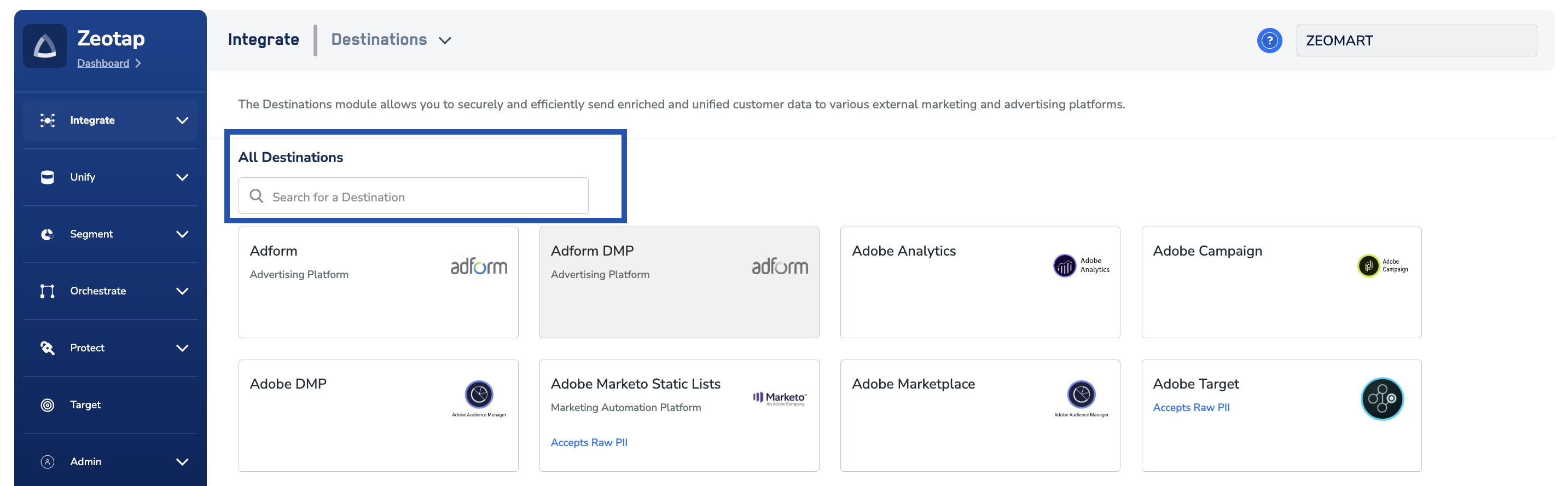
 Under **All Destinations**, search for **StackAdapt**.
 Click **StackAdapt.** A screen appears displaying details about the particular destination towards the left. On the right-hand side of the screen find a list of fields that are required for the integration to be established. Enter the required details as mentioned in the following steps:
a. Enter a name for the Destination.
b. Enter the **3P Marketplace Advertiser ID**.
Click **StackAdapt.** A screen appears displaying details about the particular destination towards the left. On the right-hand side of the screen find a list of fields that are required for the integration to be established. Enter the required details as mentioned in the following steps:
a. Enter a name for the Destination.
b. Enter the **3P Marketplace Advertiser ID**.
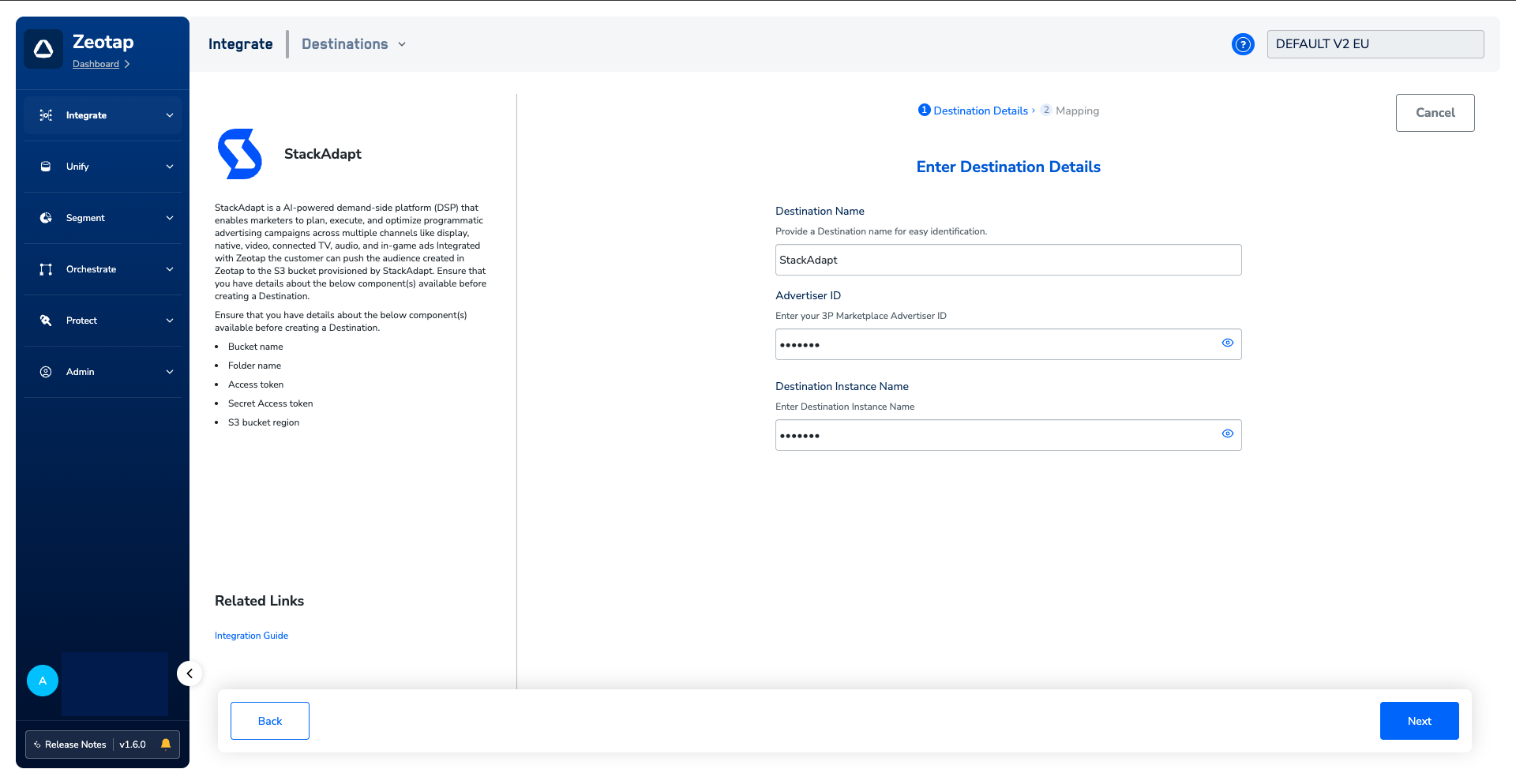 c. Review all the values entered above and then click **Next** to proceed to mapping.
On the **Action and Mapping** screen, select from **Send Cookie to StackAdapt**, **Send MAIDs to StackAdapt**, or **Send IP Address to StackAdapt** as the action, based on the identifiers you want to send. Then, map the **Catalogue** and **Destination** fields accordingly.
a. If you choose **Send Cookie to StackAdapt**, then you can send only Cookies to StackAdapt.
c. Review all the values entered above and then click **Next** to proceed to mapping.
On the **Action and Mapping** screen, select from **Send Cookie to StackAdapt**, **Send MAIDs to StackAdapt**, or **Send IP Address to StackAdapt** as the action, based on the identifiers you want to send. Then, map the **Catalogue** and **Destination** fields accordingly.
a. If you choose **Send Cookie to StackAdapt**, then you can send only Cookies to StackAdapt.
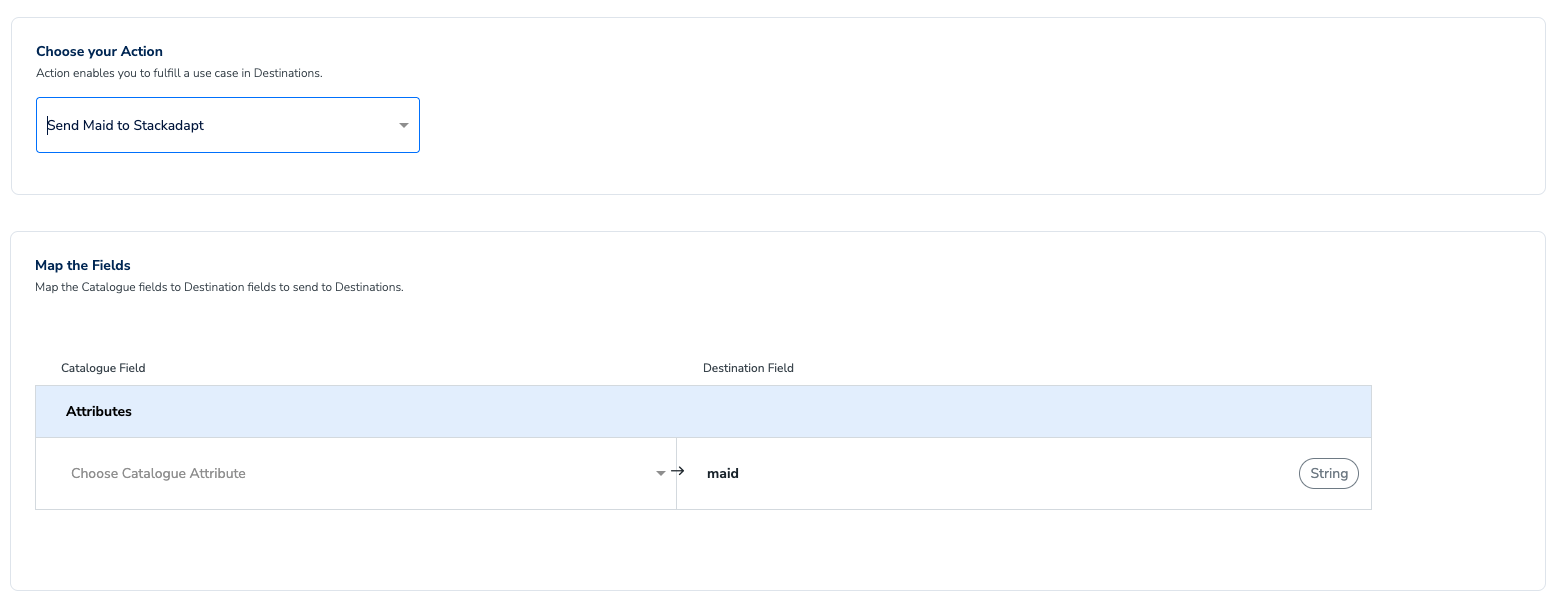
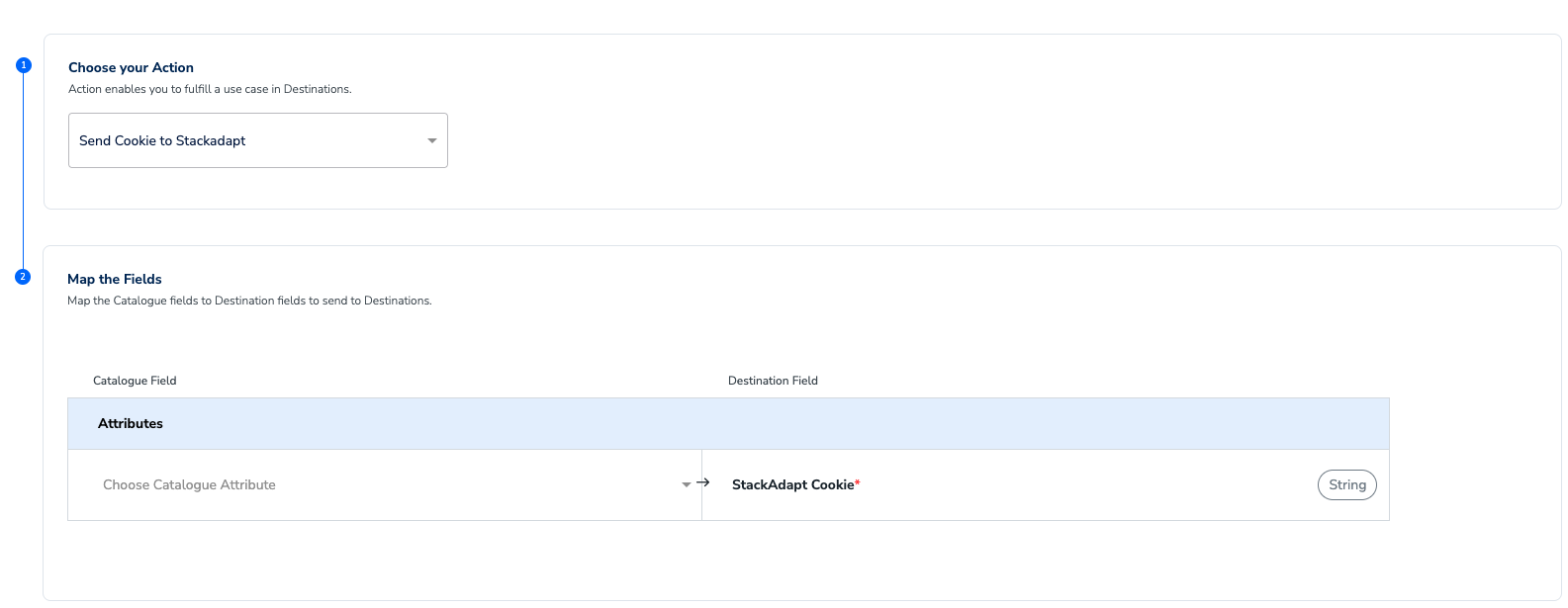 b. If you choose **Send MAIDs to StackAdapt,** then you can only send MAIDs to StackAdapt.
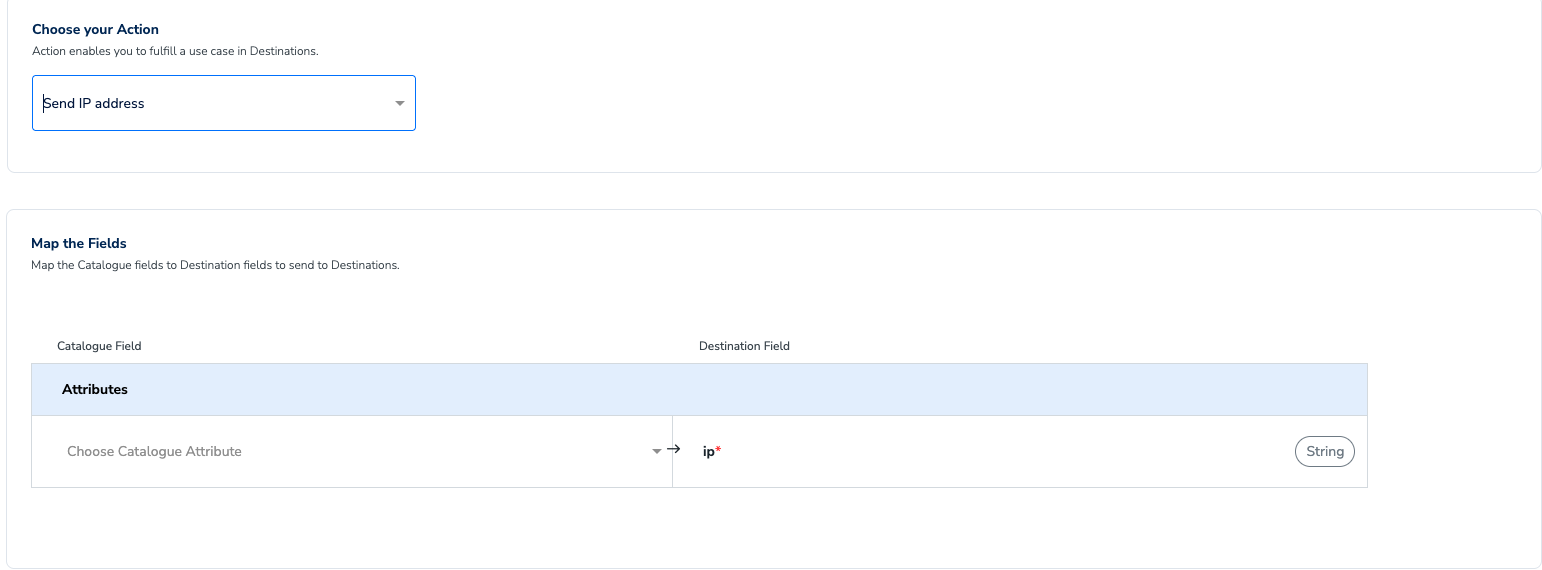
 c. If you choose **Send IP Address to StackAdapt,** then you can only send IP Addresses to StackAdapt.
 Once the mapping is complete, click **Create Destination**. The created Destination gets listed in the **Audiences** application, which can be linked to an audience (segment).
## Link an Audience to the StackAdapt Destination
For information about how to link an audience to the created Destination in the **Audiences** application, refer [here](/articles/integrate-customer/link-an-audience-to-the-destination).
**Note:**
The terms *Audiences* and *Segments* are used interchangeably to refer to customer cohorts belonging to a specific category. For example, an Audience or a segment can be a specific group of customers who are over 18 years of age and have performed an addToCart event within the last 30 days.
Once the mapping is complete, click **Create Destination**. The created Destination gets listed in the **Audiences** application, which can be linked to an audience (segment).
## Link an Audience to the StackAdapt Destination
For information about how to link an audience to the created Destination in the **Audiences** application, refer [here](/articles/integrate-customer/link-an-audience-to-the-destination).
**Note:**
The terms *Audiences* and *Segments* are used interchangeably to refer to customer cohorts belonging to a specific category. For example, an Audience or a segment can be a specific group of customers who are over 18 years of age and have performed an addToCart event within the last 30 days.