> ## Documentation Index
> Fetch the complete documentation index at: https://docs.zeotap.com/llms.txt
> Use this file to discover all available pages before exploring further.
# Reddit CAPI
## Overview
Reddit is a social media platform that offers a range of advertising solutions to help marketers reach their target audience through Reddit Ads Manager. This allows advertisers to show ads to users across multiple use cases based on their interests and
activity on the platform.
## Supported Identifiers
This integration supports **SHA 256 Email** and **SHA 256 Phone Numbers.**
## Pre requisites
Please ensure the following steps are completed in Reddit before configuring the destination in Zeotap.
**Reddit Ads Account**
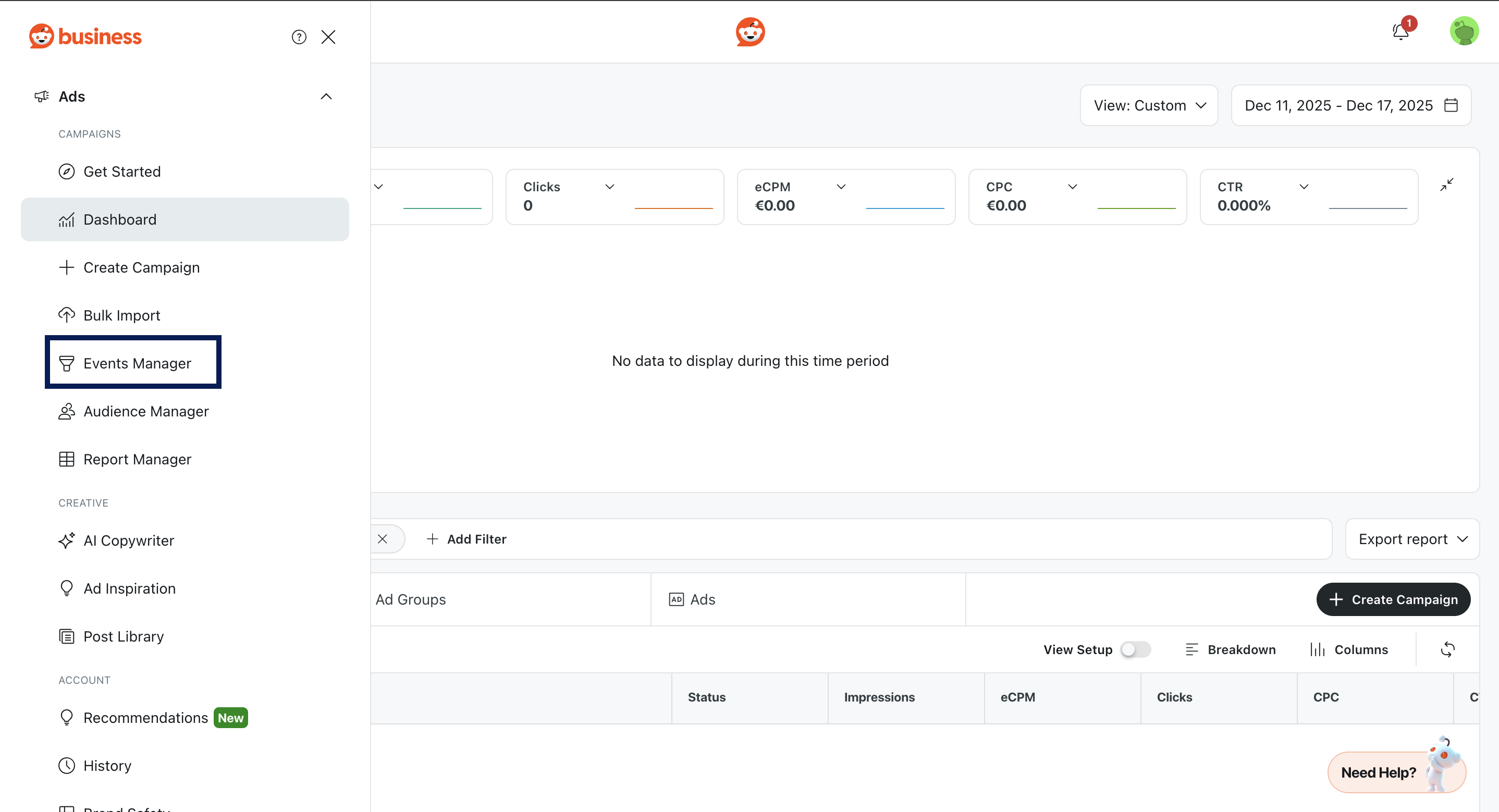
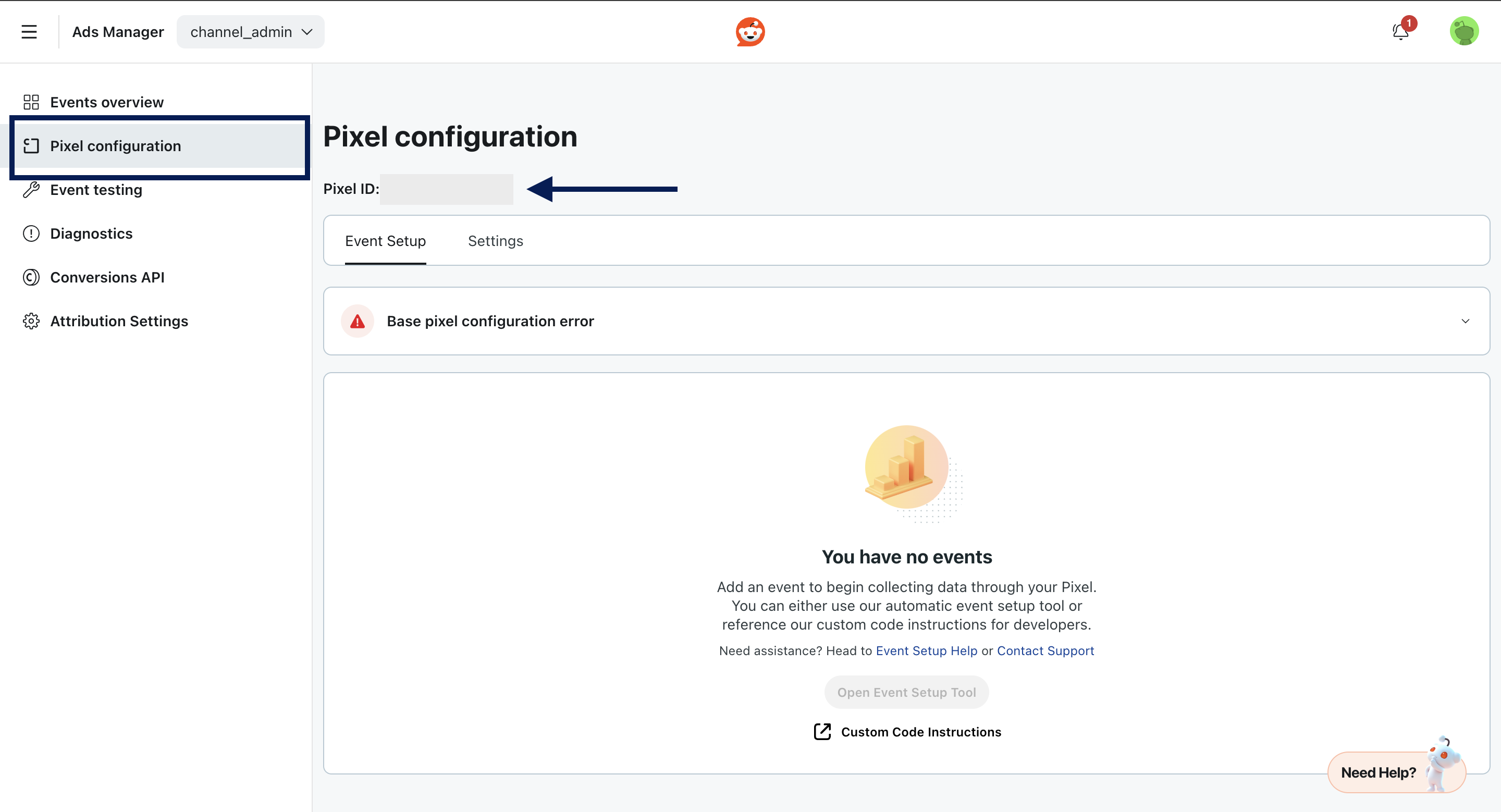
**Pixel ID** : Go to **Ads Account > Events Manager > Pixel Configurations > Pixel ID**
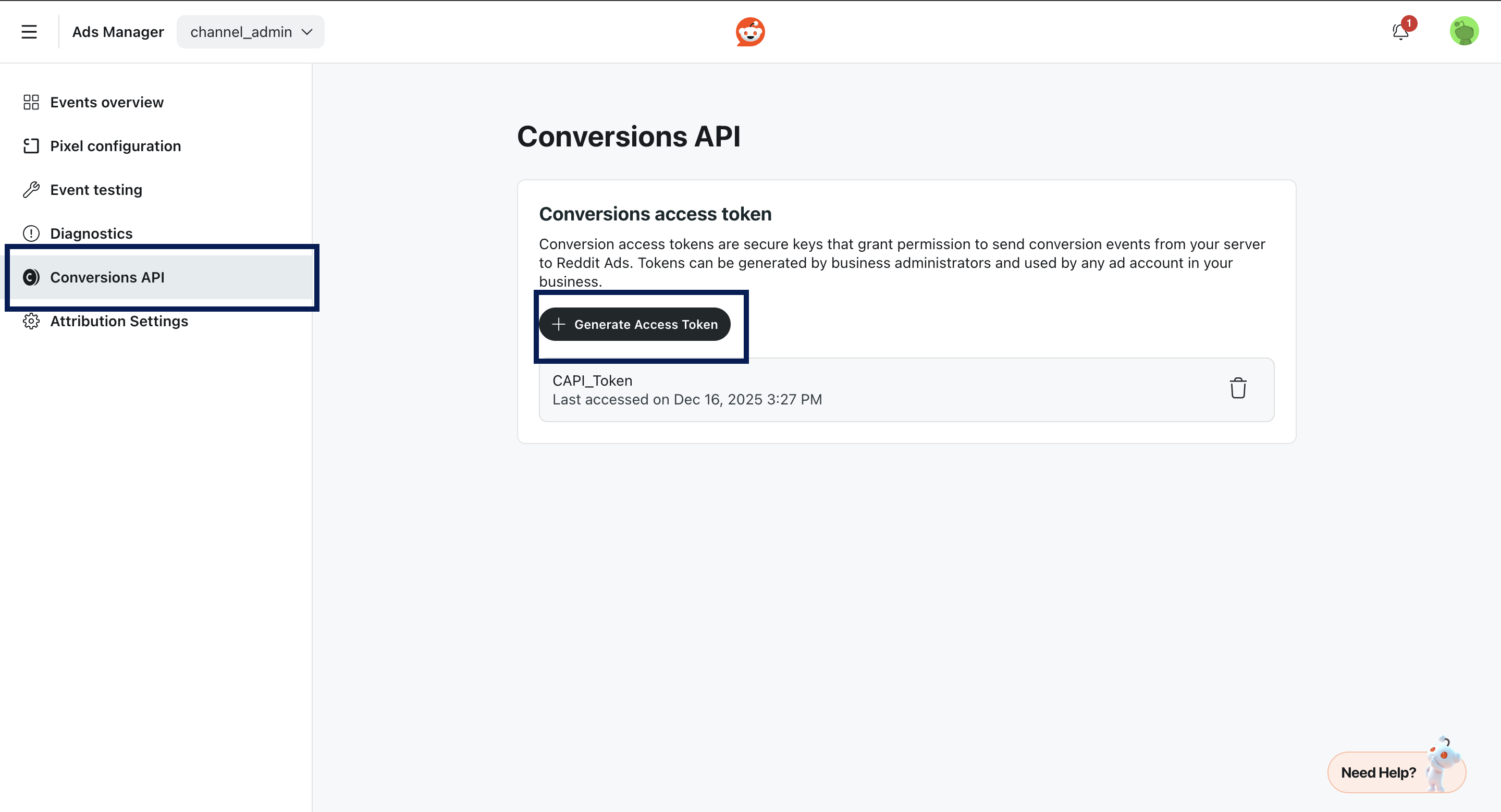
 **Conversions API Token** : Go to **Ads Account > Events Manager > Conversion API > Generate API Token**
 ## Creating a Destination
Log into the **Zeotap CDP** App and go to the **DESTINATIONS** application.
Click **+ Create Destination**.
Under **All Destinations**, search for **Reddit CAPI**
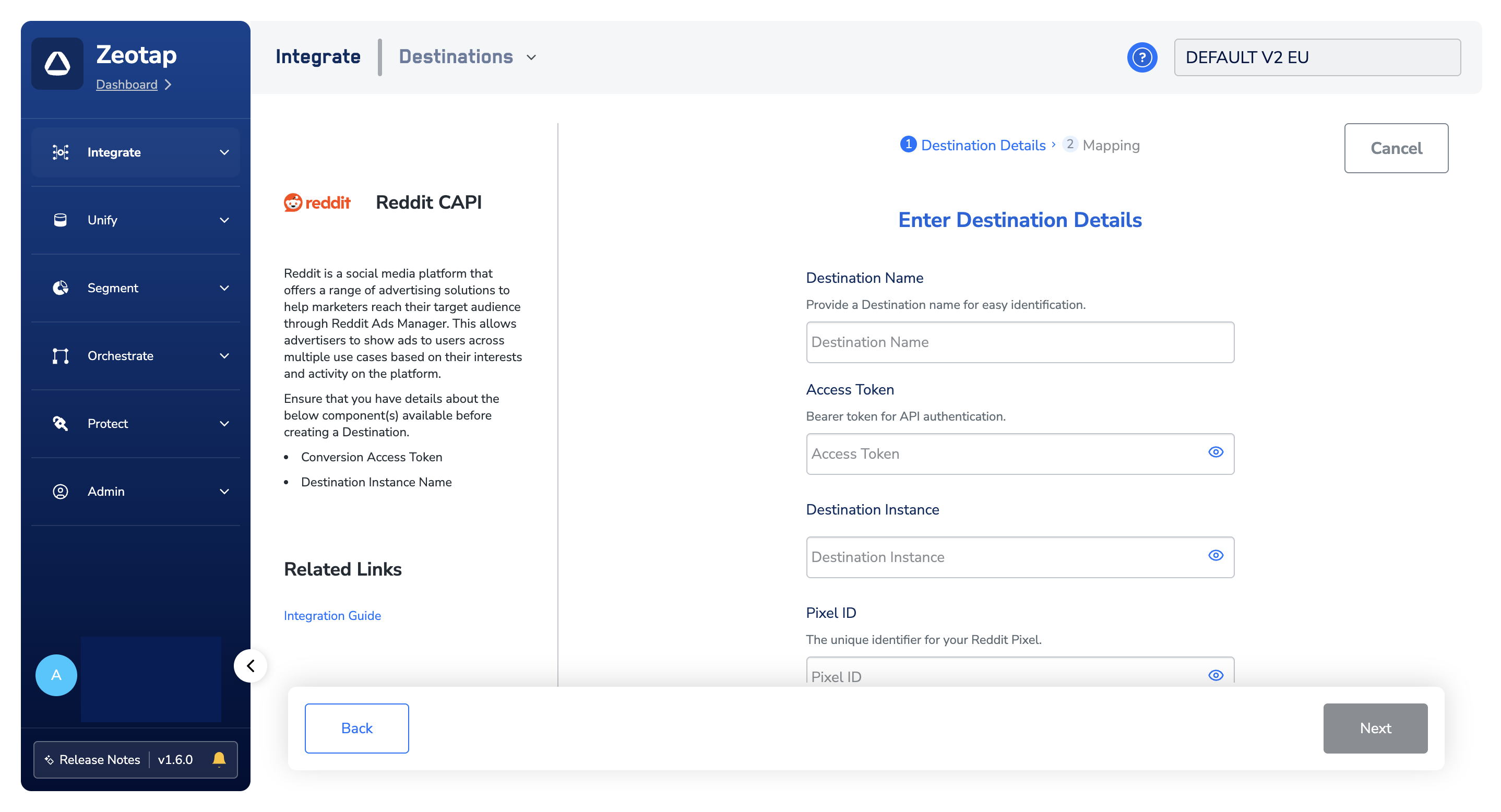
Click on Reddit CAPI. A screen appears displaying details about the particular destination towards the left. On the right-hand side of the screen find a list of fields that are required for the integration to be established. Enter the required details as mentioned in the following steps:
a. Enter a **Name** for the Destination.
## Creating a Destination
Log into the **Zeotap CDP** App and go to the **DESTINATIONS** application.
Click **+ Create Destination**.
Under **All Destinations**, search for **Reddit CAPI**
Click on Reddit CAPI. A screen appears displaying details about the particular destination towards the left. On the right-hand side of the screen find a list of fields that are required for the integration to be established. Enter the required details as mentioned in the following steps:
a. Enter a **Name** for the Destination.
b. Enter the **Access Token.**
c. Enter the **Destination Instance Name.**
d. Enter the **Pixel ID**.
e. Click **Next** to proceed to **mapping**.
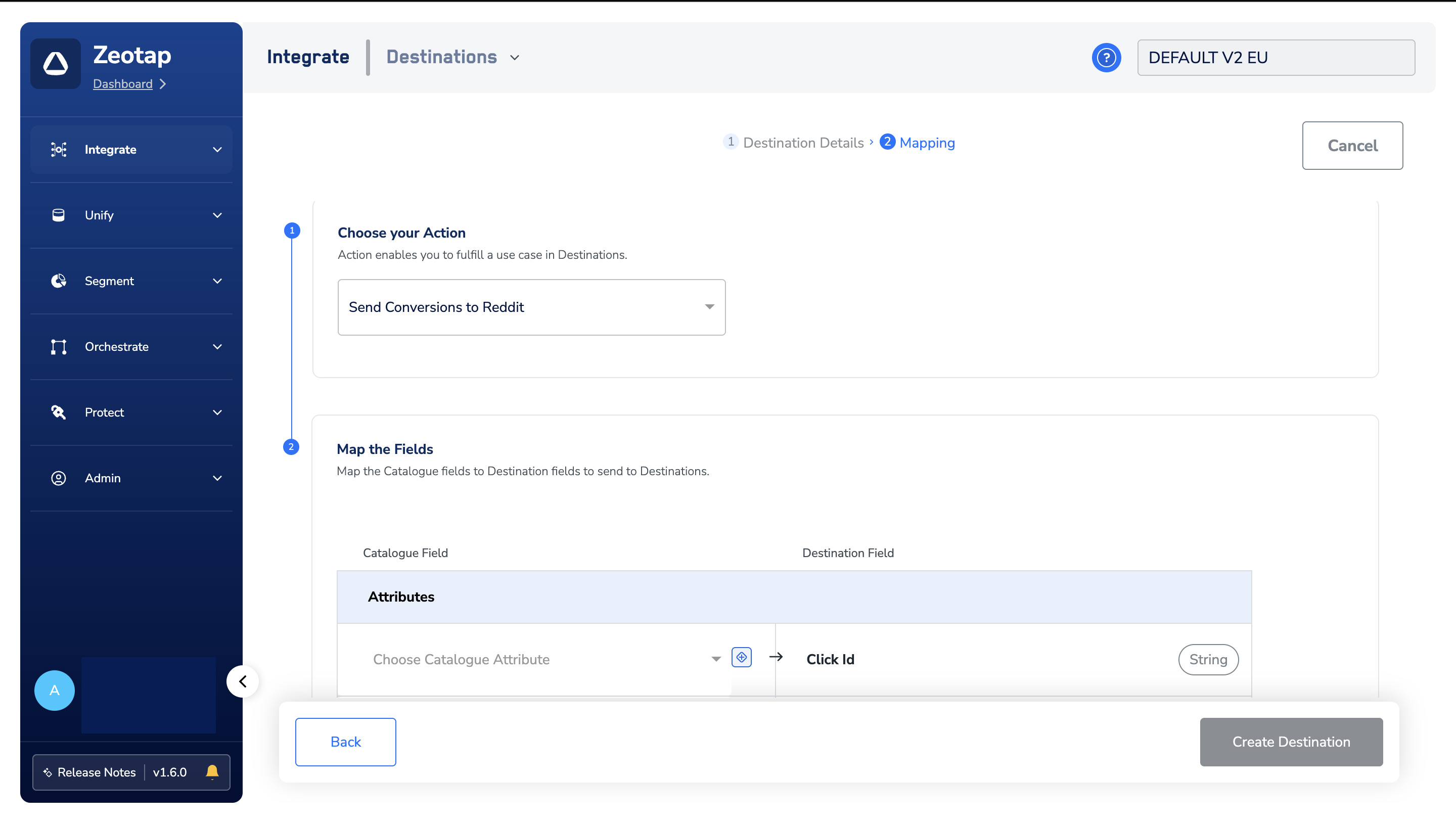
 In the new screen that appears, choose the appropriate **Action** and **mapping** as explained below.
a. Choose the desired action under **Choose your Action** and then choose the **corresponding identifiers** under **Map the Fields**. By default, the output Identifiers that are accepted by the platform, such as **hashed email IDs** list and **hashed phone numbers** are displayed.
In the new screen that appears, choose the appropriate **Action** and **mapping** as explained below.
a. Choose the desired action under **Choose your Action** and then choose the **corresponding identifiers** under **Map the Fields**. By default, the output Identifiers that are accepted by the platform, such as **hashed email IDs** list and **hashed phone numbers** are displayed.
b. The following are the **mandatory fields** that need to be mapped:
i. **Event Timestamp** (Unix timestamp in milliseconds).
**Note**
*Please note that **events timestamp** must not be older than a **week**.*
c. Click **Save Mapping**.
 ## Activate the Destination on Journeys
After creating a **destination**, next, you need to link it in the **Send to Destination** node within the workflow, as explained below.
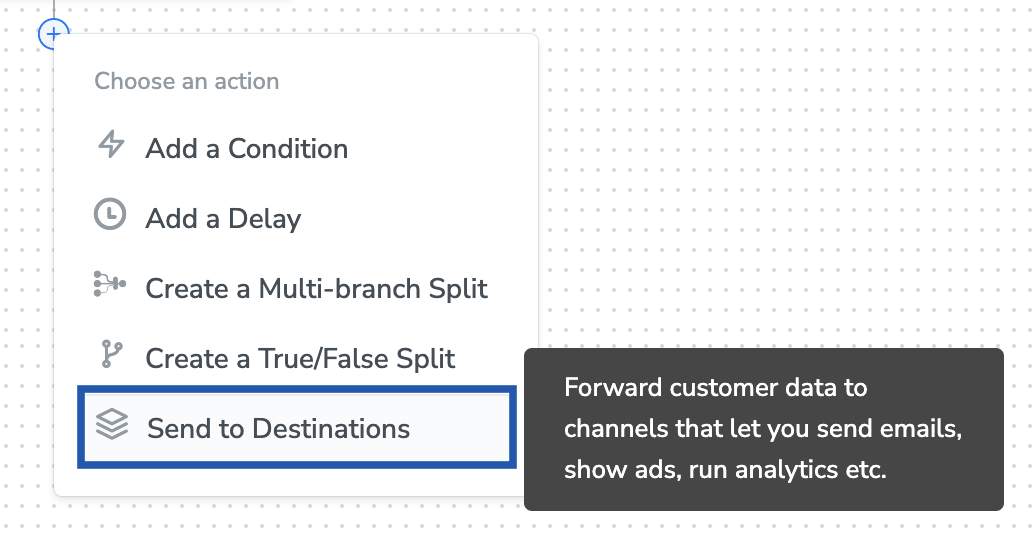
In the workflow, **click +** and choose **Send to Destinations.**
## Activate the Destination on Journeys
After creating a **destination**, next, you need to link it in the **Send to Destination** node within the workflow, as explained below.
In the workflow, **click +** and choose **Send to Destinations.**
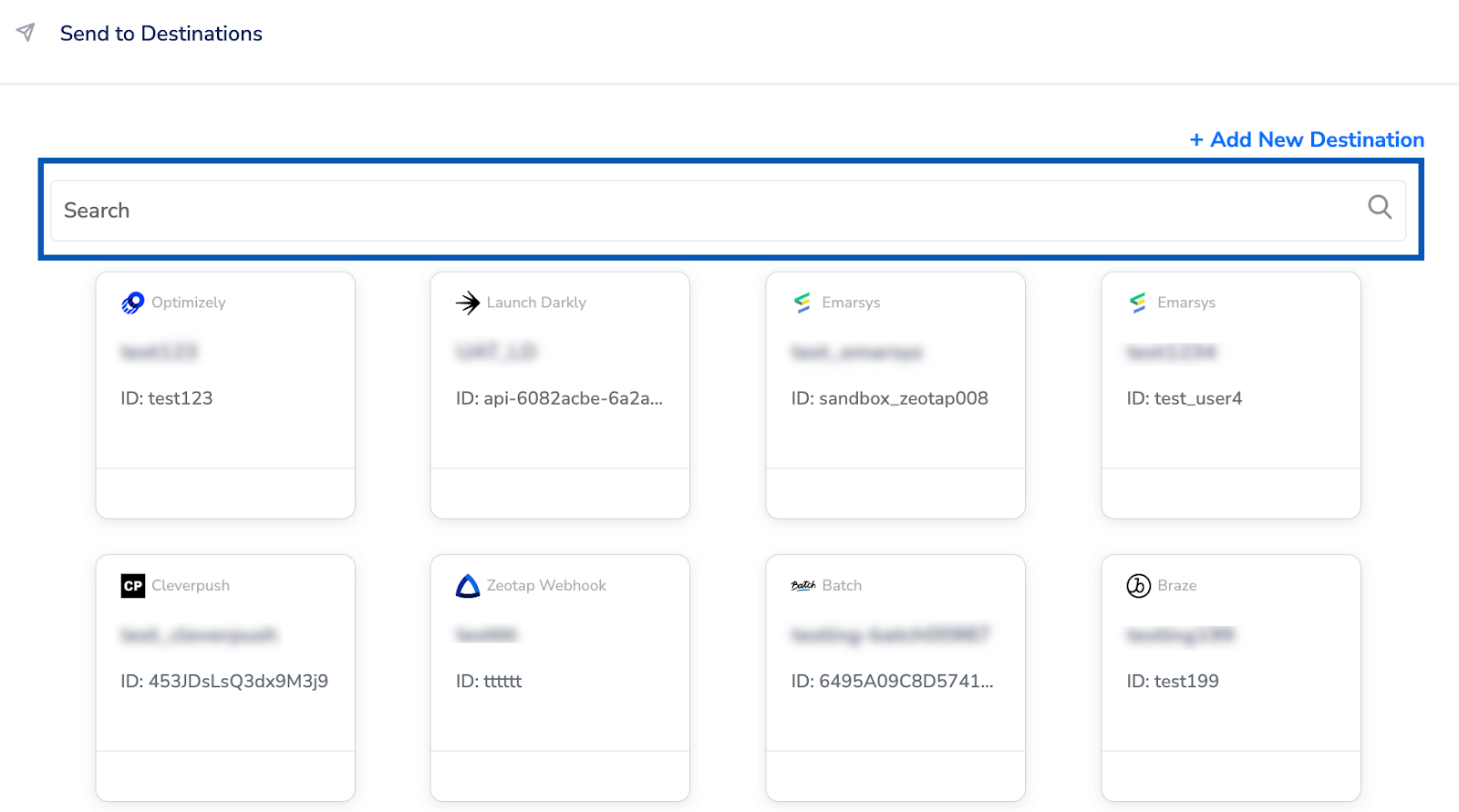
 Choose the destination from the list of available destinations by using the search feature.
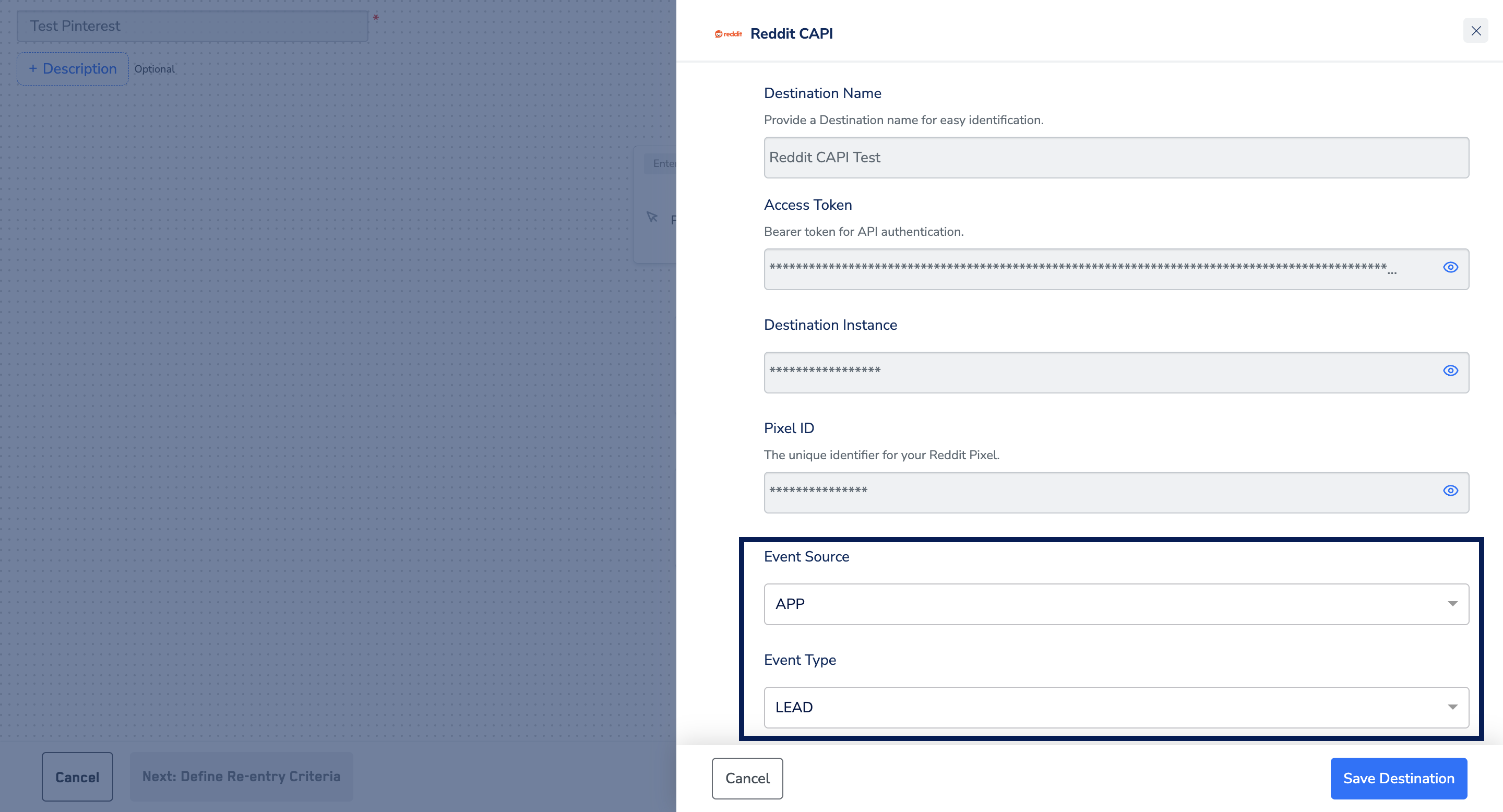
 Under the Destination Details tab, the **Access Token** and **Ad Account ID** fields are automatically populated based on the value that you have entered while creating the destination.
Under the Event Source, choose the appropriate option based on your requirement.
* App
* Website
* Other
Under Event Type, choose the source using the drop-down menu.
* Page Visit
* View Content
* Search
* Add to Cart
* Add to Wishlist
* Purchase
* Lead
* Sign Up
* Custom
Under the Destination Details tab, the **Access Token** and **Ad Account ID** fields are automatically populated based on the value that you have entered while creating the destination.
Under the Event Source, choose the appropriate option based on your requirement.
* App
* Website
* Other
Under Event Type, choose the source using the drop-down menu.
* Page Visit
* View Content
* Search
* Add to Cart
* Add to Wishlist
* Purchase
* Lead
* Sign Up
* Custom
 Under the **Destination Settings** tab, choose the **Action** and **mapping** as per your requirement.
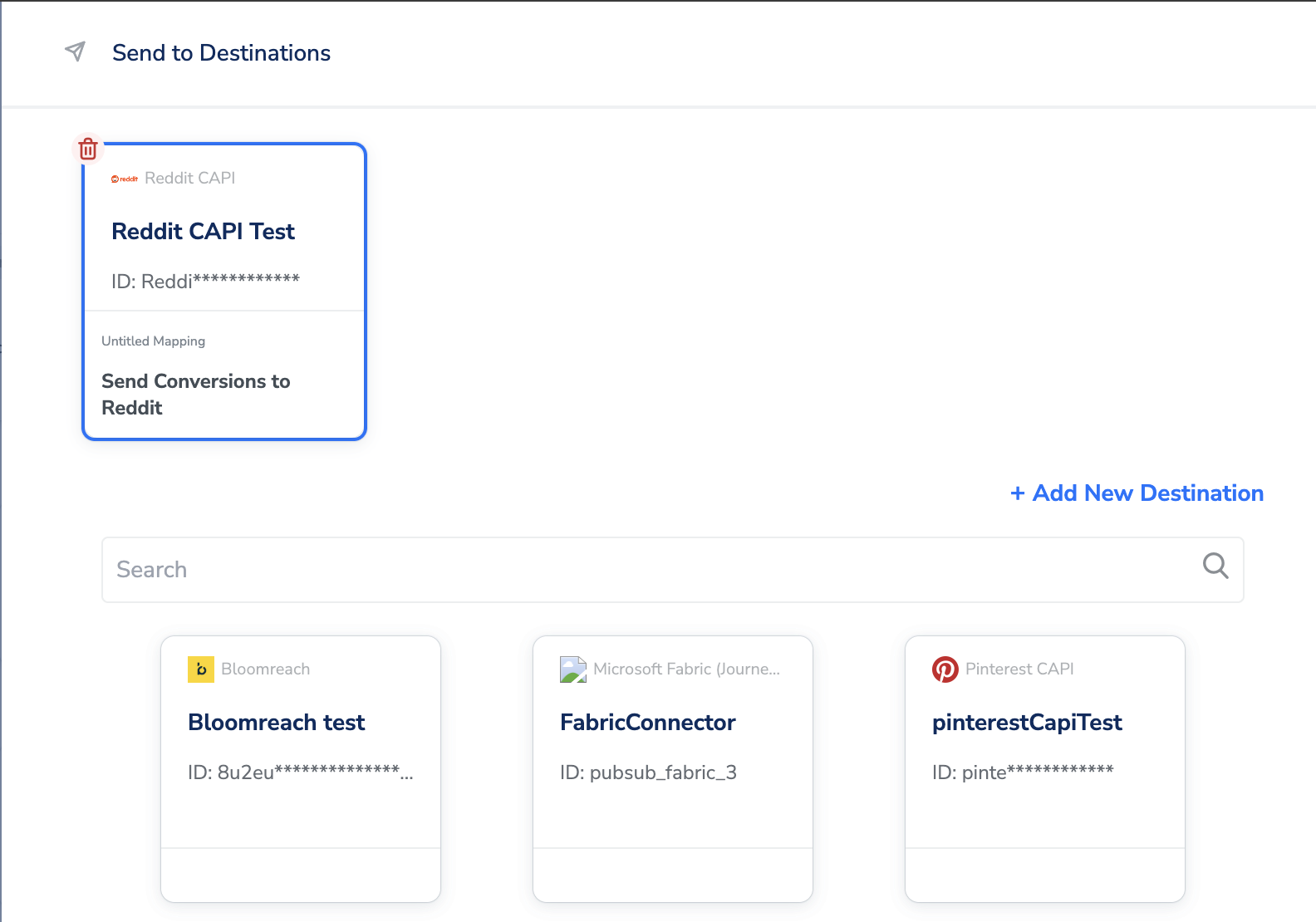
Upon clicking **Save Destination**, the destination is attached as shown in the image below.
Under the **Destination Settings** tab, choose the **Action** and **mapping** as per your requirement.
Upon clicking **Save Destination**, the destination is attached as shown in the image below.
 ## Viewing Your Conversion Data in Reddit Ads Manager
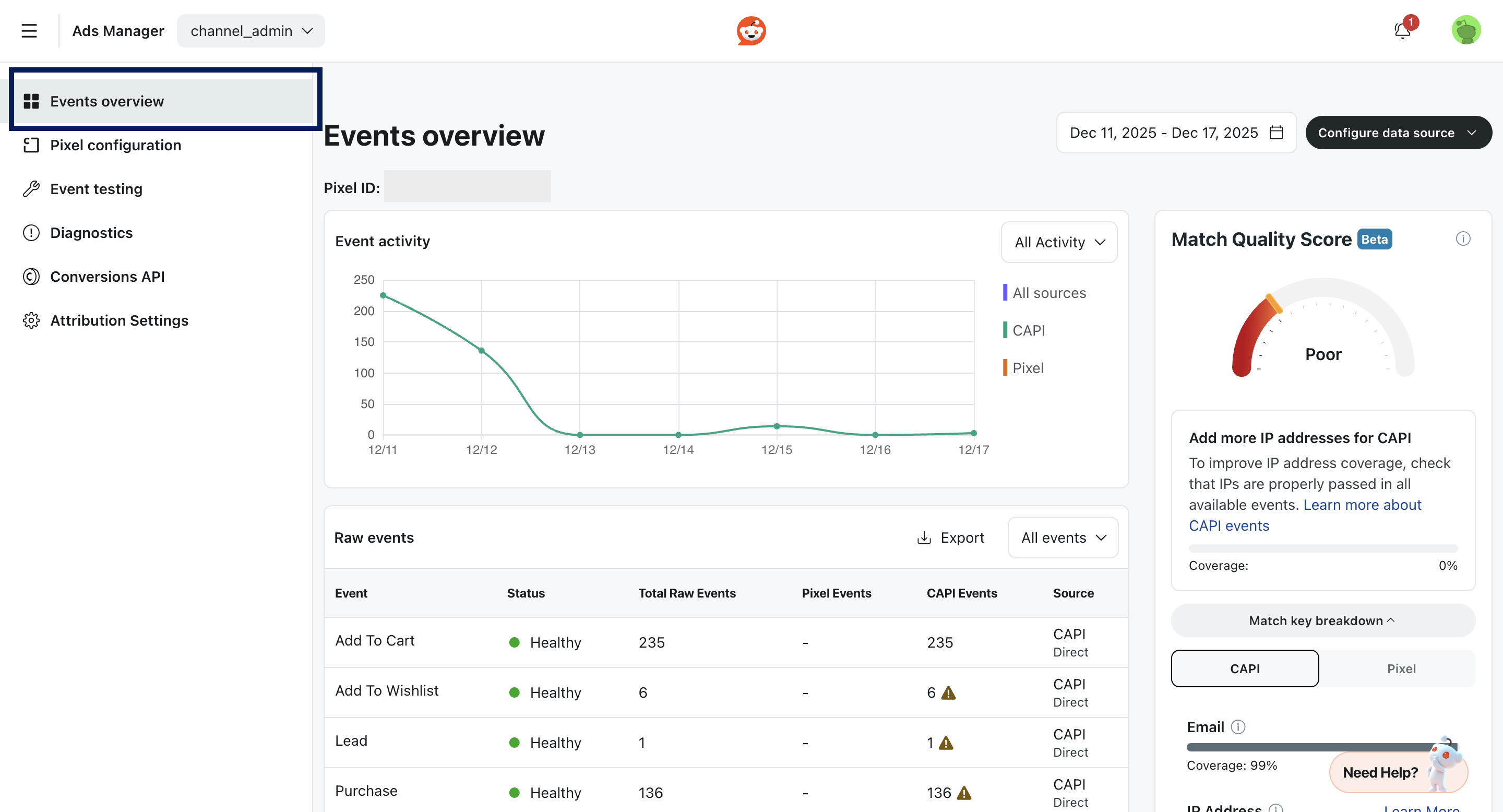
Go to **Ads Manager**, and select **Events Manager > Events Overview**.
## Viewing Your Conversion Data in Reddit Ads Manager
Go to **Ads Manager**, and select **Events Manager > Events Overview**.