> ## Documentation Index
> Fetch the complete documentation index at: https://docs.zeotap.com/llms.txt
> Use this file to discover all available pages before exploring further.
# Implement the SFTP Pull Source
**Note:**
This document provides all the information that you as a client need to implement the SFTP (Pull) source. If you need further assistance or have any queries, reach out to your Zeotap POC.
## How to Pull Data from Your SFTP Server?
Perform the following steps to pull data to Zeotap CDP from your SFTP server:
**Step 1** - Download the Public Key from the Implementation Details tab
**Step 2** - Upload the Public Key to the SFTP Server
### Step 1 - Download the Public Key from the Implementation Details tab
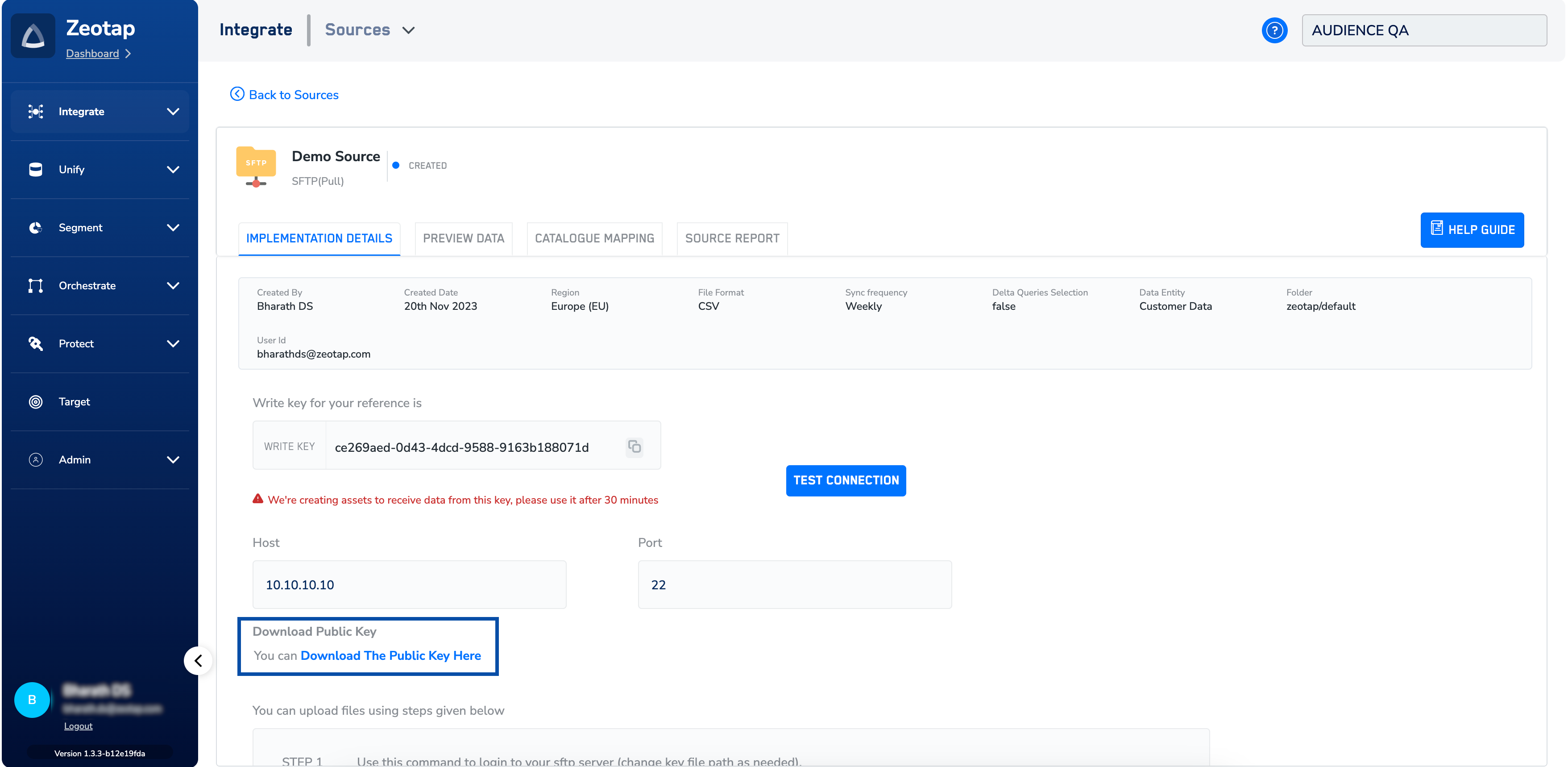
After creating the source, navigate to the **IMPLEMENTATION DETAILS** tab. Here, you can find all the necessary details regarding the created source. To proceed with the implementation of the source, start by downloading the **Public Key** from the section highlighted in the below image. Note that you must whitelist the SFTP folder using the generated Public Key.
 ### Step 2 - Upload the Public Key to the SFTP Server
Copy the downloaded public key to the SFTP server using the command provided below.
```bash Code theme={null}
ssh-copy-id -i public-key-location user@sftp-server
```
In the above command, ensure that you perform the following actions:
* Replace `public-key-location` with the location of the downloaded public key.
* Replace `user` with your SFTP username.
* Replace `sftp-server` with the hostname or IP address of your SFTP server.
**Note:**
*If there are any IP restrictions on your end, ensure that you whitelist Zeotap's IP addresses. You would need to whitelist the following IP Address : `35.190.217.51`*
Note that after establishing a connection between your SFTP instance and Zeotap CDP successfully, data begins flowing within 30 to 60 minutes.
### Step 2 - Upload the Public Key to the SFTP Server
Copy the downloaded public key to the SFTP server using the command provided below.
```bash Code theme={null}
ssh-copy-id -i public-key-location user@sftp-server
```
In the above command, ensure that you perform the following actions:
* Replace `public-key-location` with the location of the downloaded public key.
* Replace `user` with your SFTP username.
* Replace `sftp-server` with the hostname or IP address of your SFTP server.
**Note:**
*If there are any IP restrictions on your end, ensure that you whitelist Zeotap's IP addresses. You would need to whitelist the following IP Address : `35.190.217.51`*
Note that after establishing a connection between your SFTP instance and Zeotap CDP successfully, data begins flowing within 30 to 60 minutes.