> ## Documentation Index
> Fetch the complete documentation index at: https://docs.zeotap.com/llms.txt
> Use this file to discover all available pages before exploring further.
# Implement an Airship Real-Time Data Streaming Source
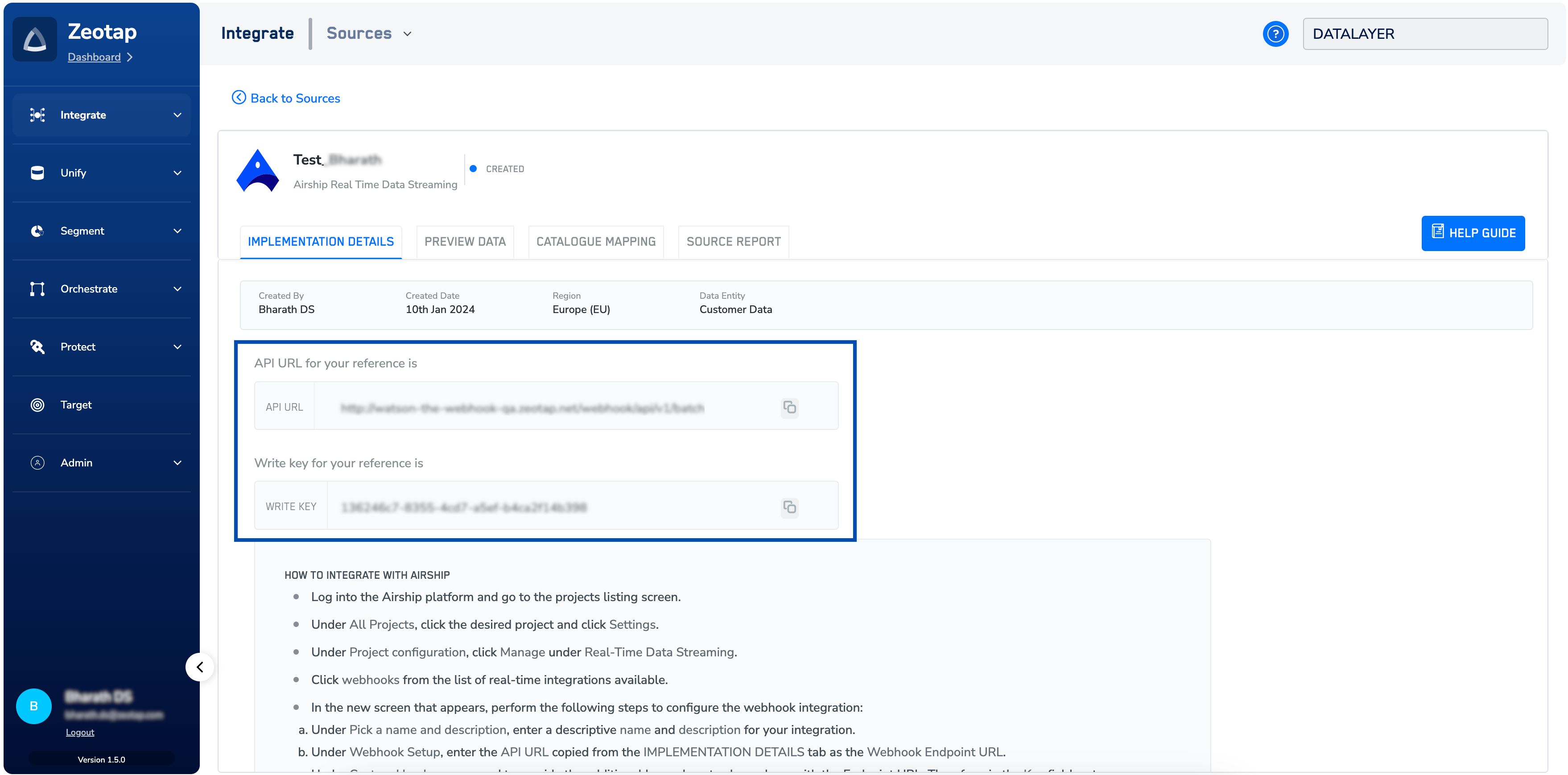
> After creating the Airship (Real-time) source, note down the API URL and write_key that appears under the **IMPLEMENTATION DETAILS** tab.
 ## Configure Data Streaming in Airship
This section provides information about how to establish a streaming connection between Airship and Zeotap using the Zeotap's endpoint through a Webhook connection. In addition, you can select the events that you want to ingest. Perform the following steps to configure the streaming data in Airship:
Log into the Airship platform and go to the projects list screen.
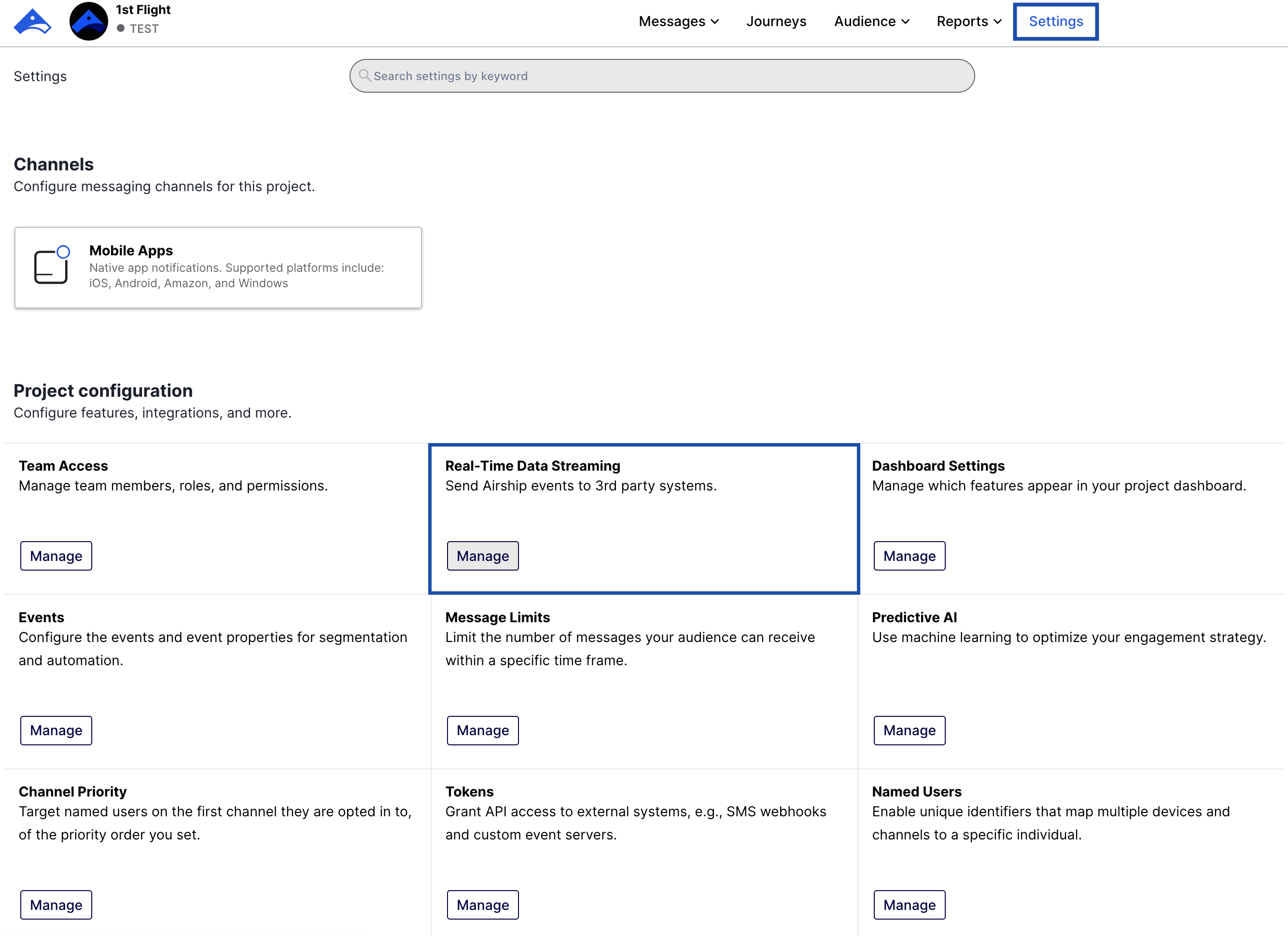
Under **All Projects**, click the desired project and click **Settings**.
## Configure Data Streaming in Airship
This section provides information about how to establish a streaming connection between Airship and Zeotap using the Zeotap's endpoint through a Webhook connection. In addition, you can select the events that you want to ingest. Perform the following steps to configure the streaming data in Airship:
Log into the Airship platform and go to the projects list screen.
Under **All Projects**, click the desired project and click **Settings**.
 Under **Project configuration,** click **Manage** under **Real-Time Data Streaming** as shown in the image below.
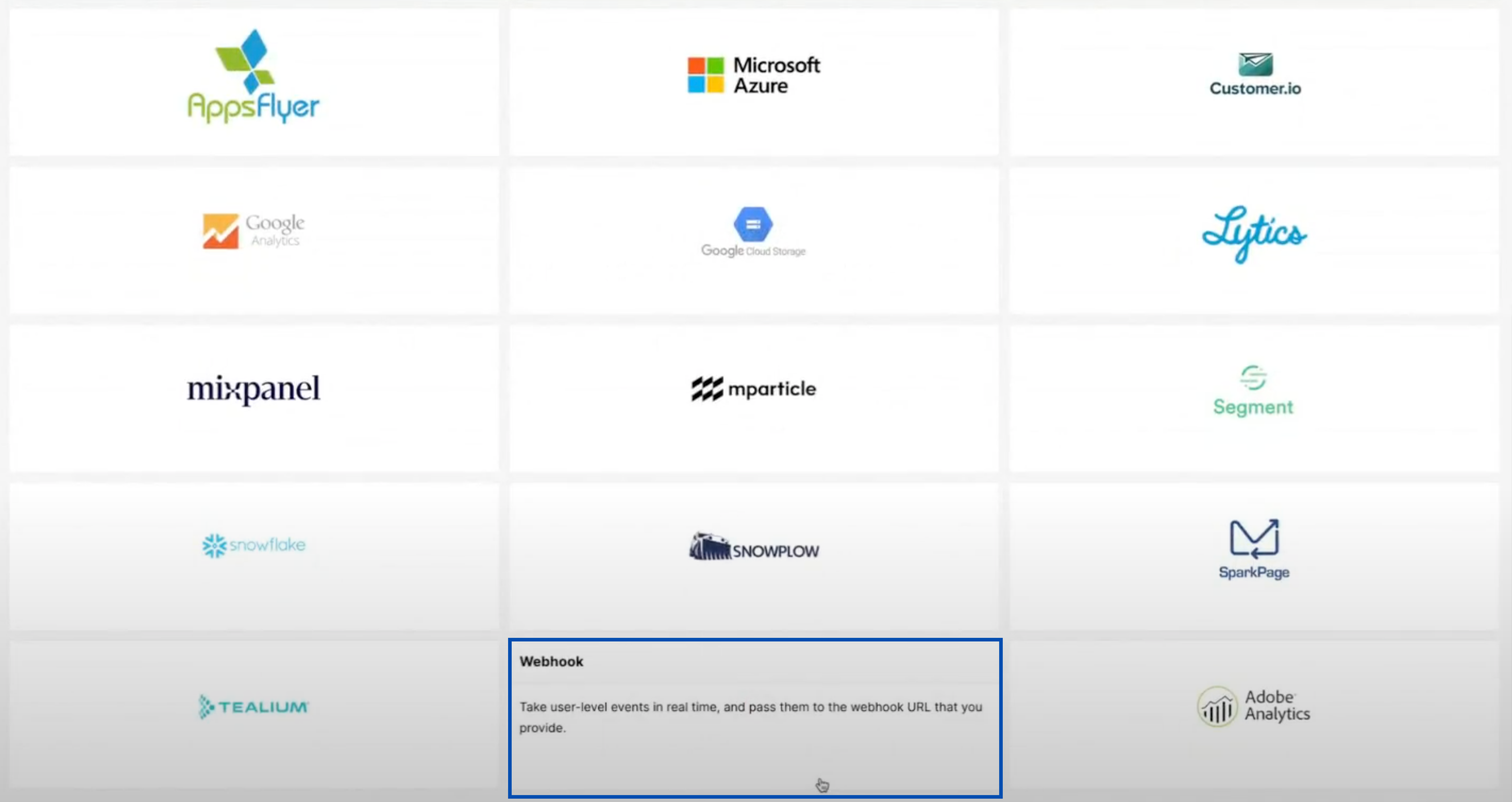
 Click **webhooks** from the list of real-time integrations shown on the screen.
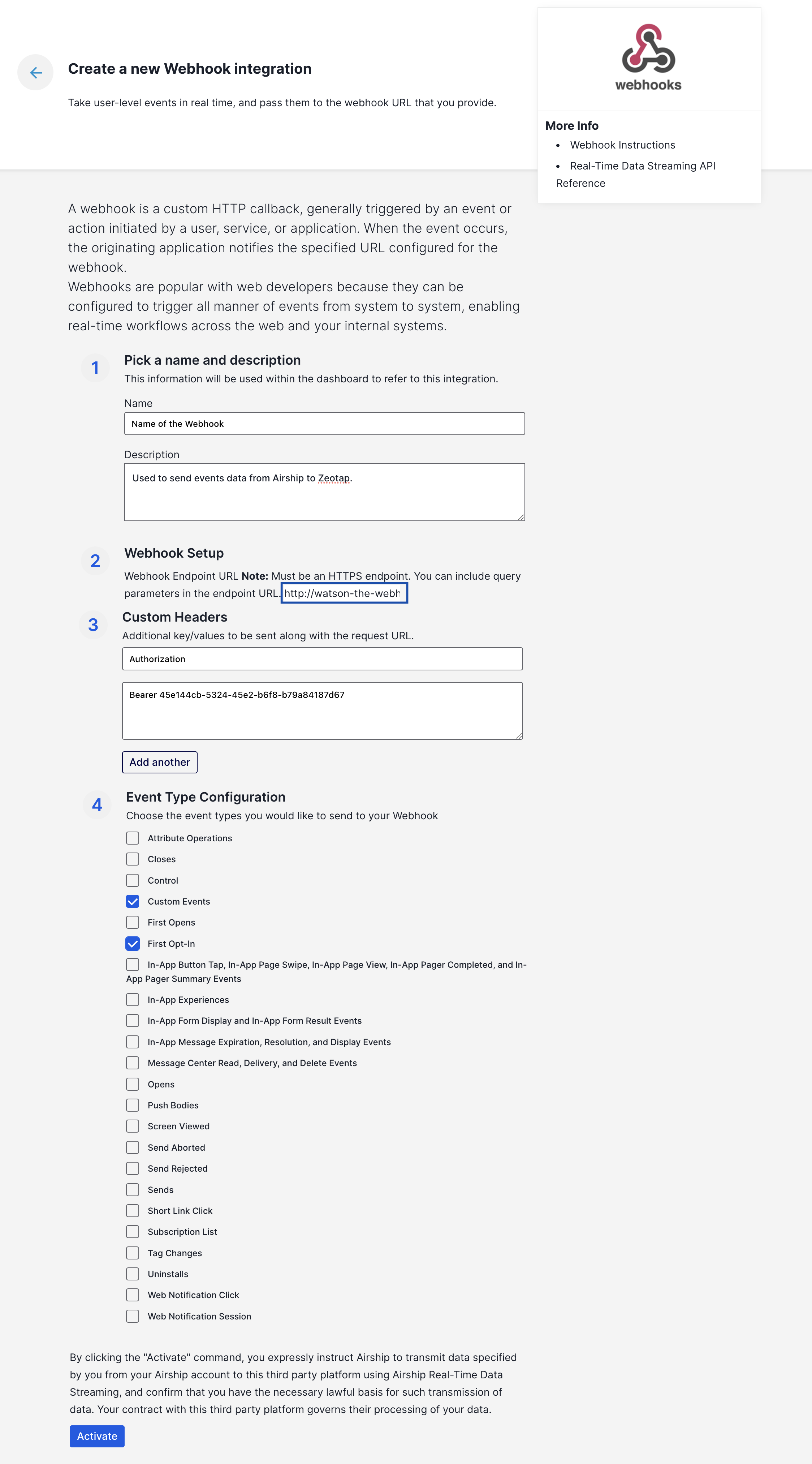
 In the new screen that appears, perform the following steps to configure the webhook integration:
a. Under **Pick a name and description**, enter a descriptive **name** and **description** for your integration.
b. Under **Webhook Setup**, enter the **API URL** copied from the **IMPLEMENTATION DETAILS** tab as the **Webhook** **Endpoint URL.**
c. Under **Custom Headers**, you need to provide the additional key-values to share along with the Endpoint URL. Therefore, in the **Key** field, enter **Authorization** and in the **Value** field, enter **`Bearer`. For example,** `Bearer 136246c7-8355-4cd7-a5ef-b4ca2f14b398`
d. Under **Event Type Configuration**, select the desired event types that you want to send to your webhook integration and click **Activate**. With the streaming connection established between Airship and Zeotap, you can start sending the events to Zeotap.
In the new screen that appears, perform the following steps to configure the webhook integration:
a. Under **Pick a name and description**, enter a descriptive **name** and **description** for your integration.
b. Under **Webhook Setup**, enter the **API URL** copied from the **IMPLEMENTATION DETAILS** tab as the **Webhook** **Endpoint URL.**
c. Under **Custom Headers**, you need to provide the additional key-values to share along with the Endpoint URL. Therefore, in the **Key** field, enter **Authorization** and in the **Value** field, enter **`Bearer`. For example,** `Bearer 136246c7-8355-4cd7-a5ef-b4ca2f14b398`
d. Under **Event Type Configuration**, select the desired event types that you want to send to your webhook integration and click **Activate**. With the streaming connection established between Airship and Zeotap, you can start sending the events to Zeotap.
 **Note:**
*The records for the `country` and `city` columns are blacklistedfor ingestion because SPL uses the user's IP address to find out the country and city automatically. For the complete list ofblacklisted fields, click [here](/articles/integrate-customer/blacklisted-fields-for-data-ingestion).*
**Note:**
*The records for the `country` and `city` columns are blacklistedfor ingestion because SPL uses the user's IP address to find out the country and city automatically. For the complete list ofblacklisted fields, click [here](/articles/integrate-customer/blacklisted-fields-for-data-ingestion).*