> ## Documentation Index
> Fetch the complete documentation index at: https://docs.zeotap.com/llms.txt
> Use this file to discover all available pages before exploring further.
# Implement a Braze Currents Source
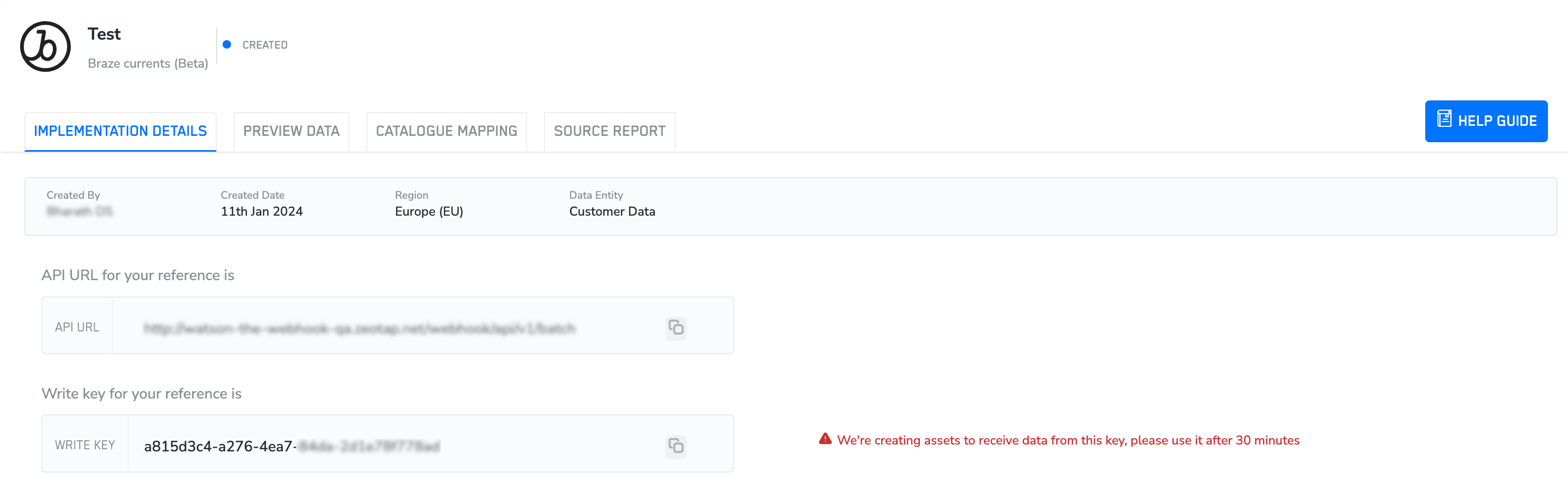
> After creating the Braze Currents source, note down the API URL and `write_key` that appears under the **IMPLEMENTATION DETAILS** tab.
* The API URL is used to establish a connection between Braze Current and Zeotap.
* The `write_key` is used to ingest the data from Braze Current to Zeotap.
 ## Configure Data Steaming in Braze Currents
This section provides information about how to establish a streaming connection between Braze Currents and Zeotap using the Zeotap's endpoint. Additionally, you can select the events that you want to ingest. Perform the following steps to configure the streaming data in Braze Currents:
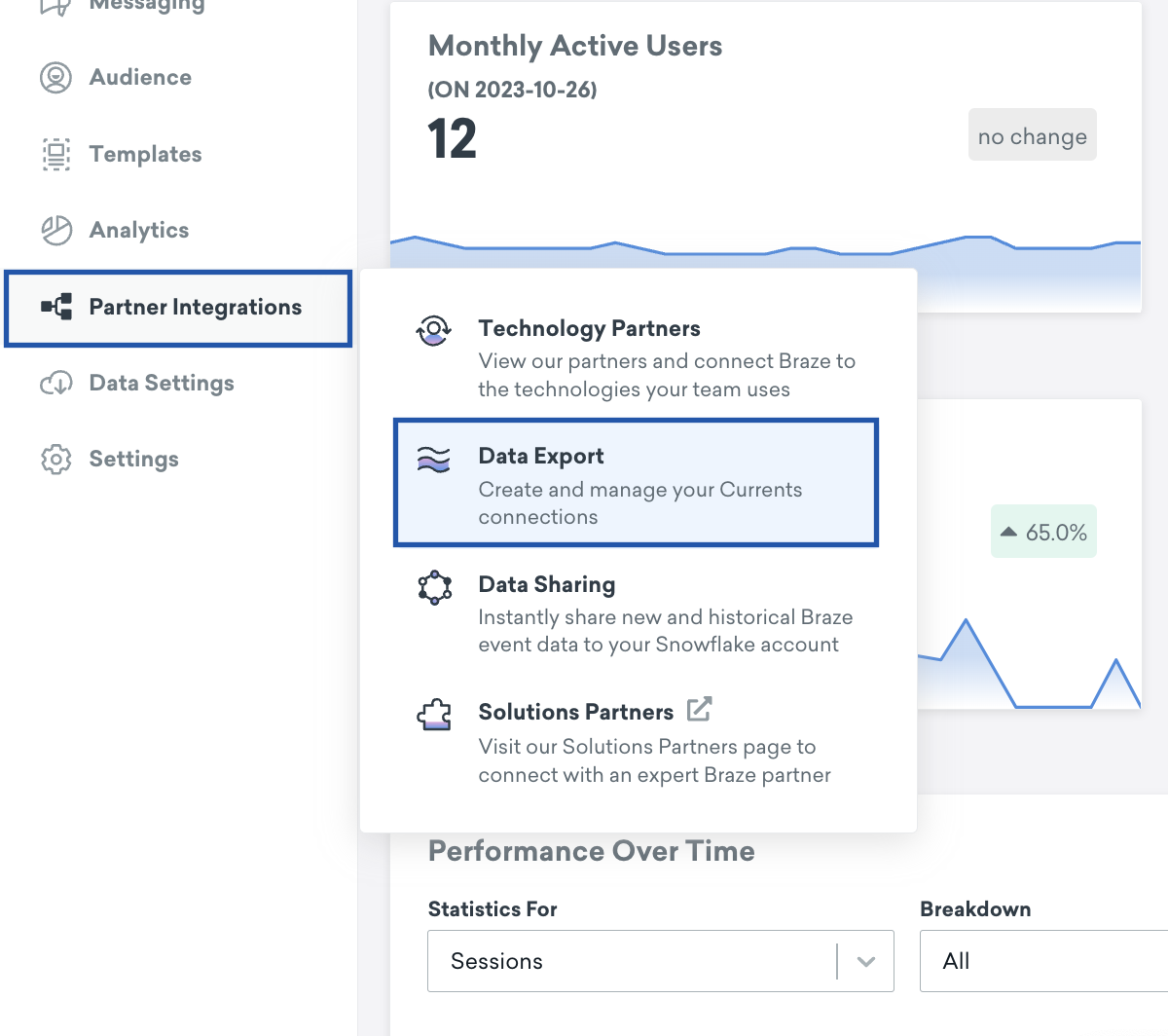
Log into the Braze Currents platform and navigate to **Partner Integrations > Data Export.**
## Configure Data Steaming in Braze Currents
This section provides information about how to establish a streaming connection between Braze Currents and Zeotap using the Zeotap's endpoint. Additionally, you can select the events that you want to ingest. Perform the following steps to configure the streaming data in Braze Currents:
Log into the Braze Currents platform and navigate to **Partner Integrations > Data Export.**
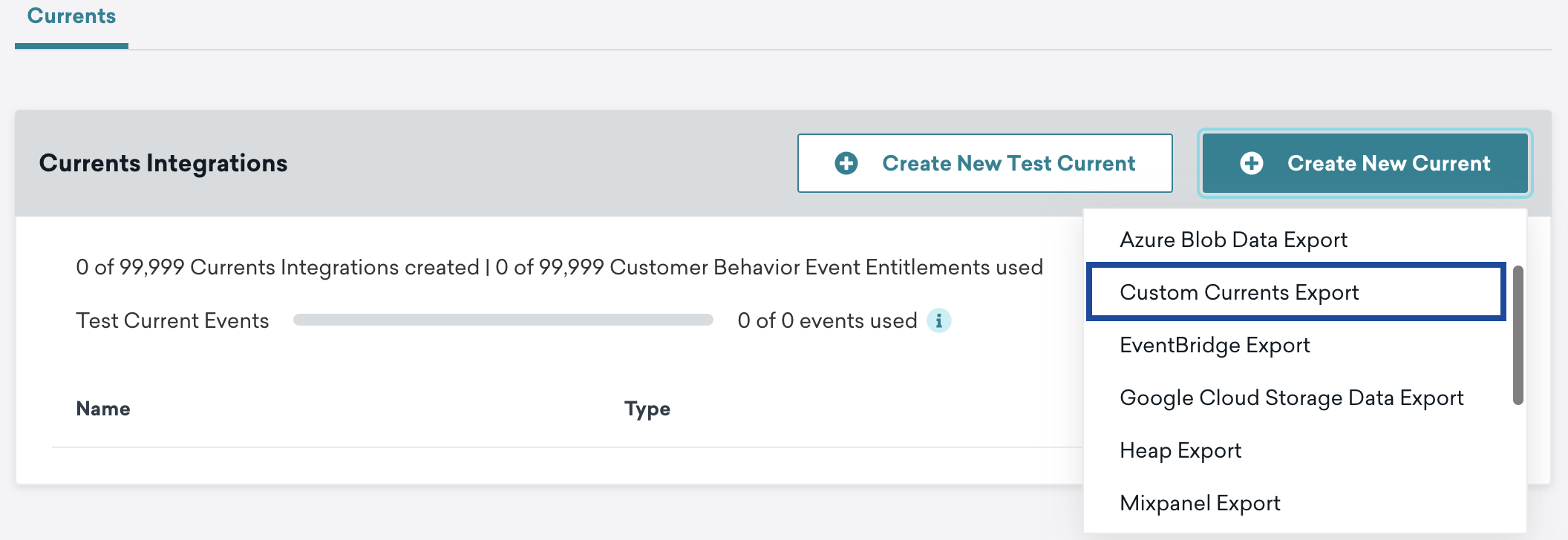
 Click **Create New Current** and choose **Custom Currents Export** from the list to send data to Zeotap.
 In the window that appears, provide a Name for the integration and **Contact Email** Address.
 Under **Credentials**, enter the API URL as the **Endpoint** and write\_key as the **Bearer Token** that were generated after you created the source.
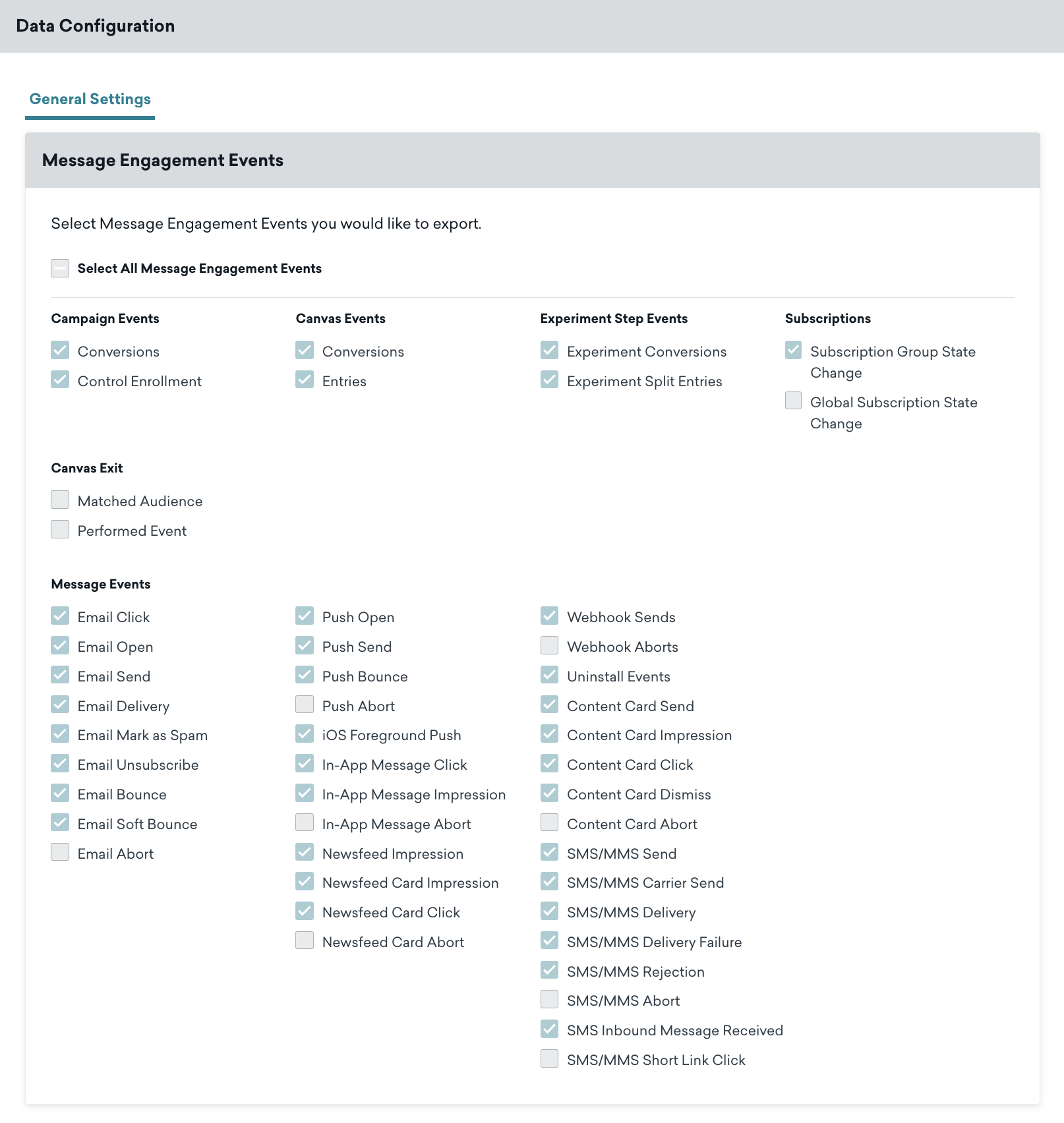
 Select the appropriate events that you want to send to Zeotap.
 Scroll to the bottom of the screen and click **Launch Current** to save the changes. With the streaming connection established between Braze Currents and Zeotap, it starts sending the events to Zeotap.
**Note:**
*The records for the country and city columns are blacklistedfor ingestion because SPL uses the user's IP address to find out the country and city automatically. For the complete list of blacklisted fields, click [here](/articles/integrate-customer/blacklisted-fields-for-data-ingestion).*
Scroll to the bottom of the screen and click **Launch Current** to save the changes. With the streaming connection established between Braze Currents and Zeotap, it starts sending the events to Zeotap.
**Note:**
*The records for the country and city columns are blacklistedfor ingestion because SPL uses the user's IP address to find out the country and city automatically. For the complete list of blacklisted fields, click [here](/articles/integrate-customer/blacklisted-fields-for-data-ingestion).*