> ## Documentation Index
> Fetch the complete documentation index at: https://docs.zeotap.com/llms.txt
> Use this file to discover all available pages before exploring further.
# Exploring Source Reports
> The SOURCE REPORT tab is broadly divided into two panels.
## Panel 1 – Data Ingestion Details
 The Data Ingestion Details panel displays the count for the source lifetime and provides the following information:
* **Total Record Received** – The total records received minus the total in-progress records.
* **Total Record In Progress** – The count of records that are being ingested.
* **Total Record Ingested** – The count of records that are ingested and available for activation.
* **Total Records Failed** – The count of records that failed to ingest during ingestion.
* Pie Chart – A visual representation of the record received v/s in progress, v/s failed v/s ingested.
* **Ingestion Efficiency** – This is calculated as the *Total record ingested/Record received (for the ingested records)*. If the status is **Failed,** then the ingestion frequency is denoted as **NA**.
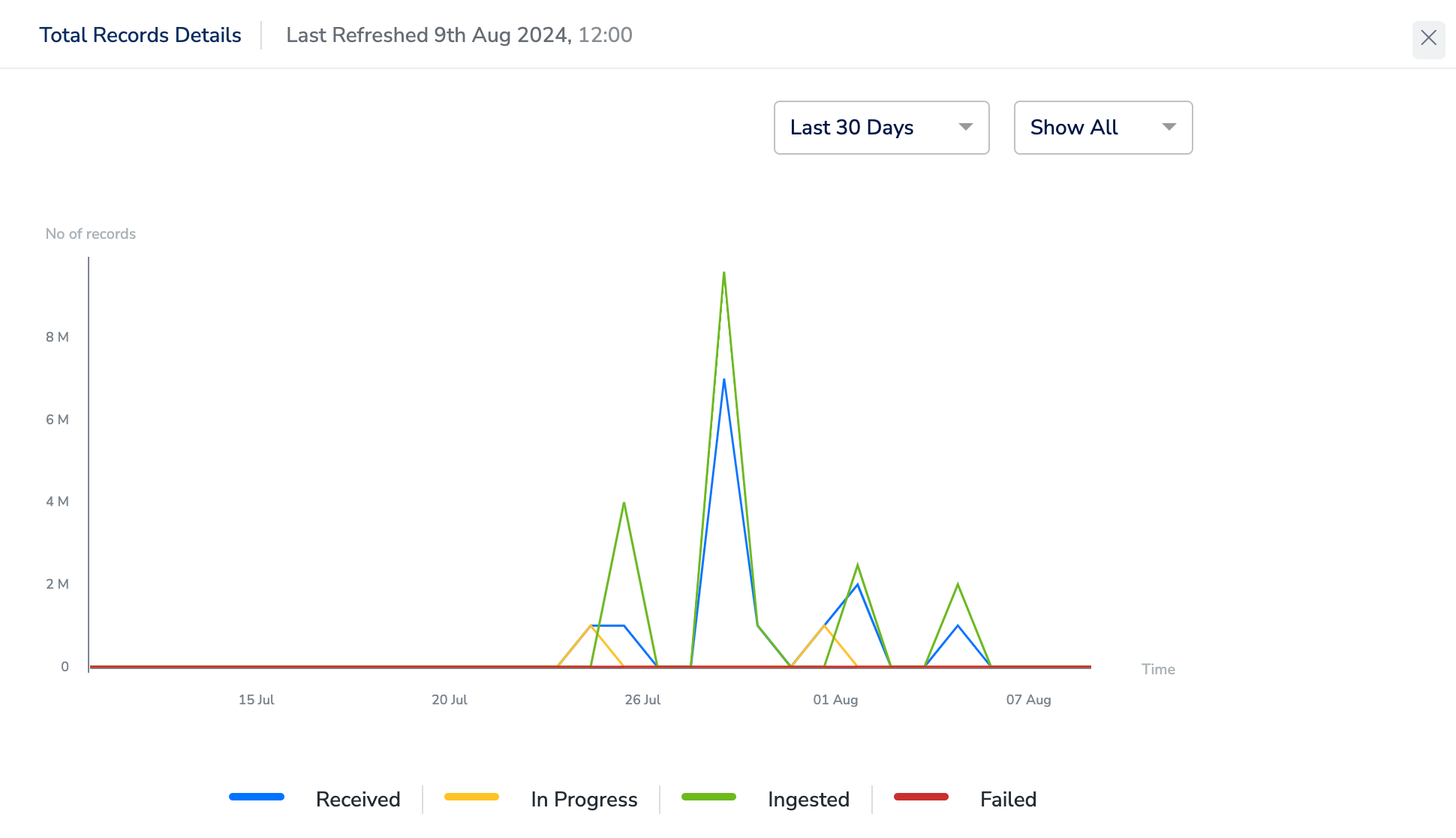
* **View Graph** – This graph is only visible for streaming sources where Zeotap fetches or collects data. This displays the trend graph of the data received and processed for this source by its status. You can view the graph for periods ranging from the last 7 to 90 days or set a custom date range. It also allows you to filter by status.
Once a source is mapped, ingestion may take up to **15 minutes** to begin. This delay accounts for processing the data collected between the time the source was integrated and when it was mapped. After the initial ingestion starts, all subsequent records will be ingested in real time as they arrive.
The Data Ingestion Details panel displays the count for the source lifetime and provides the following information:
* **Total Record Received** – The total records received minus the total in-progress records.
* **Total Record In Progress** – The count of records that are being ingested.
* **Total Record Ingested** – The count of records that are ingested and available for activation.
* **Total Records Failed** – The count of records that failed to ingest during ingestion.
* Pie Chart – A visual representation of the record received v/s in progress, v/s failed v/s ingested.
* **Ingestion Efficiency** – This is calculated as the *Total record ingested/Record received (for the ingested records)*. If the status is **Failed,** then the ingestion frequency is denoted as **NA**.
* **View Graph** – This graph is only visible for streaming sources where Zeotap fetches or collects data. This displays the trend graph of the data received and processed for this source by its status. You can view the graph for periods ranging from the last 7 to 90 days or set a custom date range. It also allows you to filter by status.
Once a source is mapped, ingestion may take up to **15 minutes** to begin. This delay accounts for processing the data collected between the time the source was integrated and when it was mapped. After the initial ingestion starts, all subsequent records will be ingested in real time as they arrive.
 * **Download Report** – Clicking the **Download Report** option downloads an image snapshot of the source report in .png format.
## Panel 2 – File Ingestion Details
The **File Ingestion Details** panel provides information about the file name, the status of ingestion for both real-time and batch activations, the count of records ingested versus the total record count, the file size (for flat files), and logs related to the ingestion process.
This panel is only visible for batch data sources where data is being shared in files.
* **Download Report** – Clicking the **Download Report** option downloads an image snapshot of the source report in .png format.
## Panel 2 – File Ingestion Details
The **File Ingestion Details** panel provides information about the file name, the status of ingestion for both real-time and batch activations, the count of records ingested versus the total record count, the file size (for flat files), and logs related to the ingestion process.
This panel is only visible for batch data sources where data is being shared in files.
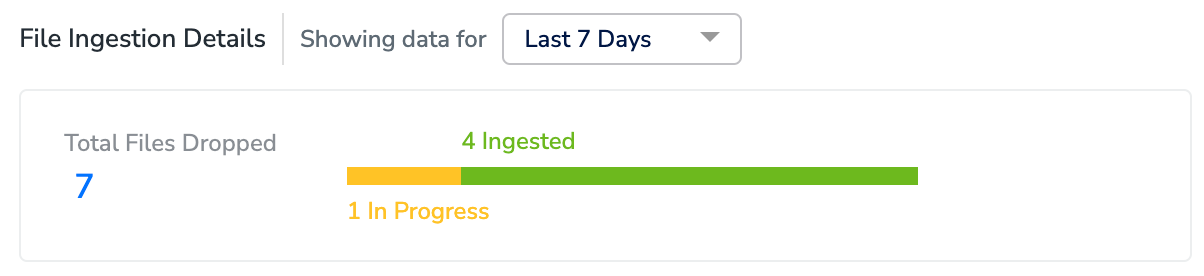
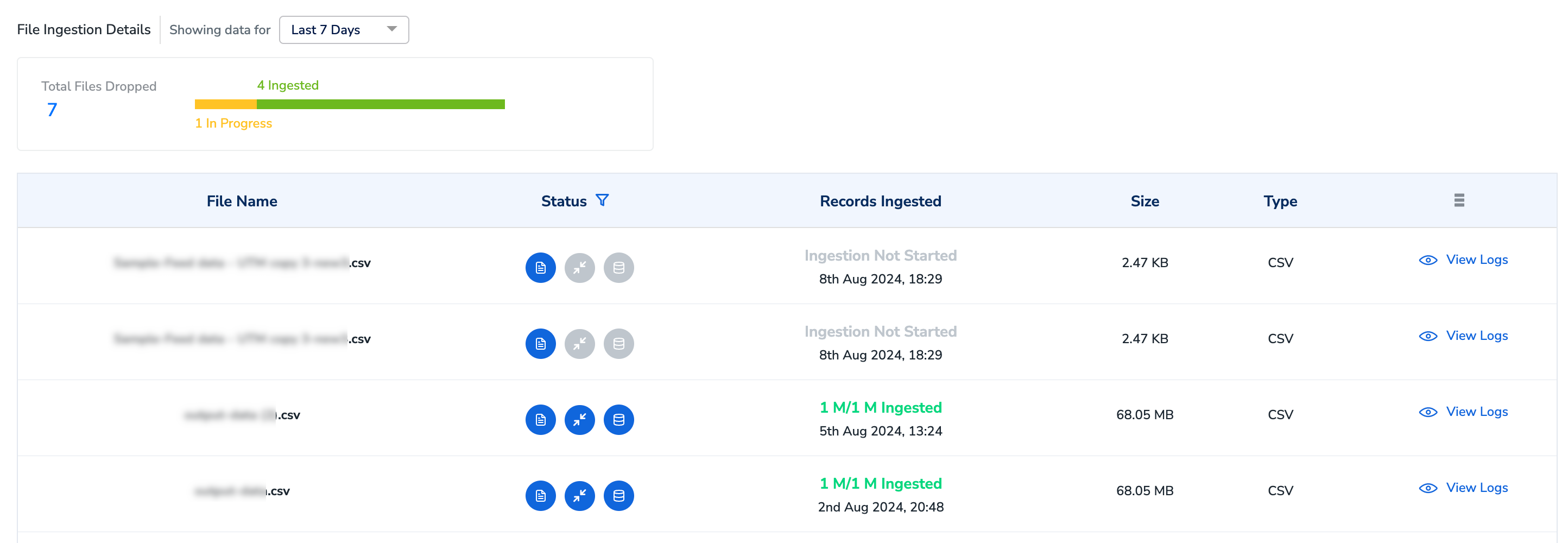 You can filter the file ingestion details for the last 7, 30, or 90 days, with 7 days as the default filter. The panel also provides details on the total number of files dropped and shows their status.
 The **File Ingestion Details** panel displays the columns as mentioned below.
\| **SL No** | **OPTION** | **DESCRIPTION** | **DESCRIPTION** | **DESCRIPTION** | **DESCRIPTION** | **DESCRIPTION** | **DESCRIPTION** | **DESCRIPTION** | **DESCRIPTION** | **DESCRIPTION** |
\|:---|:---|:---|:---|:---|:---|:---|:---|:---|:---|
\| 1 | File Name | The name of the file shared with Zeotap CDP. |
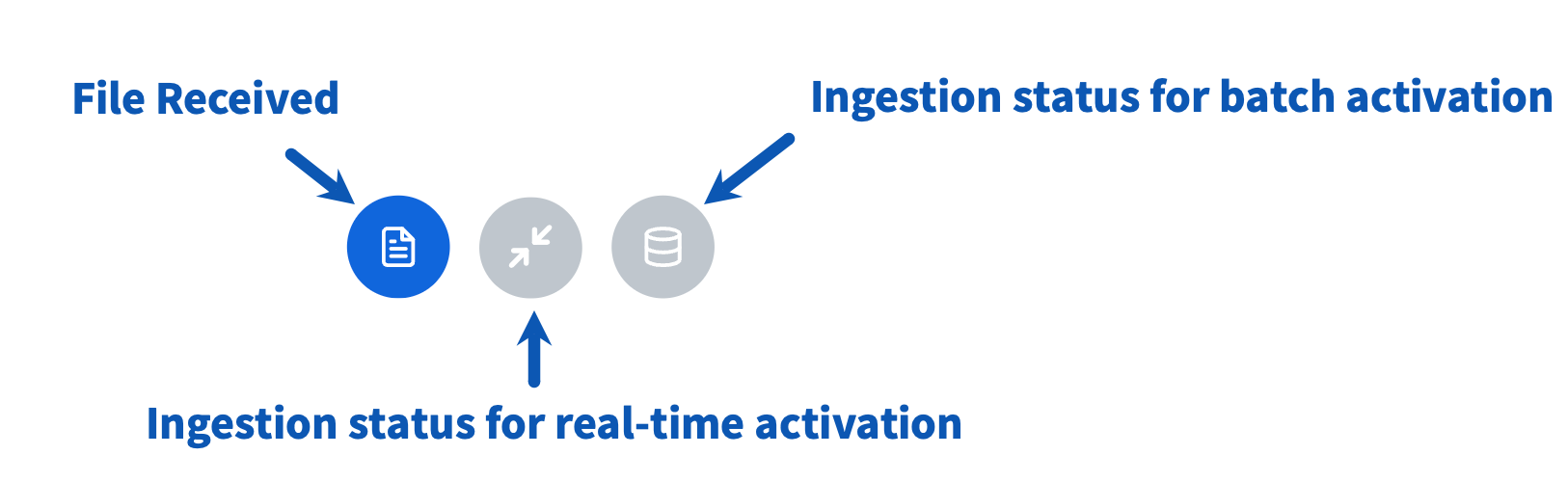
\| 2 | Status | This indicates the status of file drop and ingestion for both real-time and batch activation types:
The **File Ingestion Details** panel displays the columns as mentioned below.
\| **SL No** | **OPTION** | **DESCRIPTION** | **DESCRIPTION** | **DESCRIPTION** | **DESCRIPTION** | **DESCRIPTION** | **DESCRIPTION** | **DESCRIPTION** | **DESCRIPTION** | **DESCRIPTION** |
\|:---|:---|:---|:---|:---|:---|:---|:---|:---|:---|
\| 1 | File Name | The name of the file shared with Zeotap CDP. |
\| 2 | Status | This indicates the status of file drop and ingestion for both real-time and batch activation types:
For batch sources, ingestion of each file will begin within **15 minutes** from the time the source is mapped and the file is successfully dropped. |
\|  | File Received | |
\|
| File Received | |
\|  | Ingestion not started for real-time activation |
  | Ingestion into 1P graph tableis in progress for real-time activation (through profile API or Journeys) |
  | Ingestion complete for real-time activation |
\|
| Ingestion complete for real-time activation |
\|  | Ingestion not started for batch activation |
  | Ingestion into BigQuery tableis in progress for batchactivation (through Audiences) |
  | Ingestion in complete for batch activation |
\| 3 | Records Ingested | This column provides the count of the records currently being ingested or available,corresponding to the realtime or batch ingestion status. It also includes the dateand timestamp when the file was dropped for ingestion. |
\| 4 | Size | This is the size of the dropped file. |
\| 5 | Type | This indicates the dropped file type. |
\| 6 | View Logs | This panel provides a detailed view of the file ingestion and its status. It also displays a list of errors identified in case of failure.
| Ingestion in complete for batch activation |
\| 3 | Records Ingested | This column provides the count of the records currently being ingested or available,corresponding to the realtime or batch ingestion status. It also includes the dateand timestamp when the file was dropped for ingestion. |
\| 4 | Size | This is the size of the dropped file. |
\| 5 | Type | This indicates the dropped file type. |
\| 6 | View Logs | This panel provides a detailed view of the file ingestion and its status. It also displays a list of errors identified in case of failure. 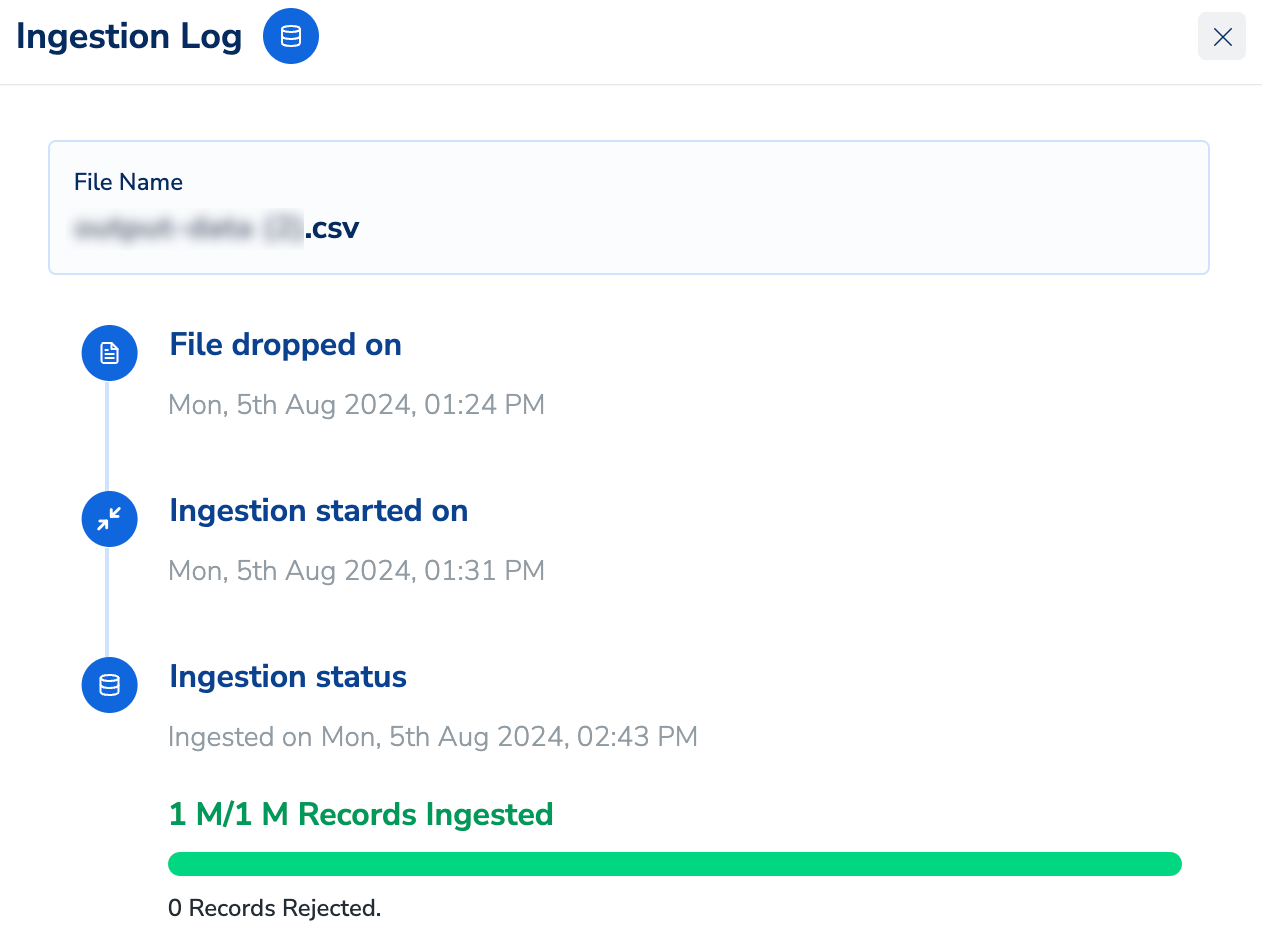 |
|