> ## Documentation Index
> Fetch the complete documentation index at: https://docs.zeotap.com/llms.txt
> Use this file to discover all available pages before exploring further.
# Create an iOS SDK Source
This page covers creating the Source in the Zeotap CDP. For SDK installation, init options, and tracking methods, head to the **iOS SDK** docs.
**Note:**
Refer to [Source - iOS SDK](/articles/integrate-customer/ios-sdk) to know more about this source.
Perform the following steps to create an iOS SDK source:
Navigate to the **Sources** application under **Integrate**, in the Zeotap CDP App.
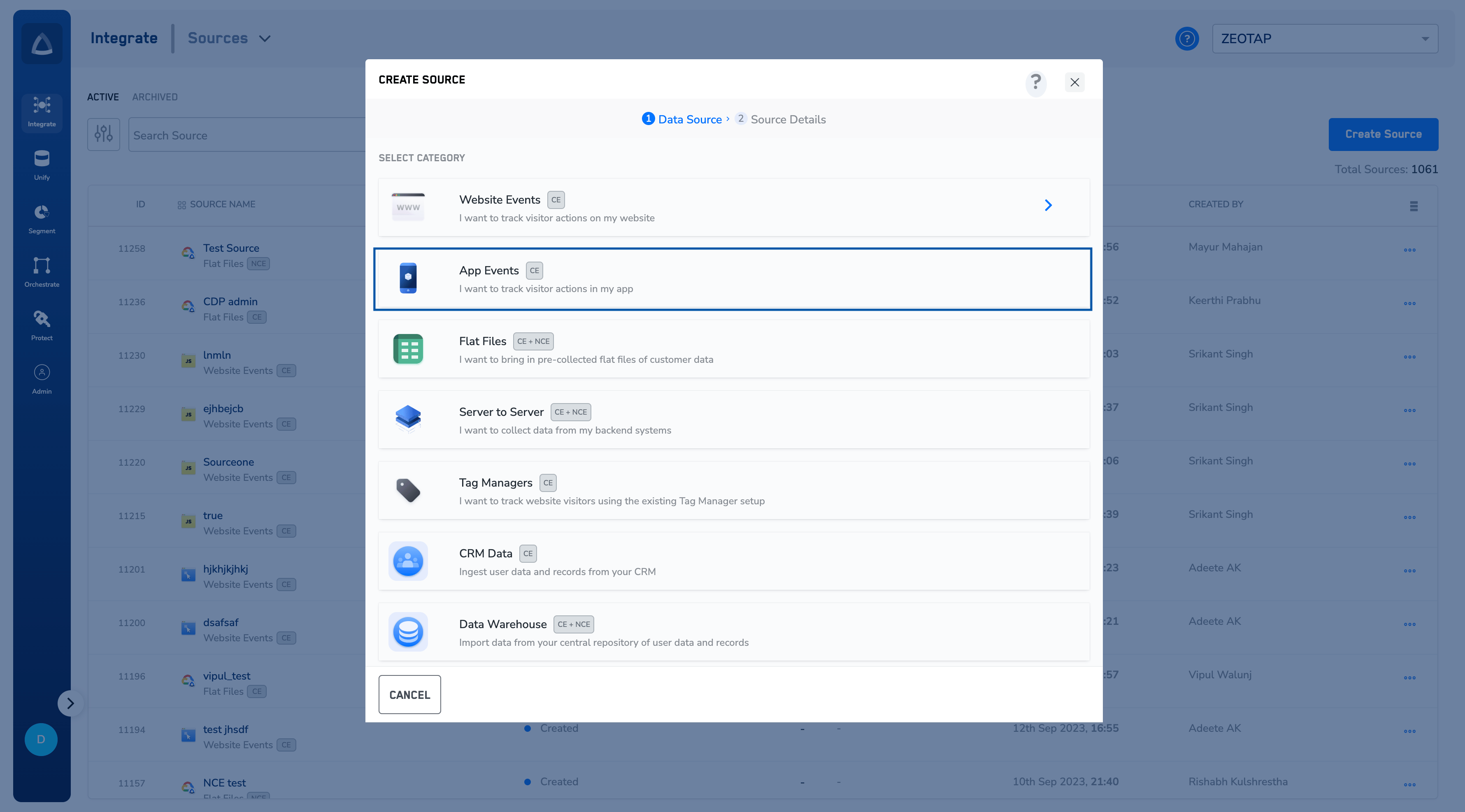
Click on **Create Source** and Choose **App Events** as the Category.
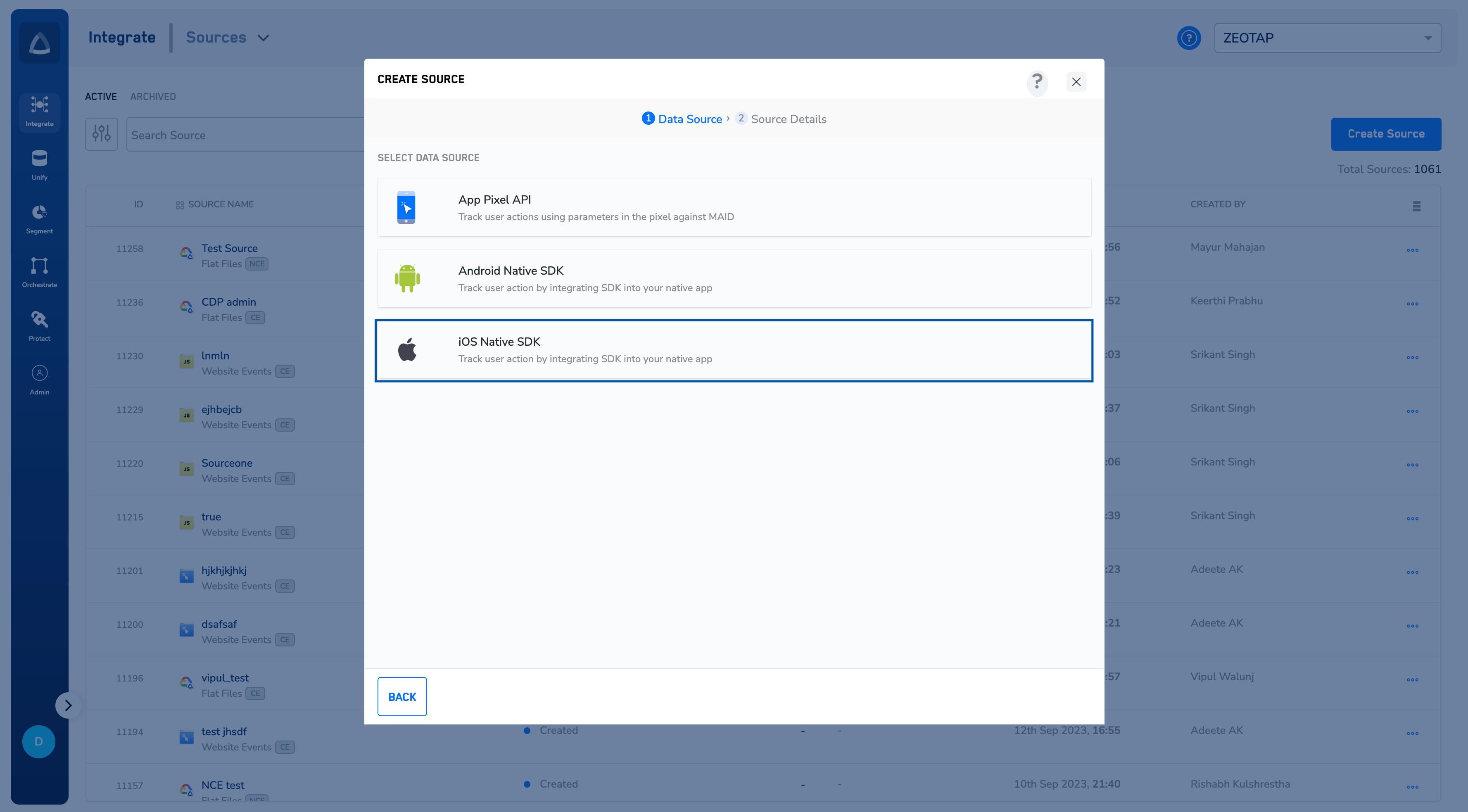
 Choose **iOS Native SDK** as the Data Source.
 Enter a short and descriptive name for the Source.
Select the Region of upload and proceed with the Source creation.
Enter a short and descriptive name for the Source.
Select the Region of upload and proceed with the Source creation.
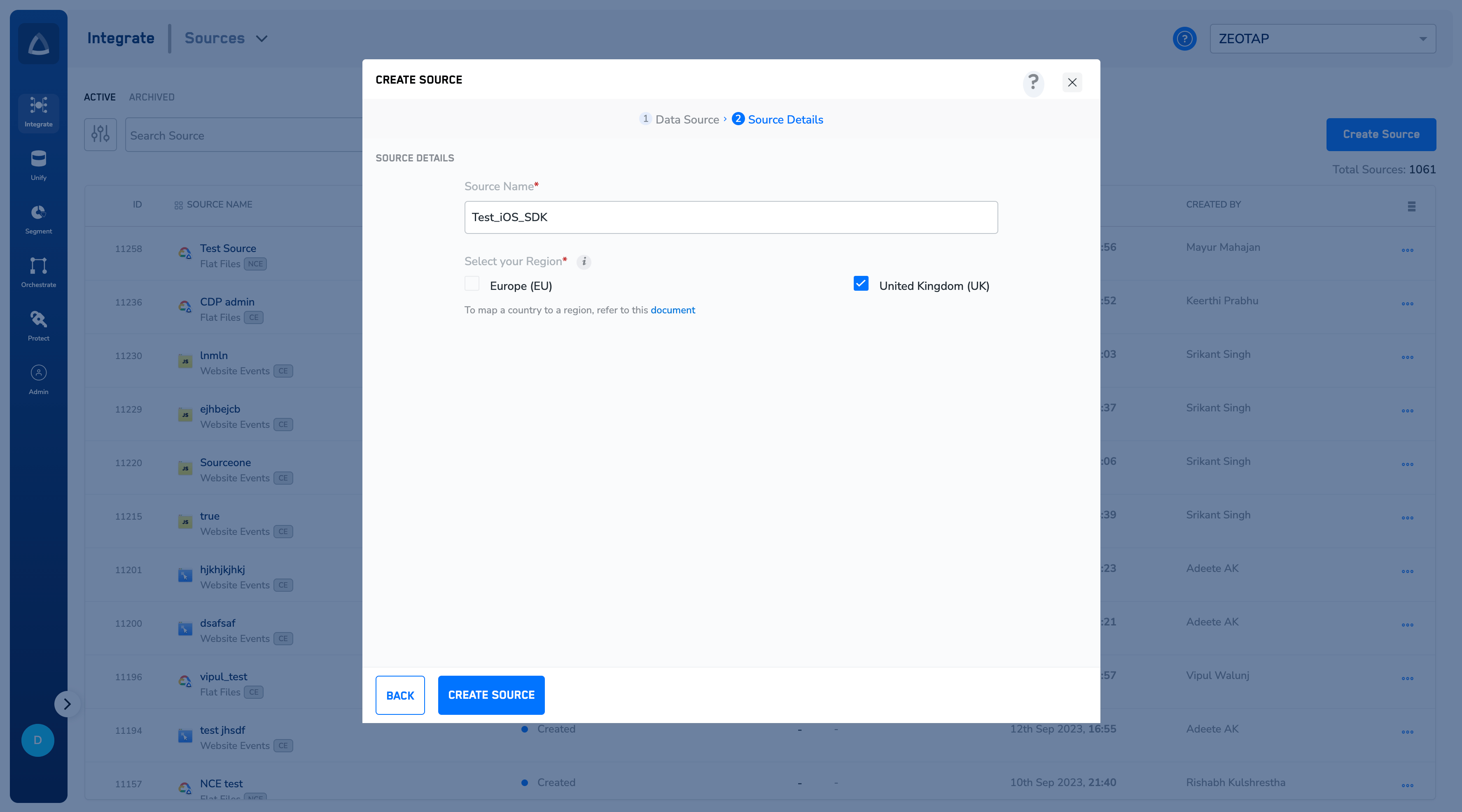 Click **CREATE SOURCE**.
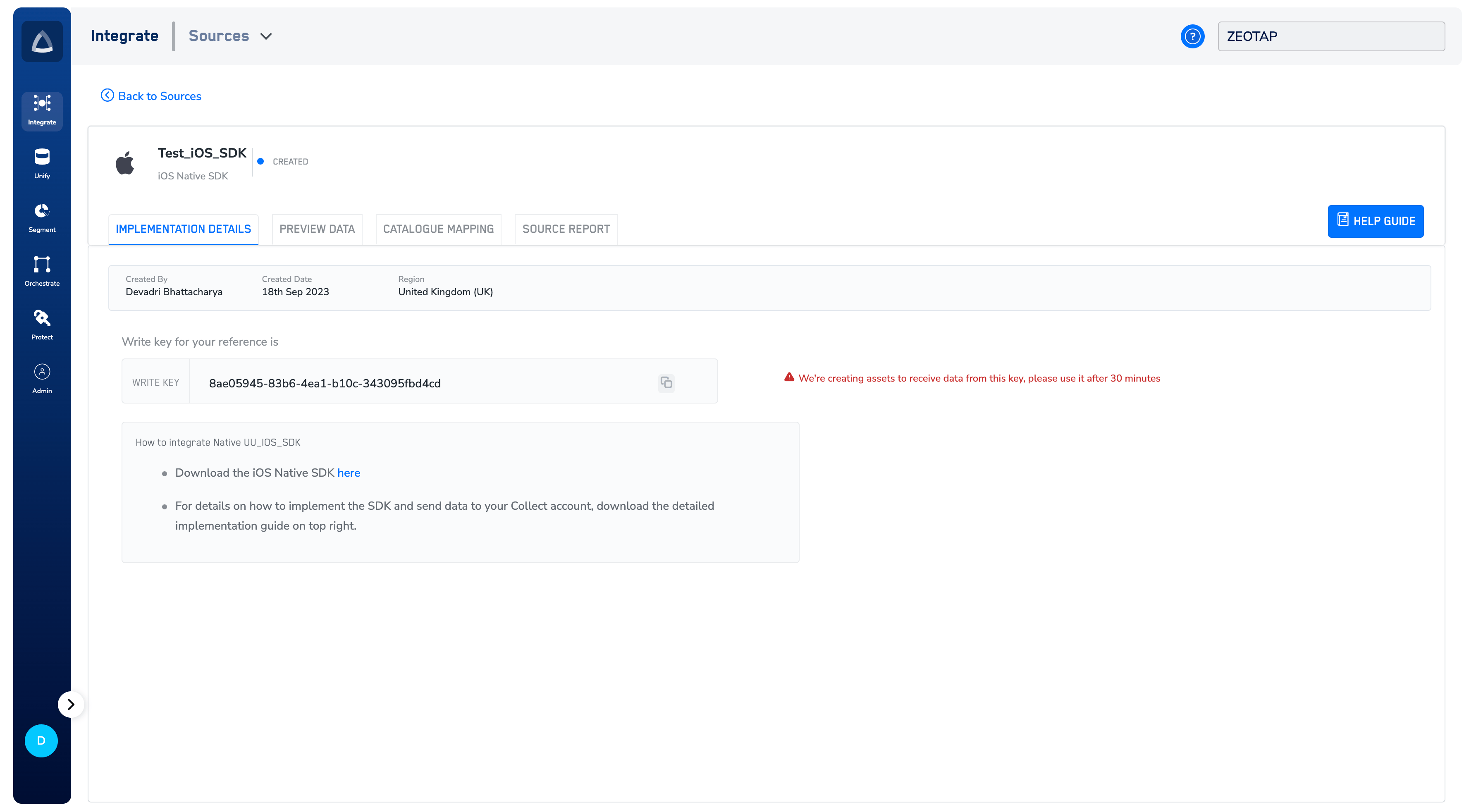
Once the source is created, the **IMPLEMENTATION DETAILS** tab displays the `write`\_key\` and the link to download the SDK. Click the link to download the SDK as zip and unzip the zip file.
Click **CREATE SOURCE**.
Once the source is created, the **IMPLEMENTATION DETAILS** tab displays the `write`\_key\` and the link to download the SDK. Click the link to download the SDK as zip and unzip the zip file.
 **Note:**
*To know more about how to implement the iOS SDK, refer to the [iOS SDK docs](/articles/sdks/ios/intro).*
**Note:**
*To know more about how to implement the iOS SDK, refer to the [iOS SDK docs](/articles/sdks/ios/intro).*