> ## Documentation Index
> Fetch the complete documentation index at: https://docs.zeotap.com/llms.txt
> Use this file to discover all available pages before exploring further.
# Create an Insider Source
**Note:**
Refer to [Insider Source](/articles/integrate-customer/insider-webhook) to know more about this source.
Perform the following steps to create an Insider source:
Log into the Zeotap CDP App and navigate to the **Sources** application under **Integrate.**
Click **CREATE SOURCE**.
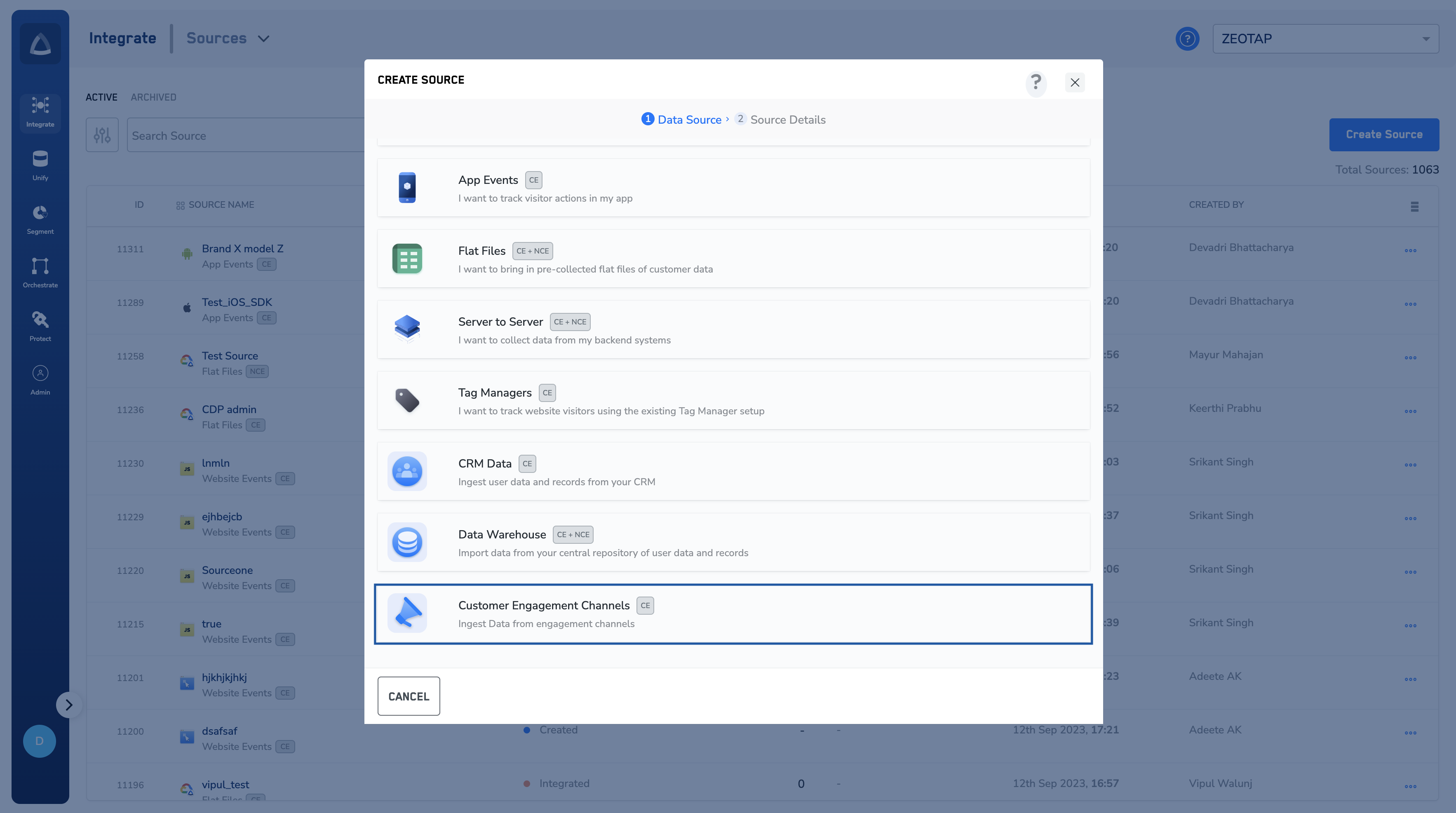
Choose **Customer Engagement Channels** as the Category.
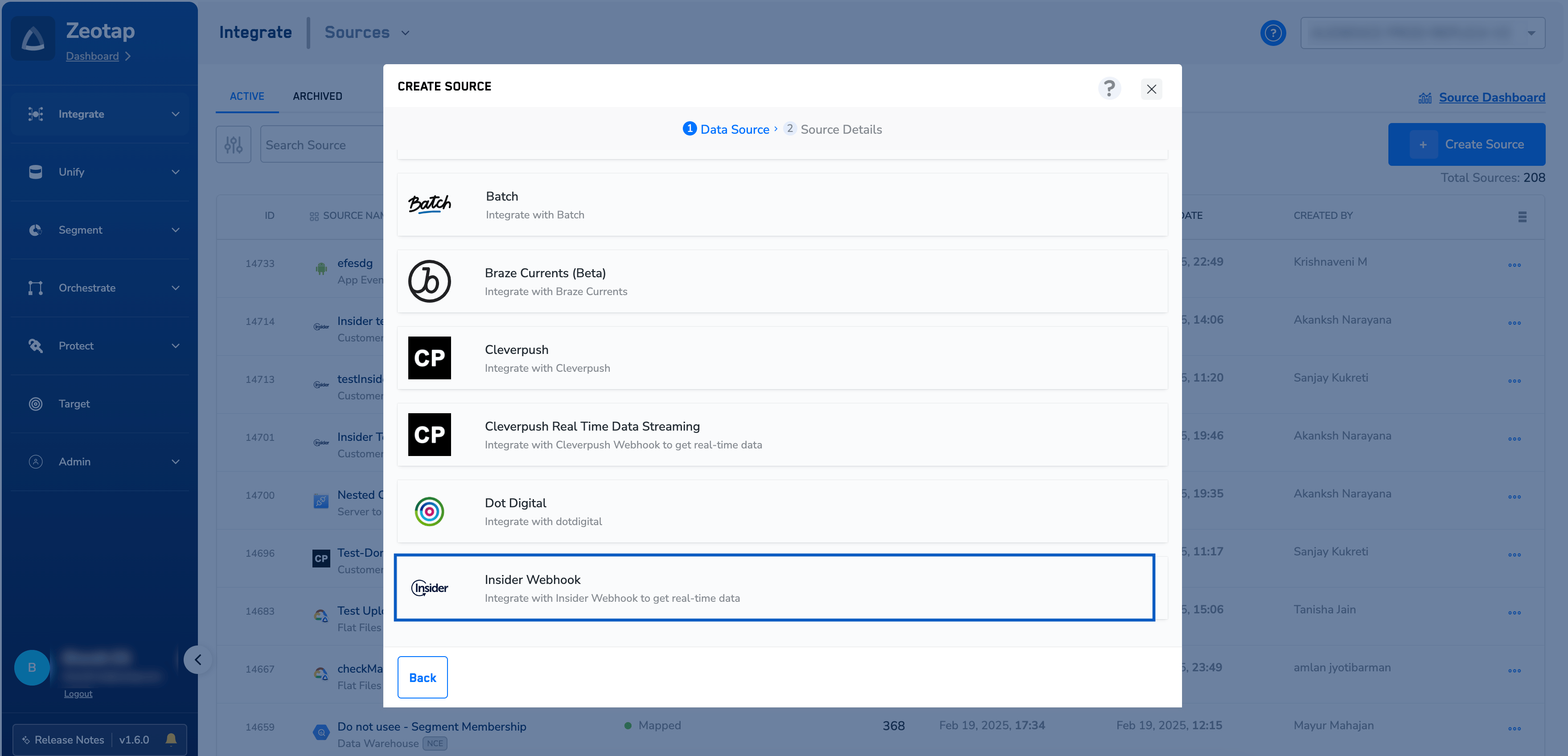
 Click **Insider Webhook** as the Data Source.
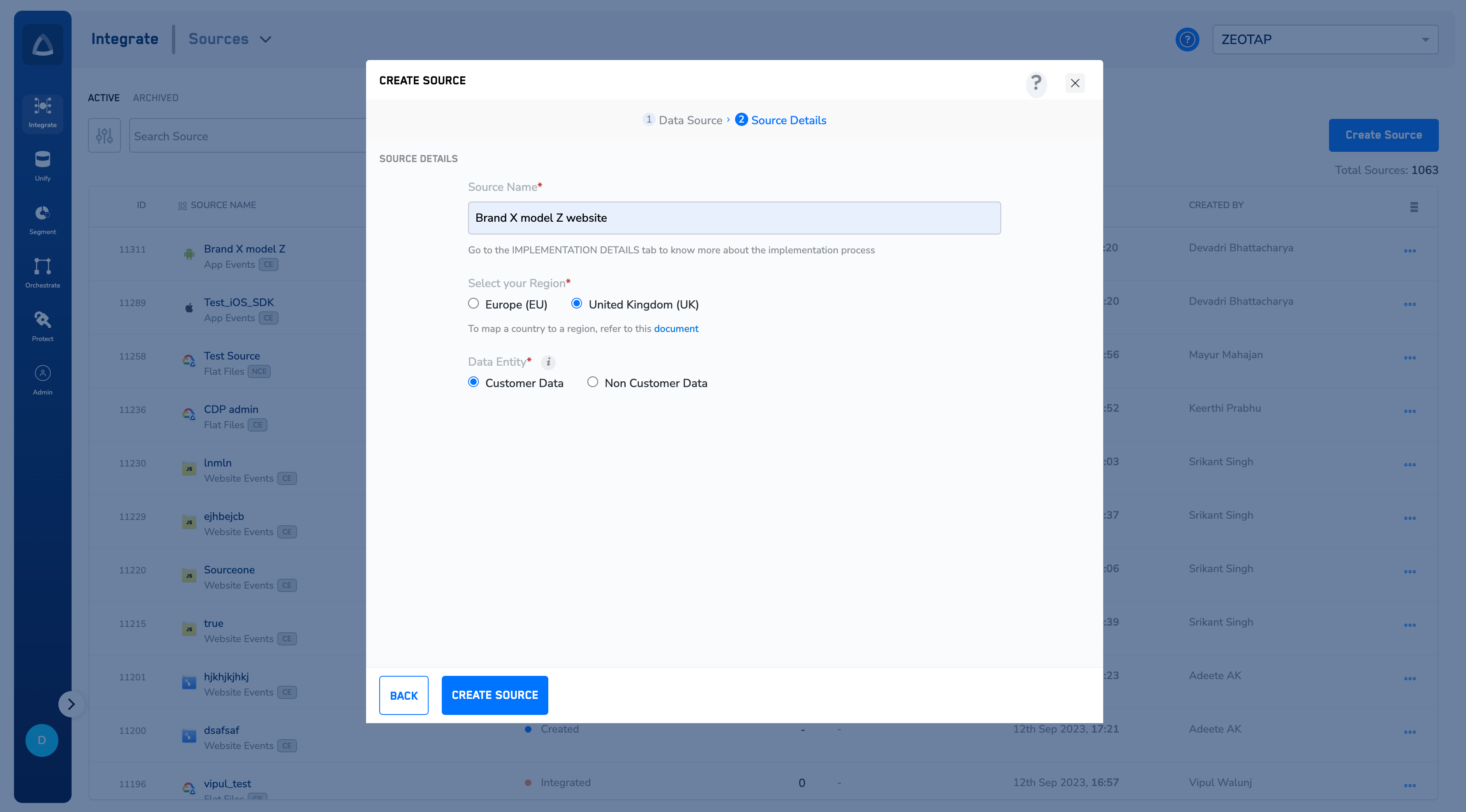
 Enter a name for the source.
Select a **Region** using the option button provided.
Enter a name for the source.
Select a **Region** using the option button provided.
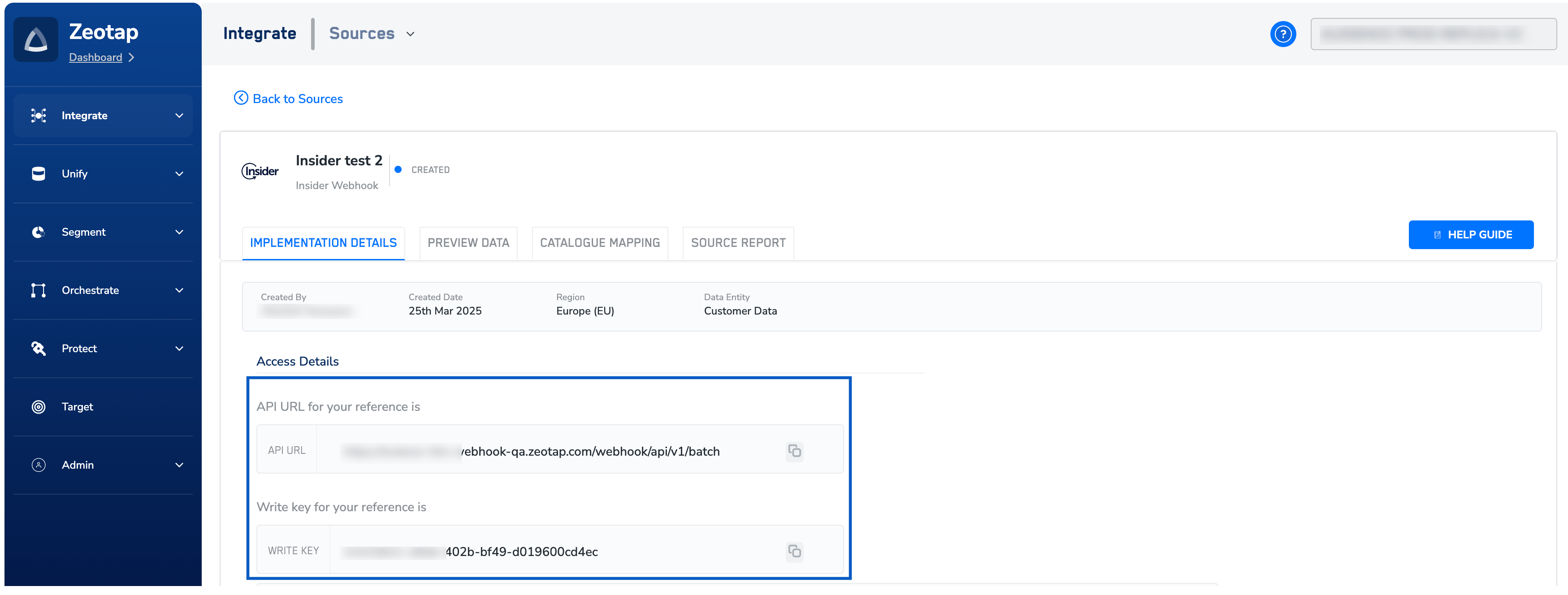
 Click **CREATE SOURCE**. Upon successful creation, an **API URL** and a **write\_key** is generated and is available under the **IMPLEMENTATION DETAILS** tab as shown in the image below. The API URL and the write\_key are essential to complete the integration.
 **Note:**
To know more about Insider Implementation, refer to [Implement an Insider source](/articles/integrate-customer/implement-an-insider-source).
**Note:**
To know more about Insider Implementation, refer to [Implement an Insider source](/articles/integrate-customer/implement-an-insider-source).