> ## Documentation Index
> Fetch the complete documentation index at: https://docs.zeotap.com/llms.txt
> Use this file to discover all available pages before exploring further.
# Create an Adobe Experience Platform Tag Extension Source
**Note:**
Refer to [Adobe Experience Platform Tag Extension](/articles/integrate-customer/adobe-experience-platform-tag-extension.mdx) to know more about this source.
Perform the following steps to create an Adobe Experience Platform Tag Extension Source
Navigate to the **Sources** application under **Integrate**, in the Zeotap CDP App.
Click **CREATE SOURCE**.
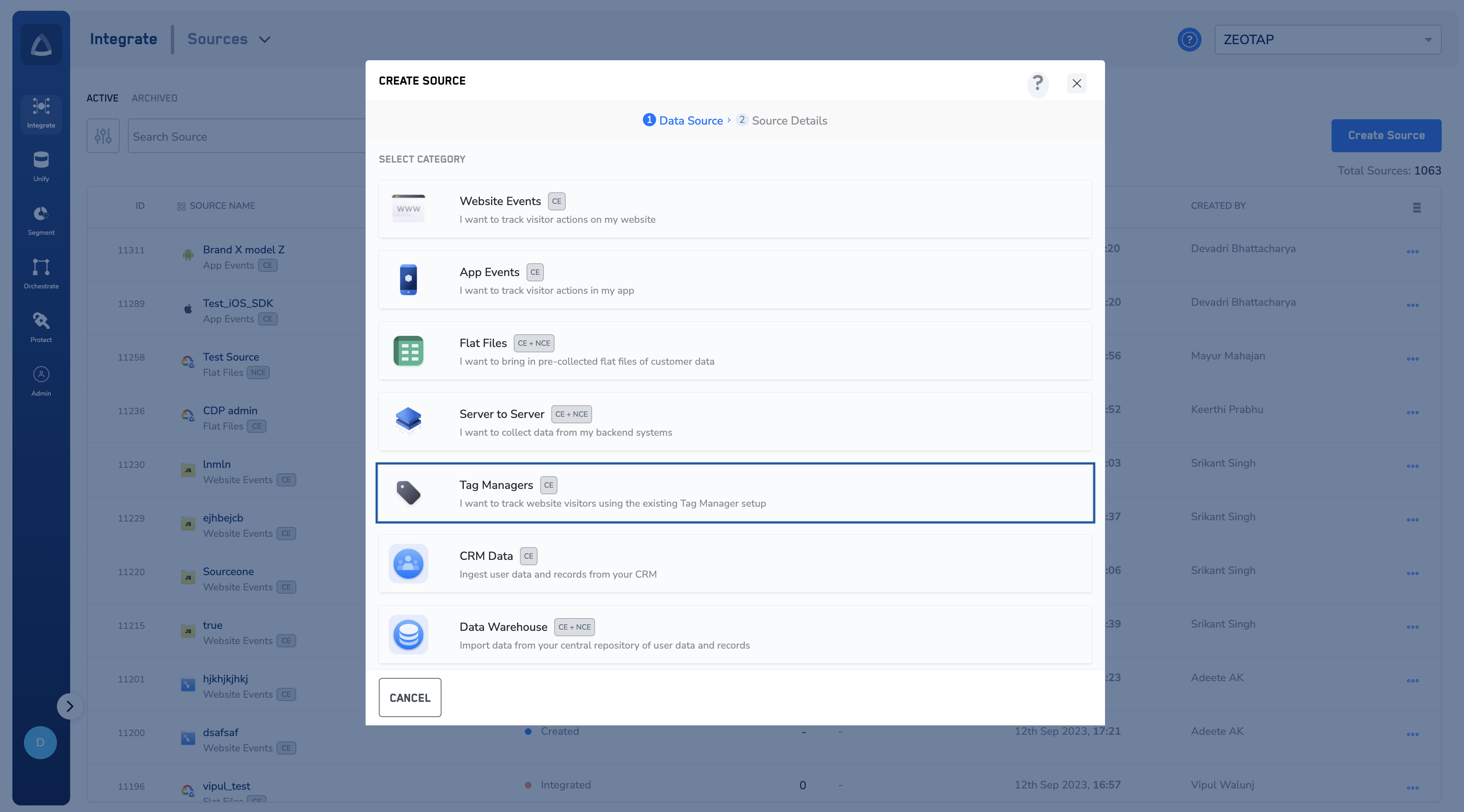
Choose **Tag Managers** as the Category.
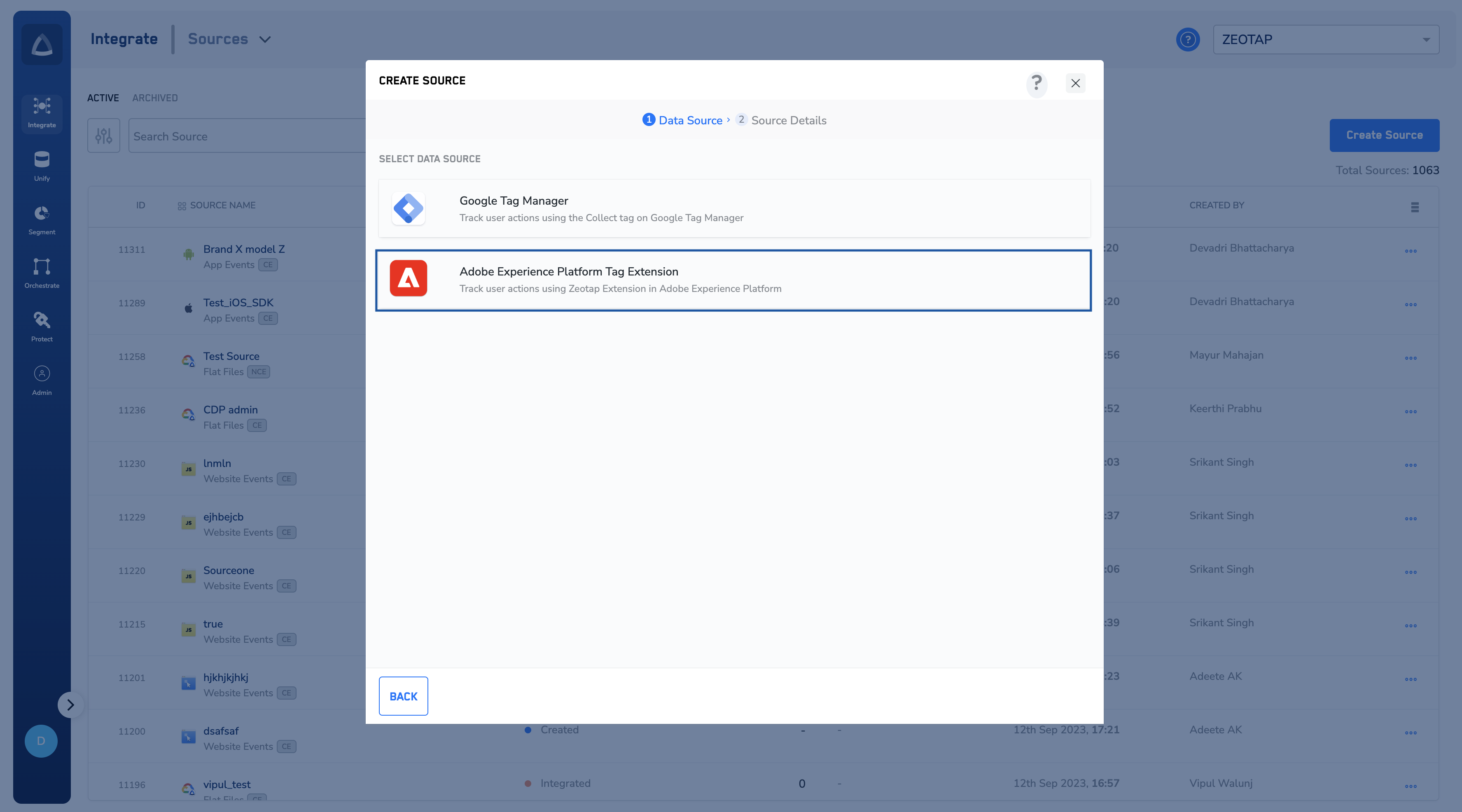
 Click **Adobe Experience Platform Tag Extension** as the Data Source.
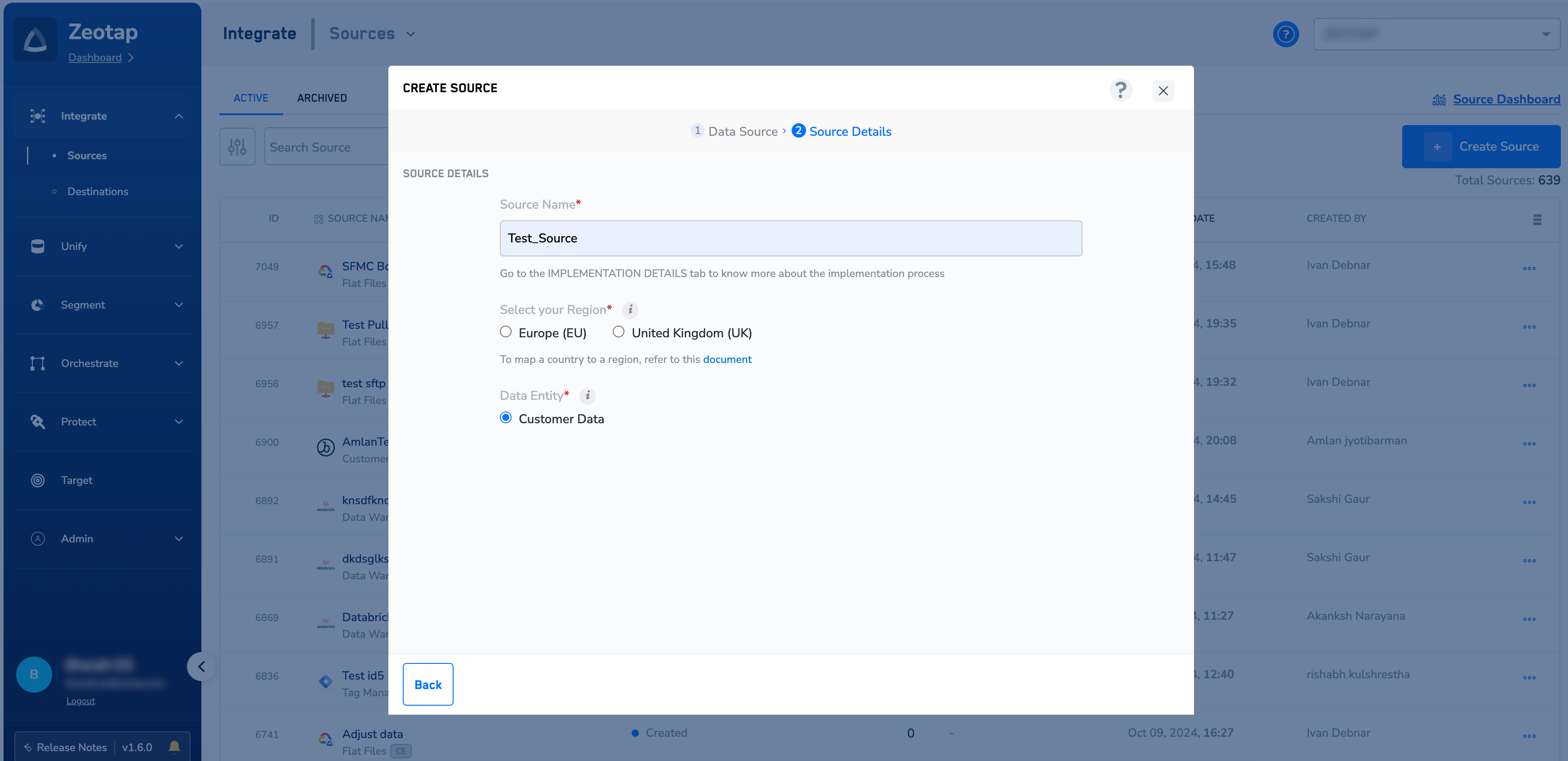
 Enter a name for the source.
Choose the region of upload and **Data Entity** as **Customer Data.** To know more about Customer Data, refer [here](https://docs.zeotap.com/smart/project-unify/supported-data-entities).
Enter a name for the source.
Choose the region of upload and **Data Entity** as **Customer Data.** To know more about Customer Data, refer [here](https://docs.zeotap.com/smart/project-unify/supported-data-entities).
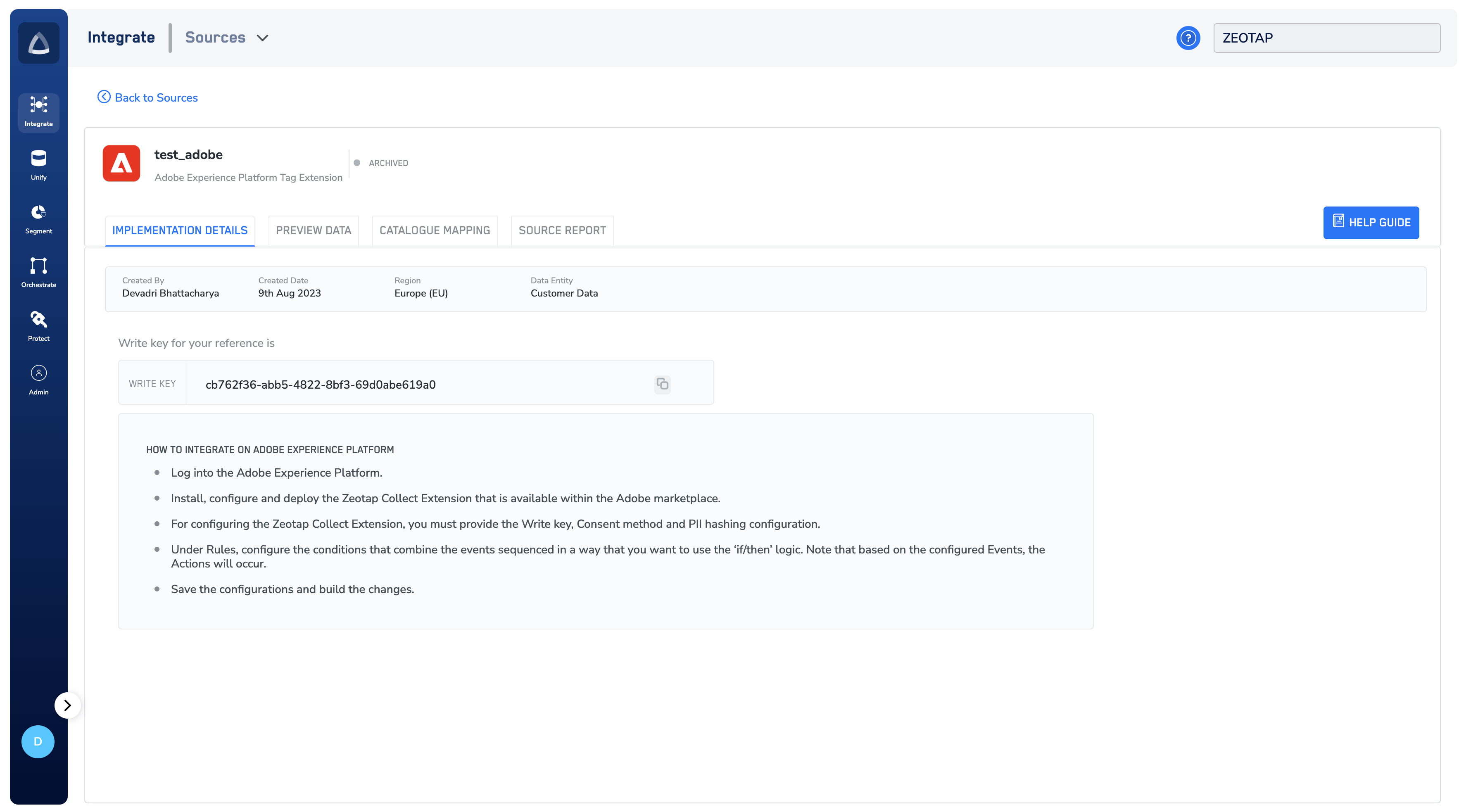
 Click **CREATE SOURCE**. The created Source appears on the **SOURCES** listing page. Once the Source has been taken live based on the implementation steps available, you can use the **[PREVIEW](/articles/integrate-customer/knowing-the-fields-on-the-preview-data-tab)** tab to see incoming data.
 **Note:**
When you create an Adobe Experience Platform Tag Extension source in your Collect account, a Write key is autogenerated by the system. Provide this key for configuring the Zeotap Collect Extension in the Adobe Experience Platform. This is a mandatory field for recording events. To know more about how to implement an Adobe Experience Platform Tag Extension source, refer [here](/articles/integrate-customer/implement-an-adobe-experience-platform-tag-extension-source).
## Related Topics
* For information about how to map the Catalogue for Customer Data (CE), refer [here](https://docs.zeotap.com/articles/unify-customer/map-the-catalogue-for-customer-data).
* For information about how to map the Catalogue for Non-Customer Entity (NCE) data, refer [here](https://docs.zeotap.com/articles/unify-customer/map-the-catalogue-for-non-customer-entity-data).
* For information about how to add a Non-Customer Entity (NCE) attribute in the Catalogue, refer [here](https://docs.zeotap.com/articles/unify-customer/adding-a-non-customer-entity-category).
* For information about Join Key Enricher and how to configure it, refer [here](https://docs.zeotap.com/articles/unify-customer/configuring-the-join-key-enricher).
**Note:**
When you create an Adobe Experience Platform Tag Extension source in your Collect account, a Write key is autogenerated by the system. Provide this key for configuring the Zeotap Collect Extension in the Adobe Experience Platform. This is a mandatory field for recording events. To know more about how to implement an Adobe Experience Platform Tag Extension source, refer [here](/articles/integrate-customer/implement-an-adobe-experience-platform-tag-extension-source).
## Related Topics
* For information about how to map the Catalogue for Customer Data (CE), refer [here](https://docs.zeotap.com/articles/unify-customer/map-the-catalogue-for-customer-data).
* For information about how to map the Catalogue for Non-Customer Entity (NCE) data, refer [here](https://docs.zeotap.com/articles/unify-customer/map-the-catalogue-for-non-customer-entity-data).
* For information about how to add a Non-Customer Entity (NCE) attribute in the Catalogue, refer [here](https://docs.zeotap.com/articles/unify-customer/adding-a-non-customer-entity-category).
* For information about Join Key Enricher and how to configure it, refer [here](https://docs.zeotap.com/articles/unify-customer/configuring-the-join-key-enricher).